Physical Address
304 North Cardinal St.
Dorchester Center, MA 02124
Physical Address
304 North Cardinal St.
Dorchester Center, MA 02124



Last Updated: April 27, 2026
| Feature | Joomla | Squarespace |
|---|---|---|
| Type | Open‑source content management system | Hosted website builder |
| Cost | Free core; hosting and extensions add cost | Monthly plans from $16 to $49 |
| Ease of Use | Steeper learning curve, requires technical knowledge | Drag‑and‑drop editor, beginner friendly |
| Templates | Thousands of free and premium templates, fully customizable | Elegant built‑in templates, limited custom CSS |
| SEO | Full control via extensions, meta‑data, URL routing | Built‑in SEO settings, automatic sitemaps |
| E‑Commerce | Extensions like VirtueMart, HikaShop, J2Store | Integrated commerce plans with inventory and payment gateways |
| Scalability | Can handle high traffic with proper hosting and caching | Designed for small to medium sites, limited server control |
| Best For | Developers, agencies, multilingual sites, complex applications | Artists, freelancers, small businesses that want a quick launch |
Joomla is a PHP‑based content management system that stores data in MySQL. It supports a modular architecture where core functionality can be extended through plugins, modules, and components. The platform offers built‑in multilingual support without requiring third‑party add‑ons. Its access control list lets administrators define granular permissions for users and groups.
Content is organized into articles, categories, and custom fields, which makes it easy to structure complex sites. Joomla’s routing system generates search‑engine‑friendly URLs automatically. The framework includes a media manager that handles images, videos, and documents with drag‑and‑drop upload. Finally, the system is responsive out of the box, adapting layouts to mobile devices.
Developers appreciate the MVC (model‑view‑controller) pattern that separates logic from presentation. This separation enables clean code and easier maintenance. Joomla also provides a command‑line interface for batch operations and automated deployments. The core is released under the GPL license, allowing anyone to modify and redistribute the code.
Joomla shines for users who need full control over site architecture and data. Agencies that build client sites with custom functionality often choose Joomla for its extensibility. Multilingual businesses benefit from the native language management that eliminates the need for separate installations.
Developers who are comfortable with PHP and MySQL find Joomla’s API familiar and powerful. Educational institutions and non‑profits that require complex membership structures also gravitate toward Joomla. The platform’s ability to integrate with third‑party services makes it a solid choice for enterprise projects.
While beginners can start with Joomla, the learning curve is higher than that of drag‑and‑drop builders. Those who enjoy tinkering with code, customizing templates, and installing extensions will feel at home. In short, Joomla is best suited for technical users and organizations that anticipate growth and complexity. For another comparison, see our Joomla vs Wix guide.
The Joomla core is free, but you need to budget for web hosting, a domain name, and SSL certificates. Shared hosting plans start around $5‑$10 per month, while managed Joomla hosting can cost $30‑$80 per month depending on traffic. Premium templates typically range from $30 to $100, and many extensions are sold on a yearly subscription basis. We break down the costs in our free vs premium Joomla extensions guide.
Some extensions, such as e‑commerce or advanced form builders, may require a one‑time fee of $50‑$200. If you need professional support, third‑party agencies offer maintenance contracts that start at $100 per month. Overall, the total cost of ownership can be lower than proprietary builders for high‑traffic sites.
Because Joomla is open source, you can host it on any server that meets the PHP and MySQL requirements. This flexibility allows you to move between providers without rebuilding the site. In contrast, Squarespace bundles hosting and software into a single price.
Squarespace is a hosted website builder that combines a visual editor with a set of pre‑designed templates. Users create pages by dragging blocks of content onto a canvas, and the platform automatically handles responsive design. Built‑in analytics give real‑time insight into traffic, conversion, and visitor behavior.
The system includes a blogging engine, simple e‑commerce tools, and integrated email marketing. All content is stored on Squarespace’s servers, and the platform supplies SSL certificates for every site. Users can connect custom domain names and use DNS management tools directly from the dashboard.
Squarespace also offers a set of developer tools that let you add custom code blocks, CSS, and JavaScript. While the core experience is geared toward non‑technical users, the developer mode provides a sandbox for more advanced tweaks. The platform’s design philosophy emphasizes visual consistency and ease of use.
Squarespace targets creatives, small business owners, and freelancers who need a polished site without hiring a developer. Photographers, artists, and portfolio sites benefit from the high‑quality image handling and gallery options. Restaurants and boutique stores appreciate the integrated reservation and product features.
Beginners who want a quick launch and minimal technical maintenance find Squarespace appealing. The platform’s guided setup walks users through branding, layout, and content creation. For those who prefer a hands‑off hosting solution, Squarespace removes the need to manage servers or security patches.
However, enterprises that require deep integration with external systems may find the platform limiting. Large e‑commerce operations that need custom checkout flows often outgrow Squarespace’s built‑in tools. In those cases, a more flexible CMS like Joomla is a better fit.
Squarespace offers four main plans: Personal ($16/month), Business ($23/month), Basic Commerce ($35/month), and Advanced Commerce ($49/month). All plans include hosting, SSL, and a custom domain for the first year. The Business plan adds marketing tools, while the Commerce plans access full e‑commerce capabilities.
There are no hidden fees for templates; the library is included in the subscription. Transaction fees are waived on Commerce plans but apply to the Business plan at 3 % per sale. Users can upgrade or downgrade at any time, and the platform offers a 14‑day free trial.
Because Squarespace is a fully managed service, the cost of technical support and security updates is baked into the price. For small sites with modest traffic, the total cost is predictable. Larger sites may find the per‑month fee higher than a self‑hosted Joomla solution.
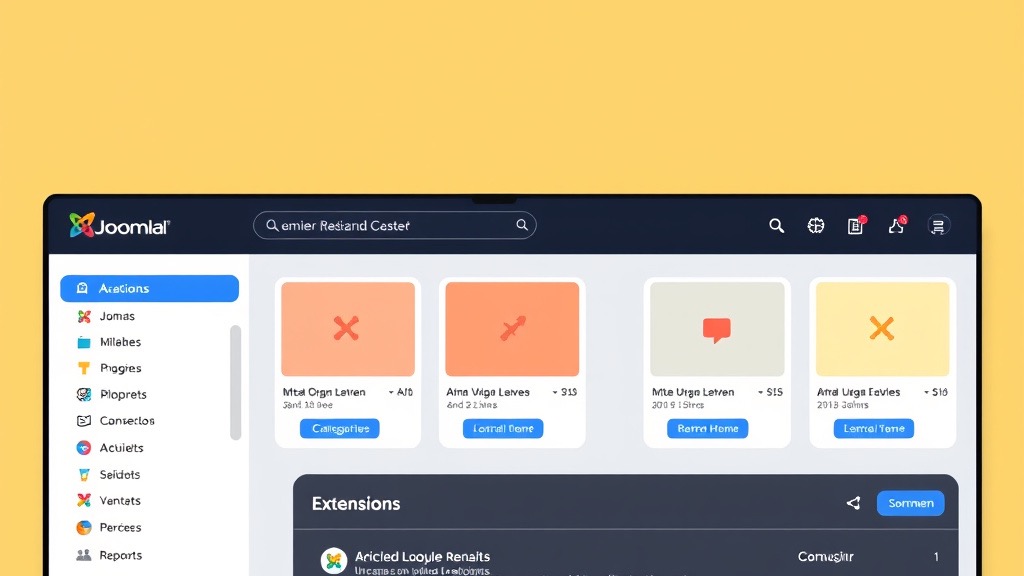
Joomla’s back‑end dashboard presents a menu of content, extensions, and system settings. Users work through through hierarchical menus to create articles, manage users, and configure components. The interface relies on forms and tables rather than visual drag‑and‑drop, which can feel familiar to developers.
Because the system is highly configurable, new users must spend time learning the terminology of modules, plugins, and components. The core documentation provides step‑by‑step guides, but the sheer number of options can be overwhelming. Nevertheless, once the basics are mastered, the interface offers precise control over every aspect of the site.
Advanced users can enable the “admin toolbar” that adds shortcuts for common tasks, and they can install third‑party admin templates that improve usability. The learning curve is steeper than a pure website builder, but the payoff is a platform that can be shaped to any requirement. Regular updates introduce new UI tweaks that keep the experience modern.
Squarespace’s editor places a visual canvas at the center of the screen, allowing users to click and drag content blocks into place. Each block includes a toolbar for editing text, images, and settings without leaving the page. The layout automatically adjusts to different screen sizes, so users do not need to design separate mobile versions.
The editor also includes a style panel where colors, fonts, and spacing can be changed globally. Because the system uses a limited set of blocks, the learning process is fast and intuitive. Users can preview changes in real time, which reduces the need for trial and error.
While the visual approach is straightforward, it can be restrictive for complex designs. Users who need custom interactions must resort to code injection, which is less seamless than Joomla’s template system. Overall, the drag‑and‑drop experience is ideal for those who want a site up quickly with minimal technical effort.
For non‑technical users, Squarespace clearly wins on simplicity and speed of launch. The visual editor removes the need to understand code, and the managed hosting eliminates server concerns. This makes it a solid choice for small businesses and individuals who prioritize convenience.
Joomla, on the other hand, demands a willingness to learn its architecture and to manage external hosting. The initial setup takes longer, but the platform rewards users with deep customization options. Once the learning curve is overcome, Joomla can be tailored to any workflow.
In our assessment, the “better” platform depends on the user’s goals. If the priority is a quick, attractive site with little technical overhead, Squarespace is the logical pick. For projects that require custom functionality, multilingual support, or extensive scalability, Joomla provides the tools needed to succeed.

Joomla offers thousands of free and premium templates that can be downloaded from the official extensions directory or third‑party marketplaces. Templates are built with HTML, CSS, and PHP, allowing developers to edit the source files directly. This level of access makes it possible to implement unique layouts, animations, and interactive elements.
Many templates come with built‑in theme parameters that let users change colors, fonts, and logo placement without touching code. The framework also supports responsive design frameworks such as Bootstrap, ensuring that sites look good on mobile devices. Advanced users can create child templates to preserve customizations when the parent theme updates.
Because Joomla separates content from presentation, designers can focus on the visual layer while editors manage articles. The system’s module positions provide flexible placement of widgets, menus, and custom HTML blocks. Overall, the template ecosystem offers a balance between ready‑made designs and deep edit control.
Squarespace ships with a curated collection of professionally designed templates that cover a wide range of industries. Each template is built on a responsive grid, and the platform automatically adjusts spacing for different devices. Users can switch templates at any time without losing content, although some layout adjustments may be required.
The design editor includes a style panel where users can modify typography, color palettes, and spacing globally. For finer control, Squarespace allows custom CSS injection, but this feature is limited to a single stylesheet per site. The platform also provides built‑in image editing tools, such as cropping and filters, directly within the editor.
While the templates are visually appealing, they lack the granular control that Joomla’s theme system provides. Users cannot replace the underlying HTML structure without leaving the platform. Nevertheless, for most small‑business owners, the built‑in design tools are sufficient to create a polished online presence.
Joomla wins on the depth of design flexibility. The ability to edit template files, create custom modules, and integrate third‑party front‑end frameworks means designers can achieve virtually any visual outcome. This is essential for brands that need a unique look or complex interactive features.
Squarespace excels at speed and consistency. Its templates are crafted by professional designers and require no coding to look good. For users who value a quick, polished result without learning HTML or CSS, Squarespace provides an unbeatable experience.
In summary, the “better” design platform depends on the project’s requirements. If you need a highly customized visual identity, Joomla offers the tools to make it happen. If you prefer a ready‑made, aesthetically consistent site with minimal effort, Squarespace is the stronger choice.

Joomla includes built‑in SEO settings such as meta‑title, meta‑description, and URL alias fields for each article. Extensions like sh404SEF and Easy Frontend SEO add advanced features such as canonical URLs, schema markup, and sitemap generation. The platform also supports Open Graph tags, which improve social media sharing.
Because Joomla stores content in a relational database, developers can create custom queries to optimize page load times, a factor that influences search rankings. The system’s multilingual support includes language‑specific URLs and hreflang tags, helping search engines serve the correct version to users. Additionally, Joomla’s plugin architecture allows integration with third‑party analytics and marketing automation tools.
While Joomla provides powerful SEO tools, users must configure them manually. The learning curve for SEO extensions can be steep for beginners, but the payoff is precise control over how search engines index the site. Properly optimized Joomla sites can rank competitively with any other platform.
Squarespace automatically generates clean, search‑engine‑friendly URLs based on page titles. The platform includes a simple interface for editing meta‑titles, descriptions, and alt text for images. A built‑in sitemap is updated automatically, and the system submits it to major search engines.
Squarespace also offers integrated analytics that track traffic sources, page performance, and conversion goals. Users can enable SSL with a single click, which is a ranking signal for Google. The platform’s mobile‑first design ensures that pages load quickly on smartphones, another important SEO factor.
Although Squarespace covers the basics, it lacks the granular control that Joomla extensions provide. Advanced SEO tactics such as custom schema markup or fine‑tuned crawl budgets require code injection, which is limited. For most small sites, the built‑in tools are sufficient, but power users may find them restrictive.
When it comes to raw SEO power, Joomla takes the lead. Its ecosystem of extensions gives developers the ability to implement advanced techniques, manage multilingual SEO, and fine‑tune performance. This level of control is essential for large or highly competitive sites.
Squarespace offers a solid out‑of‑the‑box SEO foundation that works well for typical small‑business sites. The platform’s simplicity reduces the risk of misconfiguration, which can be a problem for inexperienced users. However, the lack of deep customization may limit growth for ambitious SEO campaigns.
Overall, Joomla is the better choice for users who need thorough SEO capabilities and are willing to invest time in setup. Squarespace is a good option for those who want a hassle‑free, decent SEO baseline without digging into technical details.

Joomla does not ship with native e‑commerce, but a range of extensions fill the gap. VirtueMart, HikaShop, and J2Store are popular choices that support product catalogs, inventory management, and multiple payment gateways. These extensions can be combined with shipping plugins, tax calculators, and subscription modules.
Because the extensions are separate components, developers can mix and match features to suit specific business models. For example, a site can use VirtueMart for a full‑featured store while integrating a third‑party subscription service through a custom plugin. The flexibility also allows integration with ERP systems and CRM platforms via API connectors. If e‑commerce is your primary focus, our Joomla vs Shopify comparison covers that topic in depth.
One downside is that each extension may have its own licensing model, and some advanced features are only available in paid tiers. Installation and configuration require a basic understanding of Joomla’s extension manager. Nevertheless, the ecosystem provides a powerful foundation for complex online stores.
Squarespace bundles e‑commerce directly into its Business and Commerce plans. The platform supports product listings, inventory tracking, discount codes, and tax calculation out of the box. Integrated payment processors include Stripe and PayPal, and the checkout experience is fully hosted.
Commerce plans also include features such as abandoned cart recovery, subscription billing, and advanced shipping options. Users can sell digital products, services, and physical goods without installing additional software. The platform’s analytics dashboard shows sales performance, conversion rates, and customer demographics.
While Squarespace’s commerce tools are easy to set up, they are limited to the features provided by the platform. Custom checkout flows or complex tax rules may require workarounds that are not always possible. For most small to medium stores, the built‑in tools are sufficient, but larger enterprises may outgrow the system.
Joomla offers greater flexibility for online stores that need custom workflows, multiple payment gateways, or integration with external systems. Its extensions can be tailored to specific product types, subscription models, and B2B pricing structures. This makes Joomla the preferred choice for businesses with unique e‑commerce requirements.
Squarespace provides a simplifyd, all‑in‑one solution that works well for merchants who want to launch quickly and avoid technical maintenance. The platform’s design consistency and built‑in security reduce the overhead of managing a store. For boutique shops and artists selling a limited catalog, Squarespace is often the most convenient option.
In conclusion, the “better” e‑commerce platform depends on the scale and complexity of the business. Joomla excels for sophisticated, high‑volume stores that demand custom development. Squarespace shines for straightforward, design‑focused shops that prioritize ease of use.

Joomla follows a layered security approach that includes core updates, two‑factor authentication, and granular access controls. The platform releases security patches on a regular schedule, and administrators can apply them through the built‑in update manager. Extensions are vetted through the Joomla Extensions Directory, and developers are encouraged to follow secure coding practices.
Because Joomla is self‑hosted, site owners must choose a reputable hosting provider that offers firewalls, DDoS protection, and regular backups. SSL certificates can be installed manually or via automated tools like Let’s Encrypt. The platform also supports security extensions that add features such as IP blocking and malware scanning.
While the responsibility for security rests largely on the site owner, Joomla’s architecture makes it possible to implement strong defenses. Properly configured, a Joomla site can meet the same security standards as major enterprise platforms. Regular audits and timely updates are essential to maintain a secure environment.
Squarespace operates as a fully managed service, handling all server‑side security for its users. The platform automatically applies security patches, monitors for vulnerabilities, and provides built‑in SSL for every site. Data centers are certified for industry standards such as ISO 27001 and SOC 2.
Because the infrastructure is controlled by Squarespace, users do not need to manage firewalls or backups. The platform offers daily automated backups and a version history that allows rollback to previous states. Two‑factor authentication is available for all accounts, adding an extra layer of protection.
While the managed nature simplifies security, it also means users have limited control over certain settings. Advanced security configurations, such as custom firewall rules, are not exposed to the end user. For most small businesses, the built‑in protections are more than adequate.
Joomla performance depends heavily on the hosting environment, caching extensions, and optimization of assets. With a quality host and proper caching, Joomla sites can achieve fast load times and high uptime. Tools such as JCH Optimize and Cloudflare can further improve speed and security.
Squarespace runs on a proprietary CDN and optimized server stack, delivering consistent performance across the globe. The platform’s built‑in image compression and lazy loading contribute to quick page rendering. Uptime is typically above 99.9 % due to the company’s redundant infrastructure.
In head‑to‑head tests, Squarespace often scores higher on raw speed for standard sites because the environment is tightly controlled. Joomla, however, can match or exceed that performance when tuned correctly and hosted on a high‑quality server. The choice ultimately hinges on whether you prefer a managed solution or the freedom to optimize yourself.

Joomla’s modular architecture allows developers to add new functionality without disrupting existing components. As traffic increases, sites can be moved to more powerful servers, load balancers, or cloud platforms. The use of MySQL or MariaDB enables horizontal scaling through database replication.
Large organizations often use Joomla to build multi‑site networks, intranets, and custom applications. The platform’s API support makes it possible to integrate with external services such as CRM, ERP, and marketing automation tools. Multilingual support scales naturally as new language packs are added.
Because Joomla is open source, there are no licensing restrictions that limit growth. Developers can write custom extensions to meet emerging business needs, ensuring the platform remains adaptable over time. This flexibility is a key advantage for enterprises that anticipate evolving requirements.
Squarespace scales automatically within the limits of its hosted environment. As a site gains traffic, the platform allocates additional resources behind the scenes, preserving performance. However, the underlying infrastructure is shared, and there is no option to choose a dedicated server.
Features such as product limits and storage quotas are tied to the chosen plan. Upgrading to a higher‑tier Commerce plan increases these limits, but the platform does not support custom server configurations or advanced integrations. This can become a bottleneck for businesses that need specialized functionality.
For most small to medium enterprises, Squarespace’s built‑in scalability is sufficient. The platform’s ease of use allows owners to focus on content and marketing rather than infrastructure. When a site outgrows the platform’s capabilities, migration to a more flexible CMS may be required.
Joomla provides the most scalable foundation for projects that anticipate rapid growth or complex requirements. Its ability to run on any server, combined with a rich ecosystem of extensions, means you can expand functionality without switching platforms. This makes Joomla the logical choice for large enterprises and high‑traffic portals.
Squarespace offers a hassle‑free scaling experience for sites that stay within the bounds of its plans. The platform’s managed nature eliminates the need for technical scaling decisions, which can be attractive for small businesses. However, the lack of control over server resources can become a limitation as a site matures.
In summary, Joomla wins on pure scalability and flexibility, while Squarespace provides a simpler, managed scaling path for modest growth. Choose Joomla if you expect to outgrow the typical website builder, and choose Squarespace if you prefer a set‑and‑forget solution.
The Joomla community consists of thousands of developers, designers, and users who contribute to forums, documentation, and extensions. The official Joomla Docs site offers step‑by‑step tutorials, API references, and best‑practice guides. Community events such as Joomla Days and local meetups provide opportunities for networking and learning.
Third‑party developers publish extensions on the Joomla Extensions Directory, and many offer premium support contracts. The community’s open‑source ethos encourages sharing of code snippets, templates, and troubleshooting tips. This collaborative environment helps users solve problems quickly and stay up‑to‑date with new features.
While the community is vibrant, support quality can vary depending on the source. Official Joomla support is limited to paid services from Joomla partners, but many users rely on forum volunteers. Overall, the breadth of resources makes Joomla a well‑supported platform for technical users.
Squarespace provides 24/7 email support and live chat during business hours. The help center contains a searchable knowledge base with articles covering setup, design, and troubleshooting. Users can also access video tutorials and webinars that walk through common tasks.
Because Squarespace is a fully managed service, the support team can often resolve issues without requiring user intervention on the server. The platform’s status page displays real‑time information about outages and maintenance windows. Premium support plans are available for enterprise customers who need dedicated account managers.
Support is generally fast and helpful for most standard issues, but the scope is limited to the features offered by the platform. Complex customizations may fall outside the support team’s expertise, requiring users to seek external developers. Nevertheless, the overall experience is smooth for the target audience.
Joomla’s support model relies heavily on its community and third‑party partners, offering a wide range of expertise but sometimes inconsistent response times. Users who need guaranteed SLA coverage can purchase support contracts from certified Joomla providers. This model works well for organizations that value flexibility and can manage relationships with multiple vendors.
Squarespace delivers a unified support experience with a single point of contact and a clear escalation path. The platform’s built‑in monitoring and managed environment reduce the number of issues that require support. For users who prefer a straightforward help desk, Squarespace’s approach is more convenient.
Ultimately, the “better” support depends on the user’s expectations. Joomla offers depth and customization through its community, while Squarespace offers speed and simplicity through its dedicated support team.
Yes, Joomla remains popular among developers, agencies, and multilingual sites that need a flexible, open‑source CMS.
Joomla has a steeper learning curve, requires separate hosting, and can become complex to manage without technical expertise.
Squarespace limits deep customization, restricts third‑party integrations, and can become expensive as you upgrade to higher‑tier plans.
Yes, many small businesses, creatives, and freelancers choose Squarespace for its ease of use and polished templates.
Joomla can be used by beginners, but the learning curve is higher than that of drag‑and‑drop builders; beginners may need to invest time in tutorials.
Yes, migration is possible using export tools and manual content transfer, though it requires technical steps to recreate templates and extensions.