Physical Address
304 North Cardinal St.
Dorchester Center, MA 02124
Physical Address
304 North Cardinal St.
Dorchester Center, MA 02124

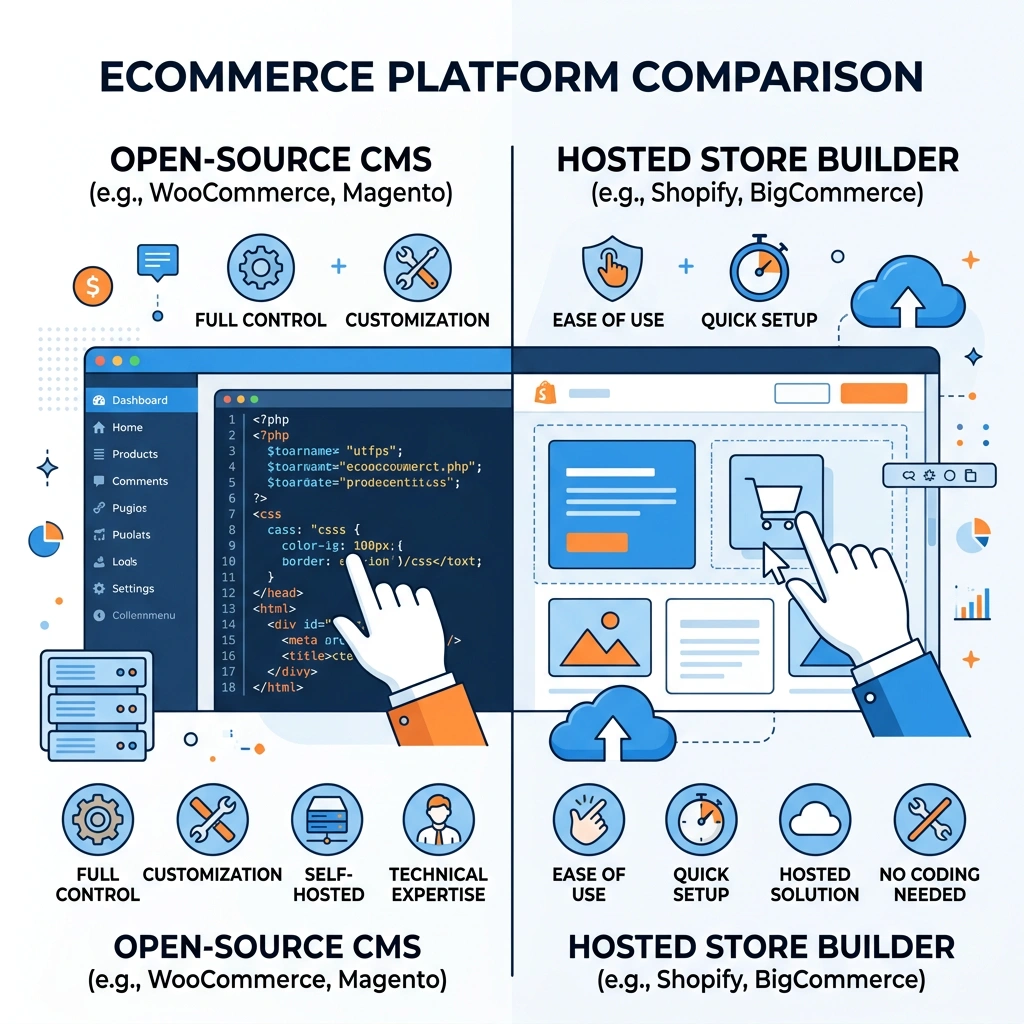


Joomla vs Shopify is a question many online store owners ask when they start planning a new ecommerce site. We’ll walk through the major differences, strengths, and trade‑offs so you can decide which platform fits your business best.
| Feature | Joomla | Shopify |
|---|---|---|
| Hosting | Self‑hosted (shared, VPS, dedicated) | Hosted SaaS (Shopify servers) |
| Cost Model | Free core, pay for extensions, hosting, SSL | Monthly subscription + transaction fees |
| Ease of Use | Learning curve, requires technical setup | Quick setup, drag‑and‑drop editor |
| Extensions | VirtueMart, HikaShop, J2Store via Joomla Extension Directory | Shopify App Store with thousands of apps |
| Design | Responsive themes, page builders, custom PHP | Shopify Themes, Liquid templating |
| SEO Tools | SEO‑friendly URLs, meta tags, XML sitemap plugins | Built‑in SEO fields, automatic sitemap |
| Security | Owner responsible for updates, SSL, PCI compliance | Shopify manages SSL, PCI, backups |
| Support | Community forums, third‑party hosting support | 24/7 support, Shopify experts |
Both Joomla and Shopify can power a successful online store, but they follow different philosophies. Joomla gives you full control over the stack, while Shopify removes most technical tasks by handling hosting and security for you.
Joomla is an open‑source content management system built on PHP and MySQL. Its core consists of a modular framework that separates content, users, and extensions into distinct layers. This separation lets developers add new functionality without touching the core files, which helps keep the site stable during upgrades.
The architecture relies on a MVC (Model‑View‑Controller) pattern, allowing developers to create custom components, modules, and plugins. Each piece can be installed from the Joomla Extension Directory, which hosts thousands of free and paid add‑ons. Because Joomla is self‑hosted, you choose the server environment—shared hosting, VPS, or dedicated hardware.
One advantage of this design is the ability to integrate other data types such as audio, images, and videos directly into the site. The system also supports multilingual content out of the box, which can be useful for global ecommerce operations.
Joomla does not ship with ecommerce out of the box, but the ecosystem offers several mature extensions. VirtueMart is a full‑featured shopping cart that supports multiple currencies, tax rules, and shipping methods. It also includes a catalog mode for businesses that only need to showcase products.
HikaShop provides a lightweight alternative with strong inventory management and a flexible pricing engine. It integrates well with Joomla’s built‑in user groups, making it easy to set up wholesale pricing or member‑only discounts. J2Store takes a different approach by turning any Joomla article into a product, which can be handy for content‑driven stores.
All three extensions support popular payment gateways, abandoned cart recovery, and multichannel selling through add‑ons. They also expose APIs that let developers connect to external ERP or CRM systems, giving you the ability to build a custom workflow.
Joomla appeals to developers, agencies, and businesses that want complete control over their website. If you already have a Joomla site and want to add a store, the transition is smoother than migrating to a new platform. The system also works well for sites that blend content and commerce, such as blogs with product recommendations.
Because the platform is self‑hosted, you need to manage updates, backups, and security patches yourself or rely on a hosting partner. This responsibility can be a drawback for small teams without technical expertise, but it also means you can fine‑tune performance and scalability.
In short, Joomla is a solid choice when you need a flexible CMS that can grow into a full ecommerce solution, especially if you have developers on staff or access to a reliable hosting provider.
Shopify is a SaaS platform that provides everything you need to run an online store from a single dashboard. The service includes web hosting, security, and a content of built‑in features, so you never have to install software on a server. Because it is hosted, Shopify handles server maintenance, SSL certificates, and PCI compliance automatically.
The platform is built on a proprietary stack that uses the Liquid templating language for theme customization. All stores run on Shopify’s global CDN, which helps deliver fast page loads worldwide. The hosted model also means you get automatic backups and a high level of uptime without extra configuration.
Shopify’s pricing is subscription based, with plans that scale from small boutique shops to large enterprises. Each plan includes a set amount of staff accounts, storage, and bandwidth, and you can add extra features through the Shopify App Store.
Shopify ships with a complete set of ecommerce tools, including product management, inventory tracking, and order fulfillment. The platform also provides built‑in payment processing via Shopify Payments, which reduces transaction fees for many merchants. For those who prefer third‑party gateways, Shopify supports dozens of alternatives.
Marketing tools are part of the core offering, such as discount codes, gift cards, and abandoned cart recovery. The system also includes a blog engine, SEO fields for each product, and automatic XML sitemap generation. These features help you attract traffic and convert visitors without installing extra extensions.
Integration with social media and marketplaces is easy through native apps for Facebook, Instagram, Amazon, and eBay. This multichannel capability lets you manage inventory and orders from a single admin panel, simplifying the workflow for growing businesses.
Shopify is aimed at merchants who want to launch quickly and focus on selling rather than server management. The platform is popular among small‑to‑medium businesses, dropshippers, and brands that need a reliable storefront without hiring a development team.
Because the system is hosted, you get 24/7 support from Shopify’s own staff, as well as a large community of experts and third‑party agencies. The learning curve is low, especially for users familiar with drag‑and‑drop editors and basic ecommerce concepts.
Overall, Shopify is a solid option for anyone who values speed of deployment, built‑in security, and a marketplace of apps that can extend functionality without custom code.
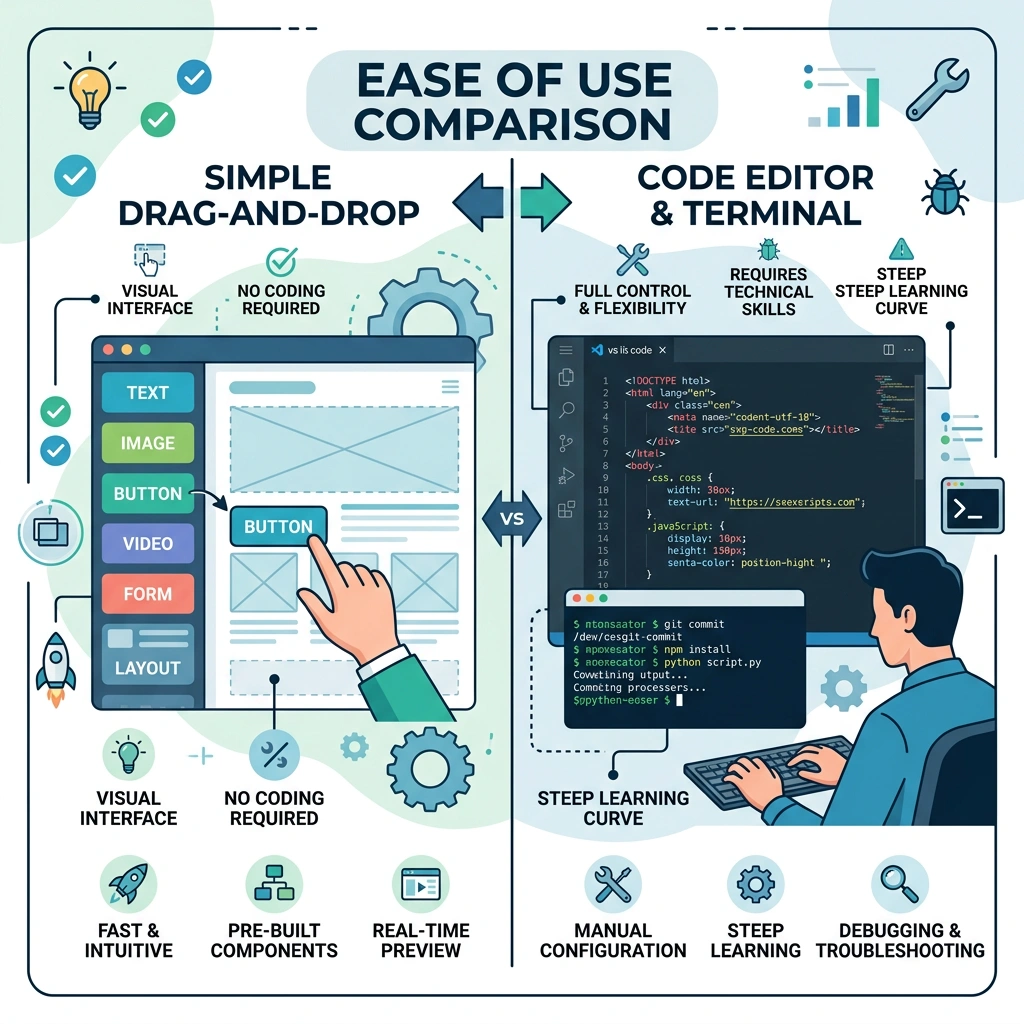
Signing up for Shopify is a matter of creating an account and choosing a plan. After the initial setup, you are guided through a step‑by‑step wizard that helps you add products, set up payment gateways, and configure shipping zones. The platform provides a drag‑and‑drop page builder that lets you customize the home page without touching code.
Shopify also offers a theme store with free and premium responsive themes. You can preview each theme on desktop and mobile devices, then install it with a single click. The themes are built with Liquid, but most merchants never need to edit the code because the visual editor covers most use cases.
Because everything is hosted, you do not need to purchase an SSL certificate or worry about server configuration. Shopify automatically provisions a free SSL for your domain, and the platform handles all security patches behind the scenes.
Starting a Joomla site requires downloading the core package from Joomla.org and installing it on a web server. You need a hosting provider that supports PHP and MySQL, and you must create a database for the installation. The process can be completed in a few minutes if you follow the installer prompts.
After the core installation, you will need to choose a template and install any ecommerce extensions you plan to use. The Joomla Extension Directory offers a searchable list of free and paid add‑ons, but you must verify compatibility with your Joomla version. Some extensions, such as VirtueMart, have their own setup wizards that guide you through product creation and payment configuration.
Security measures such as SSL and PCI compliance are your responsibility. You must obtain an SSL certificate from your host or a third‑party provider and configure it in Joomla’s global configuration. Regular updates to the core and extensions are also essential to keep the site safe.
Shopify’s admin panel presents a clean dashboard with quick links to orders, products, and analytics. Managing inventory is simple: you can adjust stock levels directly from the product page or import a CSV file for bulk updates. The platform also offers built‑in tools for handling refunds, shipping labels, and tax calculations.
Joomla’s backend is more modular, with separate menus for components, modules, and plugins. Managing a store involves navigating to the ecommerce extension’s control panel, where you can edit products, categories, and orders. While the interface is powerful, it can feel fragmented compared to Shopify’s unified dashboard.
Both platforms support multichannel selling, but Shopify’s native integrations make it easier to push products to social channels and marketplaces. Joomla can achieve the same result through third‑party extensions, which may require additional configuration and testing.
Shopify clearly wins on simplicity and speed of deployment. The platform’s hosted nature removes the need for server management, and the visual editor lowers the learning curve for non‑technical users. For merchants who want a hands‑off approach, Shopify is the logical choice.
Joomla offers more flexibility, but that comes with a steeper learning curve. You need to handle hosting, security, and extension compatibility yourself, which can be a hurdle for small teams. However, if you already have Joomla expertise or a development team, the platform can be tailored to very specific requirements.
In our experience, the decision often hinges on how much control you need versus how quickly you want to launch. The next sections dive deeper into feature comparisons to help you make an informed choice.

Shopify provides a centralized product catalog where you can add unlimited items, set variants, and manage inventory across multiple locations. The system automatically updates stock levels when orders are placed, and you can enable low‑stock alerts to stay on top of demand.
Joomla’s ecommerce extensions each have their own product management interface. VirtueMart, for example, supports product attributes, custom fields, and stock tracking, but the UI can feel dated compared to Shopify’s modern dashboard. HikaShop offers a more polished product editor, while J2Store uses Joomla articles for product creation, which can be advantageous for content‑heavy sites.
All three Joomla extensions support bulk import/export via CSV, allowing you to migrate large catalogs. However, you may need additional plugins for advanced inventory features such as batch updates or automated reordering.
Shopify integrates with over 100 payment gateways worldwide, and its own Shopify Payments reduces transaction fees to 0% for many regions. When you use a third‑party gateway, Shopify adds a 0.5%–2% fee on top of the gateway’s charge.
Joomla extensions connect to many gateways through plugins. VirtueMart supports PayPal, Stripe, Authorize.Net, and local payment providers, but each integration may require separate configuration. HikaShop and J2Store also offer a range of gateway add‑ons, some of which are paid.
Because Joomla is self‑hosted, you must ensure your server meets PCI requirements if you store credit‑card data. Many merchants choose to use a hosted payment page to avoid handling sensitive data directly.
Shopify’s checkout is optimized for conversion and includes features such as abandoned cart recovery, discount codes, and multiple shipping options. The checkout page is hosted on Shopify’s secure domain, which can improve trust for customers.
Joomla’s checkout experience depends on the chosen extension. VirtueMart offers a multi‑step checkout with optional guest checkout, while HikaShop provides a single‑page checkout that can be customized with drag‑and‑drop fields. J2Store follows a simple flow that mirrors the article‑based product model.
All platforms support SSL encryption, but on Shopify the certificate is automatically applied. With Joomla, you must install and configure the SSL certificate yourself, which can be a source of errors if not done correctly.
Shopify’s native integrations let you list products on Facebook, Instagram, Amazon, and eBay directly from the admin panel. Inventory sync is automatic, and orders from any channel appear in the same dashboard.
Joomla can achieve multichannel selling through extensions that push products to external marketplaces. Some plugins provide two‑way synchronization, but you often need to manage API keys and mapping manually.
Both platforms support selling on mobile devices thanks to responsive themes. Shopify’s mobile app also lets you process orders on the go, a feature that is not available in the core Joomla installation.
Shopify’s Theme Store offers a curated selection of free and premium responsive themes. Each theme is built with Liquid, which allows developers to add custom sections and blocks without breaking the core layout.
Most themes include drag‑and‑drop page builders that let you rearrange content blocks, add banners, and customize typography. The themes are mobile‑optimized out of the box, ensuring a consistent experience across devices.
While you can edit theme code directly, Shopify recommends using the Theme Editor for most changes to avoid breaking updates. For deeper customizations, you may need a developer familiar with Liquid and Shopify’s API.
Joomla offers a wide range of templates that can be purchased from third‑party vendors or downloaded for free. Many modern templates include built‑in page builders such as SP Page Builder or Quix, which enable drag‑and‑drop layout creation.
Templates are highly customizable through CSS, PHP overrides, and Joomla’s module positions. This flexibility lets you create unique designs that reflect your brand identity, but it may require more technical knowledge than Shopify’s theme editor.
Responsive design is a standard feature of most Joomla templates, and you can test mobile optimization using the built‑in preview tools. Some templates also include pre‑built ecommerce layouts that work with VirtueMart, HikaShop, or J2Store.
Shopify’s customization is limited to what the theme and apps allow. The Liquid templating language is powerful, but you cannot modify the underlying server environment. This restriction can be a benefit for security but may frustrate developers who need deep integrations.
Joomla’s open‑source nature means you have full access to the codebase. You can create custom components, override core functionality, and integrate with any third‑party system via APIs. This level of control is ideal for complex business models that require bespoke workflows.
Both platforms support multilingual sites, but Joomla’s built‑in language manager makes it easier to manage translations without additional extensions. Shopify requires third‑party apps for multilingual support, which can add cost and complexity.
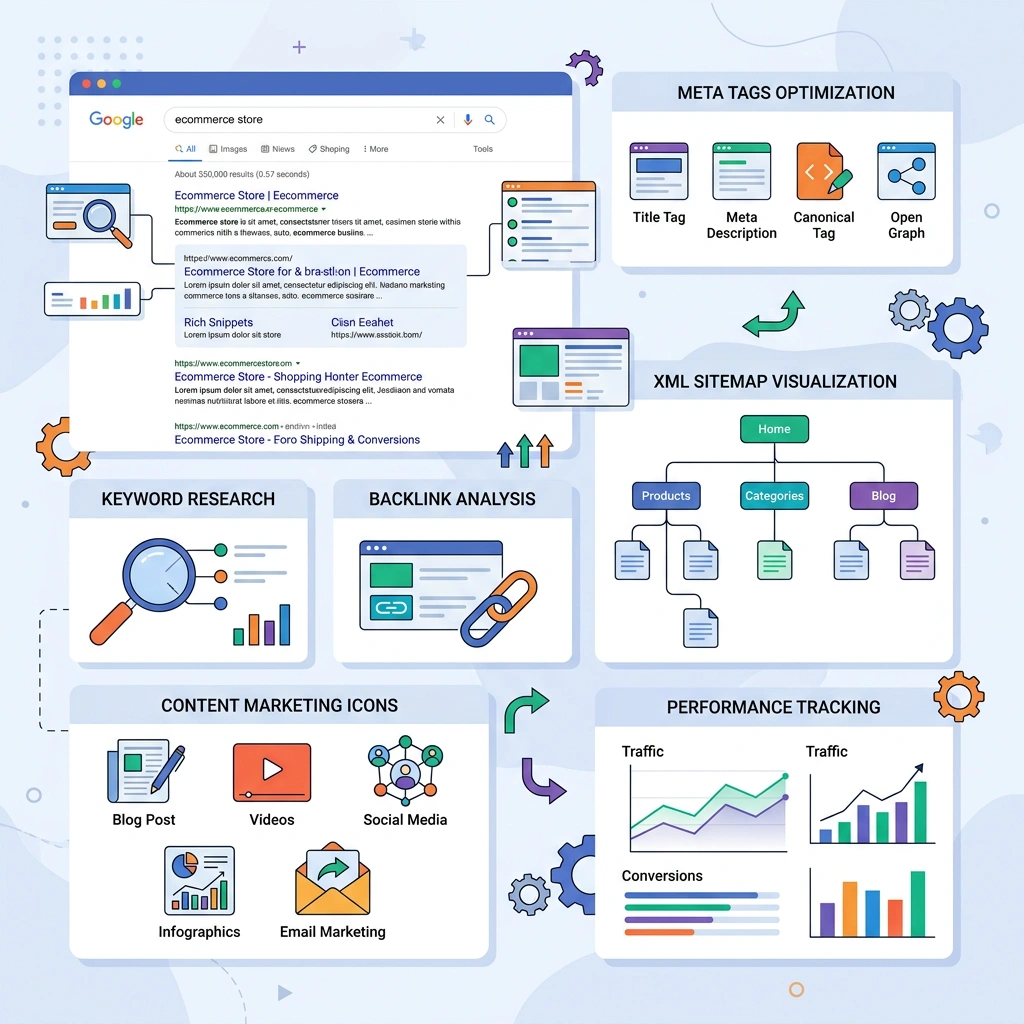
Shopify includes fields for meta titles, descriptions, and alt text directly in the product editor. The platform automatically generates SEO‑friendly URLs and an XML sitemap that updates whenever you add new content.
Joomla also offers SEO‑friendly URLs and meta tag management through core settings and extensions. The Joomla Extension Directory provides SEO plugins that add features such as schema markup and advanced sitemap generation.
Both platforms allow you to set canonical tags to avoid duplicate content issues. Shopify’s built‑in tools are easier for beginners, while Joomla gives you more granular control if you need to fine‑tune SEO parameters.
Shopify’s blog engine is simple but functional, allowing you to publish articles, add images, and schedule posts. The blog is integrated with the store, so you can link products directly from your content.
Joomla shines in content management. Its article system supports categories, tags, custom fields, and version control. You can create complex content structures, such as knowledge bases or news portals, alongside your ecommerce store.
Both platforms support RSS feeds, social sharing, and integration with third‑party marketing tools. Joomla’s flexibility can be an advantage if you need a content‑heavy site with advanced publishing workflows.
Shopify integrates with popular email marketing services like Klaviyo, Mailchimp, and Omnisend through the App Store. These integrations enable automated abandoned cart emails, product recommendations, and segmentation.
Joomla can connect to email platforms using extensions that sync subscriber lists and trigger campaigns. Some extensions also provide built‑in newsletter functionality, though they may require additional configuration.
Both platforms support webhook and API access, allowing you to build custom email workflows or connect to CRM systems. The choice often depends on the depth of integration you need and the tools your team already uses.
Shopify offers three main plans: Basic ($39/month), Shopify ($105/month), and Advanced ($399/month). Each plan includes a set number of staff accounts, shipping discounts, and reporting features. Transaction fees apply when you use a non‑Shopify Payments gateway, ranging from 0.5% to 2%.
Additional costs can arise from premium themes, paid apps, and third‑party integrations. For example, a popular email marketing app may cost $20–$50 per month, while a subscription‑box app could add another $30.
When you factor in the cost of a domain, SSL (included), and 24/7 support, Shopify’s total cost of ownership remains predictable, especially for businesses that prefer a fixed monthly expense.
Joomla itself is free, but you must pay for hosting, which can range from $5/month for shared hosting to $200+ for dedicated servers. SSL certificates may be free through Let’s Encrypt or cost $50–$150 per year if you choose a premium provider.
Extensions such as VirtueMart, HikaShop, or J2Store often have free core versions, but advanced features like payment gateway add‑ons, multi‑currency support, or advanced reporting may require paid extensions. These can add $30–$200 per year per extension.
Support for Joomla is primarily community‑driven, though you can purchase professional support from third‑party agencies. The total cost can be lower than Shopify for small sites, but it can increase quickly as you add more extensions and require custom development.
Shopify’s subscription model provides a clear budget forecast, and the platform’s scalability means you can upgrade plans as your revenue grows. The built‑in security and hosting reduce the need for separate IT staff.
Joomla’s flexibility can translate into lower ongoing fees if you host on a budget server and use free extensions. However, the need for regular updates, security patches, and possible developer time can add hidden expenses over time.
When evaluating total cost of ownership, consider both the direct monetary cost and the time you’ll spend managing the platform. For businesses that prioritize speed and minimal upkeep, Shopify often offers better value. For those that need deep customization and already have technical resources, Joomla may be more economical.

Shopify handles SSL certificates automatically, ensuring that all data transmitted between the customer and the store is encrypted. The platform is PCI‑DSS compliant out of the box, which means you can accept credit‑card payments without additional certification.
Security updates are applied by Shopify’s engineering team, and the infrastructure includes DDoS protection and regular backups. This managed approach reduces the risk of downtime caused by security breaches.
Shopify also offers fraud analysis tools that flag suspicious orders, helping you mitigate chargeback risk. The 24/7 support team can assist with security incidents, providing an extra layer of protection.
With Joomla, you are responsible for keeping the core, extensions, and templates up to date. Regular updates are essential to patch vulnerabilities, and you must monitor security advisories from the Joomla community.
SSL must be installed and configured on your server, and you need to ensure your hosting environment meets PCI requirements if you store payment data. Many hosts offer managed security services, but they add to the overall cost.
Joomla’s open‑source nature means the code is publicly available, which can be both a strength and a risk. While many eyes can spot issues quickly, attackers also have access to the same code. Implementing a Web Application Firewall (WAF) and following best practices can mitigate these risks.
Shopify’s PCI compliance is included in every plan, so you do not need to undergo a separate audit. This simplifies the process for merchants who sell directly on the site.
Joomla stores must achieve PCI compliance on their own. This typically involves using a hosted payment gateway that handles card data, configuring the server for secure transmission, and possibly completing a Self‑Assessment Questionnaire (SAQ).
Choosing a reputable payment provider that offers tokenization can reduce the scope of PCI compliance for Joomla sites. Nonetheless, the responsibility for maintaining compliance rests with the site owner.
Shopify runs on a cloud infrastructure that automatically scales to handle traffic spikes. The platform’s CDN distributes content globally, reducing latency for visitors in different regions.
Performance optimizations such as image compression, lazy loading, and script minification are built into the platform. You can also enable Accelerated Mobile Pages (AMP) through apps to improve mobile load times.
Because Shopify manages the server environment, you do not need to worry about database tuning or server resources. This allows you to focus on product and marketing rather than technical performance.
Joomla’s scalability depends on the hosting environment you choose. Shared hosting may be sufficient for small stores, but larger catalogs often require VPS or dedicated servers to handle concurrent users.
Performance can be improved with caching extensions, CDN integration, and optimized database queries. Tools like JCache, Cloudflare, and Redis can help reduce page load times.
When traffic grows, you may need to upgrade your hosting plan, implement load balancers, or move to a cloud provider such as AWS or Google Cloud. These changes require technical expertise and can increase operational costs.
Shopify stores typically achieve page load times under 2 seconds on desktop and under 3 seconds on mobile, thanks to built‑in optimizations. Independent tests show consistent performance even during high‑traffic sales events.
Joomla sites can match or exceed these speeds when properly configured, but the results vary widely based on hosting, template design, and the number of installed extensions. A well‑optimized Joomla store on a dedicated server can deliver sub‑second responses.
Both platforms benefit from responsive themes and mobile optimization, but Shopify’s default settings give it an edge for merchants who lack deep technical knowledge.
If your business requires custom integrations, unique checkout flows, or non‑standard data structures, Joomla’s open‑source nature gives you the freedom to code exactly what you need. You can modify core files, create custom components, and host the site on any server you prefer.
This level of control is valuable for enterprises that need to connect the store to legacy ERP systems, custom loyalty programs, or specialized shipping solutions. Joomla’s extensibility means you are not limited to the features offered by a marketplace.
However, with great power comes responsibility. You must manage updates, security patches, and server performance yourself, which may require dedicated staff or a reliable hosting partner.
For businesses that already have a Joomla site for content, adding an ecommerce layer can be more efficient than migrating to a new platform. You can reuse existing templates, user accounts, and multilingual setups, preserving SEO equity.
Integrating an ecommerce extension like VirtueMart or HikaShop allows you to keep a unified admin experience. This reduces the learning curve for your team and avoids the cost of redesigning the entire site.
Maintaining a single CMS also simplifies content marketing, as you can embed product listings directly within articles and use Joomla’s strong publishing tools.
When upfront costs are a major factor, Joomla’s free core and low‑cost hosting can be attractive. You can start with a modest shared hosting plan and upgrade as revenue grows.
Free extensions provide basic ecommerce functionality, and you can add paid add‑ons only when needed. This incremental approach can keep expenses low during the early stages of a business.
Be aware that hidden costs such as security monitoring, developer time, and premium extensions may appear later. Planning for these expenses helps avoid surprises as the store scales.
Shopify’s onboarding wizard and ready‑made themes let you publish a store in a matter of hours. You can add products, configure payment gateways, and go live without writing any code.
This speed is especially valuable for seasonal businesses, pop‑up shops, or entrepreneurs who need to test a market concept quickly. The platform’s app ecosystem also provides instant access to features like reviews, loyalty programs, and shipping calculators.
Because the platform handles hosting and security, you can focus on marketing and product development instead of technical setup.
Shopify includes inventory management, tax calculations, and shipping integrations out of the box. You do not need to install separate extensions to get a functional store.
The checkout process is optimized for conversion, and features like abandoned cart recovery are available with a few clicks. This reduces the time needed to assemble a full ecommerce stack.
If you plan to sell on multiple channels, Shopify’s native integrations with social media and marketplaces simplify the process, eliminating the need for custom development.
Shopify’s hosted environment means you never have to worry about server configuration, SSL renewal, or uptime monitoring. The platform’s 24/7 support team can assist with technical issues, order processing, and app recommendations.
For merchants without a dedicated IT team, this managed approach offers peace of mind. You also benefit from regular platform updates that introduce new features and security enhancements.
While you sacrifice some control, the trade‑off is a smoother operational experience and reduced risk of downtime.
Recommendation: If your priority is speed, ease of management, and a reliable hosted environment, Shopify is the better fit. If you need deep customization, already run Joomla, or want to minimize subscription costs, Joomla remains a strong contender.
Yes, Joomla can handle small stores effectively, especially when paired with a lightweight ecommerce extension like HikaShop. You’ll need to manage hosting and updates, but the platform’s flexibility allows you to start modestly and expand later.
Migrating from Shopify to Joomla is possible but requires exporting product data, customers, and orders, then importing them into a Joomla ecommerce extension. You’ll also need to rebuild the design and configure payment gateways on the new platform.
Shopify supports multilingual stores through third‑party apps and Shopify Markets. While the core platform offers basic language settings, you may need additional apps to manage translations and localized content.
Joomla extensions themselves do not charge transaction fees, but the payment gateways you integrate (e.g., PayPal, Stripe) will apply their standard fees. Some extensions may have premium add‑ons that incur additional costs.
Both platforms let you edit meta titles, descriptions, and URLs. Shopify’s built‑in SEO fields are easier for beginners, while Joomla offers more granular control through extensions and custom code. Both can generate XML sitemaps and support SEO‑friendly URLs.