Physical Address
304 North Cardinal St.
Dorchester Center, MA 02124
Physical Address
304 North Cardinal St.
Dorchester Center, MA 02124



Last updated: March 2026
joomla tutorial for beginners welcomes you to a warm, step‑by‑step journey that feels like a friendly hand guiding you through a new neighborhood. We will walk together through every click, setting, and tweak, so you never feel lost or overwhelmed.
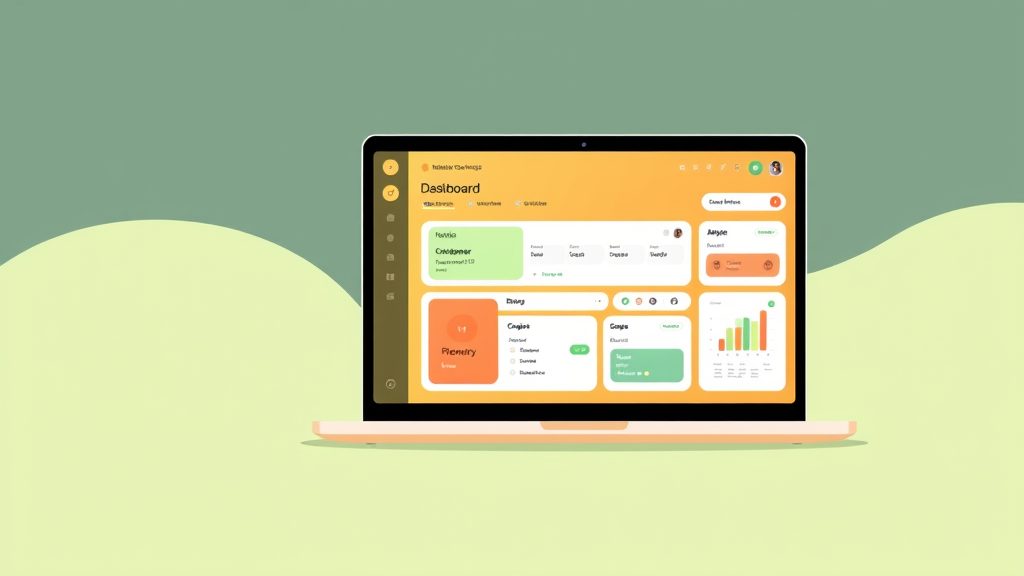
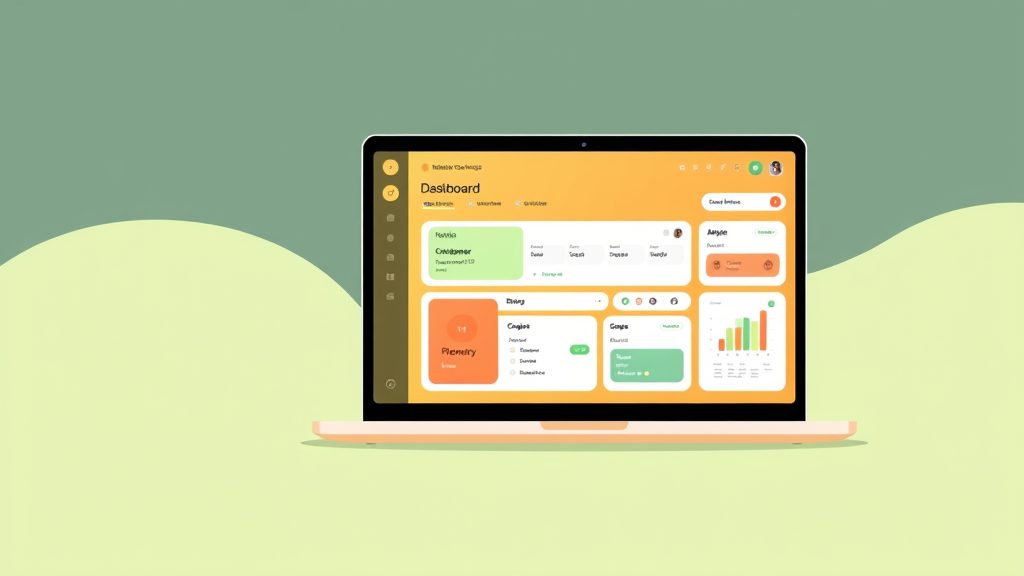
Image: The Joomla 5 dashboard — your starting point for building a website
Before we press the install button, we gather a few essential tools that act like a toolbox for a carpenter. We need a domain name that reflects your brand, a reliable hosting account, and a fresh MySQL database ready to store your content. A modern web browser and a text editor will help us edit configuration files when the need arises. Finally, we should have a brief outline of the site’s purpose, because a clear vision guides every technical decision.
Selecting a host is similar to choosing a home for a family; we want safety, comfort, and room to grow. We look for providers that support PHP 8.2 or higher, offer at least 2 GB of RAM, and provide automatic backups. A server with SSD storage speeds up page loads, and a control panel that lets us manage databases with a few clicks saves time. We also verify that the host’s support team understands Joomla, because quick answers prevent frustration later on.
We begin the installation by downloading the latest Joomla 5 package from the official site and uploading it via FTP or the host’s file manager. After creating a new MySQL database and user, we navigate to the installer script, fill in the site name, admin email, and database credentials, then click Install. The installer runs a series of checks—PHP version, folder permissions, and database connectivity—before it writes configuration files. Once the process finishes, we log in to the admin panel, rename the installer folder for security, and celebrate the first milestone of our new website.
The Control Panel greets us with a clean grid of icons that act like a cockpit for our site’s essential functions. We see quick shortcuts to Articles, Menus, Extensions, and System Information, each represented by a vivid, color‑coded tile. The toolbar at the top offers Save, Apply, and Cancel buttons, letting us act instantly without searching through menus. By hovering over each icon, a tooltip reveals a short description, reinforcing our confidence in working through the dashboard. Once your site is live, optimize it with our Joomla SEO guide.
Global Configuration is the command center where we set site‑wide preferences, much like adjusting the thermostat for an entire building. We define the site name, default email, and locale, then move to the Server tab to configure PHP memory limits and error reporting. The Permissions tab lets us assign user groups to specific actions, providing fine‑grained access control that protects sensitive data. By saving our changes, we confirm that every new article, module, or menu inherits these core settings.
User Management lets us create and organize accounts, turning strangers into trusted collaborators. We start by defining user groups such as Public, Registered, Author, Editor, and Super User, each with its own set of permissions. Adding a new user involves entering a username, password, and assigning them to one or more groups, then clicking Save & Close. We can also set up two‑factor authentication for extra protection, giving our community confidence that their information stays safe.

Image: Creating and managing content in Joomla’s article editor
Articles are the building blocks of our site, while categories act like folders that keep those blocks neatly organized. A menu item then points visitors to a specific article or a collection of articles within a category, forming the navigation pathways. By linking articles to categories and then to menus, we create a logical hierarchy that search engines love and users find intuitive. This structure resembles a library where shelves (categories) hold books (articles) that patrons (visitors) locate via a catalog (menus). The official Joomla documentation covers every field in detail.
We start a new article by clicking Content → Articles → New, then we give it a compelling title that captures the essence of the page. The editor offers a rich‑text toolbar, allowing us to format headings, insert links, and embed media without touching code. After drafting the content, we assign the article to a relevant category, set its publishing dates, and click Save & Close to make it live. A quick preview shows exactly how the article will appear to visitors, letting us fine‑tune layout and wording before the final launch.
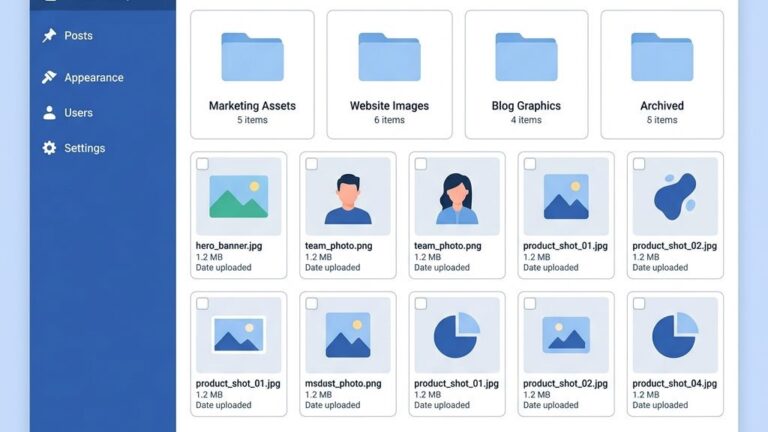
The Media Manager serves as a digital attic where we store images, PDFs, and other files for easy reuse. We upload a high‑resolution banner image, then use the built‑in image editor to crop it to a 1200 × 400 pixel dimension, ensuring a crisp display across devices. By organizing files into folders such as /images/headers or /docs, we keep the site tidy and improve load times. When we insert an image into an article, we add alt text that describes the visual, helping both accessibility tools and search engines understand its context.
Templates dictate the visual skin of our site, much like a costume changes a performer’s appearance. We download a responsive template from the Joomla Extensions Directory, then install it via Extensions → Manage → Install. After activation, we customize colors, fonts, and layout positions through the template’s parameter page, using live previews to see changes instantly. By applying a child theme, we safeguard our customizations from future template updates, preserving the unique look we crafted.
Extensions expand Joomla’s capabilities, while modules are small blocks that display content in specific positions. We install a popular SEO extension, a contact form module, and a social sharing plugin, each adding valuable functionality without writing code. Modules are placed by dragging them into positions such as sidebar‑right or footer‑1, and we configure each module’s visibility based on user groups. This modular approach mirrors assembling a LEGO set—each piece snaps into place, creating a cohesive structure.
A clear navigation menu guides visitors, turning a maze into a well‑lit hallway. We create a new menu called Main Menu, then add items that link to the Home page, About Us, Blog, and Contact. By assigning each menu item a Menu Title, Alias, and Parent Item, we build a hierarchical dropdown that adapts to mobile screens. The menu module is then published in the header position, ensuring that the navigation bar appears on every page for a seamless user experience. Find the right look for your site in our Joomla templates collection.
Search Engine Friendly (SEF) URLs transform cryptic strings into readable addresses, like turning a barcode into a street name. We enable SEF URLs in Global Configuration → Site → SEO Settings, checking the boxes for Use URL Rewriting, Add File Extensions, and Unicode Aliases. After renaming the htaccess.txt file to .htaccess, the server rewrites URLs automatically. This simple change improves click‑through rates and helps search engines index our pages more efficiently. We recommend checking the Joomla 5 technical requirements to confirm your server supports all SEO features.
Meta titles and descriptions act as the billboard and tagline that appear in search results, influencing whether users click. We edit each article’s Metadata tab, entering a concise title under 60 characters and a compelling description under 155 characters. By incorporating primary keywords naturally, we signal relevance to search engines while enticing readers. Consistently crafted meta tags across the site create a professional impression that builds trust with both users and crawlers.
An SEO extension provides advanced tools such as XML sitemaps, schema markup, and automated meta tag generation. We install the sh404SEF extension, then configure its settings to generate a sitemap that updates whenever new content is added. The extension also offers a keyword analysis panel, helping us fine‑tune on‑page optimization. By monitoring the SEO dashboard, we stay ahead of ranking fluctuations and adjust our strategy before issues become critical.
Regular updates act like vaccinations, protecting the site from emerging vulnerabilities and performance issues. We check the Extensions → Manage → Update screen weekly, applying any available core or extension updates with a single click. Before updating, we create a backup to safeguard against unexpected conflicts, ensuring a smooth transition. By staying current, we benefit from new features, bug fixes, and security patches that keep the site running smoothly. Download the latest version from the official Joomla downloads page.
Backups are safety nets that allow us to restore the site after accidental deletions or server failures. We use the Akeeba Backup extension to generate a full site archive, including the database and all files, then store the archive on a remote cloud service such as Google Drive. Scheduling automated daily backups guarantees that we always have a recent restore point. In the event of a mishap, we simply import the backup and the site returns to its previous state, minimizing downtime.
Security measures shield the site from malicious actors, much like a sturdy fence protects a garden. We enforce strong passwords for all user accounts, enable two‑factor authentication for administrators, and limit login attempts to deter brute‑force attacks. By configuring the Security tab in Global Configuration, we hide the version number and disable file editing from the admin panel. These proactive steps create layers of defense that keep our content and visitors safe.
We believe Joomla offers a gentle learning curve while still delivering powerful features for growing sites. Its intuitive Control Panel and clear menu structure allow newcomers to create articles and menus without deep technical knowledge. At the same time, the platform scales gracefully, so the same site can evolve into a complex portal as our skills improve. In short, Joomla balances simplicity and flexibility, making it an excellent choice for first‑time website builders.
Yes, the Joomla Extensions Directory hosts a vibrant collection of free templates that cater to a wide range of design preferences. These templates are built with responsive layouts, ensuring the site looks great on desktops, tablets, and smartphones. While free options provide solid foundations, premium templates often include additional customization panels and dedicated support. Exploring both categories helps us find a look that matches our brand without breaking the budget.
The time required varies based on prior experience, but most beginners become comfortable with core tasks within a few days of focused practice. By completing a structured tutorial—like this one—we can master article creation, menu setup, and basic SEO in under a week. Mastery of advanced extensions and custom development may take several weeks or months of hands‑on work. Consistent practice and community participation accelerate the learning journey, turning confidence into competence.
We need basic computer literacy, an understanding of web terminology, and a willingness to experiment. Familiarity with HTML and CSS enhances our ability to fine‑tune templates, but it is not a prerequisite for publishing content. Strong organizational skills help us manage categories, user groups, and extensions efficiently. By embracing a mindset of continuous learning, we can expand our skill set as the site grows.
Absolutely, Joomla integrates seamlessly with e‑commerce extensions such as VirtueMart and HikaShop, turning a simple site into a full‑featured online store. These extensions handle product catalogs, shopping carts, payment gateways, and order management without requiring custom code. By configuring tax rules, shipping options, and inventory tracking, we create a professional storefront that competes with dedicated platforms. Adding secure SSL certificates and regular backups confirms the store runs reliably and safely.
Joomla offers a more granular permission system out of the box, which can be advantageous for multi‑author sites needing precise access control. WordPress shines with its massive plugin ecosystem and a slightly lower entry barrier for pure blogging. Both platforms support responsive templates and SEO extensions, but Joomla’s architecture encourages structured content through categories and menus. Choosing between them depends on the project’s complexity, desired flexibility, and the team’s comfort with each system.
—
JoomlaXTC Editorial Team – We are a group of seasoned web developers, designers, and content strategists who share a passion for empowering creators. Our mission is to demystify complex technologies, offering clear, actionable guidance that helps beginners launch and maintain thriving Joomla sites. With years of hands‑on experience, we combine technical expertise with a caring approach, ensuring every reader feels supported throughout their web‑building adventure.
When we first open the Joomla administrator panel, the layout may feel dense, but the core concepts settle quickly with a few hours of hands‑on exploration. We start by creating a simple article, assigning it to a category, and linking it to a menu item; this short workflow illustrates the heart of Joomla’s content management system. By repeating these steps across several test pages, we develop a mental map of how articles, modules, and components interact. Within a couple of days, we can comfortably navigate the backend without constantly consulting the documentation.
A focused practice schedule accelerates our progress, especially when we allocate short, consistent sessions rather than marathon attempts. We recommend spending 30‑45 minutes each morning reviewing a specific feature—such as configuring a global configuration or tweaking a template style—followed by a quick experiment on a sandbox site. Pairing these sessions with video tutorials or the official Joomla documentation reinforces the concepts we just tried. After a week of disciplined practice, we typically feel confident handling routine tasks like creating new menus, adjusting permissions, and publishing media.
Advanced extensions introduce a new layer of complexity, but they also showcase Joomla’s flexibility for content management. Installing a popular SEO plugin, for example, lets us edit the meta description for each article, which improves click‑through rates from search engines. We can test the impact of these changes by using a browser’s view‑source tool to verify that the meta tags appear correctly. Over several weeks, experimenting with e‑commerce, forum, or multilingual extensions expands our toolkit and prepares us for real‑world projects.
Building a miniature website from scratch serves as a practical capstone for our learning journey. We begin by selecting a responsive template, then populate the site with a homepage, an about page, and a blog section, ensuring each page has a clear meta description that summarizes its purpose. After publishing, we run a quick usability test on a smartphone and a tablet to confirm that the layout adapts gracefully. This hands‑on project not only solidifies our knowledge but also produces a portfolio piece we can showcase to clients or employers.
Continuous learning remains a cornerstone of Joomla mastery, and the community offers abundant resources to keep us up to date. We join local Joomla user groups, subscribe to newsletters, and follow the official forum where developers share tips on performance tuning and security hardening. When new versions roll out, we allocate time to read the release notes and test the upgrade on a staging copy before applying it to a live site. By staying engaged, we confirm that our content management practices evolve alongside the platform, and our meta description strategies stay aligned with the latest SEO guidelines.
A solid foundation in basic computer operations equips us to install Joomla, navigate file directories, and manage database credentials without hesitation. We familiarize ourselves with the control panel by creating user accounts, assigning groups, and adjusting permissions, which is essential for multi‑author environments. Understanding the terminology—such as “module,†“component,†and “pluginâ€â€”helps us communicate effectively with teammates and support staff. These initial steps give us the confidence to explore deeper functionalities.
While we can launch a functional site without writing code, a working knowledge of HTML and CSS dramatically expands our ability to customize templates. We practice by editing a template’s stylesheet to change fonts, colors, or spacing, then preview the results in real time using the built‑in preview mode. When we need to adjust the layout of a specific article, we insert simple HTML tags directly into the editor, ensuring the output remains valid and accessible. This hands‑on approach transforms abstract concepts into tangible design improvements.
Organizational skills become as the site grows, especially when we manage numerous categories, tags, and menu items. We develop a naming convention for articles and folders, which simplifies future updates and reduces the risk of duplicate content. By employing Joomla’s built‑in tagging system, we can group related items and generate dynamic lists without additional extensions. This structured approach also supports effective content management, making it easier to locate and edit pieces when needed.
Basic SEO awareness empowers us to optimize each page for search visibility, and the meta description plays a pivotal role in attracting clicks from search engine results. We practice writing concise, keyword‑rich meta descriptions for new articles, then verify their presence using browser developer tools. Additionally, we configure global SEO settings—such as enabling friendly URLs and setting a site‑wide default description—to reinforce consistency across the platform. These habits embed SEO best practices into our regular workflow.
Finally, a willingness to engage with the Joomla community accelerates skill acquisition and problem solving. We participate in discussion threads, attend virtual webinars, and contribute to open‑source extensions when opportunities arise. By sharing our own experiences, we help others while reinforcing our own understanding of the platform. This collaborative mindset confirms that our skill set remains current and that we can tackle emerging challenges with confidence.
Launching an e‑commerce site on Joomla begins with selecting a robust extension such as VirtueMart or HikaShop, each of which integrates tightly with the core content management engine. We install the chosen component through the Joomla Extension Manager, then run the built‑in setup wizard to define currency, tax zones, and payment gateways. The wizard guides us through creating essential pages—like a product catalog, cart, and checkout—so we can focus on populating inventory rather than building functionality from scratch.
Adding products involves creating individual items, assigning them to categories, and uploading high‑resolution images that showcase each offering. We enrich each product entry with a meta description that highlights key features and incorporates relevant search terms, improving discoverability on search engines. By configuring stock levels and back‑order settings, we prevent overselling and maintain a smooth fulfillment process. Regularly reviewing the product list confirms that pricing and availability remain accurate.
Shipping configuration can be tailored to meet regional requirements and customer expectations. We set up multiple shipping methods—such as flat‑rate, weight‑based, and carrier‑integrated options—then test each scenario using the checkout simulation tool. During testing, we verify that the correct tax rates apply based on the buyer’s location and that the meta description of the checkout page accurately reflects the transaction’s security. These checks help us deliver a transparent and trustworthy purchasing experience.
Security measures are non‑negotiable for any online store, and we reinforce Joomla’s default protections by installing a reputable security extension and enabling two‑factor authentication for administrative accounts. We also obtain an SSL certificate, which encrypts data transmitted between the shopper’s browser and the server, and we confirm that the lock icon appears on every page, including the product detail and checkout screens. Regular backups of both the file system and the database safeguard us against data loss, allowing quick recovery in case of an incident.
After the store is live, we turn our attention to performance optimization and marketing analytics. We enable caching, compress images, and leverage a CDN to reduce load times, especially for mobile shoppers. By integrating Google Analytics and setting up conversion goals, we can track how visitors interact with the site and adjust our meta descriptions to improve click‑through rates. Ongoing monitoring and incremental tweaks keep the storefront competitive and aligned with evolving customer expectations.
Joomla’s permission architecture offers granular control over what each user can view or edit, which proves advantageous for sites that host multiple contributors with distinct roles. We can define custom user groups, assign specific access levels to menu items, and restrict certain components to administrators only, all without installing additional plugins. This built‑in flexibility reduces the need for third‑party extensions that might otherwise complicate the site’s maintenance.
WordPress, by contrast, relies heavily on a vast ecosystem of plugins to achieve comparable permission granularity, which can introduce compatibility challenges for newcomers. We often find that a single plugin provides the required functionality, but we must also monitor for updates and potential conflicts with other extensions. Joomla’s native approach keeps the core system lean, allowing us to focus on content creation and design rather than plugin management.
Both platforms support responsive templates and SEO extensions, yet Joomla encourages a more structured content hierarchy through its category and menu systems. We typically organize articles into logical groups, then map those groups to navigation menus, which creates a clear site architecture for both users and search engine crawlers. This disciplined organization simplifies the creation of meta descriptions for each page, ensuring that search results accurately reflect the page’s purpose.
When evaluating the learning curve, WordPress often feels more approachable for pure blogging because its default theme and editor are minimalistic. Joomla, however, presents a richer set of out‑of‑the‑box features that can reduce the need for additional extensions as the site expands. By investing a bit more time early on, we gain a platform that scales gracefully with complex content management requirements.
Ultimately, the choice hinges on the project’s scope, the team’s technical comfort level, and the desired balance between flexibility and simplicity. We recommend prototyping a small section of the site in both systems to assess which workflow aligns best with our objectives. Whichever platform we select, maintaining consistent meta descriptions and a well‑structured content management plan will be key to long‑term success.
Is Joomla good for beginners?
We find that Joomla can be approachable for newcomers when we start with a clean installation and a well‑documented template. The built‑in article editor lets us create and format content without needing extra extensions, which reduces the initial learning load. By using the menu manager early on, we can see how items are linked to categories, giving us a visual sense of the site’s structure. When we add meta descriptions to each page, the process is straightforward: the fields appear directly in the article settings, so we can craft search‑engine snippets without leaving the content management interface. Although the interface offers many options, we can focus on the essentials and expand our skill set as the project grows.
How long does it take to learn Joomla?
Our experience shows that a basic grasp of Joomla’s core concepts can be achieved within a few days of hands‑on practice. Spending a couple of hours each day building a simple site—creating categories, publishing articles, and configuring menus—helps us internalize the workflow quickly. Adding meta descriptions to each page becomes second nature after a few iterations, as we see the impact on search results. Mastering more advanced features such as custom fields, extensions, and multilingual support typically requires a few weeks of consistent work, especially when we align those features with a broader content management strategy. The timeline varies by individual pace, but a focused effort yields a functional site in a short period.