Physical Address
304 North Cardinal St.
Dorchester Center, MA 02124
Physical Address
304 North Cardinal St.
Dorchester Center, MA 02124


Because Joomla runs on your own server, you can scale resources vertically (more CPU, RAM) or horizontally (load balancers, multiple web nodes). The platform works well with popular caching extensions like Cache Cleaner and CDN plugins.
Large organizations often deploy Joomla on cloud platforms such as AWS or Azure, using auto‑scaling groups to handle traffic spikes. The ability to fine‑tune PHP settings and database indexing further improves performance.
In practice, a well‑optimized Joomla site can handle tens of thousands of concurrent visitors without degradation, provided the hosting environment is properly configured.
Wix hosts all sites on a proprietary, globally distributed network. The platform automatically applies performance optimizations such as image compression, lazy loading, and HTTP/2 support.
Because the infrastructure is managed, you do not need to worry about server maintenance. However, you cannot directly influence server resources or install custom caching layers.
For most small‑to‑medium sites, Wix’s performance is more than adequate. High‑traffic enterprises may find the lack of control a limiting factor.
With Joomla, you can add a CDN like Cloudflare, enable server‑side caching, and adjust database replication to absorb sudden traffic surges. The flexibility to upgrade your hosting plan at any time gives you a clear path for growth.
Wix automatically scales its servers based on demand, so you rarely experience downtime due to traffic spikes. The trade‑off is that you cannot prioritize certain resources for a specific site.
In a joomla vs wix performance test, Joomla offers more granular scaling options, while Wix provides a hands‑off scaling experience.

Joomla’s open‑source nature means security patches are released quickly by the community. To stay safe, you should install updates promptly, use strong admin passwords, and enable two‑factor authentication.
Security extensions such as Admin Tools (check our security extensions guide), RSFirewall, and jSecure provide file integrity monitoring, IP blocking, and URL obfuscation. Regular backups using Akeeba Backup ensure you can restore the site if something goes wrong.
Because you control the server, you can also implement firewall rules, SSL certificates, and security headers at the server level, adding an extra layer of protection.
Wix handles most security tasks automatically. All sites are served over HTTPS with a free SSL certificate, and the platform runs on a hardened infrastructure that is regularly patched.
Wix also monitors for suspicious activity and blocks malicious IPs. However, you cannot install third‑party security plugins, and you rely on Wix’s internal security team for updates.
For users who prefer a set‑and‑forget approach, Wix’s managed security is reassuring. For developers who need custom security policies, Joomla’s openness is preferable.
Joomla itself is free, but you must budget for hosting, domain registration, and any premium extensions. A typical small‑business site might cost $5‑$15 per month for shared hosting, plus $50‑$150 for a commercial template and a few extensions.
Enterprise deployments often use VPS or dedicated servers, which can range from $50 to $300 per month. Ongoing maintenance, security audits, and developer time add to the overall cost.
When you add e‑commerce extensions and multilingual packs, the total annual cost can reach $1,000‑$2,000, depending on the complexity of the site.
Wix offers a free tier with Wix branding and limited storage. Premium plans start at $14 per month for the Combo plan, $23 for Unlimited, $27 for Pro, and $39 for VIP. Each plan includes hosting, SSL, and a certain amount of bandwidth.
Additional features such as a custom domain, email accounts, and premium apps may incur extra fees. Wix also offers an “Business & eCommerce” tier that starts at $23 per month and includes payment processing.
Overall, Wix’s pricing is predictable, but the cost can add up if you need multiple premium apps or higher storage limits.
With Joomla, hidden costs often arise from the need for specialized extensions, custom development, or third‑party hosting services. Some premium templates require annual renewal fees.
Wix’s hidden costs include app subscriptions, extra bandwidth overages, and the inability to export the site without rebuilding it elsewhere. If you later decide to migrate away from Wix, you may need to recreate the content manually.
Understanding these hidden expenses helps you compare the long‑term financial impact of each platform.
Joomla boasts a global community of developers, designers, and translators. The official forums, Joomla! Stack Exchange, and numerous Facebook groups provide free assistance.
Regular conferences such as JoomlaWorld and local Joomla User Groups (JUGs) encourage knowledge sharing. The community also contributes thousands of extensions to the Joomla Extensions Directory.
While official support is not guaranteed, the vibrant ecosystem usually offers quick solutions to common problems.
Wix provides 24/7 support via live chat and email for premium users. The Help Center contains a searchable knowledge base, video tutorials, and step‑by‑step guides.
Phone support is available on higher‑tier plans, and Wix also offers a community forum where users can share tips. However, response times can vary, and some technical issues may be escalated to the engineering team.
Overall, Wix’s support is more centralized, while Joomla’s support relies heavily on community contributions.
We recommend Joomla for projects that demand deep customization, multilingual support, or complex data structures. If you plan to integrate with external APIs, need custom checkout flows, or expect rapid growth, Joomla’s open architecture gives you the flexibility you need.
Joomla is also a solid choice for agencies that build multiple client sites, as you can reuse templates and extensions across projects. The ability to host on any server gives you control over performance and security.
Finally, if you have a development team comfortable with PHP and MySQL, Joomla’s learning curve will be a manageable investment.
Wix is ideal for small business owners, freelancers, or hobbyists who want a professional site without learning code. When time‑to‑market is critical and you prefer a drag‑and‑drop interface, Wix’s visual editor shines.
If you need a simple online store, a portfolio, or a landing page that looks polished out of the box, Wix provides all the tools you need with minimal setup. The managed hosting and built‑in security also reduce ongoing maintenance.
In short, Wix works best when you value convenience and a predictable cost structure over deep technical control.
Joomla generally provides more granular SEO control through extensions that let you edit URLs, add schema markup, and manage redirects. Wix includes a built‑in SEO wizard that covers basics, but it lacks the depth required for large, multi‑language sites.
Migration is possible but requires manual effort. You can export Wix content as CSV or XML, then import it into Joomla using extensions like J2Store or custom scripts. Design and layout will need to be rebuilt with a Joomla template.
Yes, the Joomla core software is released under the GPL license and can be downloaded at no cost. You will still need to pay for hosting, domain registration, and any premium extensions or templates you choose.
Wix is designed for non‑technical users and offers an intuitive drag‑and‑drop editor that most beginners can master within a few hours. Joomla has a steeper learning curve because it involves understanding extensions, template overrides, and server setup.
Absolutely. Joomla supports e‑commerce through extensions such as VirtueMart, HikaShop, and J2Store. These tools provide product catalogs, payment gateway integration, and inventory management, allowing you to run a full‑featured online store.

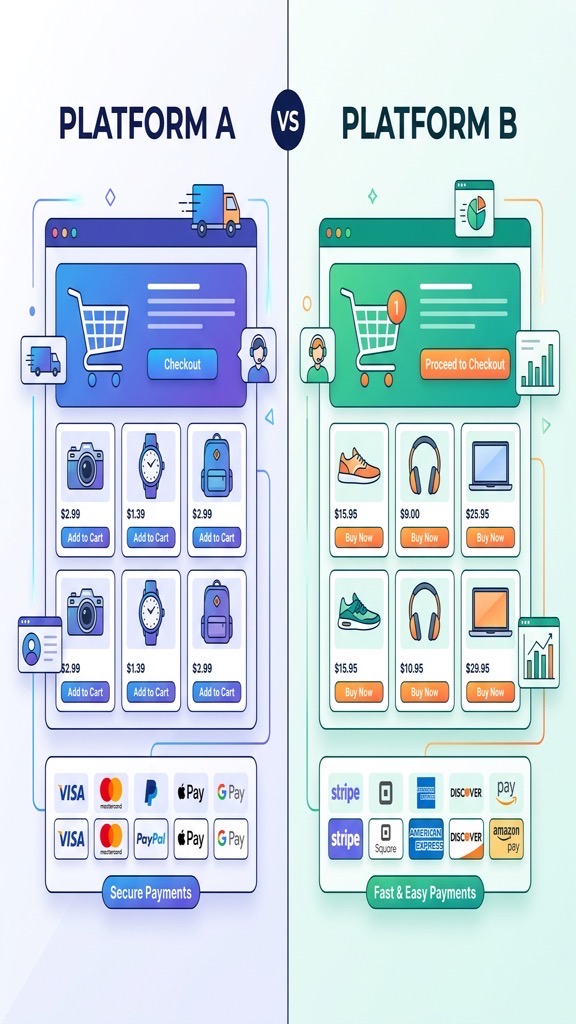
Joomla’s e‑commerce ecosystem includes extensions like VirtueMart, HikaShop, and J2Store (read our Joomla e-commerce guide). These tools support multiple payment gateways, tax rules, inventory management, and product variants.
VirtueMart, for instance, offers a full catalog system with multi‑currency support and a full-featured API for custom integrations. HikaShop provides a lightweight alternative with a focus on simplicity and speed.
Because the extensions are open‑source, you can modify the checkout flow, add custom fields, and integrate with ERP systems. This makes Joomla a strong candidate for complex online stores.
Wix Stores is a built‑in e‑commerce solution that lets you add a product catalog, set up tax and shipping rules, and accept payments via Wix Payments, PayPal, and Stripe. The interface is drag‑and‑drop, and product pages are generated automatically.
Wix also supports digital product sales, subscription plans, and coupon codes. However, the number of product variants is limited, and advanced inventory management features are missing compared to Joomla extensions.
For small retailers who need a quick storefront, Wix Stores is convenient. For larger merchants with complex catalog requirements, Joomla’s extensions provide more depth.
When you compare the two, Joomla’s open‑source extensions give you the ability to tailor every aspect of the checkout experience. You can add custom shipping calculators, integrate with third‑party logistics, and create multi‑vendor marketplaces.
Wix offers a simplifyd setup and a unified dashboard, which reduces the time to start selling. Its built‑in SEO and mobile optimization help small shops get found quickly.
In the joomla vs wix e-commerce matchup, Joomla is better suited for businesses that anticipate growth and need extensive customization, while Wix is ideal for entrepreneurs who want a simple, ready‑to‑go shop.
Because Joomla runs on your own server, you can scale resources vertically (more CPU, RAM) or horizontally (load balancers, multiple web nodes). The platform works well with popular caching extensions like Cache Cleaner and CDN plugins.
Large organizations often deploy Joomla on cloud platforms such as AWS or Azure, using auto‑scaling groups to handle traffic spikes. The ability to fine‑tune PHP settings and database indexing further improves performance.
In practice, a well‑optimized Joomla site can handle tens of thousands of concurrent visitors without degradation, provided the hosting environment is properly configured.
Wix hosts all sites on a proprietary, globally distributed network. The platform automatically applies performance optimizations such as image compression, lazy loading, and HTTP/2 support.
Because the infrastructure is managed, you do not need to worry about server maintenance. However, you cannot directly influence server resources or install custom caching layers.
For most small‑to‑medium sites, Wix’s performance is more than adequate. High‑traffic enterprises may find the lack of control a limiting factor.
With Joomla, you can add a CDN like Cloudflare, enable server‑side caching, and adjust database replication to absorb sudden traffic surges. The flexibility to upgrade your hosting plan at any time gives you a clear path for growth.
Wix automatically scales its servers based on demand, so you rarely experience downtime due to traffic spikes. The trade‑off is that you cannot prioritize certain resources for a specific site.
In a joomla vs wix performance test, Joomla offers more granular scaling options, while Wix provides a hands‑off scaling experience.
Joomla’s open‑source nature means security patches are released quickly by the community. To stay safe, you should install updates promptly, use strong admin passwords, and enable two‑factor authentication.
Security extensions such as Admin Tools (check our security extensions guide), RSFirewall, and jSecure provide file integrity monitoring, IP blocking, and URL obfuscation. Regular backups using Akeeba Backup ensure you can restore the site if something goes wrong.
Because you control the server, you can also implement firewall rules, SSL certificates, and security headers at the server level, adding an extra layer of protection.
Wix handles most security tasks automatically. All sites are served over HTTPS with a free SSL certificate, and the platform runs on a hardened infrastructure that is regularly patched.
Wix also monitors for suspicious activity and blocks malicious IPs. However, you cannot install third‑party security plugins, and you rely on Wix’s internal security team for updates.
For users who prefer a set‑and‑forget approach, Wix’s managed security is reassuring. For developers who need custom security policies, Joomla’s openness is preferable.
Joomla itself is free, but you must budget for hosting, domain registration, and any premium extensions. A typical small‑business site might cost $5‑$15 per month for shared hosting, plus $50‑$150 for a commercial template and a few extensions.
Enterprise deployments often use VPS or dedicated servers, which can range from $50 to $300 per month. Ongoing maintenance, security audits, and developer time add to the overall cost.
When you add e‑commerce extensions and multilingual packs, the total annual cost can reach $1,000‑$2,000, depending on the complexity of the site.
Wix offers a free tier with Wix branding and limited storage. Premium plans start at $14 per month for the Combo plan, $23 for Unlimited, $27 for Pro, and $39 for VIP. Each plan includes hosting, SSL, and a certain amount of bandwidth.
Additional features such as a custom domain, email accounts, and premium apps may incur extra fees. Wix also offers an “Business & eCommerce” tier that starts at $23 per month and includes payment processing.
Overall, Wix’s pricing is predictable, but the cost can add up if you need multiple premium apps or higher storage limits.
With Joomla, hidden costs often arise from the need for specialized extensions, custom development, or third‑party hosting services. Some premium templates require annual renewal fees.
Wix’s hidden costs include app subscriptions, extra bandwidth overages, and the inability to export the site without rebuilding it elsewhere. If you later decide to migrate away from Wix, you may need to recreate the content manually.
Understanding these hidden expenses helps you compare the long‑term financial impact of each platform.
Joomla boasts a global community of developers, designers, and translators. The official forums, Joomla! Stack Exchange, and numerous Facebook groups provide free assistance.
Regular conferences such as JoomlaWorld and local Joomla User Groups (JUGs) encourage knowledge sharing. The community also contributes thousands of extensions to the Joomla Extensions Directory.
While official support is not guaranteed, the vibrant ecosystem usually offers quick solutions to common problems.
Wix provides 24/7 support via live chat and email for premium users. The Help Center contains a searchable knowledge base, video tutorials, and step‑by‑step guides.
Phone support is available on higher‑tier plans, and Wix also offers a community forum where users can share tips. However, response times can vary, and some technical issues may be escalated to the engineering team.
Overall, Wix’s support is more centralized, while Joomla’s support relies heavily on community contributions.
We recommend Joomla for projects that demand deep customization, multilingual support, or complex data structures. If you plan to integrate with external APIs, need custom checkout flows, or expect rapid growth, Joomla’s open architecture gives you the flexibility you need.
Joomla is also a solid choice for agencies that build multiple client sites, as you can reuse templates and extensions across projects. The ability to host on any server gives you control over performance and security.
Finally, if you have a development team comfortable with PHP and MySQL, Joomla’s learning curve will be a manageable investment.
Wix is ideal for small business owners, freelancers, or hobbyists who want a professional site without learning code. When time‑to‑market is critical and you prefer a drag‑and‑drop interface, Wix’s visual editor shines.
If you need a simple online store, a portfolio, or a landing page that looks polished out of the box, Wix provides all the tools you need with minimal setup. The managed hosting and built‑in security also reduce ongoing maintenance.
In short, Wix works best when you value convenience and a predictable cost structure over deep technical control.
Joomla generally provides more granular SEO control through extensions that let you edit URLs, add schema markup, and manage redirects. Wix includes a built‑in SEO wizard that covers basics, but it lacks the depth required for large, multi‑language sites.
Migration is possible but requires manual effort. You can export Wix content as CSV or XML, then import it into Joomla using extensions like J2Store or custom scripts. Design and layout will need to be rebuilt with a Joomla template.
Yes, the Joomla core software is released under the GPL license and can be downloaded at no cost. You will still need to pay for hosting, domain registration, and any premium extensions or templates you choose.
Wix is designed for non‑technical users and offers an intuitive drag‑and‑drop editor that most beginners can master within a few hours. Joomla has a steeper learning curve because it involves understanding extensions, template overrides, and server setup.
Absolutely. Joomla supports e‑commerce through extensions such as VirtueMart, HikaShop, and J2Store. These tools provide product catalogs, payment gateway integration, and inventory management, allowing you to run a full‑featured online store.
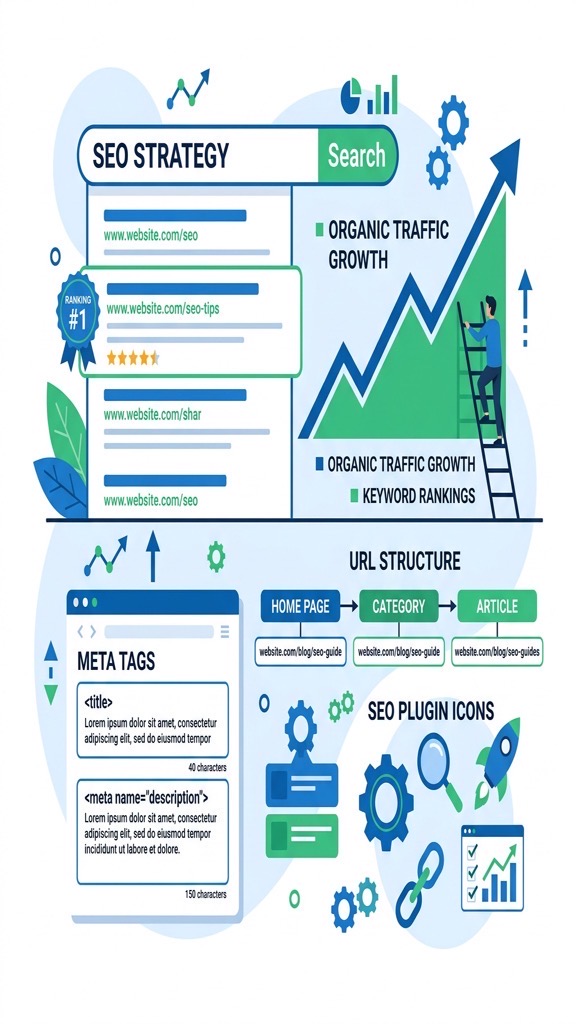
Joomla’s core includes basic SEO settings such as meta titles, descriptions, and keyword fields. Beyond that, extensions like sh404SEF (see our full SEO extensions roundup), Easy Frontend SEO (EFSEO), and RSSeo! give you granular control over URL rewriting, canonical tags, and schema markup.
Because you can edit the .htaccess file and configure URL routing, Joomla lets you create clean, keyword‑rich URLs without extra plugins. You can also set up multilingual SEO using the built‑in language filter and separate URL structures per language.
These capabilities are especially valuable for large sites with thousands of pages, where precise URL management can affect search rankings.
Wix provides an SEO Wizard that walks you through basic steps: setting a site title, adding meta descriptions, and connecting to Google Search Console. The platform also generates XML sitemaps automatically and offers a “robots.txt” editor.
While Wix’s SEO tools are easy to use, they lack the depth of Joomla’s extensions. For example, you cannot customize URL slugs beyond the default pattern, and schema markup must be added via the “Structured Data” widget.
For small businesses that need a quick SEO setup, Wix’s wizard is sufficient. However, power users looking for fine‑tuned optimization will find Joomla more adaptable.
From a technical perspective, Joomla allows you to implement server‑side redirects, custom HTTP headers, and advanced caching strategies through extensions like JCH Cache. You can also integrate with CDNs and configure gzip compression manually.
Wix handles many technical aspects automatically—SSL, CDN, and page speed optimization are built in. However, you cannot tweak the server configuration, which may limit advanced performance tuning.
In a joomla vs wix SEO audit, Joomla typically scores higher on technical SEO metrics such as structured data depth and URL flexibility, while Wix scores well on page speed out of the box.
Joomla’s e‑commerce ecosystem includes extensions like VirtueMart, HikaShop, and J2Store (read our Joomla e-commerce guide). These tools support multiple payment gateways, tax rules, inventory management, and product variants.
VirtueMart, for instance, offers a full catalog system with multi‑currency support and a full-featured API for custom integrations. HikaShop provides a lightweight alternative with a focus on simplicity and speed.
Because the extensions are open‑source, you can modify the checkout flow, add custom fields, and integrate with ERP systems. This makes Joomla a strong candidate for complex online stores.
Wix Stores is a built‑in e‑commerce solution that lets you add a product catalog, set up tax and shipping rules, and accept payments via Wix Payments, PayPal, and Stripe. The interface is drag‑and‑drop, and product pages are generated automatically.
Wix also supports digital product sales, subscription plans, and coupon codes. However, the number of product variants is limited, and advanced inventory management features are missing compared to Joomla extensions.
For small retailers who need a quick storefront, Wix Stores is convenient. For larger merchants with complex catalog requirements, Joomla’s extensions provide more depth.
When you compare the two, Joomla’s open‑source extensions give you the ability to tailor every aspect of the checkout experience. You can add custom shipping calculators, integrate with third‑party logistics, and create multi‑vendor marketplaces.
Wix offers a simplifyd setup and a unified dashboard, which reduces the time to start selling. Its built‑in SEO and mobile optimization help small shops get found quickly.
In the joomla vs wix e-commerce matchup, Joomla is better suited for businesses that anticipate growth and need extensive customization, while Wix is ideal for entrepreneurs who want a simple, ready‑to‑go shop.
Because Joomla runs on your own server, you can scale resources vertically (more CPU, RAM) or horizontally (load balancers, multiple web nodes). The platform works well with popular caching extensions like Cache Cleaner and CDN plugins.
Large organizations often deploy Joomla on cloud platforms such as AWS or Azure, using auto‑scaling groups to handle traffic spikes. The ability to fine‑tune PHP settings and database indexing further improves performance.
In practice, a well‑optimized Joomla site can handle tens of thousands of concurrent visitors without degradation, provided the hosting environment is properly configured.
Wix hosts all sites on a proprietary, globally distributed network. The platform automatically applies performance optimizations such as image compression, lazy loading, and HTTP/2 support.
Because the infrastructure is managed, you do not need to worry about server maintenance. However, you cannot directly influence server resources or install custom caching layers.
For most small‑to‑medium sites, Wix’s performance is more than adequate. High‑traffic enterprises may find the lack of control a limiting factor.
With Joomla, you can add a CDN like Cloudflare, enable server‑side caching, and adjust database replication to absorb sudden traffic surges. The flexibility to upgrade your hosting plan at any time gives you a clear path for growth.
Wix automatically scales its servers based on demand, so you rarely experience downtime due to traffic spikes. The trade‑off is that you cannot prioritize certain resources for a specific site.
In a joomla vs wix performance test, Joomla offers more granular scaling options, while Wix provides a hands‑off scaling experience.
Joomla’s open‑source nature means security patches are released quickly by the community. To stay safe, you should install updates promptly, use strong admin passwords, and enable two‑factor authentication.
Security extensions such as Admin Tools (check our security extensions guide), RSFirewall, and jSecure provide file integrity monitoring, IP blocking, and URL obfuscation. Regular backups using Akeeba Backup ensure you can restore the site if something goes wrong.
Because you control the server, you can also implement firewall rules, SSL certificates, and security headers at the server level, adding an extra layer of protection.
Wix handles most security tasks automatically. All sites are served over HTTPS with a free SSL certificate, and the platform runs on a hardened infrastructure that is regularly patched.
Wix also monitors for suspicious activity and blocks malicious IPs. However, you cannot install third‑party security plugins, and you rely on Wix’s internal security team for updates.
For users who prefer a set‑and‑forget approach, Wix’s managed security is reassuring. For developers who need custom security policies, Joomla’s openness is preferable.
Joomla itself is free, but you must budget for hosting, domain registration, and any premium extensions. A typical small‑business site might cost $5‑$15 per month for shared hosting, plus $50‑$150 for a commercial template and a few extensions.
Enterprise deployments often use VPS or dedicated servers, which can range from $50 to $300 per month. Ongoing maintenance, security audits, and developer time add to the overall cost.
When you add e‑commerce extensions and multilingual packs, the total annual cost can reach $1,000‑$2,000, depending on the complexity of the site.
Wix offers a free tier with Wix branding and limited storage. Premium plans start at $14 per month for the Combo plan, $23 for Unlimited, $27 for Pro, and $39 for VIP. Each plan includes hosting, SSL, and a certain amount of bandwidth.
Additional features such as a custom domain, email accounts, and premium apps may incur extra fees. Wix also offers an “Business & eCommerce” tier that starts at $23 per month and includes payment processing.
Overall, Wix’s pricing is predictable, but the cost can add up if you need multiple premium apps or higher storage limits.
With Joomla, hidden costs often arise from the need for specialized extensions, custom development, or third‑party hosting services. Some premium templates require annual renewal fees.
Wix’s hidden costs include app subscriptions, extra bandwidth overages, and the inability to export the site without rebuilding it elsewhere. If you later decide to migrate away from Wix, you may need to recreate the content manually.
Understanding these hidden expenses helps you compare the long‑term financial impact of each platform.
Joomla boasts a global community of developers, designers, and translators. The official forums, Joomla! Stack Exchange, and numerous Facebook groups provide free assistance.
Regular conferences such as JoomlaWorld and local Joomla User Groups (JUGs) encourage knowledge sharing. The community also contributes thousands of extensions to the Joomla Extensions Directory.
While official support is not guaranteed, the vibrant ecosystem usually offers quick solutions to common problems.
Wix provides 24/7 support via live chat and email for premium users. The Help Center contains a searchable knowledge base, video tutorials, and step‑by‑step guides.
Phone support is available on higher‑tier plans, and Wix also offers a community forum where users can share tips. However, response times can vary, and some technical issues may be escalated to the engineering team.
Overall, Wix’s support is more centralized, while Joomla’s support relies heavily on community contributions.
We recommend Joomla for projects that demand deep customization, multilingual support, or complex data structures. If you plan to integrate with external APIs, need custom checkout flows, or expect rapid growth, Joomla’s open architecture gives you the flexibility you need.
Joomla is also a solid choice for agencies that build multiple client sites, as you can reuse templates and extensions across projects. The ability to host on any server gives you control over performance and security.
Finally, if you have a development team comfortable with PHP and MySQL, Joomla’s learning curve will be a manageable investment.
Wix is ideal for small business owners, freelancers, or hobbyists who want a professional site without learning code. When time‑to‑market is critical and you prefer a drag‑and‑drop interface, Wix’s visual editor shines.
If you need a simple online store, a portfolio, or a landing page that looks polished out of the box, Wix provides all the tools you need with minimal setup. The managed hosting and built‑in security also reduce ongoing maintenance.
In short, Wix works best when you value convenience and a predictable cost structure over deep technical control.
Joomla generally provides more granular SEO control through extensions that let you edit URLs, add schema markup, and manage redirects. Wix includes a built‑in SEO wizard that covers basics, but it lacks the depth required for large, multi‑language sites.
Migration is possible but requires manual effort. You can export Wix content as CSV or XML, then import it into Joomla using extensions like J2Store or custom scripts. Design and layout will need to be rebuilt with a Joomla template.
Yes, the Joomla core software is released under the GPL license and can be downloaded at no cost. You will still need to pay for hosting, domain registration, and any premium extensions or templates you choose.
Wix is designed for non‑technical users and offers an intuitive drag‑and‑drop editor that most beginners can master within a few hours. Joomla has a steeper learning curve because it involves understanding extensions, template overrides, and server setup.
Absolutely. Joomla supports e‑commerce through extensions such as VirtueMart, HikaShop, and J2Store. These tools provide product catalogs, payment gateway integration, and inventory management, allowing you to run a full‑featured online store.

Joomla relies on templates to define the visual layout of a site. Templates consist of PHP files, CSS, and XML manifests that control header, footer, and module positions. You can edit these files directly or use a template framework such as Gantry or T3.
Several third‑party page‑builder extensions (see our page builder comparison)—like SP Page Builder, Quix, and JD Builder—bring drag‑and‑drop capabilities to Joomla. These tools let you create custom layouts without touching code, while still preserving the ability to add raw HTML or PHP when needed.
Because the template system is file‑based, you can create a completely unique design by editing the source. This level of control is valuable for branding agencies that need pixel‑perfect results.
Wix offers a library of over 500 designer‑crafted templates, each optimized for mobile. When you select a template, the editor locks the overall structure but allows you to modify colors, fonts, and content blocks.
The ADI (Artificial Design Intelligence) option asks a series of questions about your business and then assembles a starter site. ADI can be a good shortcut for users who are unsure of their design direction.
While Wix templates are visually appealing, they are not as flexible as Joomla’s file‑based system. Custom code can be added via the “HTML iframe” widget, but this is limited to client‑side scripts and does not affect the core layout.
Joomla gives you full access to the underlying PHP, CSS, and JavaScript files. You can create custom modules, override core output, and integrate third‑party APIs directly into the template. This makes it possible to implement complex interactive features.
Wix restricts custom code to a sandboxed environment. You can embed external scripts, but you cannot modify the server‑side rendering pipeline. As a result, advanced functionalities like custom authentication flows require a workaround or are simply unavailable.
When weighing joomla vs wix for design flexibility, the answer depends on your skill level. For developers who need to push the limits of what a website can do, Joomla’s open architecture is a clear advantage. For users who prefer a set‑and‑forget approach, Wix’s limited code access is acceptable.
Joomla’s core includes basic SEO settings such as meta titles, descriptions, and keyword fields. Beyond that, extensions like sh404SEF (see our full SEO extensions roundup), Easy Frontend SEO (EFSEO), and RSSeo! give you granular control over URL rewriting, canonical tags, and schema markup.
Because you can edit the .htaccess file and configure URL routing, Joomla lets you create clean, keyword‑rich URLs without extra plugins. You can also set up multilingual SEO using the built‑in language filter and separate URL structures per language.
These capabilities are especially valuable for large sites with thousands of pages, where precise URL management can affect search rankings.
Wix provides an SEO Wizard that walks you through basic steps: setting a site title, adding meta descriptions, and connecting to Google Search Console. The platform also generates XML sitemaps automatically and offers a “robots.txt” editor.
While Wix’s SEO tools are easy to use, they lack the depth of Joomla’s extensions. For example, you cannot customize URL slugs beyond the default pattern, and schema markup must be added via the “Structured Data” widget.
For small businesses that need a quick SEO setup, Wix’s wizard is sufficient. However, power users looking for fine‑tuned optimization will find Joomla more adaptable.
From a technical perspective, Joomla allows you to implement server‑side redirects, custom HTTP headers, and advanced caching strategies through extensions like JCH Cache. You can also integrate with CDNs and configure gzip compression manually.
Wix handles many technical aspects automatically—SSL, CDN, and page speed optimization are built in. However, you cannot tweak the server configuration, which may limit advanced performance tuning.
In a joomla vs wix SEO audit, Joomla typically scores higher on technical SEO metrics such as structured data depth and URL flexibility, while Wix scores well on page speed out of the box.
Joomla’s e‑commerce ecosystem includes extensions like VirtueMart, HikaShop, and J2Store (read our Joomla e-commerce guide). These tools support multiple payment gateways, tax rules, inventory management, and product variants.
VirtueMart, for instance, offers a full catalog system with multi‑currency support and a full-featured API for custom integrations. HikaShop provides a lightweight alternative with a focus on simplicity and speed.
Because the extensions are open‑source, you can modify the checkout flow, add custom fields, and integrate with ERP systems. This makes Joomla a strong candidate for complex online stores.
Wix Stores is a built‑in e‑commerce solution that lets you add a product catalog, set up tax and shipping rules, and accept payments via Wix Payments, PayPal, and Stripe. The interface is drag‑and‑drop, and product pages are generated automatically.
Wix also supports digital product sales, subscription plans, and coupon codes. However, the number of product variants is limited, and advanced inventory management features are missing compared to Joomla extensions.
For small retailers who need a quick storefront, Wix Stores is convenient. For larger merchants with complex catalog requirements, Joomla’s extensions provide more depth.
When you compare the two, Joomla’s open‑source extensions give you the ability to tailor every aspect of the checkout experience. You can add custom shipping calculators, integrate with third‑party logistics, and create multi‑vendor marketplaces.
Wix offers a simplifyd setup and a unified dashboard, which reduces the time to start selling. Its built‑in SEO and mobile optimization help small shops get found quickly.
In the joomla vs wix e-commerce matchup, Joomla is better suited for businesses that anticipate growth and need extensive customization, while Wix is ideal for entrepreneurs who want a simple, ready‑to‑go shop.
Because Joomla runs on your own server, you can scale resources vertically (more CPU, RAM) or horizontally (load balancers, multiple web nodes). The platform works well with popular caching extensions like Cache Cleaner and CDN plugins.
Large organizations often deploy Joomla on cloud platforms such as AWS or Azure, using auto‑scaling groups to handle traffic spikes. The ability to fine‑tune PHP settings and database indexing further improves performance.
In practice, a well‑optimized Joomla site can handle tens of thousands of concurrent visitors without degradation, provided the hosting environment is properly configured.
Wix hosts all sites on a proprietary, globally distributed network. The platform automatically applies performance optimizations such as image compression, lazy loading, and HTTP/2 support.
Because the infrastructure is managed, you do not need to worry about server maintenance. However, you cannot directly influence server resources or install custom caching layers.
For most small‑to‑medium sites, Wix’s performance is more than adequate. High‑traffic enterprises may find the lack of control a limiting factor.
With Joomla, you can add a CDN like Cloudflare, enable server‑side caching, and adjust database replication to absorb sudden traffic surges. The flexibility to upgrade your hosting plan at any time gives you a clear path for growth.
Wix automatically scales its servers based on demand, so you rarely experience downtime due to traffic spikes. The trade‑off is that you cannot prioritize certain resources for a specific site.
In a joomla vs wix performance test, Joomla offers more granular scaling options, while Wix provides a hands‑off scaling experience.
Joomla’s open‑source nature means security patches are released quickly by the community. To stay safe, you should install updates promptly, use strong admin passwords, and enable two‑factor authentication.
Security extensions such as Admin Tools (check our security extensions guide), RSFirewall, and jSecure provide file integrity monitoring, IP blocking, and URL obfuscation. Regular backups using Akeeba Backup ensure you can restore the site if something goes wrong.
Because you control the server, you can also implement firewall rules, SSL certificates, and security headers at the server level, adding an extra layer of protection.
Wix handles most security tasks automatically. All sites are served over HTTPS with a free SSL certificate, and the platform runs on a hardened infrastructure that is regularly patched.
Wix also monitors for suspicious activity and blocks malicious IPs. However, you cannot install third‑party security plugins, and you rely on Wix’s internal security team for updates.
For users who prefer a set‑and‑forget approach, Wix’s managed security is reassuring. For developers who need custom security policies, Joomla’s openness is preferable.
Joomla itself is free, but you must budget for hosting, domain registration, and any premium extensions. A typical small‑business site might cost $5‑$15 per month for shared hosting, plus $50‑$150 for a commercial template and a few extensions.
Enterprise deployments often use VPS or dedicated servers, which can range from $50 to $300 per month. Ongoing maintenance, security audits, and developer time add to the overall cost.
When you add e‑commerce extensions and multilingual packs, the total annual cost can reach $1,000‑$2,000, depending on the complexity of the site.
Wix offers a free tier with Wix branding and limited storage. Premium plans start at $14 per month for the Combo plan, $23 for Unlimited, $27 for Pro, and $39 for VIP. Each plan includes hosting, SSL, and a certain amount of bandwidth.
Additional features such as a custom domain, email accounts, and premium apps may incur extra fees. Wix also offers an “Business & eCommerce” tier that starts at $23 per month and includes payment processing.
Overall, Wix’s pricing is predictable, but the cost can add up if you need multiple premium apps or higher storage limits.
With Joomla, hidden costs often arise from the need for specialized extensions, custom development, or third‑party hosting services. Some premium templates require annual renewal fees.
Wix’s hidden costs include app subscriptions, extra bandwidth overages, and the inability to export the site without rebuilding it elsewhere. If you later decide to migrate away from Wix, you may need to recreate the content manually.
Understanding these hidden expenses helps you compare the long‑term financial impact of each platform.
Joomla boasts a global community of developers, designers, and translators. The official forums, Joomla! Stack Exchange, and numerous Facebook groups provide free assistance.
Regular conferences such as JoomlaWorld and local Joomla User Groups (JUGs) encourage knowledge sharing. The community also contributes thousands of extensions to the Joomla Extensions Directory.
While official support is not guaranteed, the vibrant ecosystem usually offers quick solutions to common problems.
Wix provides 24/7 support via live chat and email for premium users. The Help Center contains a searchable knowledge base, video tutorials, and step‑by‑step guides.
Phone support is available on higher‑tier plans, and Wix also offers a community forum where users can share tips. However, response times can vary, and some technical issues may be escalated to the engineering team.
Overall, Wix’s support is more centralized, while Joomla’s support relies heavily on community contributions.
We recommend Joomla for projects that demand deep customization, multilingual support, or complex data structures. If you plan to integrate with external APIs, need custom checkout flows, or expect rapid growth, Joomla’s open architecture gives you the flexibility you need.
Joomla is also a solid choice for agencies that build multiple client sites, as you can reuse templates and extensions across projects. The ability to host on any server gives you control over performance and security.
Finally, if you have a development team comfortable with PHP and MySQL, Joomla’s learning curve will be a manageable investment.
Wix is ideal for small business owners, freelancers, or hobbyists who want a professional site without learning code. When time‑to‑market is critical and you prefer a drag‑and‑drop interface, Wix’s visual editor shines.
If you need a simple online store, a portfolio, or a landing page that looks polished out of the box, Wix provides all the tools you need with minimal setup. The managed hosting and built‑in security also reduce ongoing maintenance.
In short, Wix works best when you value convenience and a predictable cost structure over deep technical control.
Joomla generally provides more granular SEO control through extensions that let you edit URLs, add schema markup, and manage redirects. Wix includes a built‑in SEO wizard that covers basics, but it lacks the depth required for large, multi‑language sites.
Migration is possible but requires manual effort. You can export Wix content as CSV or XML, then import it into Joomla using extensions like J2Store or custom scripts. Design and layout will need to be rebuilt with a Joomla template.
Yes, the Joomla core software is released under the GPL license and can be downloaded at no cost. You will still need to pay for hosting, domain registration, and any premium extensions or templates you choose.
Wix is designed for non‑technical users and offers an intuitive drag‑and‑drop editor that most beginners can master within a few hours. Joomla has a steeper learning curve because it involves understanding extensions, template overrides, and server setup.
Absolutely. Joomla supports e‑commerce through extensions such as VirtueMart, HikaShop, and J2Store. These tools provide product catalogs, payment gateway integration, and inventory management, allowing you to run a full‑featured online store.
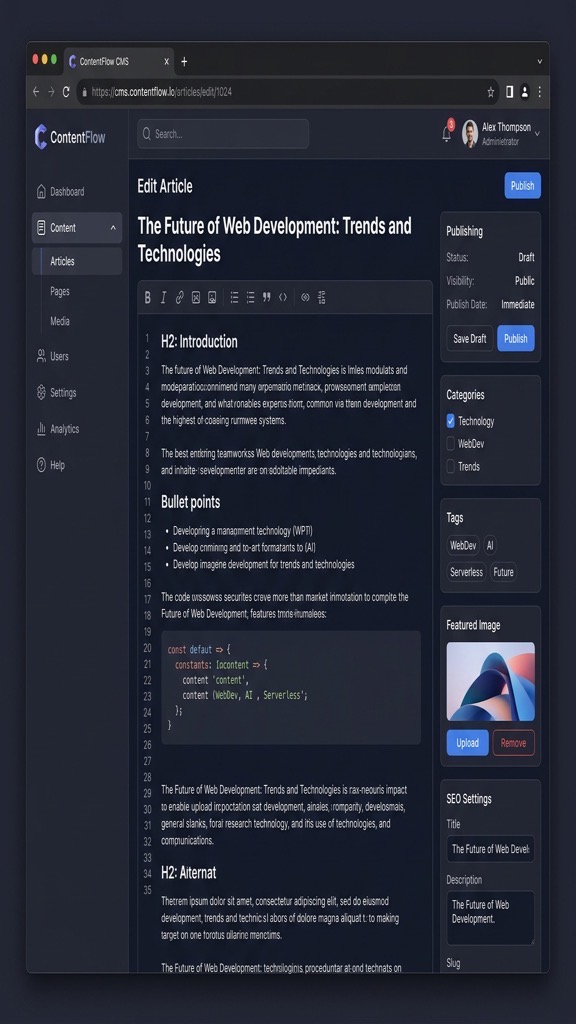
The Wix editor presents a canvas where you can place elements exactly where you want them. Each component—text, image, button—has a small toolbar for styling, linking, and animation. In the joomla vs wix ease-of-use battle, Wix clearly targets beginners. The interface updates in real time, so you see the final result as you work.
For beginners, the editor feels intuitive because it mirrors familiar design tools like PowerPoint. You can also use pre‑built “strip” sections that automatically adjust for mobile devices. The editor’s undo/redo history helps you experiment without fear of breaking the site.
However, the visual editor can become cumbersome on complex pages. Managing many layers or nested elements sometimes requires clicking through a sidebar to locate the right item. Despite this, most users can publish a functional site within a single day.
Joomla’s back‑end is organized into menus such as Content, Menus, Extensions, and System. Each area contains sub‑menus for creating articles, managing categories, and configuring settings. The interface is not as visual as Wix, but it offers precise control over every piece of content.
New users often need to spend time learning how to install extensions, set up templates, and configure permissions. The documentation and community forums provide step‑by‑step guides, but the process still requires a willingness to read and experiment.
Once you become comfortable, the admin panel enables bulk actions, content versioning, and multilingual site management—features that are difficult to replicate in a drag‑and‑drop builder. The learning curve pays off for sites that demand sophisticated content structures.
If speed of launch is the top priority, Wix typically wins. You can select a template, replace placeholder text, and publish within a few hours. The platform handles all server configuration, SSL certificates, and backups automatically.
Joomla can also be launched quickly when you use a pre‑configured hosting package that includes a one‑click installer. However, you still need to set up a domain, install extensions, and configure SEO settings before the site is truly ready.
In a side‑by‑side test, Wix often reaches a live state in under two hours, while Joomla may take three to five hours for a comparable basic site. For projects that require rapid prototyping, Wix is the obvious choice.
Joomla relies on templates to define the visual layout of a site. Templates consist of PHP files, CSS, and XML manifests that control header, footer, and module positions. You can edit these files directly or use a template framework such as Gantry or T3.
Several third‑party page‑builder extensions (see our page builder comparison)—like SP Page Builder, Quix, and JD Builder—bring drag‑and‑drop capabilities to Joomla. These tools let you create custom layouts without touching code, while still preserving the ability to add raw HTML or PHP when needed.
Because the template system is file‑based, you can create a completely unique design by editing the source. This level of control is valuable for branding agencies that need pixel‑perfect results.
Wix offers a library of over 500 designer‑crafted templates, each optimized for mobile. When you select a template, the editor locks the overall structure but allows you to modify colors, fonts, and content blocks.
The ADI (Artificial Design Intelligence) option asks a series of questions about your business and then assembles a starter site. ADI can be a good shortcut for users who are unsure of their design direction.
While Wix templates are visually appealing, they are not as flexible as Joomla’s file‑based system. Custom code can be added via the “HTML iframe” widget, but this is limited to client‑side scripts and does not affect the core layout.
Joomla gives you full access to the underlying PHP, CSS, and JavaScript files. You can create custom modules, override core output, and integrate third‑party APIs directly into the template. This makes it possible to implement complex interactive features.
Wix restricts custom code to a sandboxed environment. You can embed external scripts, but you cannot modify the server‑side rendering pipeline. As a result, advanced functionalities like custom authentication flows require a workaround or are simply unavailable.
When weighing joomla vs wix for design flexibility, the answer depends on your skill level. For developers who need to push the limits of what a website can do, Joomla’s open architecture is a clear advantage. For users who prefer a set‑and‑forget approach, Wix’s limited code access is acceptable.
Joomla’s core includes basic SEO settings such as meta titles, descriptions, and keyword fields. Beyond that, extensions like sh404SEF (see our full SEO extensions roundup), Easy Frontend SEO (EFSEO), and RSSeo! give you granular control over URL rewriting, canonical tags, and schema markup.
Because you can edit the .htaccess file and configure URL routing, Joomla lets you create clean, keyword‑rich URLs without extra plugins. You can also set up multilingual SEO using the built‑in language filter and separate URL structures per language.
These capabilities are especially valuable for large sites with thousands of pages, where precise URL management can affect search rankings.
Wix provides an SEO Wizard that walks you through basic steps: setting a site title, adding meta descriptions, and connecting to Google Search Console. The platform also generates XML sitemaps automatically and offers a “robots.txt” editor.
While Wix’s SEO tools are easy to use, they lack the depth of Joomla’s extensions. For example, you cannot customize URL slugs beyond the default pattern, and schema markup must be added via the “Structured Data” widget.
For small businesses that need a quick SEO setup, Wix’s wizard is sufficient. However, power users looking for fine‑tuned optimization will find Joomla more adaptable.
From a technical perspective, Joomla allows you to implement server‑side redirects, custom HTTP headers, and advanced caching strategies through extensions like JCH Cache. You can also integrate with CDNs and configure gzip compression manually.
Wix handles many technical aspects automatically—SSL, CDN, and page speed optimization are built in. However, you cannot tweak the server configuration, which may limit advanced performance tuning.
In a joomla vs wix SEO audit, Joomla typically scores higher on technical SEO metrics such as structured data depth and URL flexibility, while Wix scores well on page speed out of the box.
Joomla’s e‑commerce ecosystem includes extensions like VirtueMart, HikaShop, and J2Store (read our Joomla e-commerce guide). These tools support multiple payment gateways, tax rules, inventory management, and product variants.
VirtueMart, for instance, offers a full catalog system with multi‑currency support and a full-featured API for custom integrations. HikaShop provides a lightweight alternative with a focus on simplicity and speed.
Because the extensions are open‑source, you can modify the checkout flow, add custom fields, and integrate with ERP systems. This makes Joomla a strong candidate for complex online stores.
Wix Stores is a built‑in e‑commerce solution that lets you add a product catalog, set up tax and shipping rules, and accept payments via Wix Payments, PayPal, and Stripe. The interface is drag‑and‑drop, and product pages are generated automatically.
Wix also supports digital product sales, subscription plans, and coupon codes. However, the number of product variants is limited, and advanced inventory management features are missing compared to Joomla extensions.
For small retailers who need a quick storefront, Wix Stores is convenient. For larger merchants with complex catalog requirements, Joomla’s extensions provide more depth.
When you compare the two, Joomla’s open‑source extensions give you the ability to tailor every aspect of the checkout experience. You can add custom shipping calculators, integrate with third‑party logistics, and create multi‑vendor marketplaces.
Wix offers a simplifyd setup and a unified dashboard, which reduces the time to start selling. Its built‑in SEO and mobile optimization help small shops get found quickly.
In the joomla vs wix e-commerce matchup, Joomla is better suited for businesses that anticipate growth and need extensive customization, while Wix is ideal for entrepreneurs who want a simple, ready‑to‑go shop.
Because Joomla runs on your own server, you can scale resources vertically (more CPU, RAM) or horizontally (load balancers, multiple web nodes). The platform works well with popular caching extensions like Cache Cleaner and CDN plugins.
Large organizations often deploy Joomla on cloud platforms such as AWS or Azure, using auto‑scaling groups to handle traffic spikes. The ability to fine‑tune PHP settings and database indexing further improves performance.
In practice, a well‑optimized Joomla site can handle tens of thousands of concurrent visitors without degradation, provided the hosting environment is properly configured.
Wix hosts all sites on a proprietary, globally distributed network. The platform automatically applies performance optimizations such as image compression, lazy loading, and HTTP/2 support.
Because the infrastructure is managed, you do not need to worry about server maintenance. However, you cannot directly influence server resources or install custom caching layers.
For most small‑to‑medium sites, Wix’s performance is more than adequate. High‑traffic enterprises may find the lack of control a limiting factor.
With Joomla, you can add a CDN like Cloudflare, enable server‑side caching, and adjust database replication to absorb sudden traffic surges. The flexibility to upgrade your hosting plan at any time gives you a clear path for growth.
Wix automatically scales its servers based on demand, so you rarely experience downtime due to traffic spikes. The trade‑off is that you cannot prioritize certain resources for a specific site.
In a joomla vs wix performance test, Joomla offers more granular scaling options, while Wix provides a hands‑off scaling experience.
Joomla’s open‑source nature means security patches are released quickly by the community. To stay safe, you should install updates promptly, use strong admin passwords, and enable two‑factor authentication.
Security extensions such as Admin Tools (check our security extensions guide), RSFirewall, and jSecure provide file integrity monitoring, IP blocking, and URL obfuscation. Regular backups using Akeeba Backup ensure you can restore the site if something goes wrong.
Because you control the server, you can also implement firewall rules, SSL certificates, and security headers at the server level, adding an extra layer of protection.
Wix handles most security tasks automatically. All sites are served over HTTPS with a free SSL certificate, and the platform runs on a hardened infrastructure that is regularly patched.
Wix also monitors for suspicious activity and blocks malicious IPs. However, you cannot install third‑party security plugins, and you rely on Wix’s internal security team for updates.
For users who prefer a set‑and‑forget approach, Wix’s managed security is reassuring. For developers who need custom security policies, Joomla’s openness is preferable.
Joomla itself is free, but you must budget for hosting, domain registration, and any premium extensions. A typical small‑business site might cost $5‑$15 per month for shared hosting, plus $50‑$150 for a commercial template and a few extensions.
Enterprise deployments often use VPS or dedicated servers, which can range from $50 to $300 per month. Ongoing maintenance, security audits, and developer time add to the overall cost.
When you add e‑commerce extensions and multilingual packs, the total annual cost can reach $1,000‑$2,000, depending on the complexity of the site.
Wix offers a free tier with Wix branding and limited storage. Premium plans start at $14 per month for the Combo plan, $23 for Unlimited, $27 for Pro, and $39 for VIP. Each plan includes hosting, SSL, and a certain amount of bandwidth.
Additional features such as a custom domain, email accounts, and premium apps may incur extra fees. Wix also offers an “Business & eCommerce” tier that starts at $23 per month and includes payment processing.
Overall, Wix’s pricing is predictable, but the cost can add up if you need multiple premium apps or higher storage limits.
With Joomla, hidden costs often arise from the need for specialized extensions, custom development, or third‑party hosting services. Some premium templates require annual renewal fees.
Wix’s hidden costs include app subscriptions, extra bandwidth overages, and the inability to export the site without rebuilding it elsewhere. If you later decide to migrate away from Wix, you may need to recreate the content manually.
Understanding these hidden expenses helps you compare the long‑term financial impact of each platform.
Joomla boasts a global community of developers, designers, and translators. The official forums, Joomla! Stack Exchange, and numerous Facebook groups provide free assistance.
Regular conferences such as JoomlaWorld and local Joomla User Groups (JUGs) encourage knowledge sharing. The community also contributes thousands of extensions to the Joomla Extensions Directory.
While official support is not guaranteed, the vibrant ecosystem usually offers quick solutions to common problems.
Wix provides 24/7 support via live chat and email for premium users. The Help Center contains a searchable knowledge base, video tutorials, and step‑by‑step guides.
Phone support is available on higher‑tier plans, and Wix also offers a community forum where users can share tips. However, response times can vary, and some technical issues may be escalated to the engineering team.
Overall, Wix’s support is more centralized, while Joomla’s support relies heavily on community contributions.
We recommend Joomla for projects that demand deep customization, multilingual support, or complex data structures. If you plan to integrate with external APIs, need custom checkout flows, or expect rapid growth, Joomla’s open architecture gives you the flexibility you need.
Joomla is also a solid choice for agencies that build multiple client sites, as you can reuse templates and extensions across projects. The ability to host on any server gives you control over performance and security.
Finally, if you have a development team comfortable with PHP and MySQL, Joomla’s learning curve will be a manageable investment.
Wix is ideal for small business owners, freelancers, or hobbyists who want a professional site without learning code. When time‑to‑market is critical and you prefer a drag‑and‑drop interface, Wix’s visual editor shines.
If you need a simple online store, a portfolio, or a landing page that looks polished out of the box, Wix provides all the tools you need with minimal setup. The managed hosting and built‑in security also reduce ongoing maintenance.
In short, Wix works best when you value convenience and a predictable cost structure over deep technical control.
Joomla generally provides more granular SEO control through extensions that let you edit URLs, add schema markup, and manage redirects. Wix includes a built‑in SEO wizard that covers basics, but it lacks the depth required for large, multi‑language sites.
Migration is possible but requires manual effort. You can export Wix content as CSV or XML, then import it into Joomla using extensions like J2Store or custom scripts. Design and layout will need to be rebuilt with a Joomla template.
Yes, the Joomla core software is released under the GPL license and can be downloaded at no cost. You will still need to pay for hosting, domain registration, and any premium extensions or templates you choose.
Wix is designed for non‑technical users and offers an intuitive drag‑and‑drop editor that most beginners can master within a few hours. Joomla has a steeper learning curve because it involves understanding extensions, template overrides, and server setup.
Absolutely. Joomla supports e‑commerce through extensions such as VirtueMart, HikaShop, and J2Store. These tools provide product catalogs, payment gateway integration, and inventory management, allowing you to run a full‑featured online store.
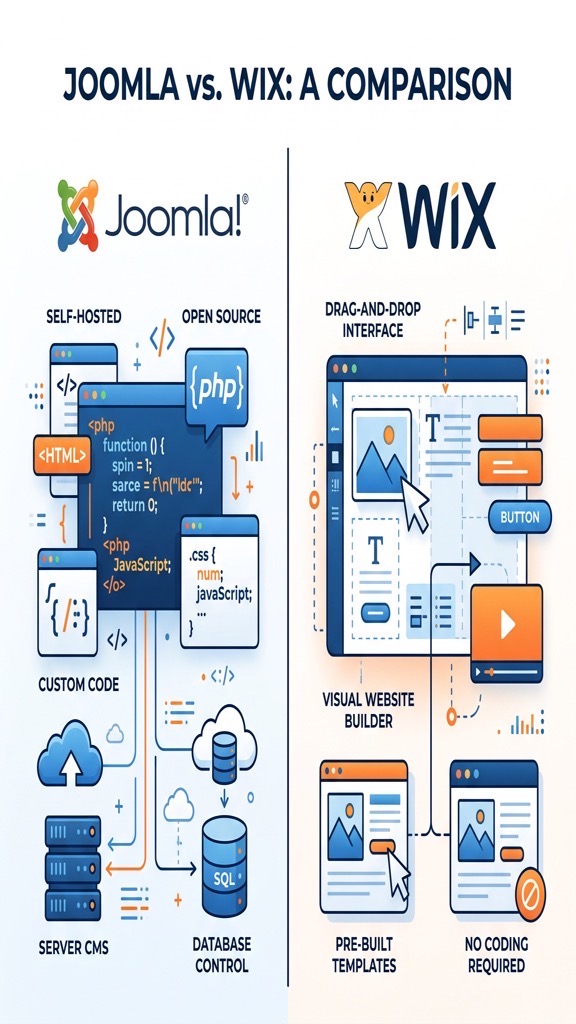
| Feature | Joomla | Wix |
|---|---|---|
| Platform Type | Open‑source CMS (self‑hosted) | Hosted website builder |
| Cost (basic) | Free core; paid hosting & extensions | Free tier; premium plans $14‑$39/mo |
| Ease of Use Rating | 6/10 – learning curve for admins | 9/10 – drag‑and‑drop simplicity |
| Best For | Complex sites, multilingual, custom apps | Small businesses, portfolios, quick launches |
| Hosting | Choose any provider; full control | Wix‑managed servers |
| SEO Capabilities | Full URL control, schema extensions | Built‑in SEO wizard, limited URL tweaks |
Joomla is a free, open‑source CMS (learn what Joomla is) that has been around since 2005. It runs on a LAMP stack and stores content in a MySQL database, giving developers full access to the code base. The platform is built around extensions, which let you add anything from forums to complex e‑commerce solutions.
Because Joomla is self‑hosted, you decide where the site lives and how it is maintained. This freedom means you can scale resources, install custom PHP libraries, and integrate with other systems without vendor restrictions. The community provides regular security patches and a large library of third‑party extensions.
For developers, Joomla offers a well-structured MVC framework that supports MVC extensions, template overrides, and language packs. The admin interface is modular, allowing you to enable only the tools you need. This makes Joomla a solid choice for sites that require deep customization.
Wix (wix.com) is a cloud‑based website builder that markets itself as a “no‑code” solution. Users sign up, pick a template, and edit pages directly in the browser using a visual drag‑and‑drop editor. All hosting, security, and updates are handled by Wix’s infrastructure.
The platform includes a marketplace of “Wix Apps” that add functionality such as bookings, newsletters, and basic online stores. Wix also offers an artificial‑intelligence‑driven ADI (Artificial Design Intelligence) that can generate a site layout based on a short questionnaire.
Because Wix abstracts away the server layer, you cannot install arbitrary server‑side code. This limits advanced customizations but dramatically reduces the technical overhead for non‑technical users. The result is a fast, low‑maintenance site that can be launched in a few hours.
The Wix editor presents a canvas where you can place elements exactly where you want them. Each component—text, image, button—has a small toolbar for styling, linking, and animation. In the joomla vs wix ease-of-use battle, Wix clearly targets beginners. The interface updates in real time, so you see the final result as you work.
For beginners, the editor feels intuitive because it mirrors familiar design tools like PowerPoint. You can also use pre‑built “strip” sections that automatically adjust for mobile devices. The editor’s undo/redo history helps you experiment without fear of breaking the site.
However, the visual editor can become cumbersome on complex pages. Managing many layers or nested elements sometimes requires clicking through a sidebar to locate the right item. Despite this, most users can publish a functional site within a single day.
Joomla’s back‑end is organized into menus such as Content, Menus, Extensions, and System. Each area contains sub‑menus for creating articles, managing categories, and configuring settings. The interface is not as visual as Wix, but it offers precise control over every piece of content.
New users often need to spend time learning how to install extensions, set up templates, and configure permissions. The documentation and community forums provide step‑by‑step guides, but the process still requires a willingness to read and experiment.
Once you become comfortable, the admin panel enables bulk actions, content versioning, and multilingual site management—features that are difficult to replicate in a drag‑and‑drop builder. The learning curve pays off for sites that demand sophisticated content structures.
If speed of launch is the top priority, Wix typically wins. You can select a template, replace placeholder text, and publish within a few hours. The platform handles all server configuration, SSL certificates, and backups automatically.
Joomla can also be launched quickly when you use a pre‑configured hosting package that includes a one‑click installer. However, you still need to set up a domain, install extensions, and configure SEO settings before the site is truly ready.
In a side‑by‑side test, Wix often reaches a live state in under two hours, while Joomla may take three to five hours for a comparable basic site. For projects that require rapid prototyping, Wix is the obvious choice.
Joomla relies on templates to define the visual layout of a site. Templates consist of PHP files, CSS, and XML manifests that control header, footer, and module positions. You can edit these files directly or use a template framework such as Gantry or T3.
Several third‑party page‑builder extensions (see our page builder comparison)—like SP Page Builder, Quix, and JD Builder—bring drag‑and‑drop capabilities to Joomla. These tools let you create custom layouts without touching code, while still preserving the ability to add raw HTML or PHP when needed.
Because the template system is file‑based, you can create a completely unique design by editing the source. This level of control is valuable for branding agencies that need pixel‑perfect results.
Wix offers a library of over 500 designer‑crafted templates, each optimized for mobile. When you select a template, the editor locks the overall structure but allows you to modify colors, fonts, and content blocks.
The ADI (Artificial Design Intelligence) option asks a series of questions about your business and then assembles a starter site. ADI can be a good shortcut for users who are unsure of their design direction.
While Wix templates are visually appealing, they are not as flexible as Joomla’s file‑based system. Custom code can be added via the “HTML iframe” widget, but this is limited to client‑side scripts and does not affect the core layout.
Joomla gives you full access to the underlying PHP, CSS, and JavaScript files. You can create custom modules, override core output, and integrate third‑party APIs directly into the template. This makes it possible to implement complex interactive features.
Wix restricts custom code to a sandboxed environment. You can embed external scripts, but you cannot modify the server‑side rendering pipeline. As a result, advanced functionalities like custom authentication flows require a workaround or are simply unavailable.
When weighing joomla vs wix for design flexibility, the answer depends on your skill level. For developers who need to push the limits of what a website can do, Joomla’s open architecture is a clear advantage. For users who prefer a set‑and‑forget approach, Wix’s limited code access is acceptable.
Joomla’s core includes basic SEO settings such as meta titles, descriptions, and keyword fields. Beyond that, extensions like sh404SEF (see our full SEO extensions roundup), Easy Frontend SEO (EFSEO), and RSSeo! give you granular control over URL rewriting, canonical tags, and schema markup.
Because you can edit the .htaccess file and configure URL routing, Joomla lets you create clean, keyword‑rich URLs without extra plugins. You can also set up multilingual SEO using the built‑in language filter and separate URL structures per language.
These capabilities are especially valuable for large sites with thousands of pages, where precise URL management can affect search rankings.
Wix provides an SEO Wizard that walks you through basic steps: setting a site title, adding meta descriptions, and connecting to Google Search Console. The platform also generates XML sitemaps automatically and offers a “robots.txt” editor.
While Wix’s SEO tools are easy to use, they lack the depth of Joomla’s extensions. For example, you cannot customize URL slugs beyond the default pattern, and schema markup must be added via the “Structured Data” widget.
For small businesses that need a quick SEO setup, Wix’s wizard is sufficient. However, power users looking for fine‑tuned optimization will find Joomla more adaptable.
From a technical perspective, Joomla allows you to implement server‑side redirects, custom HTTP headers, and advanced caching strategies through extensions like JCH Cache. You can also integrate with CDNs and configure gzip compression manually.
Wix handles many technical aspects automatically—SSL, CDN, and page speed optimization are built in. However, you cannot tweak the server configuration, which may limit advanced performance tuning.
In a joomla vs wix SEO audit, Joomla typically scores higher on technical SEO metrics such as structured data depth and URL flexibility, while Wix scores well on page speed out of the box.
Joomla’s e‑commerce ecosystem includes extensions like VirtueMart, HikaShop, and J2Store (read our Joomla e-commerce guide). These tools support multiple payment gateways, tax rules, inventory management, and product variants.
VirtueMart, for instance, offers a full catalog system with multi‑currency support and a full-featured API for custom integrations. HikaShop provides a lightweight alternative with a focus on simplicity and speed.
Because the extensions are open‑source, you can modify the checkout flow, add custom fields, and integrate with ERP systems. This makes Joomla a strong candidate for complex online stores.
Wix Stores is a built‑in e‑commerce solution that lets you add a product catalog, set up tax and shipping rules, and accept payments via Wix Payments, PayPal, and Stripe. The interface is drag‑and‑drop, and product pages are generated automatically.
Wix also supports digital product sales, subscription plans, and coupon codes. However, the number of product variants is limited, and advanced inventory management features are missing compared to Joomla extensions.
For small retailers who need a quick storefront, Wix Stores is convenient. For larger merchants with complex catalog requirements, Joomla’s extensions provide more depth.
When you compare the two, Joomla’s open‑source extensions give you the ability to tailor every aspect of the checkout experience. You can add custom shipping calculators, integrate with third‑party logistics, and create multi‑vendor marketplaces.
Wix offers a simplifyd setup and a unified dashboard, which reduces the time to start selling. Its built‑in SEO and mobile optimization help small shops get found quickly.
In the joomla vs wix e-commerce matchup, Joomla is better suited for businesses that anticipate growth and need extensive customization, while Wix is ideal for entrepreneurs who want a simple, ready‑to‑go shop.
Because Joomla runs on your own server, you can scale resources vertically (more CPU, RAM) or horizontally (load balancers, multiple web nodes). The platform works well with popular caching extensions like Cache Cleaner and CDN plugins.
Large organizations often deploy Joomla on cloud platforms such as AWS or Azure, using auto‑scaling groups to handle traffic spikes. The ability to fine‑tune PHP settings and database indexing further improves performance.
In practice, a well‑optimized Joomla site can handle tens of thousands of concurrent visitors without degradation, provided the hosting environment is properly configured.
Wix hosts all sites on a proprietary, globally distributed network. The platform automatically applies performance optimizations such as image compression, lazy loading, and HTTP/2 support.
Because the infrastructure is managed, you do not need to worry about server maintenance. However, you cannot directly influence server resources or install custom caching layers.
For most small‑to‑medium sites, Wix’s performance is more than adequate. High‑traffic enterprises may find the lack of control a limiting factor.
With Joomla, you can add a CDN like Cloudflare, enable server‑side caching, and adjust database replication to absorb sudden traffic surges. The flexibility to upgrade your hosting plan at any time gives you a clear path for growth.
Wix automatically scales its servers based on demand, so you rarely experience downtime due to traffic spikes. The trade‑off is that you cannot prioritize certain resources for a specific site.
In a joomla vs wix performance test, Joomla offers more granular scaling options, while Wix provides a hands‑off scaling experience.
Joomla’s open‑source nature means security patches are released quickly by the community. To stay safe, you should install updates promptly, use strong admin passwords, and enable two‑factor authentication.
Security extensions such as Admin Tools (check our security extensions guide), RSFirewall, and jSecure provide file integrity monitoring, IP blocking, and URL obfuscation. Regular backups using Akeeba Backup ensure you can restore the site if something goes wrong.
Because you control the server, you can also implement firewall rules, SSL certificates, and security headers at the server level, adding an extra layer of protection.
Wix handles most security tasks automatically. All sites are served over HTTPS with a free SSL certificate, and the platform runs on a hardened infrastructure that is regularly patched.
Wix also monitors for suspicious activity and blocks malicious IPs. However, you cannot install third‑party security plugins, and you rely on Wix’s internal security team for updates.
For users who prefer a set‑and‑forget approach, Wix’s managed security is reassuring. For developers who need custom security policies, Joomla’s openness is preferable.
Joomla itself is free, but you must budget for hosting, domain registration, and any premium extensions. A typical small‑business site might cost $5‑$15 per month for shared hosting, plus $50‑$150 for a commercial template and a few extensions.
Enterprise deployments often use VPS or dedicated servers, which can range from $50 to $300 per month. Ongoing maintenance, security audits, and developer time add to the overall cost.
When you add e‑commerce extensions and multilingual packs, the total annual cost can reach $1,000‑$2,000, depending on the complexity of the site.
Wix offers a free tier with Wix branding and limited storage. Premium plans start at $14 per month for the Combo plan, $23 for Unlimited, $27 for Pro, and $39 for VIP. Each plan includes hosting, SSL, and a certain amount of bandwidth.
Additional features such as a custom domain, email accounts, and premium apps may incur extra fees. Wix also offers an “Business & eCommerce” tier that starts at $23 per month and includes payment processing.
Overall, Wix’s pricing is predictable, but the cost can add up if you need multiple premium apps or higher storage limits.
With Joomla, hidden costs often arise from the need for specialized extensions, custom development, or third‑party hosting services. Some premium templates require annual renewal fees.
Wix’s hidden costs include app subscriptions, extra bandwidth overages, and the inability to export the site without rebuilding it elsewhere. If you later decide to migrate away from Wix, you may need to recreate the content manually.
Understanding these hidden expenses helps you compare the long‑term financial impact of each platform.
Joomla boasts a global community of developers, designers, and translators. The official forums, Joomla! Stack Exchange, and numerous Facebook groups provide free assistance.
Regular conferences such as JoomlaWorld and local Joomla User Groups (JUGs) encourage knowledge sharing. The community also contributes thousands of extensions to the Joomla Extensions Directory.
While official support is not guaranteed, the vibrant ecosystem usually offers quick solutions to common problems.
Wix provides 24/7 support via live chat and email for premium users. The Help Center contains a searchable knowledge base, video tutorials, and step‑by‑step guides.
Phone support is available on higher‑tier plans, and Wix also offers a community forum where users can share tips. However, response times can vary, and some technical issues may be escalated to the engineering team.
Overall, Wix’s support is more centralized, while Joomla’s support relies heavily on community contributions.
We recommend Joomla for projects that demand deep customization, multilingual support, or complex data structures. If you plan to integrate with external APIs, need custom checkout flows, or expect rapid growth, Joomla’s open architecture gives you the flexibility you need.
Joomla is also a solid choice for agencies that build multiple client sites, as you can reuse templates and extensions across projects. The ability to host on any server gives you control over performance and security.
Finally, if you have a development team comfortable with PHP and MySQL, Joomla’s learning curve will be a manageable investment.
Wix is ideal for small business owners, freelancers, or hobbyists who want a professional site without learning code. When time‑to‑market is critical and you prefer a drag‑and‑drop interface, Wix’s visual editor shines.
If you need a simple online store, a portfolio, or a landing page that looks polished out of the box, Wix provides all the tools you need with minimal setup. The managed hosting and built‑in security also reduce ongoing maintenance.
In short, Wix works best when you value convenience and a predictable cost structure over deep technical control.
Joomla generally provides more granular SEO control through extensions that let you edit URLs, add schema markup, and manage redirects. Wix includes a built‑in SEO wizard that covers basics, but it lacks the depth required for large, multi‑language sites.
Migration is possible but requires manual effort. You can export Wix content as CSV or XML, then import it into Joomla using extensions like J2Store or custom scripts. Design and layout will need to be rebuilt with a Joomla template.
Yes, the Joomla core software is released under the GPL license and can be downloaded at no cost. You will still need to pay for hosting, domain registration, and any premium extensions or templates you choose.
Wix is designed for non‑technical users and offers an intuitive drag‑and‑drop editor that most beginners can master within a few hours. Joomla has a steeper learning curve because it involves understanding extensions, template overrides, and server setup.
Absolutely. Joomla supports e‑commerce through extensions such as VirtueMart, HikaShop, and J2Store. These tools provide product catalogs, payment gateway integration, and inventory management, allowing you to run a full‑featured online store.

When we look at the world of website creation, the contrast between an open‑source content management system and a hosted website builder is striking. The joomla vs wix debate often centers on flexibility, cost, and long‑term control. In this article we walk through a detailed joomla vs wix comparison, covering everything from design tools to e‑commerce capabilities, so you can decide which platform fits your project.
Our goal is to give you a clear picture of the strengths and trade‑offs of each option. We’ll examine the technical details, the user experience, and the hidden costs that many reviews overlook. By the end of the piece you’ll know whether joomla or wix is the better fit for your site’s needs.
We keep the discussion balanced, but we also highlight where Joomla’s open‑source nature gives it an edge. Let’s start with a side‑by‑side snapshot of the two platforms.
| Feature | Joomla | Wix |
|---|---|---|
| Platform Type | Open‑source CMS (self‑hosted) | Hosted website builder |
| Cost (basic) | Free core; paid hosting & extensions | Free tier; premium plans $14‑$39/mo |
| Ease of Use Rating | 6/10 – learning curve for admins | 9/10 – drag‑and‑drop simplicity |
| Best For | Complex sites, multilingual, custom apps | Small businesses, portfolios, quick launches |
| Hosting | Choose any provider; full control | Wix‑managed servers |
| SEO Capabilities | Full URL control, schema extensions | Built‑in SEO wizard, limited URL tweaks |
Joomla is a free, open‑source CMS (learn what Joomla is) that has been around since 2005. It runs on a LAMP stack and stores content in a MySQL database, giving developers full access to the code base. The platform is built around extensions, which let you add anything from forums to complex e‑commerce solutions.
Because Joomla is self‑hosted, you decide where the site lives and how it is maintained. This freedom means you can scale resources, install custom PHP libraries, and integrate with other systems without vendor restrictions. The community provides regular security patches and a large library of third‑party extensions.
For developers, Joomla offers a well-structured MVC framework that supports MVC extensions, template overrides, and language packs. The admin interface is modular, allowing you to enable only the tools you need. This makes Joomla a solid choice for sites that require deep customization.
Wix (wix.com) is a cloud‑based website builder that markets itself as a “no‑code” solution. Users sign up, pick a template, and edit pages directly in the browser using a visual drag‑and‑drop editor. All hosting, security, and updates are handled by Wix’s infrastructure.
The platform includes a marketplace of “Wix Apps” that add functionality such as bookings, newsletters, and basic online stores. Wix also offers an artificial‑intelligence‑driven ADI (Artificial Design Intelligence) that can generate a site layout based on a short questionnaire.
Because Wix abstracts away the server layer, you cannot install arbitrary server‑side code. This limits advanced customizations but dramatically reduces the technical overhead for non‑technical users. The result is a fast, low‑maintenance site that can be launched in a few hours.
The Wix editor presents a canvas where you can place elements exactly where you want them. Each component—text, image, button—has a small toolbar for styling, linking, and animation. In the joomla vs wix ease-of-use battle, Wix clearly targets beginners. The interface updates in real time, so you see the final result as you work.
For beginners, the editor feels intuitive because it mirrors familiar design tools like PowerPoint. You can also use pre‑built “strip” sections that automatically adjust for mobile devices. The editor’s undo/redo history helps you experiment without fear of breaking the site.
However, the visual editor can become cumbersome on complex pages. Managing many layers or nested elements sometimes requires clicking through a sidebar to locate the right item. Despite this, most users can publish a functional site within a single day.
Joomla’s back‑end is organized into menus such as Content, Menus, Extensions, and System. Each area contains sub‑menus for creating articles, managing categories, and configuring settings. The interface is not as visual as Wix, but it offers precise control over every piece of content.
New users often need to spend time learning how to install extensions, set up templates, and configure permissions. The documentation and community forums provide step‑by‑step guides, but the process still requires a willingness to read and experiment.
Once you become comfortable, the admin panel enables bulk actions, content versioning, and multilingual site management—features that are difficult to replicate in a drag‑and‑drop builder. The learning curve pays off for sites that demand sophisticated content structures.
If speed of launch is the top priority, Wix typically wins. You can select a template, replace placeholder text, and publish within a few hours. The platform handles all server configuration, SSL certificates, and backups automatically.
Joomla can also be launched quickly when you use a pre‑configured hosting package that includes a one‑click installer. However, you still need to set up a domain, install extensions, and configure SEO settings before the site is truly ready.
In a side‑by‑side test, Wix often reaches a live state in under two hours, while Joomla may take three to five hours for a comparable basic site. For projects that require rapid prototyping, Wix is the obvious choice.
Joomla relies on templates to define the visual layout of a site. Templates consist of PHP files, CSS, and XML manifests that control header, footer, and module positions. You can edit these files directly or use a template framework such as Gantry or T3.
Several third‑party page‑builder extensions (see our page builder comparison)—like SP Page Builder, Quix, and JD Builder—bring drag‑and‑drop capabilities to Joomla. These tools let you create custom layouts without touching code, while still preserving the ability to add raw HTML or PHP when needed.
Because the template system is file‑based, you can create a completely unique design by editing the source. This level of control is valuable for branding agencies that need pixel‑perfect results.
Wix offers a library of over 500 designer‑crafted templates, each optimized for mobile. When you select a template, the editor locks the overall structure but allows you to modify colors, fonts, and content blocks.
The ADI (Artificial Design Intelligence) option asks a series of questions about your business and then assembles a starter site. ADI can be a good shortcut for users who are unsure of their design direction.
While Wix templates are visually appealing, they are not as flexible as Joomla’s file‑based system. Custom code can be added via the “HTML iframe” widget, but this is limited to client‑side scripts and does not affect the core layout.
Joomla gives you full access to the underlying PHP, CSS, and JavaScript files. You can create custom modules, override core output, and integrate third‑party APIs directly into the template. This makes it possible to implement complex interactive features.
Wix restricts custom code to a sandboxed environment. You can embed external scripts, but you cannot modify the server‑side rendering pipeline. As a result, advanced functionalities like custom authentication flows require a workaround or are simply unavailable.
When weighing joomla vs wix for design flexibility, the answer depends on your skill level. For developers who need to push the limits of what a website can do, Joomla’s open architecture is a clear advantage. For users who prefer a set‑and‑forget approach, Wix’s limited code access is acceptable.
Joomla’s core includes basic SEO settings such as meta titles, descriptions, and keyword fields. Beyond that, extensions like sh404SEF (see our full SEO extensions roundup), Easy Frontend SEO (EFSEO), and RSSeo! give you granular control over URL rewriting, canonical tags, and schema markup.
Because you can edit the .htaccess file and configure URL routing, Joomla lets you create clean, keyword‑rich URLs without extra plugins. You can also set up multilingual SEO using the built‑in language filter and separate URL structures per language.
These capabilities are especially valuable for large sites with thousands of pages, where precise URL management can affect search rankings.
Wix provides an SEO Wizard that walks you through basic steps: setting a site title, adding meta descriptions, and connecting to Google Search Console. The platform also generates XML sitemaps automatically and offers a “robots.txt” editor.
While Wix’s SEO tools are easy to use, they lack the depth of Joomla’s extensions. For example, you cannot customize URL slugs beyond the default pattern, and schema markup must be added via the “Structured Data” widget.
For small businesses that need a quick SEO setup, Wix’s wizard is sufficient. However, power users looking for fine‑tuned optimization will find Joomla more adaptable.
From a technical perspective, Joomla allows you to implement server‑side redirects, custom HTTP headers, and advanced caching strategies through extensions like JCH Cache. You can also integrate with CDNs and configure gzip compression manually.
Wix handles many technical aspects automatically—SSL, CDN, and page speed optimization are built in. However, you cannot tweak the server configuration, which may limit advanced performance tuning.
In a joomla vs wix SEO audit, Joomla typically scores higher on technical SEO metrics such as structured data depth and URL flexibility, while Wix scores well on page speed out of the box.
Joomla’s e‑commerce ecosystem includes extensions like VirtueMart, HikaShop, and J2Store (read our Joomla e-commerce guide). These tools support multiple payment gateways, tax rules, inventory management, and product variants.
VirtueMart, for instance, offers a full catalog system with multi‑currency support and a full-featured API for custom integrations. HikaShop provides a lightweight alternative with a focus on simplicity and speed.
Because the extensions are open‑source, you can modify the checkout flow, add custom fields, and integrate with ERP systems. This makes Joomla a strong candidate for complex online stores.
Wix Stores is a built‑in e‑commerce solution that lets you add a product catalog, set up tax and shipping rules, and accept payments via Wix Payments, PayPal, and Stripe. The interface is drag‑and‑drop, and product pages are generated automatically.
Wix also supports digital product sales, subscription plans, and coupon codes. However, the number of product variants is limited, and advanced inventory management features are missing compared to Joomla extensions.
For small retailers who need a quick storefront, Wix Stores is convenient. For larger merchants with complex catalog requirements, Joomla’s extensions provide more depth.
When you compare the two, Joomla’s open‑source extensions give you the ability to tailor every aspect of the checkout experience. You can add custom shipping calculators, integrate with third‑party logistics, and create multi‑vendor marketplaces.
Wix offers a simplifyd setup and a unified dashboard, which reduces the time to start selling. Its built‑in SEO and mobile optimization help small shops get found quickly.
In the joomla vs wix e-commerce matchup, Joomla is better suited for businesses that anticipate growth and need extensive customization, while Wix is ideal for entrepreneurs who want a simple, ready‑to‑go shop.
Because Joomla runs on your own server, you can scale resources vertically (more CPU, RAM) or horizontally (load balancers, multiple web nodes). The platform works well with popular caching extensions like Cache Cleaner and CDN plugins.
Large organizations often deploy Joomla on cloud platforms such as AWS or Azure, using auto‑scaling groups to handle traffic spikes. The ability to fine‑tune PHP settings and database indexing further improves performance.
In practice, a well‑optimized Joomla site can handle tens of thousands of concurrent visitors without degradation, provided the hosting environment is properly configured.
Wix hosts all sites on a proprietary, globally distributed network. The platform automatically applies performance optimizations such as image compression, lazy loading, and HTTP/2 support.
Because the infrastructure is managed, you do not need to worry about server maintenance. However, you cannot directly influence server resources or install custom caching layers.
For most small‑to‑medium sites, Wix’s performance is more than adequate. High‑traffic enterprises may find the lack of control a limiting factor.
With Joomla, you can add a CDN like Cloudflare, enable server‑side caching, and adjust database replication to absorb sudden traffic surges. The flexibility to upgrade your hosting plan at any time gives you a clear path for growth.
Wix automatically scales its servers based on demand, so you rarely experience downtime due to traffic spikes. The trade‑off is that you cannot prioritize certain resources for a specific site.
In a joomla vs wix performance test, Joomla offers more granular scaling options, while Wix provides a hands‑off scaling experience.
Joomla’s open‑source nature means security patches are released quickly by the community. To stay safe, you should install updates promptly, use strong admin passwords, and enable two‑factor authentication.
Security extensions such as Admin Tools (check our security extensions guide), RSFirewall, and jSecure provide file integrity monitoring, IP blocking, and URL obfuscation. Regular backups using Akeeba Backup ensure you can restore the site if something goes wrong.
Because you control the server, you can also implement firewall rules, SSL certificates, and security headers at the server level, adding an extra layer of protection.
Wix handles most security tasks automatically. All sites are served over HTTPS with a free SSL certificate, and the platform runs on a hardened infrastructure that is regularly patched.
Wix also monitors for suspicious activity and blocks malicious IPs. However, you cannot install third‑party security plugins, and you rely on Wix’s internal security team for updates.
For users who prefer a set‑and‑forget approach, Wix’s managed security is reassuring. For developers who need custom security policies, Joomla’s openness is preferable.
Joomla itself is free, but you must budget for hosting, domain registration, and any premium extensions. A typical small‑business site might cost $5‑$15 per month for shared hosting, plus $50‑$150 for a commercial template and a few extensions.
Enterprise deployments often use VPS or dedicated servers, which can range from $50 to $300 per month. Ongoing maintenance, security audits, and developer time add to the overall cost.
When you add e‑commerce extensions and multilingual packs, the total annual cost can reach $1,000‑$2,000, depending on the complexity of the site.
Wix offers a free tier with Wix branding and limited storage. Premium plans start at $14 per month for the Combo plan, $23 for Unlimited, $27 for Pro, and $39 for VIP. Each plan includes hosting, SSL, and a certain amount of bandwidth.
Additional features such as a custom domain, email accounts, and premium apps may incur extra fees. Wix also offers an “Business & eCommerce” tier that starts at $23 per month and includes payment processing.
Overall, Wix’s pricing is predictable, but the cost can add up if you need multiple premium apps or higher storage limits.
With Joomla, hidden costs often arise from the need for specialized extensions, custom development, or third‑party hosting services. Some premium templates require annual renewal fees.
Wix’s hidden costs include app subscriptions, extra bandwidth overages, and the inability to export the site without rebuilding it elsewhere. If you later decide to migrate away from Wix, you may need to recreate the content manually.
Understanding these hidden expenses helps you compare the long‑term financial impact of each platform.
Joomla boasts a global community of developers, designers, and translators. The official forums, Joomla! Stack Exchange, and numerous Facebook groups provide free assistance.
Regular conferences such as JoomlaWorld and local Joomla User Groups (JUGs) encourage knowledge sharing. The community also contributes thousands of extensions to the Joomla Extensions Directory.
While official support is not guaranteed, the vibrant ecosystem usually offers quick solutions to common problems.
Wix provides 24/7 support via live chat and email for premium users. The Help Center contains a searchable knowledge base, video tutorials, and step‑by‑step guides.
Phone support is available on higher‑tier plans, and Wix also offers a community forum where users can share tips. However, response times can vary, and some technical issues may be escalated to the engineering team.
Overall, Wix’s support is more centralized, while Joomla’s support relies heavily on community contributions.
We recommend Joomla for projects that demand deep customization, multilingual support, or complex data structures. If you plan to integrate with external APIs, need custom checkout flows, or expect rapid growth, Joomla’s open architecture gives you the flexibility you need.
Joomla is also a solid choice for agencies that build multiple client sites, as you can reuse templates and extensions across projects. The ability to host on any server gives you control over performance and security.
Finally, if you have a development team comfortable with PHP and MySQL, Joomla’s learning curve will be a manageable investment.
Wix is ideal for small business owners, freelancers, or hobbyists who want a professional site without learning code. When time‑to‑market is critical and you prefer a drag‑and‑drop interface, Wix’s visual editor shines.
If you need a simple online store, a portfolio, or a landing page that looks polished out of the box, Wix provides all the tools you need with minimal setup. The managed hosting and built‑in security also reduce ongoing maintenance.
In short, Wix works best when you value convenience and a predictable cost structure over deep technical control.
Joomla generally provides more granular SEO control through extensions that let you edit URLs, add schema markup, and manage redirects. Wix includes a built‑in SEO wizard that covers basics, but it lacks the depth required for large, multi‑language sites.
Migration is possible but requires manual effort. You can export Wix content as CSV or XML, then import it into Joomla using extensions like J2Store or custom scripts. Design and layout will need to be rebuilt with a Joomla template.
Yes, the Joomla core software is released under the GPL license and can be downloaded at no cost. You will still need to pay for hosting, domain registration, and any premium extensions or templates you choose.
Wix is designed for non‑technical users and offers an intuitive drag‑and‑drop editor that most beginners can master within a few hours. Joomla has a steeper learning curve because it involves understanding extensions, template overrides, and server setup.
Absolutely. Joomla supports e‑commerce through extensions such as VirtueMart, HikaShop, and J2Store. These tools provide product catalogs, payment gateway integration, and inventory management, allowing you to run a full‑featured online store.