Physical Address
304 North Cardinal St.
Dorchester Center, MA 02124
Physical Address
304 North Cardinal St.
Dorchester Center, MA 02124

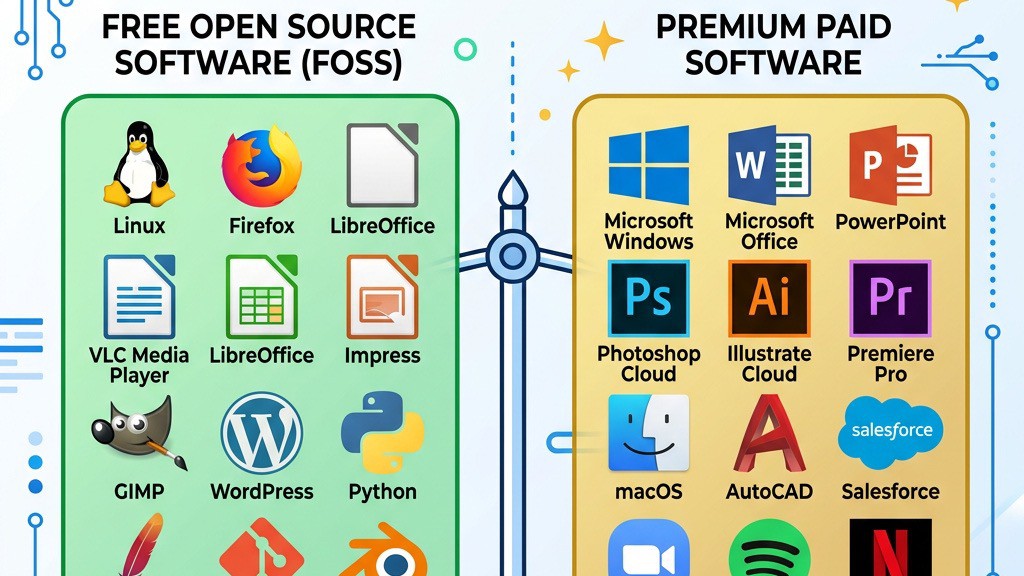


When we first started building sites on Joomla, the sheer number of extensions available felt both exciting and overwhelming. Over the years we have tested dozens of plugins, modules, and components, and we have learned that the decision between a free add‑on and a paid one is rarely a simple “cheaper is better” or “pay‑only‑if‑you‑need‑it” choice. In this guide we walk through the factors that separate free from premium extensions, outline the advantages of each, and give you a practical checklist for deciding when it makes sense to invest.
The Joomla Extensions Directory (JED) is the official marketplace where developers list their work. The JED tags each entry as Free, Paid, or Freemium. A “Free” label means the download can be used without any monetary transaction, while “Paid” indicates that the full feature set is locked behind a purchase. The “Freemium” tag describes a hybrid model: a core set of features is free, and additional capabilities require a license key or subscription. This classification helps users quickly filter results, but it does not tell the whole story about what you receive.
All Joomla extensions are distributed under the GNU General Public License (GPL). The GPL guarantees that anyone can copy, modify, and redistribute the code, provided that derivative works also remain under the same license. Because of this openness, developers can offer a free version without violating the license. However, the GPL does not prevent a developer from charging for support, updates, or extra features. In practice, many premium extensions are still GPL‑licensed; the price you pay buys a service bundle rather than the code itself. The JED knowledge base explains these distribution models in detail.
Freemium extensions give you a taste of the product at no cost. Typical free modules might include a basic site builder, a simple SEO plugin, or a limited backup extension. When you need advanced options—such as scheduled backups, multi‑language support, or integration with third‑party services—you purchase a license key. The freemium approach lets you test compatibility with Joomla 5, assess performance impact, and gauge community support before committing to a one‑time payment or subscription model.
For a brand‑new site or a hobby blog, the budget is often the first constraint. Free extensions let you add essential functionality—like a contact form or a basic SEO plugin—without spending a dime. This is especially useful when you are still validating your idea or when you need to keep operating expenses low.
Because the source code is openly available, community members can audit it, suggest improvements, and even submit pull requests. This transparency often leads to higher code quality and quicker bug fixes, especially for popular extensions that have a large user base. When a plugin is community‑driven, you also benefit from a wealth of tutorials, forum posts, and user‑generated documentation.
Free extensions can be downloaded, installed, and evaluated on a staging site without any financial risk. You can check how the plugin interacts with other components, measure any performance impact, and verify that it respects Joomla 5’s new APIs. If the extension turns out to be unsuitable, you simply uninstall it and move on.
Tip: For a step‑by‑step walkthrough of installing any Joomla add‑on, see our guide on how to install Joomla extensions.
Premium developers usually provide a dedicated support ticket system, live chat, or a private forum. When you encounter a conflict with another component or need help with configuration, you can expect a response within a few business days. In addition, premium extensions often come with comprehensive documentation that includes code examples, migration guides, and best‑practice recommendations.
A paid extension typically follows a strict update schedule. Developers release new versions to keep pace with Joomla core releases, especially the transition to Joomla 5, and to address security vulnerabilities promptly. This ongoing maintenance reduces the risk of a compromised site and ensures that the extension remains compatible with the latest PHP versions.
Premium versions unlock capabilities that free counterparts simply cannot match. For example, a paid backup extension may support incremental backups, remote storage to Amazon S3, and automated restoration scripts. A premium site builder might include a drag‑and‑drop interface, responsive grid systems, and pre‑built templates. These advanced features can save development time and improve the overall user experience.
When we run a small Joomla site, the core tasks often boil down to three things: keeping a copy of the site, making sure search engines can find us, and collecting a few messages from visitors. For these jobs the free extensions that ship with the Joomla ecosystem are more than capable.
Akeeba Backup Core gives us a full‑site archive with a single click. It bundles the database and all files into a zip file that we can download via the administrator panel. For a blog that updates once a week, a manual backup after each major change is perfectly fine. The free version also supports restoration from the same interface, so we never need a separate tool.
Convert Forms (the free tier) lets us drop a contact form on any article or module position. It includes basic field types – text, email, textarea – and a simple captcha to keep spam at bay. The form submissions are stored in the Joomla database and can be exported as CSV, which is enough for a personal site that only receives a handful of messages per day.
For search‑engine visibility we often turn to sh404SEF Lite or EFSEO. Both provide automatic meta‑tag generation, URL rewriting, and sitemap creation without any cost. On a site that publishes a few dozen articles a month, the free versions keep the URLs clean and the sitemap up to date, which is all we need to stay indexed. In short, when the requirement is “do the job and keep the cost at zero,” these free extensions deliver exactly that.
A personal blog, a portfolio that showcases a photographer’s work, or a hobby project that shares recipes rarely generates the kind of revenue that justifies a monthly software bill. If the site averages 500 visits a month, the potential return on a $30‑$50 extension license is negligible.
We find that the free Joomla templates, together with the core modules, already provide a clean, responsive layout. Adding a free gallery extension such as Sigplus lets us display images in a lightbox without paying a dime. For a simple newsletter sign‑up we can embed a Mailchimp widget directly into a custom HTML module.
Because the traffic is low, the risk of a sudden spike that would overload a free extension’s limits is minimal. The site’s performance is primarily dictated by the host, not by the extension’s internal caching. Therefore, we can keep the budget focused on reliable hosting and a domain name, while the free extensions handle the rest.
When an extension has a bustling community, the amount of knowledge that circulates through forums, tutorials, and third‑party blogs can rival the assistance you would receive from a paid support contract. VirtueMart, the free e‑commerce suite for Joomla, is a prime example. Its user base numbers in the tens of thousands, and the official forum sees daily posts ranging from installation tips to custom payment‑gateway integrations.
Because of that activity, we can often find a ready‑made plugin that adds a feature we need, such as a shipping calculator for a specific carrier, without writing any code ourselves. Community members also contribute patches that keep the extension compatible with the latest Joomla releases.
In practice, this means that even though VirtueMart does not come with a formal SLA, we can resolve most issues within a few hours by searching the forum or posting a question. The collective expertise of the community becomes a valuable resource, especially for sites that do not require a dedicated support line.
Running an online store or a membership site turns the website into a revenue generator, and any interruption can translate directly into lost money. In those situations we look for extensions that go beyond the basics. Premium shopping‑cart solutions such as J2Store Pro or HikaShop Professional bundle a range of payment gateways (Stripe, PayPal Pro, Authorize.Net) and automatically handle PCI‑compliant tokenisation.
They also generate invoices in PDF format, apply tax rules based on the buyer’s location, and support recurring subscriptions out of the box. For a site that sells digital downloads to customers worldwide, these features are essential; a free cart that only supports a single gateway would force us to write custom code or use a third‑party service, increasing both cost and risk.
Moreover, premium extensions often include a site‑transfer wizard that moves the entire store to a new host with minimal downtime. When the business model depends on uptime, that convenience alone can justify the license fee.
If we manage a client’s corporate website, the expectation is that any problem will be addressed within a business day. Relying on community forums, where answers can take days, is not acceptable. Premium extensions typically come with a support agreement that guarantees a response within a set number of hours, and many providers offer a ticketing system that prioritises urgent tickets.
For agencies, this translates into a predictable workflow: we submit a support request, receive a solution, and keep the project on schedule. The cost of the license is offset by the time saved that chasing down community posts or debugging undocumented behaviour.
In addition, many premium vendors provide regular updates that include security patches, compatibility fixes for the latest Joomla version, and new features. Knowing that the extension will continue to evolve reduces the risk of having to replace it later, which can be far more expensive than the original license.
A simple blog can be built with a free page builder, but as the site grows into a multi‑section portal with custom workflows, the limitations become apparent. Premium page‑builder suites such as SP Page Builder Pro unlock advanced capabilities: we can inject custom CSS per element, connect to external APIs for dynamic content, and enable multi‑language support through integration with FaLang or Joomla Multilingual.
These features allow us to create landing pages that pull data from a CRM, embed interactive maps that update in real time, and offer language‑specific SEO meta tags—all without writing a plugin from scratch. When the free version caps the number of rows or blocks, we either spend hours hacking workarounds or upgrade to the paid tier.
The investment pays off once the site’s traffic and content volume increase, because the premium builder reduces the need for custom development and keeps the site maintainable for the long term.
The Joomla Extensions Directory displays user ratings, reviews, and the number of downloads. High ratings combined with recent positive feedback usually indicate a healthy project. Pay attention to comments about compatibility with Joomla 5 and any reported security concerns.
An extension that has been updated within the last three months and explicitly mentions Joomla 5 support is a good sign. Frequent updates demonstrate that the developer is actively maintaining the code, which reduces the likelihood of future compatibility issues.
Never install a new plugin directly on a live site. Set up a staging environment that mirrors your production configuration, install the extension, and run a series of functional tests. Verify that the plugin does not introduce PHP errors, that it respects your site’s performance budget, and that it works alongside other critical extensions.
The free edition of Akeeba Backup gives us a complete archive of the Joomla installation with a single button. It stores the backup on the server, and we can download it manually via FTP or the browser. Restoration is performed through the same interface, and the process works well for occasional manual backups.
The Professional version adds several layers of convenience and security. First, it can encrypt the backup file with a password, protecting sensitive data if the archive is stored off‑site. Second, it integrates with cloud storage providers such as Amazon S3, Dropbox, and Google Drive, allowing us to schedule automatic uploads after each backup run.
A third feature is the Site Transfer Wizard, which copies the entire site—including database, extensions, and configuration—to a new server with minimal input. This is a lifesaver when we need to migrate a client’s site to a higher‑performance host.
Finally, Professional users receive priority support, meaning a ticket is answered within a few hours instead of waiting on the community forum. For a site that processes online orders, the ability to schedule nightly encrypted backups to a remote location and restore them quickly outweighs the $79 annual fee.
The free version of SP Page Builder offers a drag‑and‑drop canvas with a limited set of elements: text blocks, images, videos, and a basic button. It is sufficient for building a simple landing page or a static “About Us” section. However, the number of rows and columns is capped, and there is no option to add custom CSS directly to an element.
The Pro edition expands the library to over one hundred pre‑built sections, including pricing tables, testimonials, tabs, accordions, and countdown timers. Each element can be styled individually, and we can attach custom CSS or JavaScript to fine‑tune the appearance.
Pro also integrates with WooCommerce‑style product displays, letting us showcase items from an e‑commerce extension without writing a template override. Multi‑language support is built in, so the same page can be rendered in different languages based on the site’s language filter.
When we need to create a campaign page that includes a countdown timer, a dynamic product carousel, and custom styling for a brand‑specific colour palette, the free version forces us to write extra code or use third‑party extensions. The Pro version provides all those pieces out of the box, saving development time and keeping the page consistent with the rest of the site.
VirtueMart is a free, feature‑rich e‑commerce platform that can handle product catalogs, multiple currencies, and a variety of shipping methods. Its strength lies in its extensibility: there are hundreds of community‑contributed plugins for payment gateways, tax rules, and promotional discounts. However, the learning curve is steep. Setting up a store requires editing XML files, configuring database tables, and often troubleshooting conflicts with other extensions.
Paid alternatives such as J2Store or HikaShop Professional aim to reduce that friction. They provide a wizard‑driven setup that guides the user through product creation, tax configuration, and payment‑gateway integration in a few clicks. Their admin interfaces are more modern, and they include built‑in analytics dashboards that show sales trends without installing extra extensions.
Support is another differentiator. With a paid license we receive a dedicated help desk that can troubleshoot checkout errors or compatibility issues promptly. In contrast, VirtueMart users rely on community forums, where answers may be outdated or require deep technical knowledge.
If the store is a small boutique with a handful of products and the developer is comfortable with Joomla’s internals, VirtueMart’s free nature can be a cost‑effective choice. For larger businesses that need a quick launch, reliable updates, and guaranteed support, the premium solutions justify their price tags.
Nulled extensions are cracked versions that bypass licensing checks. They may contain hidden malware, backdoors, or malicious code that compromises your site’s security. Always download extensions from reputable sources such as the JED or the developer’s official website.
An extension that worked flawlessly on Joomla 3 may break on Joomla 5 if it has not been updated. Checking the version history and compatibility notes can save you from costly downtime.
The cheapest option is not always the best. A low‑cost premium extension with poor support can end up costing more in time and lost revenue than a slightly more expensive, well‑maintained alternative.
Choosing between a free and a premium Joomla extension is a balance of budget, risk, and required functionality. By understanding how the JED categorizes add‑ons, recognizing the value of GPL licensing, and evaluating each extension against criteria such as update frequency and community support, we can make informed decisions that keep our sites secure, performant, and scalable.
If you’re looking for a curated list of top‑rated extensions, check out our best Joomla extensions guide. For backup‑related tools, see Joomla backup extensions. When security is a priority, our security extensions page offers vetted options. To improve search visibility, explore Joomla SEO plugins. And for e‑commerce capabilities, we recommend the Joomla shopping cart extensions collection. Finally, stay ahead of threats with our Joomla security tips.
Remember, the right extension—whether free or paid—should align with your site’s goals, technical requirements, and long‑term growth plans. By following the evaluation checklist and learning from real‑world examples, you’ll be equipped to make choices that keep your Joomla site running smoothly for years to come.