Physical Address
304 North Cardinal St.
Dorchester Center, MA 02124
Physical Address
304 North Cardinal St.
Dorchester Center, MA 02124




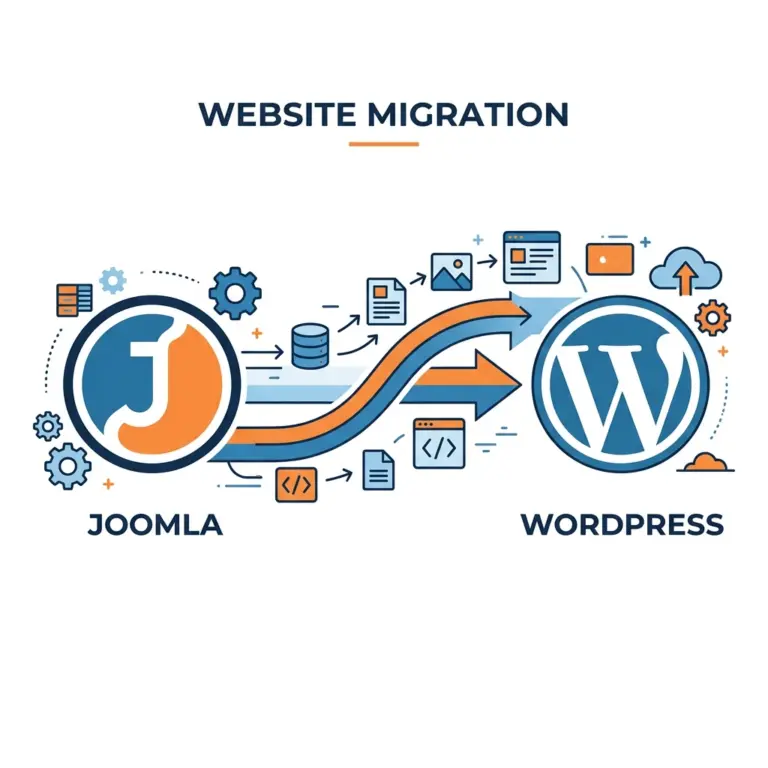
joomla to wordpress migration is a topic that many of us in the web development community discuss regularly. In recent years the market share of Joomla has slipped below the 2 % mark, while WordPress now powers more than 43 % of all websites on the internet. This shift creates a strong incentive for site owners to consider moving their content, users, and functionality to a platform that enjoys broader community support and a richer ecosystem.
We understand that the decision to change a content management system is not taken lightly. The process involves careful planning, data protection, and a series of technical steps that must be executed correctly to avoid loss of traffic or functionality. In this guide we walk through every phase of the migration, from the initial audit to post‑migration optimization, using a practical, step‑by‑step approach.
Our goal is to equip you with the knowledge and tools needed to complete a joomla to wordpress migration with confidence, ensuring that your SEO rankings remain stable, your media files stay intact, and your new site runs smoothly on the chosen hosting provider.
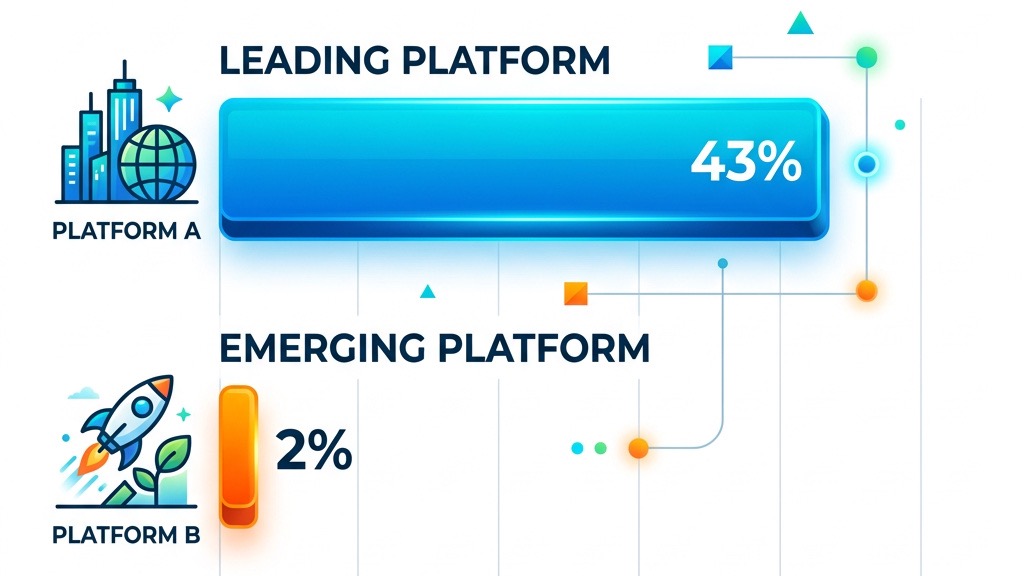
We have observed that WordPress now controls over 43 % of the global CMS market, while Joomla’s share has fallen to under 2 %. This disparity translates into a larger pool of developers, designers, and support forums that can help us solve problems quickly. When we encounter a technical hurdle, the WordPress community often provides ready‑made solutions or detailed tutorials that we can follow.
The size of the WordPress ecosystem also means that security patches and updates are released frequently. Our team benefits from a steady stream of improvements that keep the platform compatible with the latest PHP versions and MySQL database releases. In contrast, Joomla’s slower release cadence can leave us waiting longer for critical fixes.
Because WordPress is the dominant platform, many hosting providers offer specialized WordPress hosting plans that include managed updates, SSL certificates, and automatic backups. This level of service reduces the operational burden on our team and allows us to focus on content creation rather than server maintenance.
We appreciate that WordPress offers more than 60,000 plugins, covering everything from SEO optimization to e‑commerce. When we need to add a contact form, an analytics dashboard, or a multilingual layer, we can usually find a free or premium plugin that meets our requirements. This breadth of choice saves us time and development costs.
Joomla’s extension library is smaller, with roughly 8,000 extensions, and many of them are not regularly updated. As a result, we sometimes encounter compatibility issues when trying to integrate new features. WordPress’s theme market is similarly extensive, providing responsive designs that work across devices without extensive custom CSS.
For online stores, WooCommerce on WordPress delivers a complete solution that integrates with payment gateways, inventory management, and shipping calculators. We can migrate product data from Joomla’s K2 content or custom tables into WooCommerce using CSV imports, a process that is more straightforward than building a custom solution on Joomla.
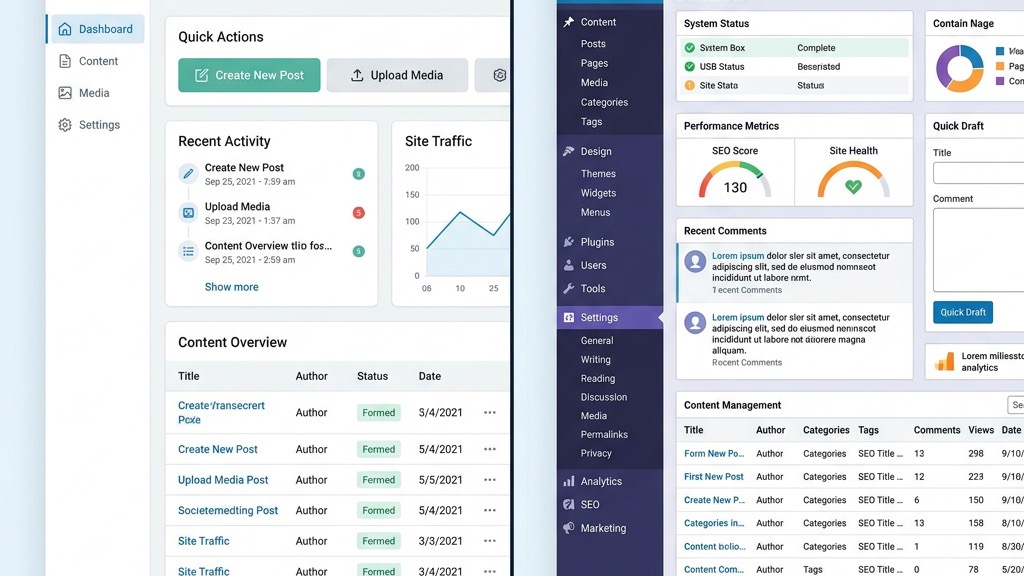
We find the WordPress dashboard intuitive, with a clear menu structure that separates content creation, appearance, and plugin management. The Gutenberg block editor lets us build pages by dragging and dropping blocks, which reduces the need for HTML knowledge. New team members can become productive after a short training period.
In Joomla, the backend can feel crowded, with many configuration options hidden behind tabs and sub‑menus. Learning to manage articles, modules, and menus often requires a longer onboarding process. WordPress’s simplicity enables us to focus on publishing rather than wrestling with configuration settings.
Because WordPress is widely taught in web design courses and tutorials, we have access to a wealth of instructional material. Our developers can quickly find answers to common questions, and our content editors can manage posts and pages without relying on a developer for every minor change.
| Feature | WordPress | Joomla |
|---|---|---|
| Global Market Share | 43 %+ | ~1.9 % |
| Available Plugins / Extensions | 60,000+ | ~8,000 |
| Theme / Template Options | 12,000+ free | ~1,000 free |
| Built-in E-commerce | WooCommerce (free) | Requires paid extensions |
| Average Learning Curve | Beginner-friendly | Intermediate |
| Community Forum Activity | Very High | Moderate |
Here is a quick-reference checklist we use before starting any migration:

We always start by creating a full backup of the Joomla installation. If you need a deeper look at Joomla backup strategies, we have a dedicated guide on Joomla backup methods. Using Akeeba Backup, we generate a compressed archive that contains all site files, the MySQL database, and configuration settings. This archive is then stored on a remote server and an external hard drive to protect against accidental loss.
In addition to the Akeeba archive, we export the database directly via phpMyAdmin. By selecting the appropriate tables and choosing the “Export” option, we obtain an SQL dump that we can later import into the new WordPress environment. Keeping the raw SQL file gives us flexibility if we need to troubleshoot data issues later.
We also download the entire site directory through FTP, ensuring that all media files, extensions, and custom scripts are captured. After the download, we verify the file integrity by comparing checksums with the original server. This multi‑layered backup strategy gives us confidence that we can roll back if any step of the migration does not go as planned.
Before we touch the new WordPress site, we perform a thorough audit of the existing Joomla content. We generate a list of all Joomla articles, categories, and tags, noting any custom fields or K2 content that may need special handling. This inventory helps us map the old structure to WordPress’s post types and taxonomies.
We also review the current URL pattern, paying special attention to the permalink structure used by Joomla. By documenting the old URLs, we can later create accurate 301 redirects that preserve our SEO rankings. We check for any external links that point to internal pages, as these will need updating after the migration.
Media files such as images, PDFs, and videos are catalogued by scanning the “images” folder and noting their usage across articles. We verify that each file has a proper filename and that there are no duplicate entries. This step ensures that when we import the media into WordPress, all references remain valid.
We select a reliable hosting provider that offers a recent version of PHP (if you are still comparing hosts, check our roundup of the best Joomla hosting providers), MySQL, and an SSL certificate. Using cPanel, we create a new database and user, then install WordPress via the one‑click installer or by uploading the latest zip file. During installation we set the site title, admin username, and password, and we enable the wp-admin interface for future management.
After the core files are in place, we configure basic settings such as the site language, time zone, and default user role. We also install essential plugins that will aid the migration, including the FG Joomla to WordPress plugin, a backup solution, and an SEO tool like Rank Math. These plugins are activated before we begin the content import.
We adjust the WordPress permalink structure to match the desired format, often choosing “Post name” or a custom structure that mirrors the Joomla URLs. This early configuration helps us avoid massive URL changes later on. Finally, we test the fresh installation by creating a test post and confirming that it appears correctly on the front end.
Here is the high-level order we follow during the actual migration:
configuration.php.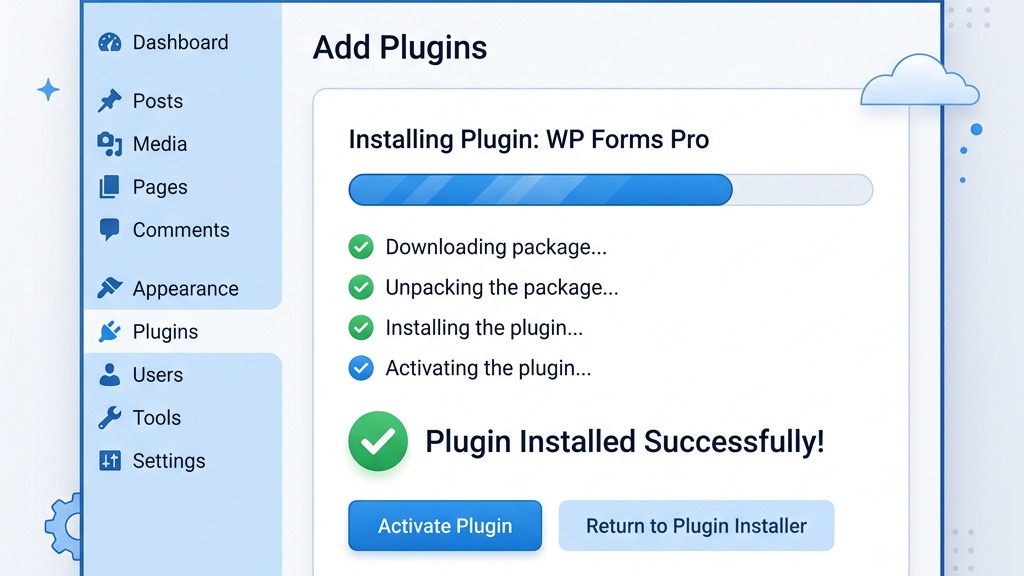
We locate the FG Joomla to WordPress plugin in the WordPress plugin repository and click “Install Now.” The installation process downloads the plugin files and places them in the wp-content/plugins directory. After activation, a new menu item appears under Tools, guiding us to the migration wizard.
The free version of the plugin handles basic article, category, and tag imports, while the premium edition adds support for K2 content, custom fields, and multilingual sites. We evaluate our needs and decide whether the premium features are required for our specific Joomla setup. In many cases the free version suffices for a standard site migration.
Once the plugin is active, we move through to the migration screen and prepare to enter our Joomla database connection details. The plugin’s documentation provides screenshots that help us verify each step, reducing the chance of configuration errors.
We retrieve the database credentials from Joomla’s configuration.php file, which includes the hostname, database name, username, password, and table prefix. These values are entered into the FG Joomla to WordPress plugin’s connection form, allowing the plugin to read directly from the MySQL database.
If the Joomla site uses a non‑standard table prefix, we make sure to specify it correctly; otherwise the plugin may fail to locate the Joomla articles. We also verify that the MySQL user has sufficient privileges to read the tables, as restricted permissions can cause import failures.
After entering the credentials, we test the connection using the plugin’s “Test” button. A successful test confirms that the plugin can communicate with the Joomla database, and we proceed to the next step. If the test fails, we double‑check the credentials and ensure that the MySQL server accepts remote connections from the WordPress host.
We select the content types we wish to import, such as articles, categories, tags, and images. The plugin offers options to import Joomla articles as WordPress posts, map Joomla categories to WordPress categories, and preserve the original author information. We also enable the option to import media files, which copies images from the Joomla “images” folder into the WordPress uploads directory.
When we start the import, the plugin displays a progress bar and logs each table it processes. We monitor the process for any error messages, especially those related to missing files or duplicate slugs. The import may take several minutes depending on the size of the site and the number of media assets.
After the import completes, we review the newly created posts in the wp_posts table to ensure that all fields were transferred correctly. We check that the content appears as expected in the WordPress editor and that categories and tags are properly assigned. Any discrepancies are noted for later correction.
We run a search‑and‑replace operation using the Better Search Replace plugin to update internal URLs that still point to the old Joomla domain or directory structure. This step rewrites links in the post content, ensuring that visitors are directed to the correct WordPress pages. We also replace references to the Joomla media folder with the new WordPress uploads path.
To address any broken image references, we scan the media library for missing files. If an image was not copied during the import, we manually upload it via the WordPress media manager and update the post’s HTML. This meticulous approach prevents visual gaps that could affect user experience and SEO.
Finally, we verify that the RSS feed generated by WordPress reflects the new content accurately. By comparing the feed with the old Joomla RSS export, we confirm that all recent articles are included and that the feed URLs are correct. This ensures that subscribers continue to receive updates without interruption.
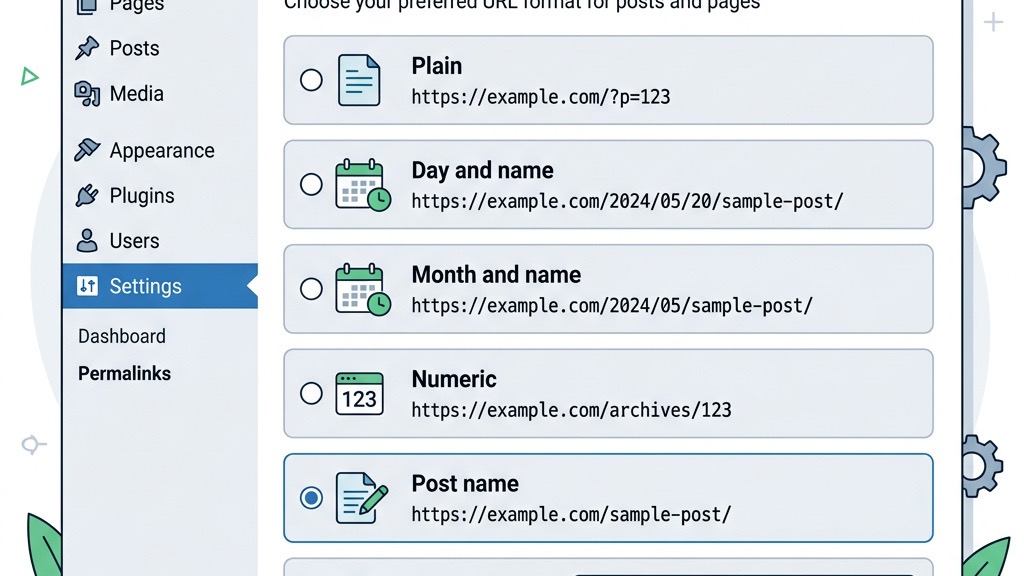
We adjust the permalink structure in WordPress to match the URL pattern used by Joomla as closely as possible. By selecting a custom structure such as /category/post-name/, we can preserve the hierarchical layout that existed in Joomla. This alignment helps maintain inbound links and reduces the need for extensive redirects.
If the Joomla URLs included numeric IDs, we may add a rewrite rule in the .htaccess file to translate those IDs to the new slug format. We test several URLs to confirm that the rewrite works correctly and that the server returns a 200 status code for each page. Proper permalink configuration also improves the site’s crawlability by search engines.
After setting the permalinks, we clear any caching plugins and the server’s cache to ensure that the new URLs are served immediately. We then perform a quick crawl using a tool like Screaming Frog to verify that all pages are reachable and that there are no unexpected redirects.
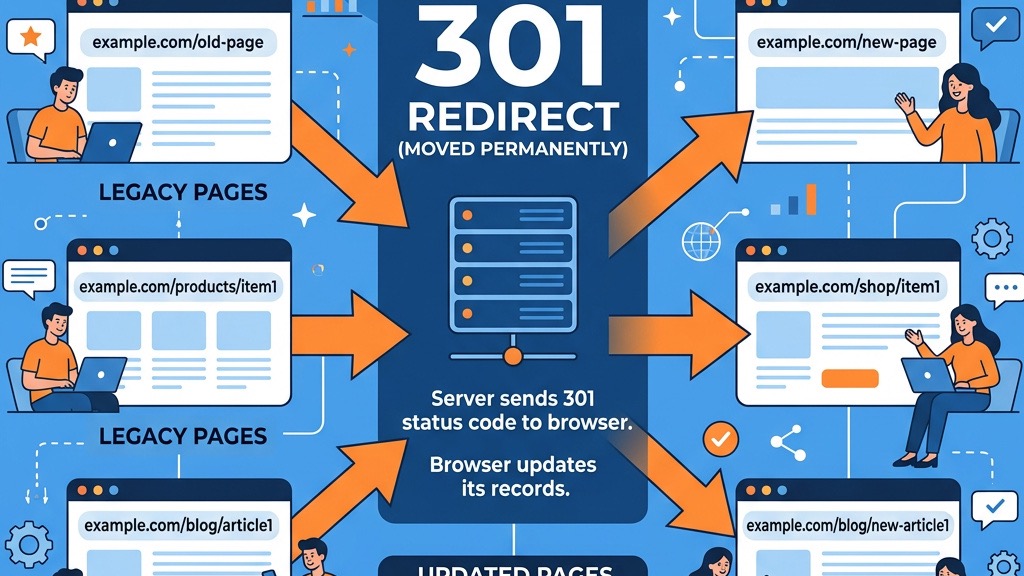
We generate a list of old Joomla URLs and their corresponding new WordPress URLs. Using the Redirection plugin, we add 301 redirects for each pair, ensuring that both search engines and users are sent to the correct destination. This step is crucial for preserving SEO rankings and preventing a surge in 404 errors.
The plugin allows us to import redirects via a CSV file, which speeds up the process for large sites. We test a sample of redirects by entering the old URL in a browser and confirming that it lands on the intended WordPress page. We also verify that the HTTP status code returned is 301, indicating a permanent move.
In addition to page redirects, we set up redirects for media files that may have changed location. By handling these redirects early, we avoid broken image links that could affect page load speed and user satisfaction. Ongoing monitoring of the redirect log helps us catch any missed URLs after the site goes live.
We run the Broken Link Checker plugin to scan the entire site for dead links and missing resources. The plugin reports any 404 errors it encounters, allowing us to address them promptly. We prioritize fixing links that point to high‑traffic pages or external sources, as these have the greatest impact on user experience.
Google Search Console is also consulted to identify any 404 errors that have been reported by Google’s crawler. We cross‑reference these with our internal list of redirects and add any missing entries. By resolving these errors quickly, we protect our SEO rankings and maintain a healthy site health score.
If we discover broken internal links that were not captured during the migration, we edit the affected posts directly in the WordPress editor. We replace the faulty URLs with the correct WordPress permalinks or add appropriate redirects. This thorough cleanup ensures that visitors can move through the site without encountering dead ends.
Before leaving the Joomla side, review our Joomla security tips to ensure nothing was compromised pre-migration. On the WordPress side, we install a security plugin such as Wordfence or Sucuri to protect the site from malicious traffic and brute‑force attempts. The plugin monitors login activity, scans for known vulnerabilities, and provides firewall rules that keep the site safe. Regular security scans become part of our maintenance routine.
For search‑engine optimization, we activate an SEO plugin like Yoast SEO or Rank Math. These tools help us generate meta titles, descriptions, and XML sitemaps, which are essential for search engine indexing. We also configure the plugin to submit the sitemap to Google Search Console and Bing Webmaster Tools.
Caching plugins such as WP Rocket or W3 Total Cache improve page load times by storing static versions of pages and serving them to visitors. We configure the cache to respect logged‑in users and to purge automatically when content is updated. Faster load speeds contribute to better user engagement and higher search rankings.
Finally, we install a backup solution like UpdraftPlus to schedule regular backups of the WordPress database and files. The backup plugin can store copies on remote services such as Dropbox or Amazon S3, providing an extra layer of protection. Regular backups give us peace of mind and a quick recovery path in case of accidental data loss.
We have seen projects where the backup step was omitted, leading to irreversible data loss when the migration encountered an unexpected error. Without a recent backup, restoring the original Joomla site becomes a complex and time‑consuming task. We always treat the backup as a non‑negotiable prerequisite.
A missing backup also prevents us from testing different migration strategies safely. By restoring a backup to a staging environment, we can experiment with plugin settings, database mappings, and permalink configurations without affecting the live site. This iterative approach reduces risk and improves the final outcome.
When we finally go live, the presence of a verified backup allows us to roll back quickly if a critical issue is discovered after the DNS switch. This safety net is especially important for sites that generate revenue or rely on high traffic volumes.
We often encounter sites that migrate without setting up proper 301 redirects, resulting in a sharp drop in SEO rankings and a flood of 404 errors in Google Search Console. Ignoring redirects means that inbound links from other websites lose their value, and users encounter dead pages.
To avoid this, we map every old Joomla URL to its new WordPress counterpart before the migration. We use the Redirection plugin to automate the creation of these redirects and test them thoroughly. Proper redirects preserve link equity and maintain the site’s authority in search engine results.
Even after the initial migration, we continue to monitor the redirect logs for any missed URLs. By addressing these promptly, we ensure a smooth transition for both users and search engine crawlers.
We consider a staging environment essential for validating the migration before updating DNS settings. In a staging site we can verify that all pages load correctly, forms submit data, and plugins function as expected. This testing phase helps us catch issues such as broken media links or misconfigured permalinks.
During testing we also check the site’s performance using tools like GTmetrix or PageSpeed Insights. If we notice slow load times, we adjust caching settings, optimize images, or fine‑tune the database queries. A well‑optimized site provides a better user experience and can positively affect search rankings.
Only after we have confirmed that the staging site mirrors the intended live experience do we change the DNS settings to point the domain to the new WordPress server. This careful approach minimizes downtime and protects the site’s reputation.
The duration of a joomla to wordpress migration depends on the size of the site, the complexity of custom extensions, and the level of testing required. For a small site with a few hundred articles and limited media, the process can be completed in a single day, including backup, migration, and post‑migration checks. Larger sites that contain thousands of articles, extensive K2 content, and numerous media files may need several days to a week to ensure that every piece of data is correctly transferred and that all redirects are in place.
We recommend allocating additional time for quality assurance, especially if the site relies on custom database tables or third‑party integrations. A thorough staging test before the final DNS switch can add a few extra days but ultimately saves time by preventing post‑launch emergencies.
If we follow best practices—creating a full backup, preserving the permalink structure, and implementing 301 redirects for every old URL—our SEO rankings should remain stable throughout the migration. Search engines treat 301 redirects as a signal that the content has moved permanently, transferring most of the link equity to the new location. However, any missing redirects or broken links can cause a temporary dip in rankings until the issues are resolved.
We also monitor Google Search Console after the migration to spot any crawl errors or indexing problems early. By fixing 404 errors promptly and ensuring that the XML sitemap reflects the new WordPress URLs, we help search engines re‑index the site efficiently. In most cases, the rankings recover quickly, and the site may even improve due to the performance benefits of a modern CMS.
It is technically possible to migrate manually by exporting the Joomla database, converting the data format, and inserting it into the WordPress wp_posts table using phpMyAdmin or custom scripts. This approach requires deep knowledge of both Joomla’s and WordPress’s database schemas, and it carries a higher risk of data loss or corruption. We typically recommend using a migration plugin such as FG Joomla to WordPress because it automates the mapping of Joomla articles, categories, tags, and media files to the appropriate WordPress tables.
Manual migration might be justified for very small sites or when the Joomla installation uses heavily customized tables that the plugin cannot handle. Even then, we still perform a full backup and test the process on a staging environment before applying it to the live site.
| Migration Type | Estimated Cost | Time Required |
|---|---|---|
| DIY with free plugin | $0 – $50 | 1 – 3 days |
| DIY with premium plugin | $50 – $200 | 1 – 2 days |
| Freelance developer | $300 – $1,500 | 3 – 7 days |
| Agency service | $1,500 – $5,000+ | 1 – 3 weeks |
The cost of a joomla to wordpress migration varies based on whether we handle the process in‑house or hire a professional service. If we perform the migration ourselves, the primary expenses are the hosting plan, any premium plugins (such as the premium version of the FG Joomla to WordPress plugin), and possibly a backup solution. These costs typically range from $50 to $200 for a small to medium site.
Hiring a migration specialist or agency adds labor costs, which can range from $500 to $2,500 depending on the site’s complexity, the amount of custom development required, and the level of post‑migration support. We always request a detailed quote that includes backup, testing, and SEO preservation to avoid unexpected fees.
In 2026, WordPress continues to dominate the CMS market with a share exceeding 43 %, while Joomla’s share remains below 2 %. This dominance translates into a larger developer community, more frequent updates, and a richer plugin and theme ecosystem. For most projects, WordPress offers a more flexible and future‑proof platform, especially when we consider the ease of adding e‑commerce, multilingual support, and advanced SEO tools.
If you are running Joomla 3 and considering an upgrade instead, our guide on how to migrate Joomla 3 to 5 covers that path. That said, Joomla still provides a solid foundation for certain niche applications, particularly those that require complex access control lists or specific extensions that have not been ported to WordPress. However, the overall trend favors WordPress for its scalability, ease of use, and extensive third‑party support. We typically recommend WordPress for new projects and for sites looking to modernize their online presence.