Physical Address
304 North Cardinal St.
Dorchester Center, MA 02124
Physical Address
304 North Cardinal St.
Dorchester Center, MA 02124

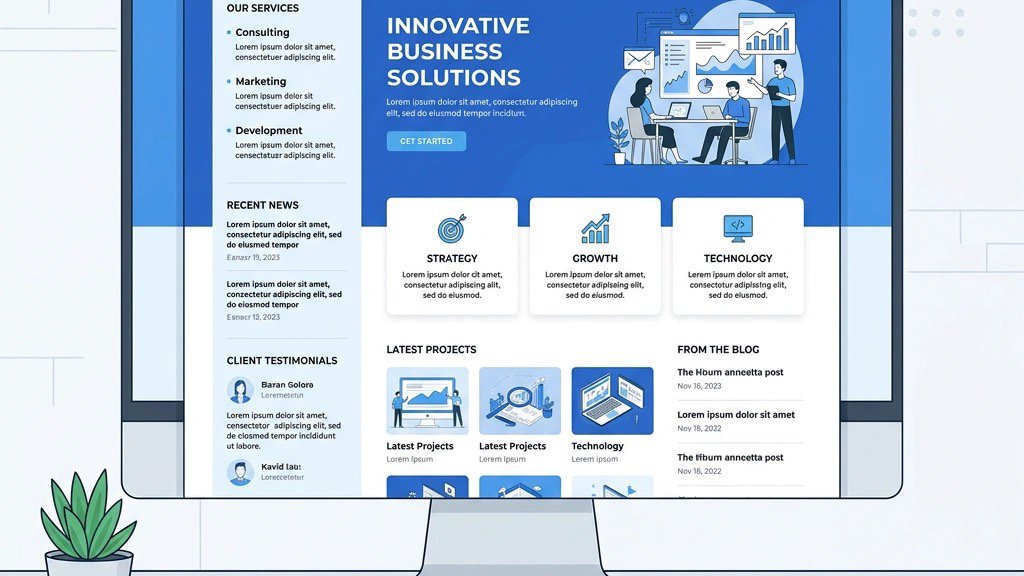


Choosing the right Joomla blog template is one of the first decisions we make when we set up a content-driven site. A well-chosen template not only gives the site a professional look, it also influences loading speed, SEO performance, and how easy it is for us to add new articles or change the layout. Below we walk through the top options on the market, explain what to look for, and help you decide whether a free or premium template fits your workflow.
A blog template is the visual foundation of every post, page, and sidebar widget. When the design is clean and the code is optimized, visitors stay longer, search engines rank higher, and we spend less time troubleshooting. On the other hand, a template that is not built for Joomla 5, lacks responsive breakpoints, or ships with heavy JavaScript can slow the site down and make future updates painful.
Key reasons we care about the template:
Because the Joomla ecosystem offers a mix of free and premium options, we have organised the guide into two sections, followed by a checklist of features that matter most for a blog.
Free templates give us a low-risk way to test ideas before committing to a paid theme. Below are the three most popular free choices, each with a quick look at strengths and drawbacks.
Source: JoomlArt Blog Templates
Pros
Cons
JA Simpli works well for writers who want a distraction-free reading experience and are comfortable tweaking a few style rules.
Source: JoomlArt Blog Templates
Pros
Cons
JA Purity III is a solid all-rounder for hobby blogs, community sites, or small news portals.
Source: a4joomla
Pros
Cons
Flavstarter is ideal for developers who want a bare-bones foundation and plan to customise everything themselves.
Premium templates bring additional design assets, dedicated support, and often a built-in page-builder. Below is a list of the most highly rated paid themes, each evaluated on a set of practical criteria.
Source: JoomlArt Blog Templates
Pros
Cons
JA Vogue shines for lifestyle, fashion, or beauty blogs that rely on high-impact imagery.
Source: JoomlArt Blog Templates
Pros
Cons
JA Blockk is a great fit for news portals, tech blogs, or any site that publishes many articles daily.
Source: JoomlArt Blog Templates
Pros
Cons
JA Essence works well for writers, photographers, or anyone who wants a straightforward blog with a touch of elegance.
Source: JoomShaper Templates
Pros
Cons
Gazette is a solid choice for editorial teams and content hubs that need a polished, magazine-like appearance.
Source: JoomShaper Templates
Pros
Cons
NewsKit is perfect for large-scale blogs, digital magazines, or any site that publishes a high volume of content.
Source: JoomShaper Templates
Pros
Cons
Flavor is ideal for personal bloggers, travel writers, or anyone who wants a clean canvas with subtle visual flourishes.
Source: YOOtheme Joomla Templates
Pros
Cons
YOOtheme Pro is a versatile option for agencies or power users who want a single tool that covers both design and performance.
When we evaluate a template, we focus on a handful of criteria that directly affect the blog success.
A template must adapt fluidly to phones, tablets, and desktops. We test breakpoints using Chrome DevTools and verify that images, navigation menus, and sidebars behave correctly at each size.
Joomla 5 introduces a new routing system and updated core libraries. Templates built for Joomla 4 may still work, but we prefer those that explicitly state Joomla 5 support to avoid future migration headaches.
Good templates include:
For a full rundown on optimising search visibility, check our Joomla SEO Guide.
We run Lighthouse or GTmetrix tests on demo sites. Templates that bundle large JavaScript frameworks or heavy font files can hurt scores. Look for lazy loading, async script loading, and minified assets. Our Joomla Caching guide covers server-side techniques that complement template-level optimisations.
A flexible theme offers:
Premium templates should come with a dedicated support forum or ticket system, regular security patches, and a clear roadmap for Joomla 5 updates. Free templates often rely on community forums, which can be slower to respond.
| Aspect | Free Templates | Premium Templates |
|---|---|---|
| Cost | $0 – ideal for testing or low-budget projects | Usually $30-$80 per license; worth the investment for professional sites |
| Design Variety | Limited to a few demo layouts | Hundreds of pre-built sections, multiple colour schemes, and advanced typography |
| Support | Community forums, occasional updates | Direct developer support, faster bug fixes, regular updates |
| Performance | Often lightweight, but may lack optimisation features | Built-in performance tools (lazy loading, asset minification) |
| Customization | Basic CSS tweaks needed | Visual style managers, drag-and-drop builders, and extensive module positions |
| Future-Proofing | May lag behind Joomla 5 releases | Developers typically announce compatibility updates promptly |
If we are launching a personal blog or a small hobby site, a free template like JA Simpli or Flavstarter can get us online quickly. For commercial projects, news portals, or sites where branding is a priority, the extra features and support of a premium theme such as JA Vogue or YOOtheme Pro usually pay off in reduced development time and better user experience.
After testing each template across desktop and mobile devices, checking SEO markup, and measuring load times, we have identified three clear winners for different use cases:
Our recommendation is to start with a free template to validate the content strategy. If the site gains traction or we need a more polished look, we can upgrade to a premium theme that matches the blog niche. Remember to keep the template updated, enable Joomla caching, and optimise images using our Joomla Image Optimization guide.
Here are a few quick steps to get the chosen template up and running:
With the right template in place, our blog will load quickly, look professional, and rank well in search results. If we also need additional publishing tools, our guide on Joomla Blog Extensions covers the best add-ons to pair with any template. And for those starting fresh, our How to Set Up a Joomla Blog tutorial walks through the entire process from installation to the first published post.
We can install a template directly from the Joomla administrator panel. After downloading the zip file, go to Extensions > Manage > Install, upload the package, and click Install. Once installed, set the template as default under Extensions > Templates > Styles. For detailed steps, see our How to Install a Joomla Template article.
Yes, most premium templates listed here explicitly support Joomla 5. Before purchasing, double-check the vendor documentation or changelog. If the template was built for Joomla 4, look for an update notice that adds Joomla 5 compatibility.
For a personal blog that values simplicity and speed, JA Essence or Flavor are strong candidates. Both offer clean layouts, minimal JavaScript, and easy customisation. If we want a visual page-builder, YOOtheme Pro provides a drag-and-drop experience while still keeping the design lightweight.
A page builder is not mandatory, but it can speed up layout changes and allow non-technical users to create complex sections without touching code. Templates like YOOtheme Pro and NewsKit include built-in builders, while others rely on third-party extensions. Check our Best Joomla Page Builders guide for a full comparison. Evaluate the team skill set and the level of design flexibility required before deciding.