Physical Address
304 North Cardinal St.
Dorchester Center, MA 02124
Physical Address
304 North Cardinal St.
Dorchester Center, MA 02124




When a third‑party extension contains a hidden backdoor, the damage can spread across the entire site. A single SQL injection flaw may expose the full user database, while an XSS vulnerability can let attackers hijack admin sessions. The financial impact includes lost revenue, emergency development time, and potential legal penalties for data breaches.
Beyond direct loss, a compromised site can damage brand reputation. Search engines may flag the site as unsafe, causing a steep drop in organic traffic. Customers who notice suspicious activity may lose trust and move to competitors, amplifying the long‑term cost.
Because Joomla powers many e‑commerce and membership sites, the risk is higher than for a simple blog. We therefore treat extension safety as a non‑negotiable part of any deployment plan, not an after‑thought.
Most Joomla extensions share a common set of weaknesses. SQL injection occurs when developers concatenate user input directly into database queries without proper escaping. Cross‑site scripting (XSS) appears when output is not sanitized before being sent to the browser. Both issues are frequently reported in the Joomla Vulnerable Extensions List.
Another frequent problem is insecure file handling. Extensions that allow arbitrary file uploads without validation can become a conduit for web shells. In addition, outdated PHP code may rely on deprecated functions that expose the site to remote code execution.
We also see misconfigured permissions, where an extension writes to critical system directories or modifies core files. Such behavior can break future Joomla updates and make the site harder to maintain.
The Joomla Extension Directory (JED) aggregates user reviews, download counts, and version histories. A high rating does not guarantee safety, but it can reveal patterns. Look for recent comments that mention “security” or “updates”; a surge of negative feedback after a new release often signals a problem.
We also check the “last updated” date displayed on the JED page. Extensions that haven’t received a patch in over a year are likely missing fixes for known CVEs. The Joomla Security Centre maintains a list of CVE identifiers; cross‑reference the extension name with that list.
Finally, pay attention to the “verified developer” badge. Joomla awards this badge after a manual review of the developer’s identity and code quality. While not a guarantee, it reduces the chance of malicious intent.
Joomla’s verification process checks that the developer owns a registered domain, provides a valid support email, and follows Joomla coding standards. The badge appears next to the extension name on the JED listing and on the extension’s download page.
When a badge is missing, we treat the extension with extra caution. It does not mean the code is unsafe, but we must perform additional checks such as reviewing the changelog and testing on a staging site.
Developers who have multiple verified extensions often maintain a public GitHub or Bitbucket repository. We can inspect commit history, issue trackers, and pull request discussions to gauge how quickly they address security concerns.
Reviews that focus on “speed” or “design” are useful, but we look for any mention of “error messages”, “broken after update”, or “security”. A single detailed report of an XSS bug can be more valuable than dozens of vague five‑star ratings.
We also compare the number of reviews to the download count. An extension with 10,000 downloads but only five reviews may be under‑documented, suggesting that users are not engaging with the community—a potential red flag.
When a review includes a link to a forum post or a bug tracker, we follow that link to verify the issue’s status. If the developer has responded with a patch, that demonstrates a responsible approach.
We start by searching the developer’s name on the Joomla forums and on GitHub. A portfolio that includes several well‑maintained extensions signals experience. Look for extensions that are compatible with the latest Joomla 5 release; older Joomla 3‑only extensions may not receive updates.
Another indicator is the presence of a public security policy. Some developers publish a “Security Disclosure” page that outlines how they handle vulnerability reports. This transparency is a good sign that they take security seriously.
We also check whether the developer contributes to Joomla core or other open‑source projects. Participation in core development often means they understand Joomla’s security model and coding standards.
A healthy extension receives regular updates—at least once every three months for active projects. The changelog should list bug fixes, security patches, and compatibility changes. Vague entries like “minor improvements” are less helpful than specific references to CVE numbers.
We compare the changelog against the Joomla Security Centre’s list of known vulnerabilities. If an extension’s latest version mentions “fixed XSS issue (CVE‑2024‑12345)”, that demonstrates a proactive response.
When an extension has a long gap between releases, we test it in a sandbox environment before trusting it on a live site. An outdated extension may rely on deprecated Joomla APIs that could be exploited.
Active support forums, a responsive ticket system, or a Discord channel indicate that the developer values user feedback. We post a quick question about a security concern and measure the response time.
We also look for documentation that explains permission requirements and configuration steps. Clear documentation reduces the chance of misconfiguration, which is a common source of security gaps.
Finally, we verify that the developer provides a way to receive security alerts, such as a mailing list or RSS feed. Subscribing to these alerts helps us stay ahead of potential issues.
Even if we are not full‑stack developers, we can scan the extension’s zip file for obvious red flags. Look for files named install.php or script.php that execute code on installation. Open them in a plain‑text editor and search for functions like eval() or base64_decode(), which are often used to hide malicious payloads.
We also check for hard‑coded credentials. A string that resembles a password or API key inside a .php file is a serious issue. If you find such a string, contact the developer before proceeding.
Another quick test is to run a static analysis tool such as OWASP Web Security Testing Guide scriptscompatible scanners. These tools can flag unsafe functions and potential injection points without deep programming knowledge.
Joomla 5 requires PHP 8.1 or higher. The extension’s manifest file (manifest.xml) lists the required PHP version. We verify that this requirement matches our server’s configuration; mismatched versions can cause runtime errors that expose stack traces.
Compatibility with Joomla core is also listed in the manifest. Look for the version attribute that specifies the minimum Joomla version. If the extension only supports Joomla 3, it will likely break on Joomla 5.
When the manifest lacks version information, we consult the developer’s documentation or the JED page. Absence of this data is a warning sign that the extension may not have been tested against recent Joomla releases.
Some extensions request write access to the tmp or logs directories. We check the install.xml file for folder tags that set permissions. Permissions set to 777 are a red flag because they allow any user to modify files.
We also verify that the extension does not attempt to modify core Joomla files. The manifest should only install files inside its own folder under administrator/components or components. Any attempt to write to libraries or templates is suspicious.
Finally, we run a quick file‑system scan after installation on a staging site. Tools like Joomla Security Centre provide scripts that compare file hashes against known clean versions.
We clone the production database and files to a local machine or a virtual server. Using tools like Akeeba Backup, we can create a snapshot and restore it on a fresh Joomla installation. This isolated environment lets us install and test extensions without risking live data.
Before installing, we disable all caching and enable error reporting to capture any warnings. This helps us see if the new extension triggers PHP notices or deprecation warnings that could become security issues later.
We also configure a separate email address for system notifications, ensuring that any alerts generated during testing do not flood the production inbox.
After installing the extension, we compare the database schema before and after. Tools like phpMyAdmin or Adminer can generate a “diff” of tables, columns, and indexes. Unexpected tables named _xss or _malware often indicate malicious intent.
We also look for new rows in the #__extensions table that contain suspicious entries, such as unusual type values or malformed manifest_cache JSON. These may be used to hide backdoor code.
Finally, we run a quick query to search for any eval or base64_decode strings stored in the database. If the extension stores code in the database, it could be a sign of obfuscation.
We use the Joomla Debug Console to measure page load times before and after installing the extension. A sudden increase of more than 20 % may indicate inefficient queries or heavy JavaScript loading.
We also monitor server resources with tools like top or htop. If the extension spikes CPU or memory usage, it could become a denial‑of‑service vector under load.
When performance issues arise, we check the extension’s documentation for caching options or configuration tweaks. If no solution exists, we consider alternatives that are lighter on resources.
We schedule regular updates through the Joomla Extension Manager, but we always run them first on the staging site. This practice catches compatibility problems before they affect live traffic.
When a new version is released, we read the changelog carefully. If the update includes a security patch, we prioritize it. If it introduces a major version bump, we verify that the new requirements match our server environment.
To automate the process, we can use the Best Joomla Security Extensions list, which includes tools that notify us of pending updates and known vulnerabilities.
If an extension has not been updated for more than 12 months, we consider it abandoned. An abandoned extension is unlikely to receive patches for newly discovered CVEs, making it a liability.
We also remove extensions that repeatedly cause database errors or performance degradation. In many cases, a native Joomla feature or a more actively maintained third‑party alternative can replace the functionality.
Before removal, we back up the site and test the uninstall process on a staging copy. Some extensions leave orphaned tables or files; we clean those up manually to avoid future conflicts.
We sign up for the Joomla Security Centre mailing list, which posts alerts about newly disclosed vulnerabilities and recommended patches. This feed often references CVE numbers that we can cross‑check against our installed extensions.
We also follow the Joomla community on social media and forums. Developers sometimes announce urgent security fixes there before they appear in the official changelog.
Finally, we use a security scanner such as the Joomla Security Scanner to perform periodic scans. The scanner highlights outdated extensions and suggests actions.
We start by checking the Joomla Extension Directory for a verified developer badge, recent reviews, and the last update date. Then we examine the developer’s reputation, changelog, and support channels. Finally, we test the extension in a local staging site, review the source code for suspicious functions, and monitor database changes.
Untrusted extensions can introduce SQL injection, XSS, and remote code execution vulnerabilities. They may also create hidden admin accounts, upload web shells, or modify core files, leading to data loss, site defacement, or complete takeover.
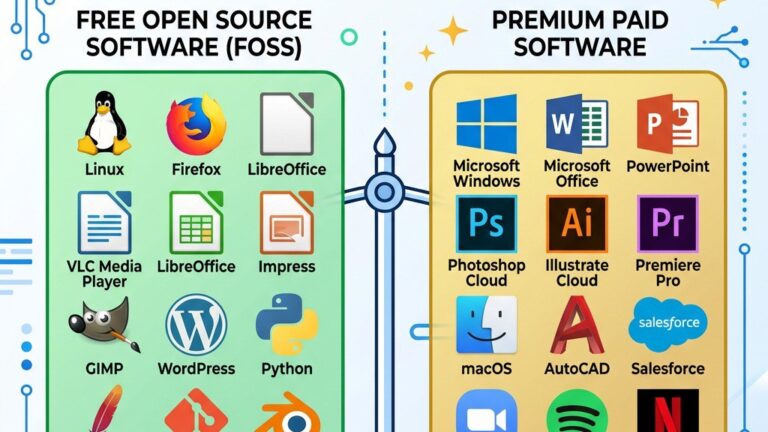
Both can be safe, but paid extensions often come with dedicated support, regular updates, and a formal security policy. Free extensions may be well‑maintained, but they rely on community contributions, so we verify the update frequency and developer reputation before installing.
We recommend checking for updates at least once a month and applying security patches immediately. For critical extensions, such as those handling payments or user authentication, we apply updates as soon as they are released.
Vulnerabilities should be reported to the Joomla Security Centre via their official disclosure form. Additionally, you can notify the extension’s developer directly, and if the issue is severe, you may also submit a report to the CVE database.