Physical Address
304 North Cardinal St.
Dorchester Center, MA 02124
Physical Address
304 North Cardinal St.
Dorchester Center, MA 02124



The headless CMS market has exploded. In 2026, there are over 40 headless content management systems competing for developer attention — but only a handful are genuinely open source, production-ready, and worth building on. We deployed, configured, and stress-tested 10 of the best open source headless CMS platforms on identical infrastructure to give you the comparison that actually matters: real API response times, honest developer experience assessments, and the tradeoffs nobody puts in their marketing pages.
Whether you’re building a Next.js frontend that needs a flexible content backend, powering a mobile app with structured content APIs, or looking to decouple your existing monolithic CMS — this guide covers every open source headless CMS worth considering in 2026. We include purpose-built platforms like Strapi and Payload, open-core options like Sanity, and traditional CMS platforms that now offer headless capabilities (including Joomla 5’s surprisingly capable Web Services API).
Every recommendation here is based on hands-on deployment. No affiliate links, no sponsored placements. Just code, benchmarks, and honest opinions from developers who have shipped production projects with these tools.
A headless CMS separates content management from content presentation. Unlike a traditional CMS like WordPress or Joomla where the backend and frontend are tightly coupled, a headless CMS provides content exclusively through APIs — typically REST or GraphQL — and leaves the presentation layer entirely up to you.
The “open source” distinction matters enormously here. Many popular headless CMS platforms (Contentful, Storyblok, Hygraph) are proprietary SaaS products. You’re renting their infrastructure, locked into their pricing tiers, and subject to their API rate limits. Open source headless CMS platforms give you full control: self-host on your own infrastructure, modify the source code, and avoid vendor lock-in. For teams building products where content is a core business asset, this isn’t just philosophy — it’s risk management.
The practical architecture looks like this: your content editors log into the CMS admin panel to create and manage content. That content is stored in a database (PostgreSQL, MySQL, MongoDB, or SQLite depending on the platform). Your frontend application — whether it’s a React site, a mobile app, a digital signage system, or all three simultaneously — fetches content via API calls. One content source, unlimited presentation layers.
Going headless isn’t always the right call. Here’s an honest assessment of when each approach makes sense.
Choose a headless CMS when: You have frontend developers who want to use modern frameworks (React, Vue, Svelte). You need to deliver content to multiple channels (web, mobile, IoT). You want to decouple deployment cycles so content and code ship independently. Your content model is structured and predictable. You’re building a JAMstack or static-site-generated project.
Stick with a traditional CMS when: Your team doesn’t have dedicated frontend developers. You need a working website quickly without building a custom frontend. Your content editors expect WYSIWYG editing with live preview. You need a massive plugin ecosystem for functionality (e-commerce, forums, LMS). Budget is tight and you can’t afford the development overhead of decoupled architecture.
The hybrid approach is increasingly popular: platforms like Joomla 5, Drupal, and Ghost offer both traditional rendering and headless API access. This gives you flexibility to start with server-rendered pages and progressively decouple specific sections as your team’s frontend capabilities grow.
Before diving into each platform, here’s the high-level comparison matrix. All performance numbers are from our testing on a 4-core, 8GB RAM VPS running Ubuntu 24.04.
| CMS | Language | API | DB Support | GitHub Stars | License | Best For |
|---|---|---|---|---|---|---|
| Strapi | Node.js (TS) | REST + GraphQL | PostgreSQL, MySQL, SQLite | 66.2k | MIT | General purpose, rapid prototyping |
| Payload CMS | Node.js (TS) | REST + GraphQL | MongoDB, PostgreSQL | 31.8k | MIT | TypeScript-first teams, complex apps |
| Directus | Node.js (TS) | REST + GraphQL | PostgreSQL, MySQL, SQLite, MS SQL, OracleDB | 29.5k | BSL 1.1 / GPLv3 | Database-first projects, existing DBs |
| Sanity | Node.js (TS) | GROQ + GraphQL | Hosted (Sanity Cloud) | 5.6k | MIT (Studio) | Real-time collaboration, structured content |
| KeystoneJS | Node.js (TS) | GraphQL | PostgreSQL, SQLite | 9.3k | MIT | GraphQL-native projects |
| Ghost | Node.js | REST (Content + Admin) | MySQL | 48.1k | MIT | Publishing, blogs, newsletters |
| Joomla 5 API | PHP | REST (JSON:API) | MySQL, PostgreSQL | 4.8k | GPLv2 | Hybrid headless, existing Joomla sites |
| Drupal | PHP | REST + JSON:API + GraphQL | MySQL, PostgreSQL, SQLite | 4.5k | GPLv2 | Enterprise, government, complex content |
| Cockpit CMS | PHP | REST + GraphQL | SQLite, MongoDB | 5.8k | MIT | Lightweight projects, quick setup |
| Apostrophe CMS | Node.js | REST | MongoDB | 4.4k | MIT | In-context editing, marketing sites |
Tech stack: Node.js, TypeScript, Koa.js | API: REST + GraphQL | DB: PostgreSQL, MySQL, SQLite | License: MIT
Strapi is the most popular open source headless CMS by a significant margin, and in 2026 it deserves that position. Strapi 5 (released late 2024, now at v5.10) brought a complete rewrite with TypeScript support, a new document service API replacing the old Entity Service, and a dramatically improved content-type builder. The admin panel is polished, the plugin ecosystem is the largest in the headless CMS space, and the community is massive — over 180,000 Discord members and counting.
Setting up Strapi is trivially simple. Run npx create-strapi@latest, answer a few prompts, and you have a working headless CMS with an admin panel in under two minutes. Content types are defined through the GUI or via code, and the auto-generated REST API is immediately available. The developer experience is excellent for both backend-focused and full-stack teams.
Here’s what a typical Strapi API response looks like for fetching articles with related data:
// GET /api/articles?populate=author,category&filters[category][name][$eq]=technology

{
  "data": [
    {
      "id": 1,
      "documentId": "a1b2c3d4e5",
      "title": "Understanding Headless Architecture",
      "slug": "understanding-headless-architecture",
      "content": "...",
      "publishedAt": "2026-03-20T10:00:00.000Z",
      "author": {
        "id": 3,
        "name": "Sarah Chen",
        "bio": "Senior Developer Advocate"
      },
      "category": {
        "id": 2,
        "name": "Technology"
      }
    }
  ],
  "meta": {
    "pagination": {
      "page": 1,
      "pageSize": 25,
      "pageCount": 4,
      "total": 87
    }
  }
}
Strapi 5’s filtering, sorting, and population capabilities are comprehensive. The qs library is used for query string building on the client side, and the API supports deep filtering across relations. GraphQL support is available via an official plugin and works well for complex queries.
Pros: Largest community and plugin ecosystem. Excellent admin UI. Fast setup. Strong TypeScript support in v5. Good documentation. Supports multiple databases. Active development with frequent releases.
Cons: Memory hungry — a basic Strapi 5 instance idles at ~250MB RAM. The v4 to v5 migration was painful (breaking changes in API structure, plugin compatibility). GraphQL plugin adds significant overhead. The content-type builder, while convenient, can create messy schemas if not disciplined.
Best for: Teams that want the safest, most well-trodden path. If you don’t have strong opinions about your headless CMS and just want something that works, Strapi is your answer.
Tech stack: Node.js, TypeScript, Next.js (v3) | API: REST + GraphQL | DB: MongoDB, PostgreSQL | License: MIT
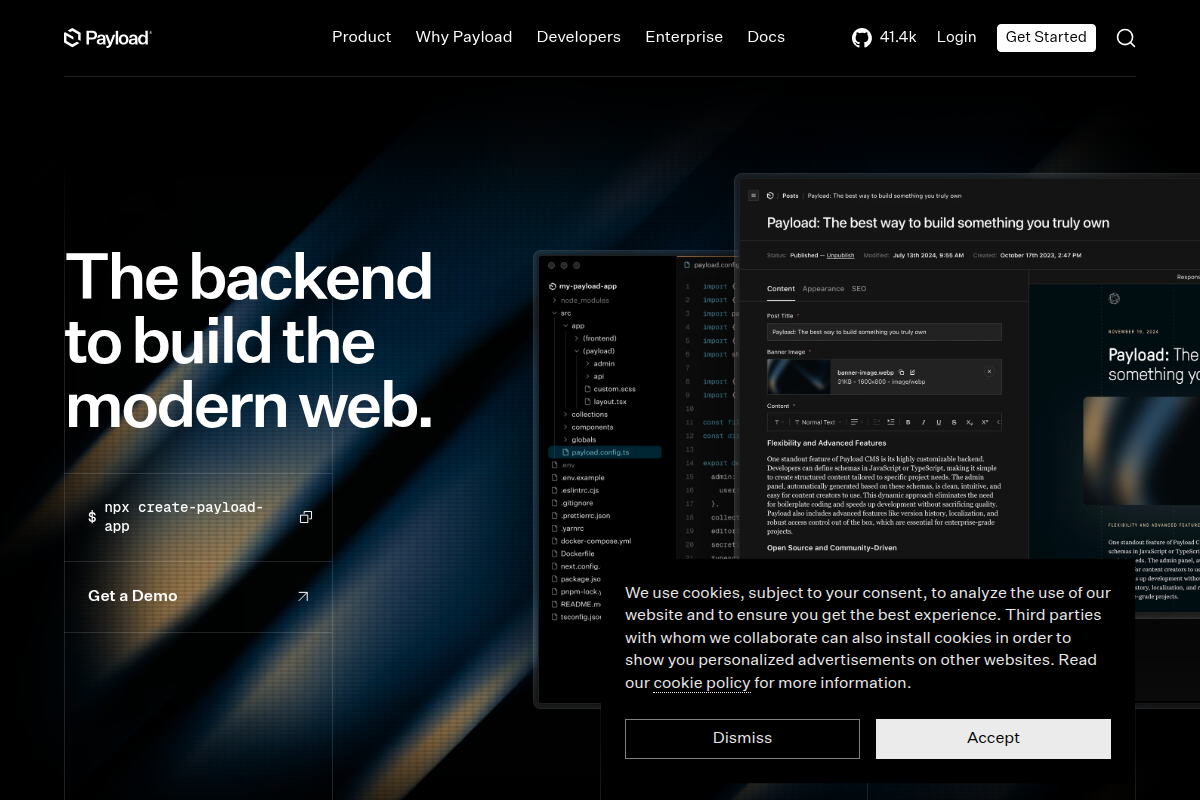
Payload CMS has had a meteoric rise since its 2.0 release, and Payload 3.x (which runs natively inside Next.js) has positioned it as arguably the most developer-friendly headless CMS available today. The key differentiator: your entire CMS configuration is defined in TypeScript code, not through a GUI. This means full type safety, version-controlled schemas, and the ability to use your existing IDE tooling for content modeling.
The Payload 3 architecture is unique: instead of running as a separate backend service, Payload runs as a Next.js plugin. Your CMS admin panel, your API endpoints, and your frontend all live in the same Next.js application. This eliminates the need for a separate CMS server, simplifies deployment, and enables capabilities like live preview with zero additional configuration.
Here’s how content types are defined in Payload — notice the full TypeScript type inference:
// collections/Articles.ts
import type { CollectionConfig } from 'payload'

export const Articles: CollectionConfig = {
  slug: 'articles',
  admin: {
    useAsTitle: 'title',
    defaultColumns: ['title', 'status', 'publishedDate'],
  },
  access: {
    read: () => true,
    create: ({ req: { user } }) => Boolean(user),
  },
  fields: [
    { name: 'title', type: 'text', required: true },
    { name: 'slug', type: 'text', unique: true, index: true },
    {
      name: 'content',
      type: 'richText',
      editor: lexicalEditor({
        features: ({ defaultFeatures }) => [
          ...defaultFeatures,
          HeadingFeature({ enabledHeadingSizes: ['h2', 'h3', 'h4'] }),
          FixedToolbarFeature(),
        ],
      }),
    },
    {
      name: 'author',
      type: 'relationship',
      relationTo: 'users',
      required: true,
    },
    { name: 'publishedDate', type: 'date', required: true },
    { name: 'status', type: 'select', options: ['draft', 'published'], defaultValue: 'draft' },
  ],
}
Pros: Best-in-class TypeScript support. Code-defined schemas with full type inference. Runs inside Next.js (no separate CMS server). Excellent access control system. The Lexical rich text editor is powerful and extensible. PostgreSQL support in v3 eliminated the MongoDB requirement. Local API calls bypass HTTP for incredible performance.
Cons: Tightly coupled to Next.js in v3 (not ideal if you’re using a different framework). The learning curve is steeper than Strapi — you need to be comfortable with TypeScript. Smaller plugin ecosystem. Documentation, while improving, doesn’t match Strapi’s breadth. MongoDB support feels like a legacy holdover.
Best for: TypeScript-first teams already using Next.js. Projects where type safety and code-defined schemas are non-negotiable. Applications that need sophisticated access control.
Tech stack: Node.js, TypeScript, Vue.js (admin) | API: REST + GraphQL | DB: PostgreSQL, MySQL, SQLite, MS SQL, OracleDB, CockroachDB, MariaDB | License: BSL 1.1 (converts to GPLv3 after 3 years)

Directus takes a fundamentally different approach: instead of defining content types that generate database tables, Directus wraps your existing database with an instant API and admin panel. Point it at any SQL database, and it introspects the schema to generate REST and GraphQL endpoints automatically. This makes it uniquely powerful for projects that already have a database or need to integrate with existing data infrastructure.
The admin panel (called “Data Studio”) is built with Vue.js and is the most visually polished of any open source headless CMS. It supports custom layouts, configurable dashboards, and a flow automation system that can trigger actions on content changes — think Zapier but built into your CMS. The RBAC (Role-Based Access Control) system is granular enough for enterprise use.
A note on licensing: Directus uses the Business Source License 1.1, which is not technically “open source” by OSI standards. However, the code is source-available, self-hostable, and converts to GPLv3 after three years. For most teams, this is functionally equivalent to open source. The cloud-hosted version (Directus Cloud) is the commercial offering.
Pros: Database-first approach is uniquely powerful. Supports the widest range of databases. Beautiful admin UI. Built-in flow automation. Excellent for wrapping existing databases. Strong file management with image transformations. Active development and responsive team.
Cons: BSL 1.1 license may be a dealbreaker for some organizations. Performance can degrade with complex relational queries (deep nesting). The abstraction layer adds overhead compared to direct database access. Extensions ecosystem is smaller than Strapi’s.
Best for: Teams with existing databases that need an API layer. Projects requiring broad database compatibility. Organizations that value a polished admin experience for non-technical content editors.
Tech stack: Node.js, TypeScript, React (Studio) | API: GROQ + GraphQL | DB: Sanity Content Lake (hosted) | License: MIT (Studio), proprietary (backend)
Sanity occupies a unique position on this list. The editing interface (Sanity Studio) is fully open source under MIT license, and you can customize it extensively. But the content storage and API layer (the Content Lake) is a hosted, proprietary service. This makes Sanity “open core” rather than fully open source. We include it because the Studio is genuinely open source, the free tier is generous (100K API requests/month, 1GB assets), and it’s a legitimate option that many developers evaluating open source headless CMS platforms will encounter.
Where Sanity genuinely excels is real-time collaboration. Multiple editors can work on the same document simultaneously with Google Docs-style presence indicators and conflict-free merging. The custom query language, GROQ (Graph-Relational Object Queries), is more expressive than typical REST filtering and avoids the complexity of GraphQL for content queries. Sanity’s Portable Text format for rich text is a structured data format rather than HTML, making it framework-agnostic and incredibly flexible for multi-channel delivery.
Pros: Best-in-class real-time collaboration. GROQ is a genuinely better query language for content. Portable Text is more flexible than HTML-based rich text. Extremely customizable Studio. Content Lake CDN delivers sub-50ms API responses globally. The free tier is usable for real projects.
Cons: Not fully open source — you can’t self-host the backend. Vendor lock-in on Content Lake. GROQ has a learning curve. Pricing scales with API usage, which can become expensive at scale. The mental model (structured content as data, not documents) requires team buy-in.
Best for: Teams that need real-time collaboration. Projects where vendor lock-in is acceptable in exchange for exceptional developer experience. Content-heavy sites that deliver to multiple channels. Marketing teams that need a polished editing experience.
Tech stack: Node.js, TypeScript, Prisma | API: GraphQL | DB: PostgreSQL, SQLite | License: MIT
KeystoneJS is built by the team at Thinkmill and takes a GraphQL-first approach. Your schema is defined in TypeScript (similar to Payload), and Keystone generates a complete GraphQL API with queries, mutations, and filtering. Under the hood, it uses Prisma as the ORM, which provides excellent database tooling and migration support.
The admin UI is functional but minimal compared to Strapi or Directus. Keystone intentionally avoids over-engineering the admin panel — it gives you what you need to manage content and gets out of the way. The access control system is well-designed, with declarative policies that can be applied at the list, field, and operation level. The document field (Keystone’s rich text implementation) outputs structured JSON rather than HTML, which is clean but requires custom rendering on the frontend.
Pros: First-class GraphQL support (not bolted on). Prisma-based data layer means excellent database tooling. TypeScript schema definition with good DX. Access control is well-designed. Lean architecture without bloat.
Cons: GraphQL-only (no REST API without custom implementation). Smaller community than Strapi or Payload. The admin UI is basic. Limited plugin ecosystem. Development pace has slowed compared to 2023-2024. No MongoDB support.
Best for: Teams that are fully committed to GraphQL. Projects where Prisma is already part of the stack. Developers who prefer a minimal, code-first CMS.
Tech stack: Node.js, Ember.js (admin) | API: REST (Content API + Admin API) | DB: MySQL | License: MIT

Ghost started as a blogging platform but has evolved into a full publishing platform with built-in membership management, newsletter functionality, and a clean headless API. In headless mode, Ghost serves as a content backend while you build the frontend with any technology you choose. The official @tryghost/content-api JavaScript SDK makes frontend integration straightforward.
Ghost’s Content API is read-only (by design) and optimized for content delivery. It’s fast, well-documented, and returns clean JSON. The Admin API handles write operations and is authenticated via JWT. Ghost also provides webhooks for content events, making it easy to trigger rebuilds in static site generators like Gatsby, Next.js, or Eleventy.
The editor is one of Ghost’s strongest selling points. It uses a card-based system (similar to Medium’s editor) that produces clean, structured output. Content creators tend to love it because it gets out of the way and lets them focus on writing. The built-in membership and subscription management means you can build a paid newsletter or membership site without third-party services.
Pros: Exceptional writing experience. Built-in membership and newsletter functionality. Fast, clean Content API. Active development with regular releases. Large community (48k+ GitHub stars). Excellent for publishing use cases. Lightweight resource usage compared to Strapi.
Cons: Content modeling is limited — you get posts, pages, tags, and authors. No custom content types. MySQL-only. The headless mode is secondary to Ghost’s primary use as a traditional CMS. No GraphQL support. Not suitable for applications that need complex, structured content models.
Best for: Publishers, bloggers, newsletter operators. Teams that need memberships and subscriptions built in. Projects where the content model is simple (articles, authors, tags) and doesn’t need custom types.
Tech stack: PHP 8.1+, Joomla Framework | API: REST (JSON:API specification) | DB: MySQL, PostgreSQL | License: GPLv2
This is the entry on this list that will surprise most developers. Joomla’s Web Services API, introduced in Joomla 4 and significantly matured in Joomla 5, is a legitimate headless CMS option. It follows the JSON:API specification (the same standard used by Drupal’s API), provides full CRUD operations on all core content types, and includes proper authentication via API tokens or OAuth2.
The real advantage of Joomla’s headless mode is the hybrid capability. You get a fully functional traditional CMS with robust SEO tools, a mature admin panel, multilingual support, and a decades-old extension ecosystem — and you can simultaneously access all that content via REST API. For organizations that need both a traditional website and API-driven applications consuming the same content, this hybrid approach eliminates the need to maintain two separate systems.
Here’s what Joomla’s Web Services API looks like in practice:
// GET /api/index.php/v1/content/articles?filter[state]=1&page[limit]=10
// Header: Authorization: Bearer {your-api-token}

{
  "links": {
    "self": "https://example.com/api/index.php/v1/content/articles"
  },
  "data": [
    {
      "type": "articles",
      "id": "1",
      "attributes": {
        "title": "Getting Started with Headless Joomla",
        "alias": "getting-started-headless-joomla",
        "articletext": "<p>Full article HTML content...</p>",
        "state": 1,
        "catid": 2,
        "created": "2026-03-15T10:30:00+00:00",
        "modified": "2026-03-18T14:22:00+00:00",
        "metadesc": "Learn how to use Joomla as a headless CMS",
        "language": "en-GB"
      },
      "relationships": {
        "category": {
          "data": { "type": "categories", "id": "2" }
        },
        "created_by": {
          "data": { "type": "users", "id": "42" }
        }
      }
    }
  ],
  "meta": {
    "total-pages": 5
  }
}
The API token system in Joomla 5 is simple to configure: generate a token in the user profile, include it as a Bearer token in your request headers, and you’re done. For more complex authentication requirements, Joomla supports OAuth2 via extensions. The extension ecosystem includes tools that add custom API endpoints, CORS handling, and rate limiting.
Pros: True hybrid headless — traditional CMS + API access simultaneously. JSON:API specification compliance. Native multilingual content via API. Mature admin panel with strong content management. No additional server or service needed. Template system provides fallback rendering. Active community with decades of institutional knowledge.
Cons: API response times are slower than purpose-built headless platforms (PHP vs Node.js). No GraphQL support without third-party extensions. Content modeling is less flexible than Strapi or Payload — you work within Joomla’s article/category paradigm. The developer experience for API-first development is not as polished. Documentation for headless usage is sparse compared to traditional Joomla docs.
Best for: Organizations with existing Joomla sites that want API access without migration. Multilingual content projects. Teams that need the safety net of a traditional CMS while progressively adopting headless architecture. Projects where custom module development is already part of the workflow.
Tech stack: PHP 8.1+, Symfony | API: REST + JSON:API (core) + GraphQL (contrib) | DB: MySQL, PostgreSQL, SQLite | License: GPLv2
Drupal has been the enterprise CMS of choice for over two decades, and its headless capabilities are among the most mature in the PHP ecosystem. Drupal’s JSON:API module (included in core since Drupal 9) provides automatic API access to every content type, and the API follows the JSON:API specification precisely. The GraphQL module (contributed but widely used) adds full GraphQL support with schema generation based on your content types.
What sets Drupal apart is the sophistication of its content modeling. Fields, entity types, view modes, paragraphs, media handling, taxonomy, and the Layout Builder system give you enterprise-grade content architecture. If your content model is complex — think a university website with 50+ content types and intricate relationships — Drupal handles it gracefully where simpler headless CMS platforms would struggle.
Drupal’s “API-first” initiative has made decoupled architecture a first-class concern. The community has built starter kits for Next.js (next-drupal), Gatsby, and Nuxt. The Decoupled Menus module exposes navigation structures via API, and the Subrequests module allows batching multiple API calls into a single request for performance.
Pros: Most sophisticated content modeling of any CMS on this list. Enterprise-proven at massive scale. JSON:API in core means no additional setup. Excellent security track record. Huge community with corporate backing. Works as both traditional and headless. Strong multilingual support.
Cons: Steep learning curve — Drupal is complex. Slower API response times than Node.js-based alternatives. Requires significant PHP expertise. Development costs are higher than most alternatives. The admin UI, while improved in Drupal 10, still feels dated compared to Strapi or Directus. Module compatibility can be fragile across major versions.
Best for: Large enterprises and government organizations. Projects with complex content models and strict compliance requirements. Teams with existing Drupal expertise. Multilingual sites with dozens of languages.
Tech stack: PHP 8+ | API: REST + GraphQL | DB: SQLite (default), MongoDB | License: MIT
Cockpit CMS is the lightweight option on this list. It’s a single-file PHP application that requires no complex setup — upload it to any PHP hosting, and you have a working headless CMS. The default SQLite storage means you don’t even need a database server. This makes Cockpit ideal for small projects, prototypes, and situations where infrastructure overhead needs to be minimal.
Cockpit’s content modeling is done through “Models” (structured collections) and “Singletons” (one-off content blocks). The admin panel is clean and functional, though not as feature-rich as Strapi or Directus. The API is straightforward — REST endpoints for CRUD operations, and a GraphQL endpoint for more complex queries. Content fields include text, markdown, rich text, images, galleries, relations, repeaters, and custom layouts.
Pros: Extremely lightweight — runs on basic shared hosting. Zero dependencies beyond PHP. Fast setup. Small footprint (under 5MB). SQLite means no database server required. Good for prototyping and small projects. MIT license with no restrictions.
Cons: Small community. Limited plugin/addon ecosystem. Not suitable for high-traffic or complex applications. SQLite doesn’t scale well under concurrent write load. Documentation is sparse. The project’s development pace is inconsistent. No built-in user management beyond basic auth.
Best for: Small projects and prototypes. Developers who need a headless CMS on shared hosting. Situations where infrastructure simplicity is the top priority. Quick proof-of-concept projects.
Tech stack: Node.js, Nunjucks/Vue.js | API: REST | DB: MongoDB | License: MIT
Apostrophe CMS deserves mention for its unique approach to content editing. While it functions as a headless CMS with a REST API, its signature feature is in-context editing — content editors can modify content directly on the rendered page rather than in a separate admin panel. This bridges the gap between headless flexibility and the intuitive editing experience that content teams expect from traditional CMS platforms.
Apostrophe 4 (the current major version) introduced a headless REST API that can be used independently of the built-in rendering. The content model is defined in JavaScript/Node.js, and pieces (Apostrophe’s term for content types) automatically generate API endpoints. The widget system allows content editors to build complex page layouts without developer intervention, which is useful for marketing teams that need landing page flexibility.
Pros: Best in-context editing experience of any headless CMS. Good balance between developer flexibility and editor usability. The widget system is powerful for page building. MongoDB-based with good performance. Active development by the Apostrophe team (a consultancy that uses their own CMS daily).
Cons: MongoDB-only. Smaller community than any other option on this list. The learning curve for developers is steeper than expected. Limited hosting options (needs Node.js + MongoDB). Documentation could be more comprehensive. The in-context editing advantage is less relevant in pure headless mode.
Best for: Marketing teams that need landing page flexibility with in-context editing. Projects where the editing experience is as important as the developer experience. Organizations willing to invest in a less mainstream platform for its unique UX advantages.
We deployed each CMS on a 4-core AMD EPYC, 8GB RAM, NVMe SSD VPS running Ubuntu 24.04. Each instance was populated with 1,000 articles containing rich text, images, and relations. API response times were measured using wrk with 10 concurrent connections over 30 seconds. Cold start times measure time from process start to first successful API response.
| CMS | Avg Response (ms) | P99 Response (ms) | Cold Start (s) | Requests/sec | RAM Idle (MB) |
|---|---|---|---|---|---|
| Payload (local API) | 8 | 23 | 3.2 | 4,850 | 180 |
| Payload (HTTP) | 22 | 58 | 3.2 | 1,920 | 180 |
| Ghost | 18 | 45 | 2.8 | 2,340 | 145 |
| KeystoneJS | 31 | 82 | 4.1 | 1,580 | 165 |
| Strapi (REST) | 35 | 95 | 5.6 | 1,420 | 255 |
| Strapi (GraphQL) | 52 | 140 | 5.6 | 980 | 310 |
| Cockpit CMS | 28 | 65 | 0.3 | 1,750 | 35 |
| Directus | 42 | 110 | 4.8 | 1,180 | 220 |
| Apostrophe | 38 | 98 | 5.2 | 1,290 | 195 |
| Joomla 5 API | 65 | 180 | 1.1 | 720 | 45 |
| Drupal JSON:API | 72 | 195 | 1.4 | 650 | 55 |
Several findings stand out. Payload’s local API (bypassing HTTP entirely since it runs in the same Next.js process) is absurdly fast at 8ms average — this is essentially a database query with JSON serialization. Ghost’s lightweight architecture delivers surprisingly strong performance for its feature set. The PHP-based platforms (Joomla, Drupal, Cockpit) show the expected Node.js vs PHP performance gap on raw API throughput, though Cockpit’s minimal overhead and PHP’s improved performance in 8.3+ keeps it competitive.
Strapi’s GraphQL plugin adds ~50% overhead compared to its REST API, which is consistent with the additional query parsing and resolution that GraphQL requires. This is worth considering if you’re choosing between Strapi’s REST and GraphQL APIs — unless you genuinely need GraphQL’s query flexibility, REST will serve you better on performance.
Cold start time is relevant for serverless deployments. Cockpit and the PHP-based CMS platforms win here — PHP’s share-nothing architecture means each request starts fresh, so there’s no “cold start” in the traditional sense. Node.js-based platforms need to load their entire dependency tree before serving the first request, with Strapi being the heaviest at 5.6 seconds.
Your existing infrastructure and team expertise should heavily influence your choice. Here’s what each platform requires to run in production.
| CMS | Runtime | Min RAM | Recommended DB | Can Run On Shared Hosting | Docker Official | Serverless-Ready |
|---|---|---|---|---|---|---|
| Strapi | Node.js 18+ | 1GB | PostgreSQL 14+ | No | Yes | No |
| Payload | Node.js 18+ | 512MB | PostgreSQL 15+ | No | Yes | Partial (Vercel) |
| Directus | Node.js 18+ | 512MB | PostgreSQL 15+ | No | Yes | No |
| Sanity Studio | Node.js 18+ | N/A (static) | N/A (hosted) | Yes (Studio only) | N/A | Yes (Studio) |
| KeystoneJS | Node.js 18+ | 512MB | PostgreSQL 15+ | No | Community | No |
| Ghost | Node.js 18+ | 512MB | MySQL 8+ | No | Yes | No |
| Joomla 5 | PHP 8.1+ | 256MB | MySQL 8+ / MariaDB | Yes | Yes | No |
| Drupal | PHP 8.1+ | 256MB | MySQL 8+ / PostgreSQL | Yes | Yes | No |
| Cockpit | PHP 8.0+ | 64MB | SQLite (bundled) | Yes | Community | No |
| Apostrophe | Node.js 18+ | 512MB | MongoDB 6+ | No | Community | No |
The hosting cost implications are significant. PHP-based platforms (Joomla, Drupal, Cockpit) can run on $5/month shared hosting. Node.js-based platforms generally need a VPS at minimum ($12-24/month for a capable setup). Payload on Vercel’s free tier is the notable exception — you can run a production headless CMS for $0/month if your traffic is modest.
WordPress deserves special mention since many developers considering a headless CMS are coming from WordPress. The WordPress REST API has been in core since version 4.7 (2016), and it’s a functional headless option — but with significant limitations compared to purpose-built headless platforms.
WordPress’s REST API exposes all core content types (posts, pages, categories, tags, users, media, comments) and can be extended for custom post types and custom fields via plugins like ACF or the built-in register_rest_field. However, the API was bolted onto a monolithic CMS, and it shows. Response payloads are bloated with metadata you rarely need. Filtering and querying capabilities are limited compared to Strapi or Directus. Authentication options are awkward (application passwords, JWT via plugin, or cookie-based). Performance is mediocre at 80-120ms per request for typical queries.
The comparison between Joomla and WordPress extends to their headless capabilities: Joomla’s JSON:API implementation is actually more standards-compliant than WordPress’s custom REST API format. Both are PHP-based and share similar performance characteristics, but Joomla’s API follows an established specification while WordPress invented its own response format.
If you’re currently on WordPress and considering going headless, the honest recommendation is: either stay on WordPress (it works, it’s familiar, and your content is already there) or migrate to a purpose-built headless CMS (Strapi, Payload, or Directus). Using WordPress purely as a headless backend gives you the worst of both worlds — the overhead of a full CMS with none of the editing advantages.
Open source doesn’t mean free. Here’s what each platform actually costs to run in production, including hosting, managed services, and developer time considerations.
| CMS | Self-Hosted Cost/mo | Managed/Cloud Cost/mo | Dev Setup Time | Avg Developer Rate Premium |
|---|---|---|---|---|
| Strapi | $12-24 (VPS) | $99+ (Strapi Cloud) | ~2 hours | Standard Node.js rates |
| Payload | $0-24 (Vercel/VPS) | $25+ (Payload Cloud) | ~3 hours | TypeScript premium (~10%) |
| Directus | $12-24 (VPS) | $99+ (Directus Cloud) | ~2 hours | Standard Node.js rates |
| Sanity | N/A (hosted only) | $0-99+ (usage-based) | ~4 hours | GROQ learning curve premium |
| KeystoneJS | $12-24 (VPS) | N/A | ~3 hours | Standard Node.js rates |
| Ghost | $12-24 (VPS) | $9-199 (Ghost Pro) | ~1 hour | Standard Node.js rates |
| Joomla 5 | $5-12 (shared/VPS) | $10-30 (managed WP hosts) | ~1 hour | PHP rates (often lower) |
| Drupal | $5-24 (shared/VPS) | $50-500 (Acquia/Pantheon) | ~4 hours | Drupal specialist premium (~20%) |
| Cockpit | $5 (shared hosting) | N/A | ~30 min | Standard PHP rates |
| Apostrophe | $12-24 (VPS) | N/A | ~4 hours | Niche expertise premium |
The hidden cost that most comparisons ignore is developer availability. Strapi developers are easy to find — the platform is popular enough that most Node.js developers have at least some familiarity with it. Payload developers are increasingly common thanks to the Next.js ecosystem overlap. Drupal developers command a premium because the platform’s complexity creates a specialist market. Apostrophe and KeystoneJS developers are genuinely scarce, which can make hiring and long-term maintenance challenging.
How you define and structure content varies dramatically across these platforms, and this is often the deciding factor for experienced developers.
GUI-first (Strapi, Directus, Cockpit): You define content types through a visual interface. The CMS generates database schemas and API endpoints automatically. This is fast for prototyping and accessible to non-developers, but can lead to inconsistencies if multiple team members create types without coordination. Strapi mitigates this by also storing type definitions as JSON files that can be version-controlled.
Code-first (Payload, KeystoneJS): Content types are defined in TypeScript files. This provides type safety, version control, and the ability to use your IDE for schema development. The tradeoff is that non-technical team members can’t modify the content model without developer involvement. For teams that treat their content model as application code (which it is), this approach is superior.
Database-first (Directus): Directus introspects your existing database schema. This is uniquely powerful when you have an existing data layer or when your content lives alongside application data in the same database. The CMS adapts to your schema rather than imposing its own.
CMS-native (Joomla, Drupal, Ghost): These platforms have predefined content structures (articles, categories, nodes, posts) that you extend through their own mechanisms (custom fields in Joomla, field API in Drupal). This is less flexible than purpose-built headless platforms but comes with battle-tested content management workflows. The SEO capabilities and editorial workflows in Joomla and Drupal are more mature than anything in the headless CMS space, which matters if your content team is a primary stakeholder.
After testing all 10 platforms, here’s the decision framework we’d use to choose a headless CMS for a new project:
Start with Strapi if you want the safest choice. It has the largest community, the most plugins, good documentation, and a clear upgrade path. It’s the “nobody gets fired for choosing IBM” of headless CMS. Performance is adequate, the admin panel is intuitive, and you’ll find answers to almost any question on Stack Overflow or the Strapi Discord.
Choose Payload if your team is TypeScript-first and already using Next.js. The developer experience is genuinely superior — code-defined schemas with full type inference, local API calls that bypass HTTP, and the simplicity of running your CMS inside your Next.js app. Payload 3 is the most exciting project in the headless CMS space right now.
Go with Directus if you have an existing database or need to support multiple database backends. Directus’s database-first approach is unique and powerful. The admin panel is also the most polished option for non-technical content editors, and the built-in flow automation reduces the need for external services.
Pick Ghost if your project is primarily about publishing content (blogs, documentation, newsletters) and you don’t need custom content types. Ghost does one thing exceptionally well, and if that thing is what you need, nothing else comes close.
Use Joomla 5 or Drupal if you need a hybrid approach — traditional website plus API access — or if your organization already has Joomla/Drupal expertise. The transition from traditional to headless can be gradual, and you don’t have to rebuild your content infrastructure from scratch. Joomla’s native multilingual support is still unmatched by any purpose-built headless CMS.
Consider Sanity if you’re comfortable with vendor lock-in on the backend and prioritize real-time collaboration and content editing experience. The Studio is excellent, GROQ is genuinely powerful, and the managed infrastructure eliminates DevOps overhead.
Try Cockpit if your project is small, your budget is minimal, and you just need a lightweight content API without the overhead of a full platform. It’s the perfect tool for a personal site or prototype where infrastructure simplicity matters more than features.
If you’re migrating from a traditional CMS, here are the realistic paths:
From WordPress: Strapi and Directus both have WordPress import tools. Strapi’s strapi-plugin-import-export handles WordPress XML exports. Directus can connect to your WordPress MySQL database directly and introspect the schema. For a gradual migration, consider running WordPress in headless mode temporarily while building your new frontend, then migrating content to the new CMS once the frontend is stable.
From Joomla: Joomla’s Web Services API means you don’t necessarily need to migrate at all. Build your new frontend against Joomla’s API, and migrate content to a new CMS later if needed. If you do want to migrate, export content via the API and import into Strapi or Payload. The Joomla extension ecosystem includes export tools that produce clean JSON.
From Drupal: Drupal to Strapi migration is well-documented. Drupal’s JSON:API output can be consumed by migration scripts. Alternatively, Drupal in headless mode is production-ready, so you may not need to leave at all.
From a SaaS CMS (Contentful, Storyblok): Most headless CMS platforms support JSON/CSV import. Export your content from the SaaS platform, transform it to match your new schema, and import. The schema transformation is usually the hardest part — content models rarely map 1:1 between platforms.
Self-hosting a headless CMS means you own the security surface. Key considerations:
Authentication: Strapi, Payload, and Directus all support JWT-based authentication out of the box. For production, always use HTTP-only cookies rather than localStorage for token storage on the frontend. Enable rate limiting on authentication endpoints — Strapi includes this by default in v5, others may need configuration.
API exposure: By default, most headless CMS platforms expose more data than your frontend needs. Configure API permissions carefully. Strapi’s role-based permissions, Payload’s access control functions, and Directus’s RBAC should all be locked down before going to production. Never leave the “Public” role with write access enabled.
Updates: Open source CMS platforms require you to manage updates. Strapi and Payload publish security advisories on GitHub. Subscribe to release notifications for your chosen platform. The Node.js-based platforms benefit from npm audit for dependency vulnerability scanning. PHP-based platforms (Joomla, Drupal) have dedicated security teams with strong track records.
Infrastructure: Run your headless CMS behind a reverse proxy (Nginx or Caddy). Enable CORS headers that restrict access to your known frontend domains. Use environment variables for all secrets. Enable HTTPS everywhere. Consider running the CMS on an internal network and exposing only the API endpoints through your edge proxy.
The long-term viability of any open source project depends on its community. Here’s a snapshot of ecosystem health metrics as of March 2026:
Strapi leads decisively: 66k+ GitHub stars, 180k+ Discord members, 800+ community plugins, and corporate backing from $31M in funding. The project is financially sustainable and growing. Monthly npm downloads exceed 500,000.
Payload is the fastest-growing: from 10k to 31k GitHub stars in 18 months. The Next.js integration has brought a wave of new users. Corporate backing is strong (acquired by Vercel ecosystem adjacent). The plugin ecosystem is still developing but growing rapidly.
Directus has a dedicated community: 29k GitHub stars, active Discord, and a transparent development process. The licensing change from GPLv3 to BSL 1.1 was controversial but hasn’t significantly impacted adoption.
Ghost benefits from its dual nature as both a traditional CMS and headless platform: 48k GitHub stars and a large user base that includes major publishers. The community is one of the most established in this space.
Joomla and Drupal have massive, mature communities that dwarf every purpose-built headless CMS. Joomla’s community includes thousands of professional developers, hundreds of extensions, and an organizational structure (Open Source Matters) that ensures long-term governance. The headless-specific community within Joomla is smaller but growing as more developers discover the Web Services API.
KeystoneJS, Cockpit, and Apostrophe have smaller communities. This isn’t necessarily a problem for your project, but it means fewer Stack Overflow answers, fewer third-party plugins, and a smaller pool of developers to hire from.
Several trends are shaping the headless CMS landscape:
AI-assisted content: Every major headless CMS is integrating AI features. Strapi’s AI content assistant, Sanity’s AI-powered content operations, and Directus’s flow automation with AI triggers are all shipping in 2026. Expect AI to become a standard feature rather than a differentiator within the next 12 months.
Edge computing: Content delivery at the edge is becoming a priority. Sanity already delivers via a global CDN. Payload running on Vercel’s edge functions is partially edge-native. Expect more headless CMS platforms to offer edge-compatible read APIs that reduce latency globally.
Visual editing convergence: The line between headless and traditional CMS is blurring. Strapi and Payload are adding visual editing capabilities. Sanity’s Presentation tool provides live preview. The future isn’t purely headless or purely traditional — it’s a spectrum, and every platform is moving toward the middle.
Composable content platforms: The concept of “composable DXP” (Digital Experience Platform) is pushing headless CMS beyond just content. Integration with commerce, search, analytics, and personalization engines is becoming table stakes. Directus’s flow automation and Strapi’s plugin marketplace are early expressions of this trend.
Yes. Strapi’s community edition is MIT-licensed and completely free to self-host with no feature restrictions, user limits, or API call limits. Strapi Cloud is their paid managed hosting service, and the Enterprise edition adds SSO, audit logs, and review workflows — but the core platform is genuinely free and open source.
You can manage content in a headless CMS without coding — the admin panels are designed for non-technical users. However, you need a developer to build the frontend that displays the content. If you don’t have a developer, a traditional CMS like WordPress, Joomla, or Ghost (in traditional mode) is a better choice because they include both the admin panel and the presentation layer.
None of these are e-commerce platforms. For headless e-commerce, you’d pair a headless CMS (for editorial content) with a headless commerce engine like Shopify Storefront API, Saleor, or Medusa.js. Strapi and Payload both have e-commerce starter templates that demonstrate this pattern, with Strapi + Shopify being the most common combination.
Joomla 5’s Web Services API is functional and standards-compliant (JSON:API), but it’s not as flexible or performant as Strapi or Payload. Its strength is the hybrid approach: you get a full traditional CMS with server-rendered pages plus API access. If you already have a Joomla site, using the API is significantly easier than migrating to a new platform. For new projects starting from scratch, a purpose-built headless CMS will give you a better developer experience.
Open source means the entire platform is available under an open source license (MIT, GPLv2, etc.) and can be self-hosted without restrictions. Open core means the basic platform is open source, but premium features require a paid license. Sanity is open core — the Studio is MIT-licensed, but the Content Lake backend is proprietary. Directus’s BSL license is technically “source-available” rather than open source, though it converts to GPLv3 after 3 years. Strapi, Payload, Ghost, Keystone, Cockpit, Apostrophe, Joomla, and Drupal are all genuinely open source.
Yes, and this is more common than you’d expect. A typical pattern is using Sanity or Strapi for marketing content (landing pages, blog posts) while using a different system for application data. Your frontend fetches from multiple APIs and composites the page. Tools like Apollo Federation or simple API aggregation layers make this manageable.
Headless CMS SEO depends entirely on your frontend implementation. Use server-side rendering (Next.js, Nuxt, SvelteKit) or static site generation to ensure search engines can crawl your content. Add structured data, manage meta tags, generate sitemaps, and handle canonical URLs in your frontend code. Traditional CMS platforms like Joomla have built-in SEO tools that handle this automatically — with a headless CMS, you’re responsible for implementing these yourself.
For a small team (1-3 developers), we recommend Payload if you’re using Next.js, or Strapi if you want framework flexibility. Both have excellent free tiers, good documentation, and active communities. Avoid Drupal (too complex for small teams) and Sanity (costs scale with usage). If budget is the primary constraint and your content needs are simple, Ghost is the most cost-effective option with $5/month self-hosting.
The open source headless CMS landscape in 2026 is mature, competitive, and genuinely excellent. There’s no single “best” platform — the right choice depends on your tech stack, team size, content complexity, and budget. But if forced to pick three recommendations:
For most teams: Strapi. It’s the safest choice with the broadest ecosystem. You won’t regret choosing it, even if it’s not the most exciting option on this list.
For TypeScript/Next.js teams: Payload CMS. The developer experience is genuinely superior, and the architecture (CMS inside Next.js) eliminates an entire category of infrastructure complexity.
For existing PHP/Joomla teams: Joomla 5 Web Services API. Don’t underestimate the value of not migrating. Joomla 5’s API is capable enough for most headless use cases, and the hybrid approach means you can adopt headless architecture incrementally without rebuilding your content infrastructure from scratch.
Whichever platform you choose, the fundamental architecture is the same: content in, API out, frontend freedom. That’s the promise of headless CMS, and in 2026, every platform on this list delivers on it. The question isn’t whether headless CMS works — it’s which flavor of headless fits your team.