Physical Address
304 North Cardinal St.
Dorchester Center, MA 02124
Physical Address
304 North Cardinal St.
Dorchester Center, MA 02124



Choosing a CMS in 2026 isn’t about picking the most popular platform. It’s about picking the one that doesn’t fight your development workflow. After building production sites on nearly every major CMS over the past decade, I’ve learned that the “best” CMS is always the one that stays out of your way — the one where you spend time building features, not wrestling with the framework.
This guide compares 12 CMS platforms across three tech stacks: PHP, Node.js, and Python. We’re evaluating them the way developers actually evaluate tools — API quality, extensibility, CLI support, deployment pipelines, and how painful the codebase is to work with at 2 AM when production is on fire.
Whether you’re building a headless frontend with Next.js, need a traditional multi-page site with complex content modeling, or want a Joomla vs WordPress for developers comparison, this article covers the technical details that marketing-driven “Top 10 CMS” articles consistently skip.
Before we dive into the technical breakdowns, here’s the summary table. These ratings reflect developer experience specifically — not end-user friendliness, not market share, not how many themes are on ThemeForest.
| CMS | Stack | API Type | Best For | DX Score | Learning Curve |
|---|---|---|---|---|---|
| Payload CMS | Node.js/TS | REST + GraphQL | Headless apps, SaaS backends | 9.4/10 | Moderate |
| Strapi | Node.js | REST + GraphQL | API-first projects, startups | 8.8/10 | Low |
| Statamic | PHP/Laravel | REST + GraphQL | Laravel developers, flat-file sites | 8.7/10 | Low-Moderate |
| Craft CMS | PHP/Yii2 | GraphQL | Complex content modeling | 8.5/10 | Moderate |
| Wagtail | Python/Django | REST | Python shops, editorial workflows | 8.4/10 | Moderate |
| Ghost | Node.js | REST + GraphQL | Publishing, membership sites | 8.2/10 | Low |
| Joomla 5 | PHP | REST | Complex multi-language, enterprise PHP | 7.8/10 | Moderate-High |
| KeystoneJS | Node.js/TS | GraphQL | Custom admin UIs, Prisma users | 7.6/10 | Moderate |
| Drupal 11 | PHP/Symfony | JSON:API + GraphQL | Government, healthcare, enterprise | 7.4/10 | High |
| October CMS | PHP/Laravel | REST | Laravel devs wanting a CMS layer | 7.2/10 | Moderate |
| WordPress | PHP | REST + GraphQL* | Rapid prototyping, content-heavy sites | 6.8/10 | Low |
| django CMS | Python/Django | REST | Django projects needing CMS features | 6.5/10 | Moderate-High |
*WordPress GraphQL via WPGraphQL plugin, not core.
The CMS landscape has fundamentally shifted. Five years ago, you evaluated a CMS on its theme system and plugin marketplace. Today, the criteria that matter are:
With those criteria in mind, let’s break down each platform by tech stack.
PHP still powers the majority of the web’s CMS installations. The ecosystem is mature, hosting is cheap and available everywhere, and the developer pools are large. But the DX gap between the best and worst PHP CMS options is enormous.
Stack: PHP 8.2+ | API: REST (core), GraphQL (plugin) | License: GPL-2.0
WordPress doesn’t need an introduction, but it does need honest assessment from a developer perspective. The REST API, introduced in WordPress 4.7, works. It’s not beautiful, it’s not particularly fast, and the response payloads are bloated — but it works. The bigger issue is that WordPress was never architected as an API-first platform, and that shows in every API interaction.
Custom post types and Advanced Custom Fields (ACF) give you flexible content modeling, but you’re always working around WordPress’s post-centric data model rather than with a purpose-built content modeling system. The block editor (Gutenberg) is powerful for end users but adds complexity for developers who need to create custom blocks.
// WordPress REST API: Custom endpoint with authentication
add_action('rest_api_init', function () {
    register_rest_route('myapp/v1', '/projects', [
        'methods'  => 'GET',
        'callback' => function (WP_REST_Request $request) {
            $projects = get_posts([
                'post_type'      => 'project',
                'posts_per_page' => $request->get_param('per_page') ?: 10,
                'meta_query'     => [
                    ['key' => 'tech_stack', 'value' => $request->get_param('stack')]
                ],
            ]);
            return array_map(function ($post) {
                return [
                    'id'         => $post->ID,
                    'title'      => $post->post_title,
                    'stack'      => get_field('tech_stack', $post->ID),
                    'repo_url'   => get_field('repository_url', $post->ID),
                    'created'    => $post->post_date,
                ];
            }, $projects);
        },
        'permission_callback' => function () {
            return current_user_can('read');
        },
    ]);
});
Pros: Massive ecosystem, cheap hosting everywhere, huge developer community, WP-CLI is genuinely excellent, Gutenberg block development is improving.
Cons: No native GraphQL, bloated REST responses, database-locked configuration, security surface area is large, legacy architecture constrains modern patterns.
Stack: PHP 8.1+ | API: REST (core Web Services) | License: GPL-2.0
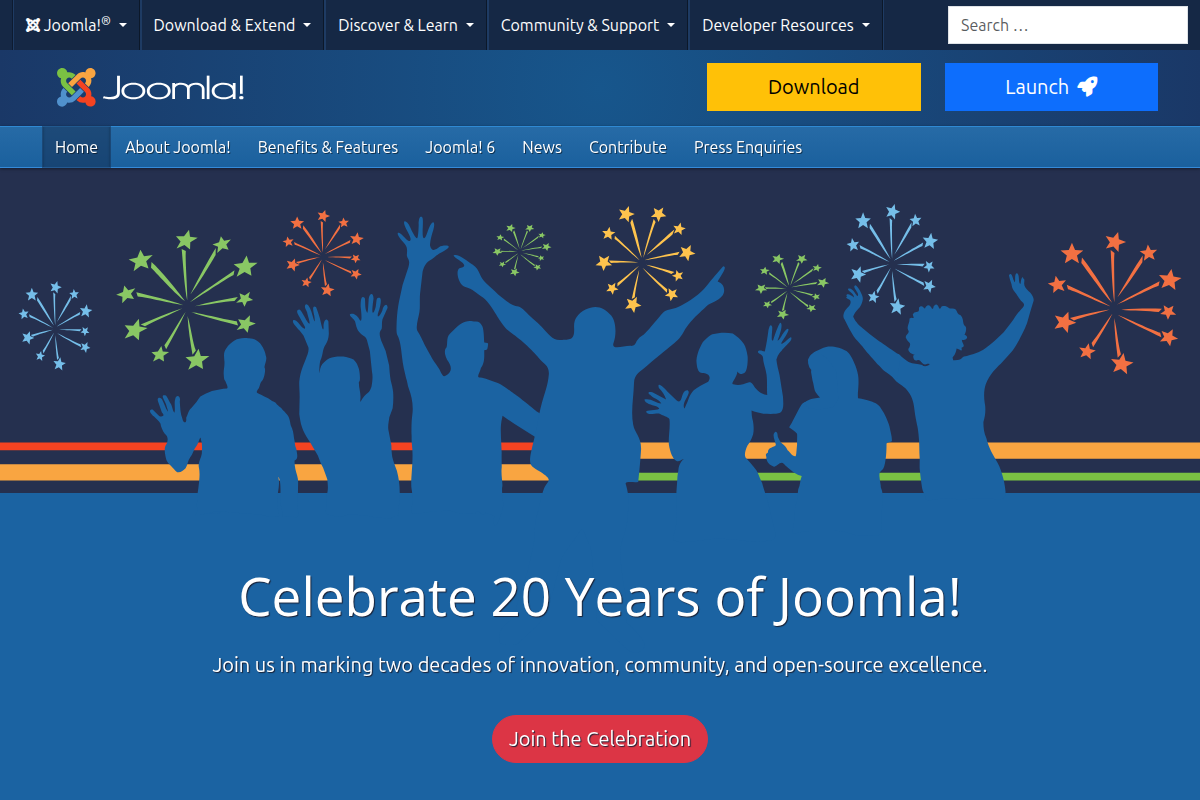
Joomla 5 deserves a serious second look from developers who dismissed it years ago. The Joomla 5 developer features represent a genuine modernization effort: a proper MVC architecture, namespaced code, Composer integration, and a core Web Services API that actually works for headless use cases.
Where Joomla genuinely excels over WordPress for complex projects is its native multi-language system, granular ACL (Access Control Lists), and built-in content categorization that goes beyond simple taxonomies. If you’re building a multi-language site with complex user permissions, Joomla handles this out of the box — no plugins required.
The Joomla admin panel has been rebuilt with a cleaner UI in version 5, and the Joomla URL routing system, while historically painful, has improved significantly. The Joomla extension ecosystem isn’t as large as WordPress’s, but the quality bar tends to be higher since the community skews more technical.
// Joomla 5: Creating a Web Services API plugin for custom content
namespace JoomlaPluginWebServicesProjectsExtension;

use JoomlaCMSPluginCMSPlugin;
use JoomlaCMSRouterApiRouter;
use JoomlaRouterRoute;

final class Projects extends CMSPlugin
{
    public function onBeforeApiRoute(&$router): void
    {
        $router->createCRUDRoutes(
            'v1/projects',
            'projects',
            ['component' => 'com_projects']
        );

        // Custom filtered endpoint
        $router->addRoute(
            new Route(
                ['GET'],
                'v1/projects/by-stack/:stack',
                'projects.getByStack',
                [],
                ['stack' => '[a-z]+']
            )
        );
    }
}
The CLI story is decent — Joomla’s CLI application framework lets you build custom console commands, and there’s basic scaffolding support. It’s not as polished as WP-CLI or Artisan, but it’s functional. For Joomla template development and building Joomla modules, the namespaced MVC architecture makes the code significantly cleaner than older versions.
Pros: Native multi-language, granular ACL, core REST API, Composer-based, proper MVC architecture, strong for complex content hierarchies.
Cons: Smaller community than WordPress/Drupal, documentation gaps, no native GraphQL, steeper learning curve than WordPress, fewer hosting-optimized environments.
Stack: PHP 8.3+ / Symfony 7 | API: JSON:API (core) + GraphQL (contrib) | License: GPL-2.0
Drupal is the CMS you choose when the requirements document is 40 pages long and half of it is about content governance workflows. The JSON:API implementation is arguably the best native API in any PHP CMS — it’s spec-compliant, supports includes (sideloading), sparse fieldsets, and complex filtering.
The trade-off is complexity. Drupal’s learning curve is brutal. Configuration management via YAML exports is powerful but verbose. The entity/field/bundle architecture is incredibly flexible but takes weeks to fully internalize. You’ll write more YAML than PHP some days.
Pros: Best-in-class content modeling, JSON:API core support, Layout Builder, configuration management in Git, enterprise-grade security, Symfony foundation.
Cons: Steepest learning curve of any CMS on this list, heavy infrastructure requirements, slow development velocity for simple projects, contrib module quality varies wildly.
Stack: PHP 8.2+ / Yii2 | API: GraphQL (native) + REST (plugin) | License: Proprietary (free Solo tier)
Craft CMS is what happens when a CMS is designed by people who’ve been frustrated by every other CMS. The content modeling is second to none in the PHP world: Matrix fields (now called entries with nested entry types), custom field layouts, and a UI that makes complex content structures actually manageable.
The native GraphQL API is excellent. It’s auto-generated from your content model, supports fragments, and the response shapes map cleanly to your frontend data structures. Craft’s Twig templating is a joy if you’re building traditional sites, and the headless mode works well for decoupled architectures.
Pros: Best content modeling in PHP, native GraphQL, beautiful admin UI, Twig templating, active development, great documentation.
Cons: Proprietary license (Pro features cost $299/project), Yii2 framework is less popular than Laravel/Symfony, smaller plugin ecosystem, no native REST API.
Stack: PHP 8.1+ / Laravel | API: REST (via Laravel) | License: MIT
October CMS is essentially “what if Laravel had a CMS admin panel bolted on?” — and that’s both its strength and weakness. If you’re a Laravel developer, you’ll feel at home immediately. Eloquent models, Blade templates, Artisan commands — it’s all there. The plugin system uses Laravel’s service provider pattern.
The problem is that October CMS occupies an awkward middle ground. If you need a CMS, you might want better content modeling (Craft). If you need Laravel, you might want Statamic. October works, but it rarely feels like the optimal choice.
Pros: Full Laravel under the hood, familiar for Laravel devs, clean plugin architecture, MIT license.
Cons: Small community, marketplace has declined, documentation gaps, no native GraphQL or headless mode.
Stack: PHP 8.1+ / Laravel | API: REST + GraphQL (both native) | License: Proprietary (free Solo tier)
Statamic is the PHP CMS that Node.js developers would build. It’s flat-file by default (content stored as YAML/Markdown in your Git repo), has native REST and GraphQL APIs, ships with Antlers (a custom templating language) plus Blade support, and integrates deeply with Laravel.
The flat-file approach means your entire site — content, configuration, templates — lives in version control. You can branch content, review it in PRs, and deploy with git push. For teams that live in Git, this is transformative. Need a database? Statamic can use Eloquent drivers for large-scale sites.
Pros: Git-native content, flat-file + database hybrid, Laravel foundation, beautiful Control Panel, excellent docs, active Discord community.
Cons: Proprietary license (Pro is $259/site), Antlers templating has a learning curve, flat-file doesn’t scale past ~10K entries without database driver, smaller ecosystem than WordPress.
The Node.js CMS ecosystem has matured dramatically since 2023. These platforms are API-first by design, TypeScript-native, and built for modern deployment pipelines. If you’re running a React/Vue/Svelte frontend, these CMS options offer the tightest integration.
Stack: Node.js / TypeScript | API: REST + GraphQL | License: MIT (v4), Enterprise tiers available
Strapi has become the default recommendation for “I need a headless CMS and don’t want to pay for a SaaS.” And that recommendation is mostly deserved. The content-type builder generates REST and GraphQL endpoints automatically. The admin panel is React-based and customizable. The plugin system is straightforward.
Where Strapi shines is onboarding velocity. You can go from npx create-strapi-app to a deployed API in under 30 minutes. The documentation is comprehensive, and the community is large enough that Stack Overflow has answers to most common questions.
// Strapi: Custom controller with service layer
// src/api/project/controllers/project.ts
import { factories } from '@strapi/strapi';

export default factories.createCoreController(
  'api::project.project',
  ({ strapi }) => ({
    async findByStack(ctx) {
      const { stack } = ctx.params;

      const projects = await strapi.entityService.findMany(
        'api::project.project',
        {
          filters: { tech_stack: { $eq: stack } },
          populate: ['contributors', 'repository', 'cover_image'],
          sort: { stars: 'desc' },
          pagination: { page: 1, pageSize: 25 },
        }
      );

      return this.transformResponse(projects);
    },
  })
);
Pros: Fast onboarding, auto-generated APIs, good TypeScript support, large community, self-hosted, Docker-ready, solid plugin marketplace.
Cons: Performance can degrade with complex relations, Strapi Cloud pricing is steep, breaking changes between major versions, admin customization has limits.
Stack: Node.js / TypeScript | API: REST + GraphQL + Local API | License: MIT
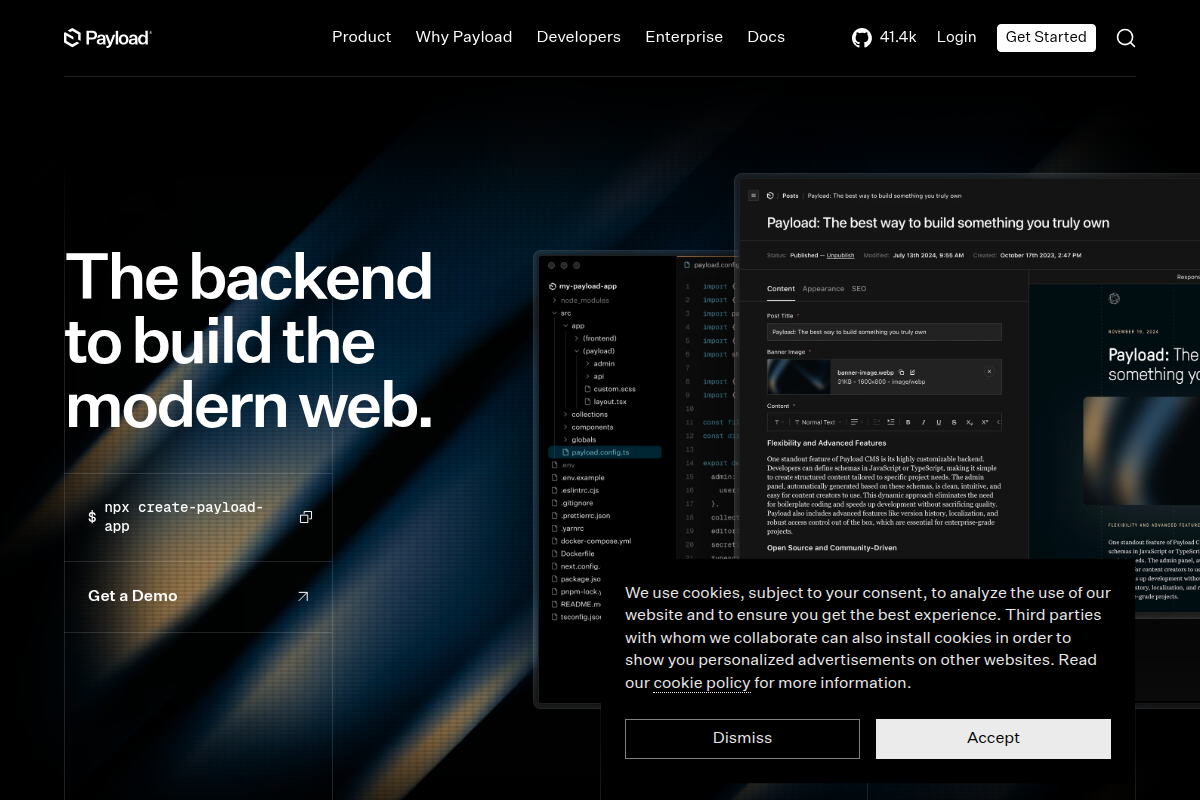
Payload CMS is the highest-DX CMS on this list, and it’s not particularly close. Everything is code-defined — your content models, access control, hooks, and custom endpoints all live in TypeScript files in your repo. There’s no visual content-type builder creating database tables behind your back. You define your schema in code, and Payload generates the admin UI, API endpoints, and TypeScript types from it.
The Local API is a killer feature: you can query your CMS data directly in your server-side code without HTTP overhead. Combined with Next.js App Router integration (Payload 3.0 runs inside your Next.js app), this means your CMS and frontend share a single deployment.
// Payload CMS: Collection config with access control and hooks
// collections/Projects.ts
import type { CollectionConfig } from 'payload';

export const Projects: CollectionConfig = {
  slug: 'projects',
  admin: {
    useAsTitle: 'name',
    defaultColumns: ['name', 'stack', 'status', 'updatedAt'],
  },
  access: {
    read: () => true,
    create: ({ req: { user } }) => user?.role === 'admin',
    update: ({ req: { user } }) =>
      user?.role === 'admin' || user?.role === 'editor',
  },
  hooks: {
    beforeChange: [
      ({ data, operation }) => {
        if (operation === 'create') {
          data.slug = data.name
            .toLowerCase()
            .replace(/[^a-z0-9]+/g, '-');
        }
        return data;
      },
    ],
  },
  fields: [
    { name: 'name', type: 'text', required: true },
    { name: 'slug', type: 'text', unique: true, admin: { readOnly: true } },
    {
      name: 'stack',
      type: 'select',
      options: ['php', 'nodejs', 'python', 'go', 'rust'],
      required: true,
    },
    { name: 'description', type: 'richText' },
    { name: 'repository', type: 'text', validate: (val) =>
        val?.startsWith('https://github.com/') || 'Must be a GitHub URL'
    },
    {
      name: 'contributors',
      type: 'relationship',
      relationTo: 'users',
      hasMany: true,
    },
  ],
};
Pros: Code-first config, auto-generated TypeScript types, Local API, Next.js integration, excellent access control, best-in-class DX, MIT license.
Cons: Newer and less battle-tested at scale, smaller community than Strapi, Next.js coupling in v3 may not suit all architectures, requires TypeScript knowledge.
Stack: Node.js / TypeScript / Prisma | API: GraphQL | License: MIT
KeystoneJS takes a schema-first approach powered by Prisma. You define your data model in a KeystoneJS schema, it generates Prisma models, database migrations, a GraphQL API, and an admin UI. If you’re already invested in the Prisma ecosystem, Keystone feels like a natural extension.
The admin UI is functional but not as polished as Strapi or Payload. Where Keystone excels is in giving you a thin, unopinionated CMS layer that doesn’t try to own your entire stack. It’s a content backend, not a framework.
Pros: Prisma-powered, clean GraphQL API, lightweight, schema-first, good for developers who want minimal abstraction.
Cons: GraphQL-only (no REST), smaller community, admin UI is basic compared to competitors, less active development than Strapi/Payload.
Stack: Node.js | API: REST (Content + Admin) | License: MIT
Ghost isn’t trying to be a general-purpose CMS. It’s a publishing platform with a clean Content API, membership/subscription system, and newsletter functionality built in. If your project is content-first — a blog, documentation site, newsletter, or membership publication — Ghost is hard to beat.
The Content API is read-only and designed for public consumption. The Admin API handles content management. Both are well-documented and predictable. Ghost’s theme system uses Handlebars, which is limiting but simple. For headless use, the APIs work well with any frontend framework.
Pros: Focused feature set, excellent publishing UX, built-in memberships/newsletters, clean APIs, Docker support, one-click DigitalOcean deploys.
Cons: Not a general-purpose CMS, limited content modeling (posts and pages only), Handlebars templating is restrictive, custom integrations require workarounds.
Python’s CMS ecosystem is smaller than PHP or Node.js, but the two Django-based options here serve specific needs very well. If your team is a Python shop, these avoid the context-switching cost of running a Node.js or PHP CMS alongside your Python backend.
Stack: Python 3.10+ / Django | API: REST (built-in) | License: BSD-3
Wagtail is criminally underrated. Built on Django, it offers a page-tree content model, StreamField (a block-based content editor that predates Gutenberg by years), and an admin interface that’s genuinely pleasant to use. The developer experience is excellent if you know Django — Wagtail doesn’t fight Django, it extends it.
StreamField deserves special mention. It lets editors compose pages from developer-defined block types — text, images, code snippets, embeds, custom blocks — in any order. The data is stored as JSON, so it’s trivially queryable and API-friendly.
# Wagtail: Custom page model with StreamField blocks
from wagtail.models import Page
from wagtail.fields import StreamField
from wagtail.blocks import (
    CharBlock, RichTextBlock, StructBlock, ListBlock
)
from wagtail.images.blocks import ImageChooserBlock
from wagtail.api import APIField

class TechStackBlock(StructBlock):
    name = CharBlock(required=True)
    proficiency = CharBlock(help_text="e.g., Expert, Intermediate")
    years = CharBlock()

    class Meta:
        icon = "code"
        label = "Tech Stack Item"

class DeveloperProfilePage(Page):
    body = StreamField([
        ('heading', CharBlock(form_classname="title")),
        ('paragraph', RichTextBlock()),
        ('image', ImageChooserBlock()),
        ('tech_stack', ListBlock(TechStackBlock())),
        ('code_sample', StructBlock([
            ('language', CharBlock(default='python')),
            ('code', CharBlock(form_classname="monospace")),
        ])),
    ], use_json_field=True)

    api_fields = [
        APIField('body'),
        APIField('last_published_at'),
    ]

    content_panels = Page.content_panels + [
        FieldPanel('body'),
    ]
Pros: Django foundation, StreamField is brilliant, great admin UI, good API support, strong editorial workflows, page-tree model works well for most sites.
Cons: Python hosting is less available/cheap than PHP, no native GraphQL (wagtail-grapple exists but is community-maintained), page-tree model can be constraining for non-hierarchical content.
Stack: Python 3.10+ / Django | API: REST (via DRF) | License: BSD-3
django CMS takes a different approach than Wagtail: it adds CMS functionality (pages, placeholders, plugins) to an existing Django project rather than being a CMS framework you build on. This makes it a good choice when you have an existing Django application that needs content management features.
However, django CMS has lost momentum compared to Wagtail. The community is smaller, releases are less frequent, and the plugin ecosystem has stagnated. For new projects, Wagtail is the better choice in almost every scenario.
Pros: Integrates into existing Django projects, frontend editing, plugin architecture.
Cons: Declining community, less active development, documentation is dated, Wagtail is better for new projects.
This table compares the technical foundations and capabilities of all 12 platforms side by side.
| CMS | Language | Framework | Database | Native API | TypeScript | Flat-File |
|---|---|---|---|---|---|---|
| WordPress | PHP | Custom | MySQL/MariaDB | REST | No | No |
| Joomla 5 | PHP | Custom MVC | MySQL/PostgreSQL | REST | No | No |
| Drupal 11 | PHP | Symfony 7 | MySQL/PostgreSQL/SQLite | JSON:API | No | No |
| Craft CMS | PHP | Yii2 | MySQL/PostgreSQL | GraphQL | No | No |
| October CMS | PHP | Laravel | MySQL/PostgreSQL/SQLite | REST* | No | No |
| Statamic | PHP | Laravel | Flat-file / Eloquent | REST + GraphQL | No | Yes |
| Strapi | JS/TS | Koa | MySQL/PostgreSQL/SQLite | REST + GraphQL | Yes | No |
| Payload CMS | TypeScript | Next.js/Express | MongoDB/PostgreSQL | REST + GraphQL + Local | Native | No |
| KeystoneJS | TypeScript | Prisma | PostgreSQL/MySQL/SQLite | GraphQL | Native | No |
| Ghost | JS | Express | MySQL | REST | Types available | No |
| Wagtail | Python | Django | PostgreSQL/MySQL/SQLite | REST | No | No |
| django CMS | Python | Django | PostgreSQL/MySQL/SQLite | REST* | No | No |
*Via framework capabilities, not CMS-specific API layer.
This is the architectural decision that shapes everything downstream. Let’s cut through the marketing noise.
Best traditional CMS options: WordPress, Joomla 5, Craft CMS, Wagtail
Best headless CMS options: Payload CMS, Strapi, Statamic, Ghost
Several CMS platforms now support both modes. Statamic, Craft CMS, and Joomla 5 can serve as traditional CMS with server-rendered templates while simultaneously exposing APIs for headless consumption. This “hybrid” approach works well when you need a marketing site with traditional CMS features plus an API for a mobile app or SPA section.
The risk of hybrid is complexity: you’re maintaining two rendering pipelines, two sets of templates/components, and two deployment concerns. Make sure the project actually needs both before committing to this architecture.
Your CMS choice directly impacts your deployment pipeline. Here’s how each platform handles the operations side of development.
| CMS | Docker Support | Git Workflows | Serverless | One-Click Deploy | Config as Code |
|---|---|---|---|---|---|
| WordPress | Official image | Plugin (WP Migrate) | Limited | Many hosts | No (wp-config.php only) |
| Joomla 5 | Official image | Manual | No | Few hosts | Partial |
| Drupal 11 | Official image | Config export/import | Limited | Pantheon, Acquia | Yes (YAML) |
| Craft CMS | Community | Project config | No | Servd | Yes (YAML) |
| October CMS | Community | Theme sync | No | No | Partial |
| Statamic | Community | Native (flat-file) | Limited | Laravel Forge | Yes (YAML) |
| Strapi | Official guide | Native | Yes (Strapi Cloud) | Strapi Cloud, Railway | Yes (JS/TS) |
| Payload CMS | Dockerfile included | Native | Yes (Vercel, etc.) | Vercel, Railway | Yes (TypeScript) |
| KeystoneJS | Community | Native | Yes | Railway | Yes (TypeScript) |
| Ghost | Official image | Theme only | No | Ghost(Pro), DO | Partial (routes.yaml) |
| Wagtail | Community | Native (Django) | Limited | No | Yes (Python/Django) |
| django CMS | Community | Native (Django) | Limited | No | Yes (Python/Django) |
The clear winners for modern DevOps workflows are Payload CMS (deploys directly to Vercel as a Next.js app), Strapi (mature Docker support and Strapi Cloud), and Statamic (entire site in Git). For PHP traditional CMS, Drupal 11 has the most mature configuration management — its YAML export/import system lets you version-control every configuration change and deploy it through your pipeline.
Content modeling is where CMS platforms differ most dramatically, and it’s the factor that causes the most pain if you choose wrong. Here’s how each platform handles defining custom content structures.
Best in class: Craft CMS and Payload CMS both let you build arbitrarily complex, nested content structures. Craft does it through a visual builder, Payload through TypeScript config. Both produce clean, predictable data structures.
Good but opinionated: Strapi’s content-type builder is fast and intuitive but can get messy with deeply nested components. Wagtail’s StreamField is brilliant for block-based content but the page-tree model adds constraints. Drupal’s entity system is the most powerful but takes the longest to master.
Functional but limited: WordPress requires ACF or custom meta boxes for anything beyond posts. Ghost only has posts and pages — there’s no custom content type system. Joomla 5’s custom fields are capable but the UX for defining them isn’t as fluid as Craft or Strapi.
How you extend a CMS tells you a lot about its architecture. Clean extension patterns mean your custom code stays maintainable. Messy ones mean tech debt accumulates with every feature you add.
Best extension model: Payload CMS. Everything is code. Custom fields, hooks, access control, endpoints — it’s all TypeScript in your project. No separate plugin packaging, no marketplace to publish to. Your extensions are just… code in your repo.
Most mature extension model: WordPress. The hook system (actions and filters) is simple, well-documented, and extremely flexible. The downside is that hooks are global — any plugin can modify any behavior, leading to conflicts and debugging nightmares. But the pattern itself is proven at massive scale.
Most structured extension model: Drupal 11. Symfony’s event/service system provides proper dependency injection, tagged services, and event subscribers. It’s enterprise-grade but verbose. You’ll write configuration for your configuration.
Best PHP extension experience: Statamic. Since it’s Laravel, you get service providers, Blade components, and Artisan commands. The addon system is clean and well-documented. Writing a Statamic addon feels like writing a Laravel package.
Raw API performance matters less than developer ergonomics for most projects — your CDN and caching layer handle the performance side. But the shape of your API responses and how easy they are to consume on the frontend matters enormously.
Payload CMS’s Local API is the standout here. When your CMS and Next.js frontend run in the same process, you bypass HTTP entirely:
// Payload Local API: Zero HTTP overhead
// This runs server-side in your Next.js app
import { getPayload } from 'payload';
import config from '@payload-config';

export async function getStaticProps() {
  const payload = await getPayload({ config });

  const projects = await payload.find({
    collection: 'projects',
    where: { status: { equals: 'published' } },
    sort: '-publishedDate',
    limit: 10,
    depth: 2, // Auto-populate relationships 2 levels deep
  });

  // Full TypeScript types — no type guards needed
  // projects.docs[0].name is typed as string
  // projects.docs[0].stack is typed as 'php' | 'nodejs' | 'python' | 'go' | 'rust'

  return { props: { projects: projects.docs } };
}
For HTTP-based APIs, Strapi and Ghost provide the cleanest REST responses. Craft CMS and KeystoneJS offer the best GraphQL experiences. Drupal’s JSON:API is spec-compliant and powerful but verbose — the response payloads include a lot of metadata that frontend developers rarely need.
A CMS is a long-term commitment. You need confidence that the project will be maintained, bugs will be fixed, and security patches will ship promptly. Here’s an honest assessment of each platform’s ecosystem health in 2026.
Thriving: WordPress (unchanged market dominance), Strapi (strong VC funding and growing community), Payload CMS (rapid growth, acquired by Vercel ecosystem mindshare), Wagtail (backed by Torchbox, used by Google, NASA, Mozilla).
Stable: Drupal 11 (enterprise contracts ensure longevity), Craft CMS (profitable company, loyal community), Ghost (sustainable through Ghost(Pro) hosting revenue), Joomla 5 (large installed base, active volunteer community), Statamic (profitable, growing Laravel community adoption).
Watch closely: KeystoneJS (development pace has slowed), October CMS (small community, unclear roadmap), django CMS (losing ground to Wagtail consistently).
Here’s the comprehensive scoring across all the dimensions that matter to developers. Each category is scored 1-10.
| CMS | API Quality | Content Modeling | CLI/DevOps | Extensibility | Docs | Community | Overall DX |
|---|---|---|---|---|---|---|---|
| Payload CMS | 10 | 9 | 9 | 10 | 8 | 7 | 9.4 |
| Strapi | 9 | 8 | 9 | 8 | 9 | 9 | 8.8 |
| Statamic | 9 | 8 | 9 | 9 | 9 | 8 | 8.7 |
| Craft CMS | 8 | 10 | 8 | 8 | 9 | 8 | 8.5 |
| Wagtail | 8 | 9 | 8 | 8 | 8 | 8 | 8.4 |
| Ghost | 9 | 5 | 8 | 6 | 9 | 8 | 8.2 |
| Joomla 5 | 7 | 7 | 7 | 8 | 7 | 7 | 7.8 |
| KeystoneJS | 8 | 7 | 7 | 7 | 7 | 6 | 7.6 |
| Drupal 11 | 9 | 10 | 7 | 8 | 7 | 7 | 7.4 |
| October CMS | 6 | 7 | 8 | 8 | 6 | 5 | 7.2 |
| WordPress | 6 | 6 | 8 | 7 | 8 | 10 | 6.8 |
| django CMS | 6 | 6 | 7 | 6 | 5 | 5 | 6.5 |
Rather than picking a CMS based on hype, match your choice to your actual project requirements:
“I need a blog or content site, fast.” Ghost or WordPress. Ghost if you want clean code and built-in membership features. WordPress if you need maximum flexibility and cheap hosting.
“I’m building a headless API for a React/Next.js frontend.” Payload CMS. The Next.js integration, Local API, and TypeScript-native approach make it the clear winner for this use case.
“My team is a Python shop.” Wagtail. It’s the best CMS in the Python ecosystem by a significant margin, and it extends Django rather than fighting it.
“I need complex content modeling with visual editing.” Craft CMS. The Matrix/entries system and live preview are unmatched for complex structured content.
“I want everything in Git, including content.” Statamic. Flat-file storage means your entire site is version-controlled out of the box.
“I’m building a complex multi-language enterprise site in PHP.” Joomla 5 or Drupal 11. Joomla for faster development velocity, Drupal for maximum configurability. Both handle multi-language and complex permissions natively.
“I need a quick headless API and don’t want to write config files.” Strapi. The visual content-type builder and auto-generated APIs get you to a working API faster than anything else on this list.
“I’m already deep in Laravel.” Statamic (for content-heavy sites) or October CMS (if you need minimal CMS on top of a Laravel app).
The CMS landscape is healthier than it’s been in years. The competition between Strapi, Payload, and the modernized PHP platforms has pushed developer experience forward across the board. A few trends worth watching:
AI-assisted content: Every CMS is integrating AI features in 2026 — but the implementations vary wildly. Payload and Strapi have plugin-based approaches that let you choose your AI provider. WordPress has proliferating AI plugins of questionable quality. Craft CMS has tasteful, focused AI features for content generation.
Edge deployment: Payload CMS running on Vercel’s edge network via Next.js is the first CMS that truly works at the edge. Ghost has edge caching through Ghost(Pro). Traditional PHP CMS platforms are still primarily server-bound, though Drupal’s decoupled architecture can serve pre-built pages from edge CDNs.
Visual editing for headless: The biggest pain point with headless CMS — editors can’t see what the page looks like — is being solved. Payload’s Live Preview, Strapi’s Draft and Publish with preview, and Sanity’s (not covered here, as it’s SaaS) Presentation layer are all making headless editing less abstract for non-technical users.
Payload CMS is the best choice for JavaScript/TypeScript developers in 2026. Its code-first configuration, TypeScript-native types, Local API, and deep Next.js integration make it the highest-DX headless CMS available. Strapi is the runner-up with an easier learning curve and larger community, making it better for teams with mixed experience levels.
WordPress is still viable for developers, but its DX has fallen behind newer platforms. The REST API works, WP-CLI is excellent, and the ecosystem is unmatched. However, the lack of native TypeScript, database-locked configuration, and legacy architecture mean modern alternatives like Statamic (for PHP devs) or Payload (for JS devs) offer significantly better developer workflows. WordPress remains the pragmatic choice when you need maximum hosting flexibility and the largest plugin ecosystem.
For REST APIs, Strapi and Ghost offer the cleanest responses. For GraphQL, Craft CMS and KeystoneJS provide the most mature implementations. Payload CMS offers the most complete API story with REST, GraphQL, and a unique Local API that eliminates HTTP overhead entirely. Drupal’s JSON:API is the most spec-compliant but also the most verbose.
Joomla 5 is worth learning if you work on complex PHP projects that need native multi-language support, granular access control, and structured content hierarchies. Its modernized MVC architecture, Composer integration, and core Web Services API represent a genuine improvement. However, for simple sites or headless projects, newer platforms offer better developer workflows. Joomla 5 occupies a strong niche for complex, traditional PHP web applications.
A traditional CMS handles both content management and content rendering — you manage content in the admin panel, and the CMS generates the HTML pages visitors see. A headless CMS only handles content management and exposes content through APIs. You build a separate frontend application (using React, Vue, or any framework) that fetches content from the API. Headless gives you frontend freedom but adds complexity. Traditional is simpler to deploy but couples your frontend to the CMS technology.
For a small team (1-3 developers), Strapi or Ghost offer the fastest time-to-production for headless projects. Statamic is ideal for small PHP teams who want Git-based workflows. WordPress remains the fastest for traditional sites when you factor in available themes and plugins. Avoid Drupal for small teams unless you have Drupal-specific expertise — the learning curve will consume your timeline.
Yes. Joomla 5 includes core Web Services that expose content through REST API endpoints. You can query articles, categories, users, and custom fields via authenticated API calls. It’s not as polished as purpose-built headless platforms like Strapi or Payload — you won’t get auto-generated TypeScript types or GraphQL — but it works for projects where you need Joomla’s multi-language and ACL features with a decoupled frontend.
Wagtail is the clear choice for Python developers. It extends Django naturally, offers excellent content modeling through StreamField, has a polished admin interface, and is backed by organizations like Google and Mozilla. django CMS is an alternative if you need to add CMS features to an existing Django project, but Wagtail is better for new builds.
Last updated: March 2026. CMS versions evaluated: WordPress 6.7, Joomla 5.2, Drupal 11.1, Craft CMS 5.6, October CMS 3.7, Statamic 5.5, Strapi 5.4, Payload CMS 3.8, KeystoneJS 6.5, Ghost 5.96, Wagtail 6.4, django CMS 4.2.