Joomla Release Roundup : What Shipped and What Is Next [2026]
Where the 5.x line stands, what the support policy actually means, and what you should do about it depending on the version you run.

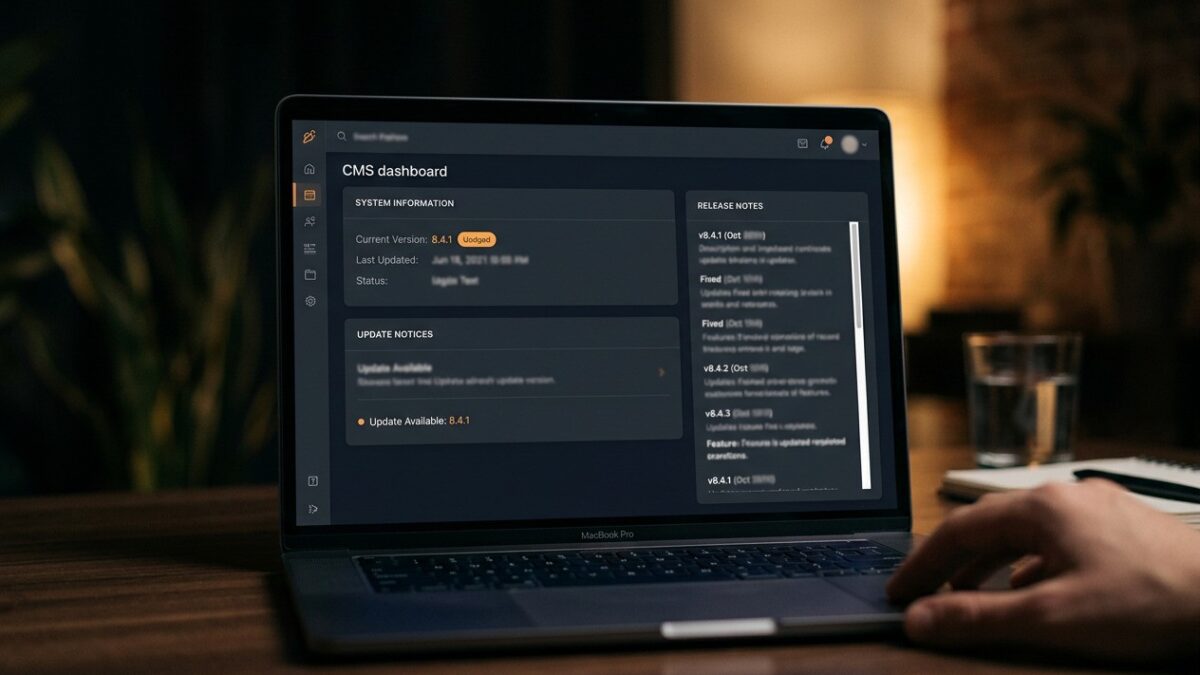
If you run a Joomla site, the question you actually need answered is not what shipped in the last release, but whether you are on a version that is still receiving security fixes and what you should do if you are not. Most release coverage answers the first question at length and the second not at all.
This is a roundup of where Joomla stands in 2026, written for the person responsible for a site rather than for someone following the project’s development. It covers which versions are supported, how Joomla’s release and support policy actually works, what recent releases have been focused on, and — the part that matters — a table telling you what to do based on the version you are running right now.
Where things stand
The short version, and if you read nothing else, read this:
| Version | Status in 2026 | Security updates | What you should do |
|---|---|---|---|
| Joomla 6.x | Current | Yes — feature support to October 2028, security to October 2029 | Stay current within the line; apply patches promptly |
| Joomla 5.x | Previous line, still supported | Yes — feature support ends 13 October 2026, security to 12 October 2027 | Fine for now; plan the move to 6 before feature support ends |
| Joomla 4.x | End of life since 17 October 2025 | No | You are already unsupported. Upgrade to 6, using 5.4 as the bridge |
| Joomla 3.x | End of life | No | Migrate. This is urgent in the literal sense, not the marketing sense |
| Joomla 2.5 and earlier | Long dead | No | Rebuild; there is no upgrade path worth attempting |
Note the second line of that table carefully: Joomla 4 is no longer a “superseded but supported” position. Joomla 4.4 reached end of life on 17 October 2025, three days after Joomla 6 was released, so a site sitting on Joomla 4 today is in the same category as a Joomla 3 site — receiving no security fixes at all. That is a change many site owners have not registered.
Joomla 3 reaching end of life remains the most consequential fact for the largest number of sites. It had an unusually long life and an extended support period, which had the side effect of teaching a lot of site owners that they could simply not upgrade. That period is over. A Joomla 3 site in 2026 is running code that will not receive a fix when the next vulnerability is found in it.
End of life means no security releases, not “fewer” or “slower”. When a vulnerability in Joomla 3 is discovered and disclosed, there will be no patch, and the disclosure itself tells attackers exactly what to look for. Automated scanning finds unpatched Joomla installations within hours of a disclosure — this is not a hypothetical risk profile, it is the observed behaviour of the internet. If you are on Joomla 3, that is the project on your desk this quarter.
How Joomla’s versioning actually works
Joomla’s version numbers look like semantic versioning, and understanding the three numbers tells you how much attention any given update needs — but the project’s published release strategy does not promise strict semver, and the exceptions are the ones that catch people out.
| Change | Example | What it means | Your effort |
|---|---|---|---|
| Patch | 5.2.1 → 5.2.2 | Bug and security fixes only. No API changes | Apply promptly; low risk |
| Minor | 5.1 → 5.2 | New features, largely backwards compatible. May remove features that have completed a deprecation period, and may raise minimum requirements | Test on staging, then apply |
| Major | 4.x → 5.0 | Backwards-incompatible changes; previously deprecated code removed | Real planning. Check every extension first |
The important consequence: within a major line, minor updates are usually low risk, and patch releases within a minor version are safe to apply promptly. But “minor” does not mean “nothing can change”. Joomla’s strategy allows a minor release to remove a feature once it has completed its announced deprecation period, and minor releases have raised the floor on requirements before — 5.3 raised the minimum PHP version mid-line. Read the release notes for a minor update and test it on staging; reserve “apply immediately without thinking” for patch releases.
Joomla also ships a backwards-compatibility plugin that restores some removed Joomla 3 era APIs for extensions that have not been updated. It is a bridge and should be treated as one: useful for getting a site upgraded, not a permanent arrangement. Sites that keep it enabled indefinitely are carrying legacy code paths they will eventually have to deal with anyway.
Stepping up a major version is not a migration
The most common misconception we encounter is that moving up a major version — 4 to 5, or 5 to 6 — is a project on the scale of the Joomla 3 to 4 move. It is not, and the confusion is costing people money in unnecessary planning. If you are on Joomla 4 you now need both steps, taking 5.4 as the bridge, and neither of them is the rewrite you may be bracing for.
Joomla 3 to 4 was a genuine rewrite: a new administrator template, a substantially changed API, a new namespace structure, and a great many extensions that never made the jump. Joomla 4 to 5, and likewise 5 to 6, are normal major version steps — deprecated code removed, requirements raised, but the architecture is continuous. Extensions built properly for one line generally work on the next without modification.
Check your PHP version first
Joomla 5 requires PHP 8.1 as a hard minimum; Joomla 6 raises that to 8.3, with 8.4 recommended. If you are on an older PHP, resolve that before anything else — and note that PHP versions below 8.1 are themselves out of security support, so this is a fix you owed yourself regardless. Confirm your host offers 8.3 or 8.4 before committing to a Joomla 6 upgrade date.
Set the version in your control panel’s PHP selector, then load the site and check the error log. Deprecation notices from extensions are normal and survivable; fatal errors are not, and they tell you which extension needs attention.
Run the pre-update check
In the administrator, go to System → Update → Joomla and read the pre-update check panel. It lists your installed extensions against their declared compatibility with the version you are moving to. Anything flagged as incompatible or unknown needs resolving before you proceed, not after.
“Unknown” usually means the developer has not published compatibility metadata rather than that the extension is broken. Check the vendor’s own site before assuming the worst.
Upgrade a copy, not the live site
Clone the site to a staging subdomain, upgrade there, and work through your actual pages — not just the homepage. Check the front end and the administrator, submit a form, upload an image, and run a search. Then repeat the whole thing on production once you know what to expect.
What recent releases have been about
Rather than recite a changelog, here are the themes the 5.x and 6.x releases have been organised around, because they tell you where the project’s attention is and therefore what to expect next.
Performance. Sustained work on how much the CMS ships and how much it does per request — asset handling, template output, and reducing the default payload. Cassiopeia’s lightness is part of this: the bundled template deliberately does not ship a heavy front-end framework.
Accessibility. Joomla has treated accessibility as a core concern rather than an add-on for several release cycles now, in both the front end and the administrator. This is genuinely a differentiator against other CMSs where accessibility is a theme-level concern, and it matters increasingly for public sector and regulated organisations.
The API application. Joomla ships a web services application at /api, which exposes core content over a REST interface with token authentication. This is the foundation for headless and decoupled use of Joomla, and it is the part of the platform least known to people who have used Joomla for years.
Developer experience. Namespaced code, dependency injection, a service provider architecture and modern PHP throughout. The practical effect for a site owner is indirect but real: extensions built on the current architecture are easier to maintain, and developers are more willing to work on the platform.
Editorial workflow. Content workflows, versioning and the custom fields system have continued to develop, which matters most to organisations with several editors and an approval process.
Feature lists per point release date badly and are available accurately from the project itself. What does not date is the direction: performance, accessibility, API surface and developer experience have been the consistent themes across the 5.x and 6.x lines, and that is what tells you whether the platform’s priorities match yours. For the exact contents of any given release, read the project’s release announcement rather than a secondary source — including this one.
Requirements have moved, and that catches people out
Version support is not only about Joomla. Every major Joomla release raises the floor on PHP and the database, and a surprising number of stalled upgrades are actually stalled hosting decisions.
| Component | Joomla 6 minimum | Recommended | Note |
|---|---|---|---|
| PHP | 8.3 | 8.4 | Joomla 5’s floor was 8.1; the jump to 8.3 is the requirement most likely to block a 6 upgrade |
| MySQL | 8.0.13 | 8.4 | Older MySQL 5.x is both unsupported and slower |
| MariaDB | 10.6 | 12.0 | Common default on shared hosting |
| PostgreSQL | Supported | Current stable | Less commonly deployed; check extension support |
| HTTPS | Not enforced | Required in practice | Free certificates are universal; there is no excuse left |
The PHP dimension deserves attention independently of Joomla, because PHP has its own support lifecycle and it moves faster than most site owners realise. A version of PHP typically gets around two years of active support followed by a further year of security fixes, after which it is done. Running a supported Joomla on an unsupported PHP leaves you exposed at a different layer, and it is a gap that routine Joomla patching does nothing to close.
Practical implication: check your PHP version at the same time you check your Joomla version. They are two separate clocks and only one of them shows up in the administrator’s update panel.
How to read the project’s roadmap
Joomla publishes its plans, and knowing where to look is more useful than any summary. Three sources, in order of usefulness to a site owner:
- The security announcements feed. This is the only one that is genuinely mandatory. Subscribe to it, and read it, because it is the difference between patching on your schedule and patching after an incident.
- The release announcements on the project’s site. Each release comes with notes on what changed and any upgrade considerations. Read these before applying a minor update, not after.
- The published roadmap and development strategy. Useful for planning at a year’s horizon — whether a major version is approaching, and roughly when. Treat dates in any open source roadmap as intentions rather than commitments.
What to actually do with roadmap information: if a major version is on the horizon, that is the point to audit your extensions for whether their developers are still active. The extension that blocks your upgrade is almost never the one you expected, and finding out twelve months early is the difference between a plan and a scramble.
What a site owner should do, by version
This is the practical output of everything above. Find your row.
| You are on | Priority | Action | Realistic effort |
|---|---|---|---|
| Current 6.x, patched | Routine | Keep patching. Check the update panel monthly and act on security releases within days | Minutes per month |
| 6.x or 5.x, several patches behind | High | Apply pending updates now. Within a major line these are low risk | An hour, including a backup |
| Joomla 5.x, patched | Routine, with a deadline | Still supported, but feature support ends in October 2026. Plan the 6 upgrade, checking PHP 8.3 availability first | A day for most sites |
| Joomla 4.x | Urgent | You are unsupported — 4.4 reached end of life in October 2025. Upgrade to 5.4 as a bridge, then on to 6. Run the pre-update check first | A day or two for most sites |
| Joomla 3.x, simple site | Urgent | Migrate to 6. Consider a clean rebuild with content imported — often faster than upgrading | Days to a fortnight |
| Joomla 3.x, complex site | Urgent | Audit extensions for current-line successors, then scope properly. Do not start without that audit | Weeks; budget accordingly |
| Joomla 2.5 or earlier | Urgent | Rebuild on Joomla 6 and import content. Do not attempt a chained upgrade | A project, not a task |
| Unsure what you are on | Immediate | Log in and check System → System Information | Two minutes |
A large number of Joomla 3 sites are still online because they work and nobody has looked at them. If you are responsible for one of these and there is no budget to migrate, the honest options are to find the budget, to replace it with a static export of its content, or to take it offline. Leaving unpatched software on the public internet indefinitely is a decision, even when it is made by not deciding.
What “supported” actually guarantees you
The word does a lot of work in release announcements, so it is worth being precise about what a supported version entitles you to and what it does not.
What you get: security fixes for vulnerabilities reported through the project’s disclosure process, bug fixes in patch releases, and compatibility maintenance as PHP and database versions move underneath. For a minor version within a supported major line, you also get an assurance that APIs will not be removed, which is what makes extension compatibility stable.
What you do not get: a guarantee that any third-party extension you rely on will keep working, support for your particular hosting configuration, or an obligation on anyone to help you when something breaks. Joomla is volunteer-driven open source; the security response is genuinely well organised, and everything beyond that is community goodwill or a commercial support arrangement you have arranged yourself.
This distinction matters when you are deciding how much risk to carry. A supported Joomla core is a solid foundation, but the majority of the code running on a typical Joomla site is not core — it is extensions and a template, each with its own maintenance status and none of them covered by the project’s support commitments. Your site’s real support position is the weakest link in that set, not the version number in System Information.
A maintenance rhythm that works
Most sites that fall badly out of date do so because there was no routine, not because anyone decided to neglect them. A workable rhythm is smaller than people expect.
| Frequency | Task | Time |
|---|---|---|
| Automated, daily | Backups, verified as completing | Nil once configured |
| On announcement | Apply Joomla security releases | Under an hour |
| Monthly | Check the update panel for core and extensions; apply | 15–30 minutes |
| Quarterly | Restore a backup somewhere and confirm it works | An hour |
| Annually | Audit extensions for abandonment; review PHP version | Half a day |
The quarterly restore test is the item people skip and the one that matters most. An untested backup has an uncomfortably high chance of being unusable when you finally need it, and you will discover this at the worst possible moment.
Reading a Joomla security announcement
Security releases arrive with an advisory, and site owners frequently either panic at all of them or ignore all of them. Neither is right, and the advisory itself tells you which response is warranted.
Each advisory names the affected versions, gives a severity rating, and describes the vulnerability class — cross-site scripting, SQL injection, an access control failure, information disclosure. Three things to read for:
- Does it affect your version? Advisories name a version range. If your line is not listed, the release is still worth applying but it is not urgent for you.
- What is the severity and the attack precondition? A vulnerability exploitable by an unauthenticated visitor is a different proposition from one requiring an existing administrator session. Both get fixed; only one means dropping what you are doing.
- Is it in core or in an extension? The project’s advisories cover core. Extension vulnerabilities are announced by their developers, and there is no single feed — which is another reason to keep the extension count low.
The practical rule: apply core security releases within days regardless of severity, because the cost is fifteen minutes and the alternative is judging exploitability yourself. Reserve genuine urgency for advisories describing unauthenticated exploitation of a version you are running.
Extensions: the real upgrade blocker
Core Joomla upgrades are, on the whole, undramatic. What blocks upgrades is extensions, and specifically extensions whose developers have stopped.
Once a year, go through System → Manage → Extensions and ask three questions of each non-core item: has the developer shipped anything in the last twelve months, does it declare compatibility with the current Joomla line, and would the site notice if it were removed? Anything failing all three should be removed now, while it is a five-minute job, rather than during an upgrade when it is a blocker.
The category that hurts most is a single bespoke extension built for one client years ago by a developer who has moved on. There is no vendor to chase and no successor to migrate to. If you have one of these, its replacement plan should exist in writing before you need it, because the alternative is discovering the problem the week you have to upgrade.
Joomla 6 has already arrived
Joomla 6 was released on 14 October 2025 and is the current line, so this is not a question of what might come next. It followed the pattern the project intended: raised requirements — most notably PHP 8.3 as the new floor — removed deprecations, and a continuous architecture rather than a rewrite. Sites already on a current 5.x release should find the step to 6 a routine upgrade, with the hosting requirement the most likely obstacle.
Joomla 5 remains supported alongside it: feature support runs to 13 October 2026, with security fixes continuing to 12 October 2027. That gives anyone on 5.x a comfortable but finite window, and the sensible time to use it is before the feature support date rather than after.
What you should take from that as a site owner is not a date but a posture. Keep your site on the current major line, keep extensions current, and each major upgrade stays a day’s work. Sites that fall two majors behind face a rewrite, and that outcome is a consequence of the maintenance gap rather than of anything the project did. The most expensive thing about any Joomla upgrade is having skipped the previous one.
Frequently asked questions
Is Joomla 3 still safe to run if my site is small?
No, and site size is not the relevant variable. Automated attacks scan for vulnerable software indiscriminately — nobody targets your site specifically, they target the version string. An unpatched Joomla 3 installation will eventually be compromised regardless of how few visitors it has.
How risky is upgrading to the current major version?
Low for most sites, provided your extensions are current and your PHP meets the target’s floor — 8.1 for Joomla 5, 8.3 for Joomla 6. Both 4 to 5 and 5 to 6 are normal major version steps rather than the rewrite that Joomla 3 to 4 was, and properly built extensions generally run unchanged. If you are on Joomla 4 you take the two steps in order, via 5.4. Run the pre-update check, upgrade a staging copy first, and take a backup you have verified.
Should I enable automatic updates?
Joomla can notify you of updates and apply them, and for a simple site with few extensions that is a reasonable arrangement provided backups are automated and verified. For a complex site, apply security patches promptly by hand and test minor updates on staging first. The worst configuration is no automation and no routine, which is what most neglected sites have.
What is the API application and do I need it?
It is a REST interface at /api exposing core content with token authentication, intended for headless use, integrations and external tooling. Most brochure sites do not need it and can leave it alone. If you are integrating Joomla with another system, it is the supported route and considerably better than scripting against the database.
How do I find out which Joomla version I am running?
Log in to the administrator and look at System → System Information, which reports the Joomla version alongside your PHP and database versions. If you cannot log in, the version is often visible in the generator meta tag in the page source, though a well-configured site suppresses that.
My extension developer has disappeared. What now?
Establish what the extension actually does and whether a maintained alternative provides it, then plan the replacement before your next upgrade rather than during it. If it holds data, export that data now while the extension still runs. Continuing to run an abandoned extension is a decision with a deadline attached, and the deadline is the next major Joomla release.
How quickly should I apply a Joomla security release?
Within days, and same-day for anything the project rates as high impact. Disclosure of a security release tells attackers what was fixed and where to look, so the window between announcement and exploitation attempts is short. Take a backup, apply the update, check the site loads — it is usually a fifteen-minute job.