Best Joomla Form Builders Compared : Price and Feature Gaps [2026]
Most sites over-buy here. What you actually need a form builder for, and the spam and accessibility failures nobody mentions.

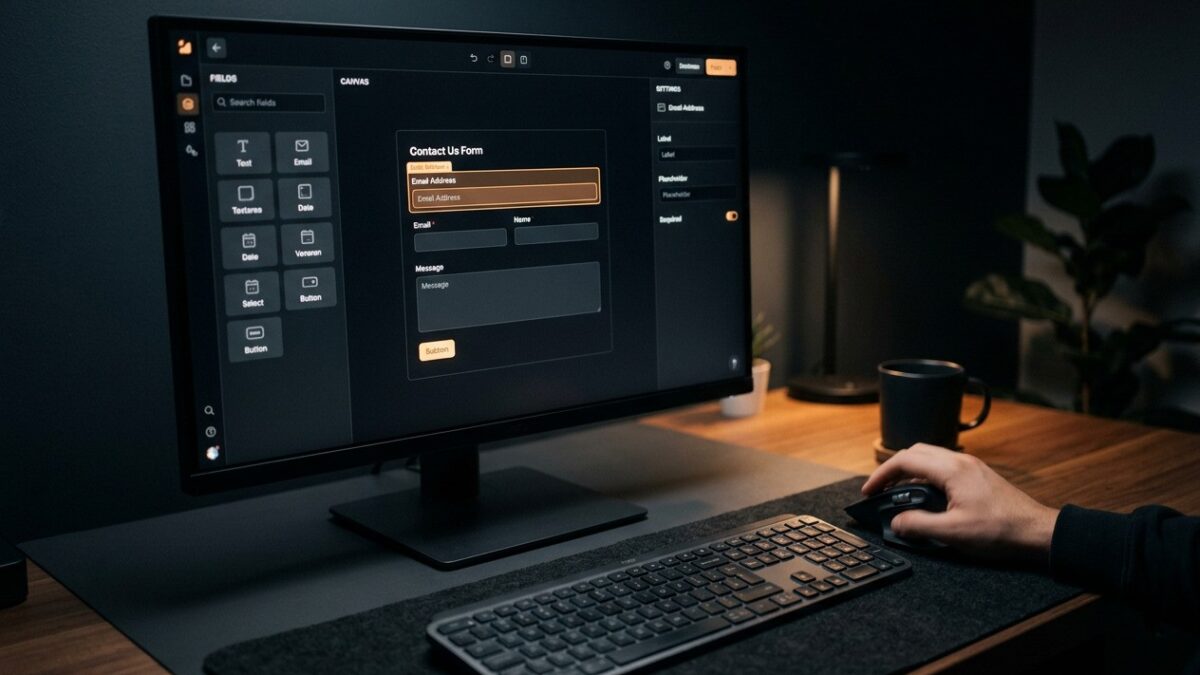
Most Joomla sites need one contact form, and most Joomla site owners buy a form builder capable of multi-page conditional workflows with payment gateways to deliver it. That is the central problem with this category: the marketing compares feature matrices, and the feature matrix is irrelevant if you need a name, an email address and a message box.
This is a comparison of the approaches available to a Joomla 5 site in 2026, organised by what you actually need rather than by what is on sale. The conclusion sits at the top rather than buried at the bottom: for a single contact form, Joomla’s bundled contact component is free, accessible, GDPR-manageable and already installed, and it sets the bar every commercial builder has to clear.
Methodology
Every roundup should say how it reached its conclusions. Options were assessed against six criteria, weighted in this order:
| Criterion | What we looked for | Weight |
|---|---|---|
| Current-line compatibility | Native support for the line you run (5.x or 6.x), not a J3 extension running through compatibility shims | Critical — a pass/fail gate |
| Generated markup quality | Real <label> elements, correct for/id pairing, errors announced to assistive technology |
High |
| Spam handling | Whether protection exists, and whether it works without a third-party service | High |
| Data handling | Where submissions are stored, retention controls, export and deletion | High |
| Update cadence | Evidence of maintenance within the current Joomla release line | High |
| Price against capability actually used | Cost per feature you will genuinely deploy, not per feature listed | Moderate |
Prices are given as approximate bands because vendor pricing changes, currency-converts and runs promotions — treat every figure as an order of magnitude and check the vendor’s own page before buying. We have deliberately not quoted precise third-party version numbers, because those move faster than any article can track.
Start here: what do you actually need a form for?
Before comparing anything, place your requirement in one of four tiers. This decision eliminates most of the market and is the difference between spending nothing and spending three figures a year.
| Tier | Requirement | Typical example | What you need |
|---|---|---|---|
| 1 | One static form, fixed fields, email delivery | Contact us, enquiry form | Joomla core contact component |
| 2 | Several forms, custom fields, submissions stored in the database | Job applications, event sign-ups, quote requests | Free tier of a commercial builder, or a lightweight free extension |
| 3 | Conditional logic, multi-step, file uploads, calculations | Insurance quotes, configurators, complex intake | Paid commercial builder |
| 4 | Payment capture, subscriptions, invoicing | Bookings, donations, paid registrations | Paid builder with a payment add-on — or, honestly, a different component class |
If you are taking payment, ask whether a form builder is the right tool at all. A form builder that accepts payment gives you a payment-shaped form; it does not give you order management, refunds, tax handling, invoice sequences or a customer account area. If money changing hands is central to the site rather than incidental, an e-commerce or booking component is the correct architecture and a form builder is a workaround you will regret in year two.
Tier 1: Joomla’s built-in contact component
Joomla 5 ships with com_contact, and a great many sites need nothing else. It is not a form builder — you cannot add arbitrary fields through its own interface — but it delivers a working, styled, spam-protectable contact form with no installation, no licence and no update dependency on a third party.
What you get: a contact record with an address block, a mail form with name, email, subject and message, optional copy-to-sender, and integration with Joomla’s captcha plugin framework. What you do not get: stored submissions — it emails and forgets — conditional fields, file uploads or multi-step flows.
It is more capable than people expect, because com_contact supports Joomla’s custom fields, and fields attached to the mail form context appear in the submitted message. That extends the core component into a decent tier 2 solution for a modest number of extra inputs without installing anything.
Set up a core contact form properly
Go to Components → Contacts and create a contact. On the Form tab, set Show Contact Form to Show, and decide on Send Copy to Submitter — leave it off unless you have a reason, because it is an open relay for a spammer who puts a victim’s address in the email field.
Set Banned Subject and Banned Text to a few of the phrases you actually receive. It is crude keyword filtering, but it is free and it removes the laziest bot traffic.
Then create a menu item of type Contacts → Single Contact pointing at it. Do not embed the contact via a module and leave the menu item off — Joomla resolves parameters from the active menu item, and a contact form reached without one inherits component defaults rather than your configured options.
Add custom fields to the mail form
Go to Components → Contacts → Fields and change the context selector from Contact to Mail. Fields created in the Mail context render on the enquiry form and their values are appended to the email body.
This distinction catches people out constantly. Fields created in the Contact context describe the contact record — a job title, a department — and are displayed on the page. Fields created in the Mail context are inputs on the form. They are separate field groups with separate lists, selected by that dropdown.
What “free” means in this category
Free Joomla form extensions come in three shapes, and the distinction matters more than the price does.
Genuinely free and maintained. Usually a smaller feature set from a developer who also sells something else, or a project with a sponsor. Perfectly viable, but check the update history rather than the download count.
A free edition of a commercial product. The most common pattern. You get a real builder with a capped field list, no conditional logic, and often no file uploads. This is frequently the right choice: you evaluate the actual product on your actual site, and upgrading is a licence key rather than a migration.
Free because abandoned. The dangerous one. A form extension that last shipped for Joomla 3 is not a bargain — it is unpatched code with a public attack surface that accepts user input and writes to your database. Forms are the wrong place to run unmaintained code.
A form component processes untrusted input, writes to the database, often handles file uploads, and sends mail. Those are four of the five highest-risk behaviours an extension can have. Before installing any form extension, check the vendor has published an update for the line you run (5.x or 6.x) and that they have a stated route for reporting vulnerabilities. If neither is true, do not install it, however good the feature list looks.
Tier 2 and 3: the commercial builders
Once you need stored submissions, arbitrary fields and conditional behaviour, you are buying a builder. The Joomla market here is mature and the products are genuinely capable — RSForm! Pro and Fabrik are the names most working Joomla developers will recognise, alongside form functionality bundled into broader suites. Rather than attempt a feature-by-feature audit that would be stale within a quarter, here is what separates the tiers in practice.
| Capability | Tier | Typical price band (single site, per year) | Notes |
|---|---|---|---|
| Static contact form | 1 | Free (Joomla core) | Already installed |
| Custom fields, stored submissions | 2 | Free tier to roughly €30–50 | Free editions of commercial builders usually reach here |
| Conditional logic, multi-page, uploads | 3 | Roughly €40–90 | The main commercial band for Joomla form builders |
| Payments, subscriptions, invoicing | 4 | Roughly €80–150, sometimes plus add-ons | Check whether payment is core or a separate purchase |
| Developer/unlimited licence | — | Often 2–4× the single-site price | Worth it at three or more sites |
Those bands are for budgeting, not for quoting a vendor. Almost all Joomla extension licensing is now annual subscription for updates and support, with the code typically continuing to function after expiry but no longer receiving security patches. Treat “it still works after the subscription lapses” as a technical fact, not a licensing plan.
The five questions that actually decide it
Feature lists all look alike. These are the questions whose answers differ, and which you will care about eighteen months from now.
| Question | Why it matters | Good answer |
|---|---|---|
| Where are submissions stored, and can I export them? | Data portability and subject access requests | Own database tables, CSV export from the admin |
| Can I delete submissions on a schedule? | GDPR storage limitation | Built-in retention policy, or a documented CLI/cron route |
| Does the generated HTML pass an accessibility check? | Legal exposure and basic usability | Real labels, fieldsets, ARIA on errors — test it, don’t take their word |
| Are the form layouts overridable in my template? | Whether you can fix their markup when it is wrong | Standard Joomla layout overrides under html/ |
| What happens to my forms if I stop paying? | Long-term risk | Forms keep working; you stop getting updates |
Spam: the part people skip and then regret
A publicly reachable form with no spam protection will be found and abused, typically within days of the URL appearing anywhere a crawler can see it. This is not a scare tactic, it is the observed baseline behaviour of the automated web. Bots do not need to find your form in Google; they scan for form endpoints directly.
The options, in ascending order of effectiveness and annoyance:
| Method | Effectiveness | User friction | Privacy cost |
|---|---|---|---|
| Honeypot field | Stops naive bots only | None | None |
| Timing check (submitted too fast) | Good against scripted posts | None | None |
| Simple arithmetic or question captcha | Moderate | Low | None |
| Joomla’s bundled invisible reCAPTCHA plugin | High | Usually none visible | Third-country data transfer — needs a privacy notice entry |
| Privacy-focused captcha alternatives | High | Low | Lower; check where the service is hosted |
| Requiring login to submit | Very high | Very high | None |
The pragmatic combination for most sites is a honeypot plus a timing check, with a captcha added only if those prove insufficient. Every captcha costs you real submissions from real people — particularly on mobile, and particularly from users of assistive technology.
Image-recognition captchas are a genuine barrier for screen reader users, and audio fallbacks are frequently worse. If you must use a captcha, choose an invisible or risk-scored one over a puzzle, and never make a captcha the only route to contacting your organisation. A phone number and a plain email address in the page footer is the accessible fallback, and it costs you nothing.
GDPR and form data: the parts that apply to you
If your form collects a name and an email address from a person in the EU or UK, you are processing personal data and the obligations apply regardless of your organisation’s size. None of this is legal advice, but these are the technical decisions that determine whether compliance is straightforward or impossible.
Storage limitation. Submissions stored forever in a database table are a liability with no benefit. Decide a retention period — 12 or 24 months is common for enquiries — and enforce it. If your builder has no scheduled deletion, you need a documented manual process or a small SQL job, and “we intended to” is not a process.
Lawful basis and consent. A tick box saying “I agree to the privacy policy” is not consent for marketing. Adding submitters to a mailing list needs a separate, unticked, specific opt-in and a record of when it was given — storing the checkbox value with the submission is the easy way to hold that evidence.
Third-party processors. Every integration is a data transfer. A captcha service, a CRM webhook, an email delivery service and an analytics event on submit are four separate processors that belong in your privacy notice.
Erasure and access. You must be able to find every submission from one person and delete or export it — test this before you need it. A builder that stores submissions as a serialised blob with no per-field search makes a subject access request genuinely painful.
Joomla 5 includes a Privacy component with request handling, consent logging and data export/removal plugins. It covers core data — users, contacts, action logs — but it only covers a third-party extension’s data if that extension ships a privacy plugin. When you are evaluating a form builder, ask whether it integrates with com_privacy. Very few do, and it is a meaningful differentiator.
Accessibility: where builders quietly fail
This criterion separates products more sharply than any feature list, and nobody markets on it. Drag-and-drop builders generate markup, and generated markup is frequently poor in ways that stay invisible until someone tries to use it with a keyboard or a screen reader.
The failure modes, in the order you will find them:
- Placeholders used instead of labels. The field looks labelled, the placeholder disappears on focus, and there is nothing for assistive technology to announce. This is the single most common defect.
- Labels not programmatically associated. A
<span class="label">next to an input is not a label. It needs<label for="fieldid">matching the input’sid, and ids must be unique on the page — which breaks when the same form appears twice. - Error messages not announced. Client-side validation that colours a border red and does nothing else is invisible to a screen reader. Errors need to be in text, associated with the field via
aria-describedby, and in a live region or focused. - Radio and checkbox groups without a fieldset. Without
<fieldset>and<legend>, the group question is never announced — the user hears the options with no idea what is being asked. - Multi-step forms that do not move focus. Clicking “Next” swaps the visible panel; the screen reader stays where it was and reads nothing.
Test any builder in ten minutes before you buy
Build a throwaway form on a demo installation with one text input, one required email, a radio group and a submit. Then, without touching a mouse: press Tab from the top of the page and confirm you can reach and operate every control, that focus is always visible, and that the radio group is reachable as a single stop with arrow keys.
Then submit the form empty and inspect what happens. If the errors appear only as red borders, or the page jumps without moving focus, that is your answer.
Finally, view source on the rendered form. Search for <label. If the count is lower than the number of inputs, the builder has failed the test and no amount of conditional-logic marketing compensates.
This matters commercially and not only ethically: public sector bodies across the EU and UK carry binding accessibility obligations and private sector pressure is increasing. If you are in scope, a builder that generates inaccessible markup is not a cheap option — it is an unbudgeted remediation project.
Deliverability: the failure everyone blames on the wrong thing
A large share of “the form is broken” tickets are mail delivery problems. Joomla sends via PHP’s mail() by default, and on shared hosting that mail frequently lands in spam or is silently dropped. Never put the submitter’s address in the From header — it fails SPF and DMARC.
| Setting | Default | What to use | Why |
|---|---|---|---|
| Mailer | PHP Mail | SMTP | Authenticated sending, real error messages when it fails |
| From address | Often the site email | An address on your own domain | SPF/DKIM alignment |
| Reply-To | Unset | The submitter’s address | Reply works without spoofing the From header |
| Send Mail | Yes | Yes | Disabled globally in Global Configuration silences every form on the site |
Configure this under System → Global Configuration → Server → Mail and use the Send Test Mail button. If a form stops delivering after months of working, check whether the host changed its mail policy before you touch the form.
Recommendations by situation
| Situation | Recommendation | Reasoning |
|---|---|---|
| Brochure site, one contact form | Joomla core contacts + custom fields in the Mail context | Free, accessible, no update dependency, already installed |
| Small business, 3–5 forms, needs records | Free edition of a commercial builder; upgrade if you hit the cap | Evaluates the real product with no spend, and upgrading is a licence key |
| Conditional logic or multi-step needed | Paid single-site licence, tier 3 band | This is genuinely the point at which core stops being viable |
| Agency running many client sites | Developer licence on one builder, standardised across all sites | One product to learn, one to patch, one renewal date |
| Taking payment as a core function | An e-commerce or booking component, not a form builder | You need order management, not a form that charges a card |
| High-volume lead capture, deliverability critical | Consider a hosted service, with the privacy implications documented | Their whole business is the problem you are struggling with |
Frequently asked questions
Does Joomla 5 have a form builder built in?
Not a general-purpose one. It ships with the contact component, which provides a fixed enquiry form that can be extended with custom fields in the Mail context, and it ships the fields system that other components use. For arbitrary forms with stored submissions and conditional logic you need a third-party extension.
Will a Joomla 3 form extension work on Joomla 5?
Assume not. Joomla 4 removed a large amount of legacy API, and while Joomla 5 includes a compatibility plugin that restores some of it, relying on that for a component processing untrusted input is a poor risk. If the vendor has not shipped a native Joomla 5 release, treat the extension as end-of-life and replace it.
How do I stop spam without adding a captcha?
Start with a honeypot field and a minimum submission time — together these stop the majority of automated submissions at zero cost to real users. Add server-side keyword filtering for the specific phrases you receive. Only introduce a visible captcha when those measures demonstrably fail, because every captcha costs you genuine submissions.
Where are form submissions stored, and is that a GDPR problem?
Most builders store submissions in their own database tables on your server, which is preferable to a third-party service from a data-transfer point of view. It becomes a problem when there is no retention policy: personal data kept indefinitely with no purpose fails the storage limitation principle. Set a retention period and make sure your builder or a scheduled job actually enforces it.
Can I use a form builder to take payments?
Technically yes, with most commercial builders offering a payment add-on. Whether you should depends on how central payment is to the site: a donation button or an occasional booking deposit is a reasonable fit, but anything requiring order management, refunds, tax handling or customer accounts belongs in an e-commerce component instead.
Why do my form notification emails go to spam?
Almost always because the notification is sent with the submitter’s address in the From header, which fails SPF and DMARC checks for your domain. Send from an address on your own domain and put the submitter in Reply-To. Switching Joomla’s mailer from PHP Mail to authenticated SMTP fixes most of the remainder.
How do I check whether a form builder produces accessible markup?
Build a test form on a trial installation, then navigate it using only the keyboard and check that focus is always visible and every control reachable. Submit it empty and see whether validation errors are announced as text rather than shown only as colour. Finally view the page source and count <label> elements against inputs — if they do not match, the builder has failed.