Physical Address
304 North Cardinal St.
Dorchester Center, MA 02124
Physical Address
304 North Cardinal St.
Dorchester Center, MA 02124

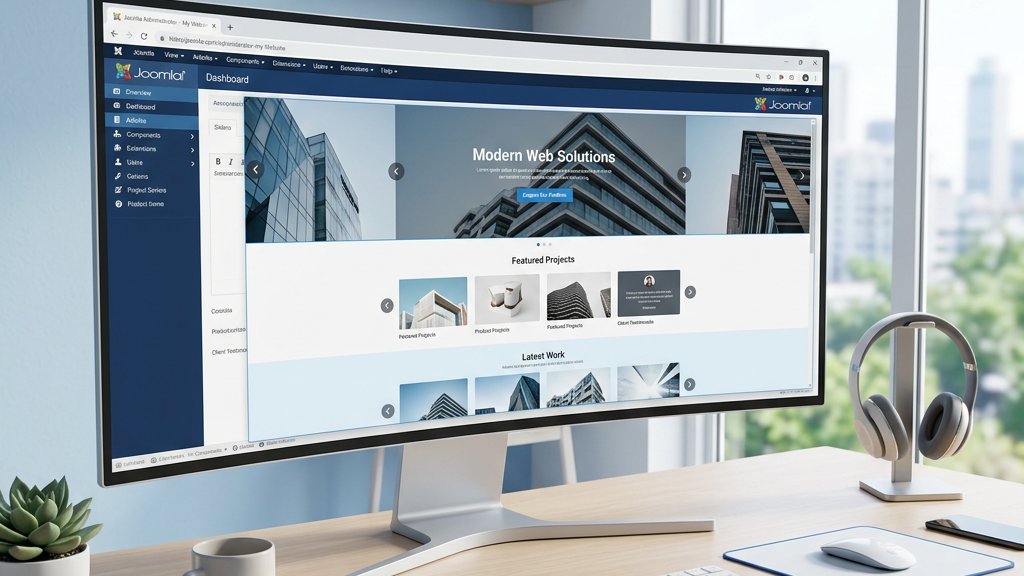


When we build a Joomla site that needs to showcase images, promotions, or dynamic content, a solid joomla slider extension becomes a cornerstone of the visual experience. In this guide we walk through the essential features, recommend both free and premium options, and share practical tips for keeping your sliders fast and reliable. We also explain how each joomla slider extension integrates with Joomla’s caching, language, and page‑builder systems, so you can make an informed decision for any project.
First and foremost, the extension must adapt to any screen size. A responsive slider automatically resizes images, text layers, and navigation controls so that the layout remains intact on smartphones, tablets, and desktops. We test each candidate on a range of devices and verify that touch‑enabled gestures work without lag. If the slider advertises “mobile ready” or “responsive slider” in its description, we still double‑check the actual behavior in the browser.
Modern sites benefit from smooth animation effects. Look for CSS3 transitions, Ken Burns effect, parallax layers, and a variety of transition styles such as fade, slide, cube, or flip. The more control we have over animation timing and easing, the better we can match the site’s branding. A good slider also offers a visual editor where we can drag and drop elements onto the canvas and see the effect instantly.
Joomla 5 introduces several core changes that affect how modules and extensions load. We prioritize extensions that announce Joomla 5 compatibility and receive regular updates. This ensures that the slider works with the latest PHP versions and that security patches are delivered promptly. An extension that is no longer maintained can become a liability for any production site.
Smart Slider 3 offers a generous free tier that includes a drag‑and‑drop builder, responsive layouts, and a solid set of animation effects. The free version supports image carousel, video slider, and basic layer slider features. While some advanced templates are locked behind the Pro license, the core functionality is more than enough for small projects.
We appreciate the built‑in lazy loading option, which defers off‑screen images until they enter the viewport. This helps keep page load times low, especially when the slider contains high‑resolution photos. The extension also integrates with Joomla’s native caching system, making it a good fit for sites that rely on aggressive caching strategies.
Another strength of this free joomla slider extension is its extensive documentation and active community forum. When we run into a configuration question, the official knowledge base provides step‑by‑step screenshots, and community members often share ready‑made templates that can be imported with a single click. The extension’s code is well‑structured, which means we can safely override CSS or add custom JavaScript without breaking future updates.
DJ‑ImageSlider is a lightweight solution that focuses on image carousel and slideshow module capabilities. It supports touch gestures, responsive breakpoints, and a selection of transition effects such as slide and fade. The backend editor is straightforward, allowing us to add slides via a simple form and arrange them with drag and drop.
For sites that need a quick image carousel without extra bells and whistles, DJ‑ImageSlider is a solid choice. It also provides a free Joomla slider module that can be placed in any position using Joomla’s module manager.
One practical advantage is its minimal footprint. The extension loads only a handful of JavaScript files, which keeps the overall page weight low. We can also enable the built‑in “auto‑play” option and set a custom delay between slides, giving us fine‑grained control over the user experience.
Slideshow CK brings a full‑featured slideshow module to the table. It includes a visual editor, multiple transition styles, and support for video and image content. The extension is fully responsive and includes a set of pre‑designed slider templates that we can customize to fit the site’s look and feel.
One notable feature is the ability to add custom CSS3 transitions for each layer, giving us fine‑grained control over how text and buttons appear. The free version also respects Joomla’s language system, which is handy for multilingual sites.
We also like the built‑in “slide‑counter” and navigation arrows that can be styled via the module’s parameters. The extension supports external data sources, so we can pull images from a folder or a Joomla article automatically, reducing the need for manual updates.
ARI Image Slider is a classic choice for Joomla users who need a simple image carousel. It offers a clean interface, responsive sizing, and a few basic animation options. While it does not include a full‑blown layer editor, it works well for straightforward image showcases.
Because the extension is lightweight, it adds minimal overhead to the page. We can enable lazy loading and set a maximum number of slides per page to keep the performance impact low.
For developers who prefer to keep the codebase tight, ARI Image Slider provides a single PHP file that can be overridden in a template folder. This makes it easy to add custom CSS classes or modify the HTML markup without touching the core extension files.
Smart Slider 3 Pro expands on the free version with a richer set of templates, advanced animation controls, and a powerful layer slider engine. The Pro license unlocks parallax scrolling, Ken Burns effect, and a library of pre‑built slider templates that we can import with a single click.
One of the most useful additions is the frontend editor, which lets us adjust slide content directly on the live site. This speeds up the workflow when we need to tweak a headline or swap an image without opening the backend.
The Pro edition also includes a dynamic content source feature, allowing us to pull data from Joomla articles, external JSON feeds, or even WooCommerce‑style product listings. This makes the joomla slider extension a versatile tool for marketing funnels, news tickers, and e‑commerce showcases.
Creative Slider is a premium Joomla carousel module that emphasizes visual impact. It supports multiple layers, video background, and a wide range of transition effects. The extension is fully responsive and includes a touch‑enabled navigation system for mobile users.
We like the built‑in SEO options, which let us add alt text and title attributes for each slide. The extension also integrates with Joomla’s language manager, making it easy to create multilingual sliders.
In addition, Creative Slider provides a “global style” panel where we can set default fonts, colors, and button shapes that apply across all slides. This saves time when we need to maintain a consistent brand identity across multiple pages.
OrdaSoft Touch Slider focuses on a smooth, touch‑friendly experience. It offers a clean UI for arranging slides, a variety of animation and, and support for both image and video content. The slider is responsive out of the box and includes lazy loading to improve page speed.
For developers who need to extend functionality, the extension provides hooks and a well‑documented API. This makes it possible to add custom transition effects or integrate third‑party services without breaking the core.
We have also found the “auto‑height” option useful for mixed‑content slides, where a video may have a different aspect ratio than a static image. The slider automatically adjusts its container height, preventing layout shifts that could affect user experience.
JUX Horizontal Accordion Slider offers a unique accordion‑style presentation that works well for product showcases or portfolio sites. Each slide expands on hover or tap, revealing additional content. The extension is fully responsive and includes CSS3 transitions for smooth opening and closing.
Because the slider uses a single HTML container for all slides, it reduces the number of HTTP requests. Combined with lazy loading, this can significantly improve performance on pages with many high‑resolution images.
Another advantage is the built‑in “slide‑preview” thumbnail bar, which lets visitors jump directly to a specific item. This navigation pattern is especially helpful for e‑commerce catalogs where users want to compare products side by side.
Overall, the premium joomla slider extension lineup gives us a range of options from the highly visual Smart Slider 3 Pro to the minimalist accordion approach of JUX. Each solution balances design flexibility with performance, and all of them receive regular updates to stay compatible with Joomla 5.
We recommend starting with the Joomla Extension Directory (JED) because it provides a safe, vetted source for extensions. To install, navigate to our step‑by‑step guide, locate the desired slider, and click the “Install” button. Joomla will automatically download and register the extension.
If you have a ZIP package from a vendor’s website, go to the Joomla admin panel, choose Extensions → Manage → Install, and upload the file. Joomla extracts the package and places the files in the appropriate folders. After installation, we clear the cache to ensure the new module appears in the Module Manager.
Once the extension is installed, we create a new module instance via Extensions → Modules. Choose the slider type (e.g., “Smart Slider 3”), assign it to a position, and set the visibility options. Most sliders also provide a shortcode or template tag that we can insert directly into articles or custom HTML modules.
Large, uncompressed images are the biggest culprit for slow sliders. We resize images to the exact dimensions needed for the slider, then run them through an optimizer such as TinyPNG or the Joomla image optimization guide at our resource page. Smaller files load faster and reduce bandwidth usage.
Most premium sliders include a lazy loading toggle. When enabled, the first slide loads immediately, and subsequent slides load only when they become visible. This technique works well with the Joomla caching system and improves the perceived speed on mobile devices.
While it can be tempting to add dozens of slides, each additional slide adds HTML, CSS, and JavaScript to the page. We recommend keeping the total number of slides under ten for most pages, and using pagination or a “load more” button for longer galleries.
Our top pick is Smart Slider 3 (Free Version) because it combines a visual editor, responsive design, and a solid set of animation effects without requiring a paid license. The extension also offers lazy loading, Joomla caching integration, and a engaging community that shares templates and troubleshooting tips. For sites that need a lightweight carousel, DJ‑ImageSlider is a close second, especially when performance is the primary concern.
Yes, the extensions we recommend are built with responsive layouts and touch‑enabled navigation. They automatically adjust to screen size and support swipe gestures for a smooth mobile experience. In addition, most of them provide options to hide or rearrange layers on smaller screens, ensuring that the content remains readable and visually appealing.
Most modern sliders, including Smart Slider 3 Pro and Creative Slider, allow you to embed YouTube, Vimeo, or self‑hosted video clips directly into a slide. Video layers can be set to autoplay, loop, or display a poster image until the user interacts. This flexibility lets us create engaging hero sections that combine motion and static graphics without sacrificing performance.
We suggest limiting the slide count to 8‑10 per page and using lazy loading for any additional content. This balance keeps the visual impact high while preserving page speed. If you need to showcase a larger gallery, consider breaking it into separate sliders or using a dedicated gallery extension that loads images on demand.
All the premium extensions listed—Smart Slider 3 Pro, Creative Slider, OrdaSoft Touch Slider, and JUX Horizontal Accordion Slider—explicitly state Joomla 5 compatibility. For free extensions, check the developer’s notes or the JED page to confirm support. Keeping your slider up to date ensures that you benefit from the latest security patches and performance improvements introduced in Joomla 5.
For a broader view of Joomla tools that complement sliders, explore our curated list of top Joomla extensions. You’ll also find resources on caching, performance, and page‑builder integration that help keep your site fast and secure.
Need more details on how to fine‑tune Joomla performance? Check out our performance guide and the Joomla caching article at joomlaxtc.com.
If you’re looking for a gallery solution that works well alongside a slider, the Joomla gallery extension page at joomlaxtc.com offers several options.
Finally, for users who prefer a visual page‑builder workflow, our page‑builder roundup shows how sliders can be embedded directly into builder layouts.