Physical Address
304 North Cardinal St.
Dorchester Center, MA 02124
Physical Address
304 North Cardinal St.
Dorchester Center, MA 02124



yoast seo joomla is a phrase that shows up in many searches, but the short answer is simple: the plugin never lived on Joomla’s stage. We’ll explain why and point you toward the tools that actually work with Joomla.
Key Takeaways
Yoast was built from the ground up for WordPress. Its core relies on hooks, filters, and a database schema that exist only in WordPress, so the code cannot simply be dropped into Joomla without a massive rewrite. The plugin’s settings pages use WordPress admin UI functions, which Joomla does not provide. Even the way Yoast stores its data—post meta tables—has no direct counterpart in Joomla’s #__content table.
Yoast’s own documentation states that the product is “designed exclusively for WordPress.” The company has never announced a Joomla version, and the roadmap shows no plans to change that.
Joomla and WordPress use different terminology for add‑ons. WordPress calls them “plugins,” while Joomla calls them “extensions,” and the file structures differ. A WordPress plugin lives in a single folder under /wp-content/plugins; a Joomla extension follows a strict MVC pattern and can be a component, module, or plugin.
Because of this structural gap, a WordPress plugin cannot be installed through Joomla’s Extension Manager. Joomla’s installer expects an XML manifest that describes files, language packs, and database scripts—something Yoast’s zip package does not contain.
The two ecosystems also have distinct update mechanisms. WordPress updates plugins via its own dashboard, while Joomla relies on the Joomla Update component. Trying to blend the two would break the installation process.
Yoast’s public statements make it clear that the company focuses on WordPress as its sole home. In a blog post titled “Yoast SEO on Other Platforms,” the team explained that they have no plans to create a Joomla version because the effort would duplicate work already covered by existing Joomla extensions.
The post also highlighted that Yoast’s value comes from deep integration with WordPress’s editorial workflow, something Joomla does not replicate. By staying within WordPress, Yoast can push updates quickly and keep pace with the platform’s rapid releases.
Thus, the message is consistent: if you need Yoast‑style analysis, you must stay on WordPress, or you must look for a Joomla‑native solution that offers similar capabilities.
Joomla ships with Search Engine Friendly (SEF) URLs out of the box. By enabling SEF in the Global Configuration, the system rewrites URLs to remove the index.php?option= query string, producing clean, readable links that search engines love.
The URL rewriting engine works with the .htaccess file (or web.config on Windows), allowing you to define custom rules without touching the core. This feature is comparable to the permalink settings in WordPress, but it lives directly in Joomla’s admin area.
Because SEF URLs are generated automatically for every article, menu item, and category, you get a solid foundation for SEO without installing extra code.
When SEF URLs combine with a proper site hierarchy, the resulting structure mirrors the logical flow of your content. For example, a news article might appear as https://example.com/news/2026/03/10/important-update, which tells both users and search engines exactly where the page belongs.
Every Joomla article, menu item, and category includes fields for meta description, meta keywords (though Google no longer uses them), and custom meta tags. These fields appear in the article editor, making it easy to add the essential metadata that search engines read.
You can also set global metadata in the Global Configuration, such as the site name, default description, and author information. This mirrors the site‑wide settings you find in Yoast, but it is baked into Joomla’s core.
The ability to inject Open Graph tags and Twitter Card data is available through the “Custom Meta Tags” field, letting you control social sharing previews without a separate plugin.
For multilingual sites, use Joomla’s language overrides to translate meta tags. Each language version of a page gets its own metadata, which can improve rankings in non‑English search results.
Joomla can automatically add canonical tags to avoid duplicate content issues. The feature is toggled in the Global Configuration under “SEO Settings,” where you can enable “Add canonical URLs.”
Robots directives such as noindex and nofollow can be added per article using the “Robots” dropdown, giving you granular control over what search engines should crawl.
Together with the built‑in sitemap generator (available via the “Sitemap” plugin), Joomla provides a complete set of tools that cover most on‑page SEO needs.
When setting robots directives, think about the user flow. A thank‑you page after a form submission does not need to be indexed, so set it to noindex, nofollow. This prevents search engines from wasting crawl budget on low‑value pages and keeps the index focused on content that matters to visitors.
For deeper dives, see our resources: Joomla SEO guide, Joomla Meta Keywords, Best Joomla SEO Extensions, Joomla vs WordPress, and Best Joomla Extensions.

4SEO positions itself as a full‑stack SEO suite that mirrors many of Yoast’s features. It offers meta tag management, XML sitemap generation, schema markup, and a content analysis tool that scores readability and keyword usage.
The extension integrates with Joomla’s article editor, adding a side panel where you can edit titles, descriptions, and social tags without leaving the page. Its UI feels familiar to anyone who has used Yoast, making the learning curve shallow.
4SEO also includes a redirect manager, allowing you to create 301 and 302 redirects directly from the backend. This capability is essential for maintaining link equity when you change URLs.
The content analysis pane highlights both keyword density and paragraph length, helping keep articles concise and focused. 4SEO’s schema markup options cover articles, events, and products, which means rich snippets can appear in search results without extra code.
sh404SEF is renowned for its powerful URL rewriting engine. It can create custom URL patterns, handle multilingual slugs, and automatically generate canonical tags for every page.
Beyond URL management, sh404SEF provides a built‑in sitemap, social media tags, and a strong redirect system. Its analytics dashboard shows which URLs receive the most clicks, helping refine the SEO strategy.
The extension also offers a “404 error catcher” that logs broken links and suggests fixes, turning a common pain point into an opportunity for improvement.
sh404SEF lets you define URL templates per component, so a blog article can use a different pattern than a product page. The social media tag builder lets you preview how a page will appear on Facebook or Twitter before publishing, helping adjust images or titles to match each platform’s preferred dimensions.
Route 66 focuses on speed and simplicity. It delivers essential SEO tools—meta tags, Open Graph, and XML sitemaps—without the bulk of larger extensions.
Because it is lightweight, Route 66 adds virtually no overhead to page load times, which is a crucial ranking factor. Its configuration panel is straightforward, making it a good fit for small to medium sites that need a quick setup.
Despite its minimalism, Route 66 supports schema markup for articles, products, and events, giving structured data without extra plugins.
Start with Route 66 on new projects because the initial configuration takes only a few minutes. After enabling the extension, set the default site title and description, then let the automatic meta tag generator fill in the rest.
The XML sitemap generator respects the publishing status of items, so only published articles appear in the sitemap. This prevents search engines from indexing draft or unpublished content, which could otherwise cause confusion.
For sites that need a bit more power, Route 66 offers an optional add‑on that expands the schema types available. This add‑on remains optional, so the core stays lightweight unless a specific need arises.
JoomSEF is one of the oldest SEO extensions for Joomla, specializing in URL rewriting and canonical tag generation. It provides a visual editor for creating custom URL patterns, allowing you to map complex site structures with ease.
The extension also includes a sitemap generator and a redirect manager, though its UI feels dated compared to newer tools. For sites that have used JoomSEF for years, it remains a reliable choice.
The built‑in sitemap respects the menu hierarchy, so top‑level pages can be given higher priority values. Even though the interface looks older, the extension receives regular security patches and continues to work with the latest Joomla releases.
JESP (Joomla Easy SEO Plugin) is a free, community‑driven extension that covers the basics: meta description, title, and Open Graph tags. It is ideal for beginners who want a no‑cost solution that integrates smoothly with the article editor.
While JESP lacks advanced features like content analysis or schema markup, it provides a quick way to add essential SEO data without a heavyweight package.
We often recommend JESP to clients who are just getting started with SEO and need a simple way to control meta information. The plugin adds a small tab to the article editor, where you can type a custom description and upload an image for social sharing.
If a site later outgrows JESP, the migration path to a more feature‑rich extension is straightforward, as the core metadata fields remain the same across most Joomla SEO tools.
| Feature | Yoast (WordPress) | 4SEO | sh404SEF | Route 66 |
|—————————–|——————-|——-|———-|———-|
| Meta tag management | ✔️ | ✔️ | ✔️ | ✔️ |
| XML sitemap | ✔️ | ✔️ | ✔️ | ✔️ |
| Schema markup | ✔️ | ✔️ | ✔️ | ✔️ |
| Redirect manager | ✔️ | ✔️ | ✔️ | ❌ |
| Content analysis | ✔️ | ✔️ | ❌ | ❌ |
| Social media tags | ✔️ | ✔️ | ✔️ | ✔️ |
| Price (USD) | Free / Premium | $49 | $79 | $29 |
1. Log in to the Joomla administrator backend and go to Extensions → Manage → Install.
2. Click Find Extensions from the Joomla! Extensions Directory and search for “4SEO”.
3. Select the extension and click Install; Joomla will download and install the package automatically.
After installation, a new 4SEO menu item appears under Components. Click it to begin configuration.
Check the Joomla version before installing to avoid compatibility issues. The extension’s page lists the supported Joomla releases, so a quick glance can save time. If you run an older Joomla version, consider updating first or looking for a compatible older release of 4SEO.
Once the component appears, clear the site cache to make sure the new menu item loads correctly. This step prevents stale data from showing an incomplete interface.
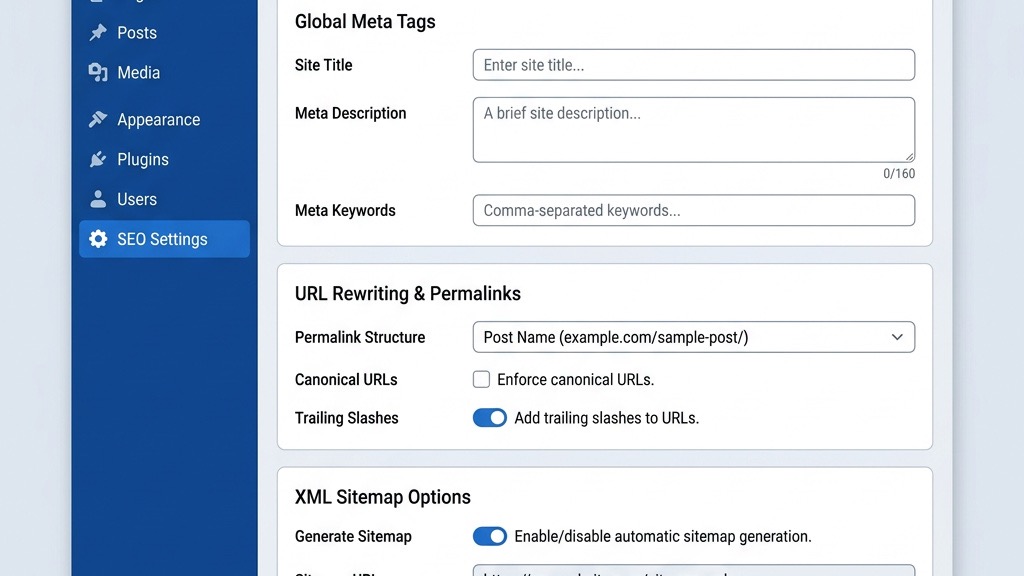
1. Open Components → 4SEO → Settings and enable Meta Tag Management.
2. In the Global Meta tab, set your default site title, description, and Open Graph image.
3. For each article, a 4SEO tab appears in the editor where you can override the global defaults, add custom meta tags, and define Twitter Card data.
Save your changes; the extension writes the tags directly into the HTML section, ensuring search engines and social platforms read them correctly.
Create a short style guide for meta titles and descriptions, specifying character limits and keyword placement rules. By following the guide, the team can produce consistent metadata across all pages, which improves brand cohesion in search results.
If you need to add a custom meta tag not covered by the default fields, the “Custom Meta Tags” textarea accepts raw HTML. This flexibility lets you insert verification tags for services like Google Search Console or Bing Webmaster Tools without extra plugins.
1. Go to Components → 4SEO → Sitemap and click Generate Sitemap.
2. Choose the content types you want included (articles, categories, tags) and set the frequency and priority for each.
3. Download the generated sitemap.xml file and upload it to your site’s root directory via FTP or the Joomla Media Manager.
Log in to Google Search Console, add the sitemap URL (https://yourdomain.com/sitemap.xml), and submit it. Google will crawl the file and update its index accordingly.
Schedule a monthly regeneration of the sitemap to capture new content automatically. The extension can be set to run on a cron job, removing the need for manual intervention.
After submitting the sitemap, check the “Coverage” report in Search Console for any errors, such as URLs returning 404 or blocked by robots.txt. Fixing these issues promptly helps maintain a healthy index and avoids wasting crawl budget.
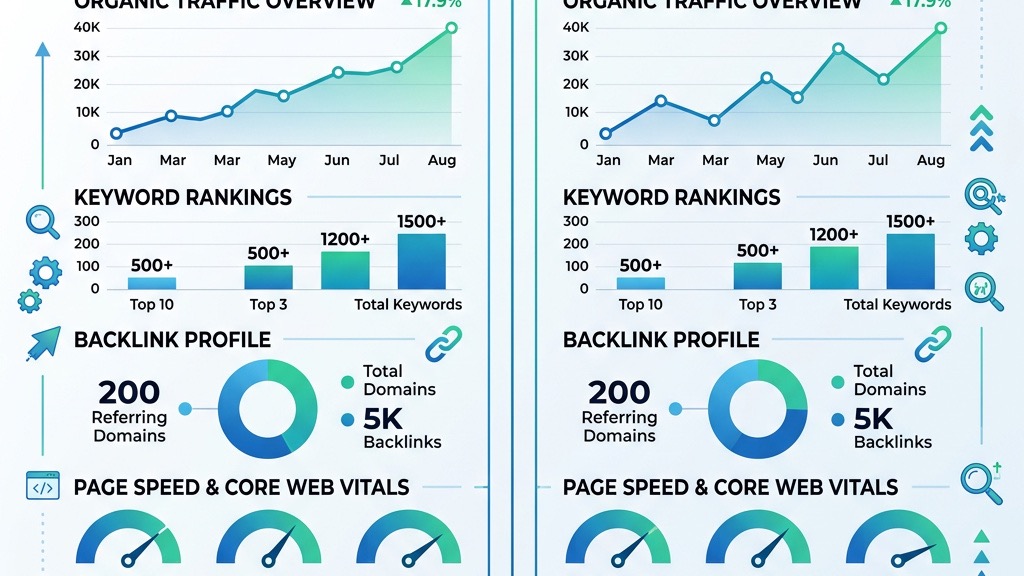
Both Joomla and WordPress provide the technical foundations needed for good rankings: clean URLs, meta tags, and sitemap generation. Joomla’s built‑in SEF system is comparable to WordPress’s permalink settings, while WordPress often relies on plugins like Yoast to fill gaps.
Joomla’s core includes canonical tag support and robots directives without extra extensions, giving it a slight edge in out‑of‑the‑box completeness. WordPress can achieve the same with plugins, but that adds extra maintenance overhead.
Overall, the technical differences are minor; the real driver of rankings is how well you implement the tools at your disposal.
Sites using Joomla’s native SEO features tend to have fewer plugin conflicts, which can lead to more stable performance over time. Audit your site’s speed after enabling any SEO extension to confirm it doesn’t drag down load times.
WordPress boasts a massive plugin marketplace, and Joomla’s extension directory is smaller but still vibrant. Joomla extensions such as 4SEO, sh404SEF, and Route 66 are maintained by dedicated developers who understand the platform’s architecture.
Community forums for both CMSs are active, though WordPress forums tend to be larger. Joomla’s niche community often provides more focused advice for SEO challenges specific to the platform.
Choosing a CMS should consider the availability of extensions that match your workflow, not just the sheer number of plugins.
Joomla’s community tends to respond quickly to version‑specific questions, especially on the official forums and Discord channels. When a new Joomla release introduces a change to the routing system, extension developers usually publish updates within a few weeks.
For WordPress, the sheer volume of plugins can make it harder to identify which ones are well‑maintained. We often look for extensions with a high number of active installations, recent updates, and positive reviews before committing to a solution.
Search engines prioritize content relevance, site speed, mobile friendliness, and backlink quality. A well‑written article with proper headings and internal links will outrank a site that relies solely on a plugin for optimization.
Both Joomla and WordPress can deliver fast, responsive sites when you use a good template and enable caching. Plugins help, but they cannot replace solid content strategy and technical hygiene.
In practice, sites that combine Joomla’s native SEO tools with a lightweight extension like Route 66 often rank just as high as WordPress sites using Yoast.
Building a strong backlink profile remains essential regardless of your CMS. Outreach, guest posting, and creating shareable resources such as infographics can generate high‑quality links that boost authority across any platform.
Q1: Is there a Yoast SEO plugin for Joomla?
No. Yoast is built exclusively for WordPress, and its code depends on WordPress‑specific hooks and database tables that Joomla does not have.
Q2: What is the best SEO extension for Joomla?
Most users recommend 4SEO for its all‑in‑one feature set, while sh404SEF excels at URL management and Route 66 offers a lightweight alternative.
Q3: Can Joomla rank as well as WordPress in Google?
Yes. With proper use of Joomla’s built‑in SEO features and a solid extension, Joomla can achieve rankings comparable to WordPress.
Q4: Does Joomla have built‑in SEO features?
Absolutely. Joomla includes SEF URLs, meta tag fields, canonical tags, robots directives, and a basic sitemap generator right out of the box.
Q5: Is sh404SEF still worth using in 2026?
sh404SEF remains a powerful tool for complex URL structures and redirect management, and it continues to receive updates that keep it compatible with the latest Joomla releases.
For more details on SEO extensions, visit the Joomla Extension Directory — SEO & Metadata.
Learn why Yoast stays WordPress‑only at Yoast SEO on Other Platforms.
Explore the official 4SEO site for pricing and documentation at 4SEO Official Site.