Physical Address
304 North Cardinal St.
Dorchester Center, MA 02124
Physical Address
304 North Cardinal St.
Dorchester Center, MA 02124




When we ask what is Joomla, we are really looking for a clear picture of a mature, open‑source content management system that has helped thousands of developers and site owners build flexible web experiences. In this guide we walk through the history, core architecture, key features, and practical steps so you can decide whether Joomla fits your next project.
Joomla began its life as a fork of the Mambo project in 2005, a move driven by community members who wanted a more open development model. The name “Joomla” comes from the Swahili word “jumla,” meaning “overall” or “collective,” reflecting the collaborative spirit that still defines the platform today.
From its first release, Joomla attracted a diverse group of developers, designers, and site owners who contributed extensions, templates, and documentation. Over the years the community has grown into a global network of volunteers, translators, and professional agencies that keep the codebase up‑to‑date and secure.
Today, Joomla is maintained under the GNU/GPL license, which guarantees that anyone can use, modify, and redistribute the software without cost. This openness has allowed the platform to evolve alongside PHP, MySQL, and modern web standards, leading to the current Joomla 5 release that brings a refreshed admin interface and new development tools.
We have seen several pivotal releases that shaped Joomla’s trajectory. Joomla 1.5, launched in 2008, introduced a stable extension framework and a clear separation between core and third‑party code, which made it easier for developers to create add‑ons. Joomla 2.5 arrived in 2012 with a refreshed administration interface, improved mobile handling, and a new Joomla Update component that simplified upgrades. The 3.x series, beginning with 3.0 in 2015, adopted the Bootstrap front‑end framework, added built‑in SEO tools, and enhanced accessibility. Joomla 4.0, released in 2021, required on PHP 7.4+, replaced the old admin template with a modern UI built on the UIkit framework, and introduced a new namespace‑based architecture. Finally, Joomla 5.0, which appeared in 2023, fully embraces PHP 8, expands the native API layer, and provides a more granular permissions system, positioning the platform for future extensions and integrations.
According to recent surveys, Joomla powers more than 2.5 million live websites, representing a solid share of the open‑source CMS market. The extension directory hosts over 8 000 add‑ons, ranging from e‑commerce solutions to social networking tools, and the platform is available in more than 70 languages.
Community activity remains strong: thousands of developers contribute code on GitHub, and regular Joomla! User Group meetings happen in dozens of countries. The platform’s multilingual support is built into the core, which means site owners can launch a multilingual Joomla website without installing third‑party plugins.
In terms of performance, Joomla 5 introduces a modern PHP 8.1+ requirement and supports both MySQL and MariaDB databases, allowing sites to run efficiently on shared hosting, virtual private servers, or cloud environments such as AWS and Azure.
We have observed that a range of well‑known institutions have chosen Joomla for their web presence. IKEA used Joomla for several regional sites, taking advantage of its multilingual capabilities and flexible template system. Harvard University’s departmental pages have run on Joomla, benefiting from its granular access controls and ability to integrate with internal authentication services. Linux.com, a major portal for the open‑source community, employed Joomla to manage its extensive article archive and community forums, highlighting the CMS’s scalability for high‑traffic environments.
When we compare Joomla to WordPress, we see that Joomla offers a more granular user access control system out of the box. While WordPress relies heavily on plugins for advanced permissions, Joomla’s built‑in ACL lets administrators define precise viewing and editing rights for each user group.
Against Drupal, Joomla tends to be easier (see our full Joomla vs Drupal comparison) for newcomers to set up, yet it still provides a powerful framework for complex sites. Drupal’s strength lies in its deep API, whereas Joomla balances flexibility with a more straightforward admin experience, especially with the new Joomla 5 dashboard.
Overall, Joomla occupies a middle ground: it is more feature‑rich than a basic blogging platform but less demanding than enterprise‑grade solutions. This positioning makes it a solid choice for a wide range of projects, from small business sites to large community portals.
| Feature | Joomla | WordPress | Drupal |
|---|---|---|---|
| License | GPLv2 | GPLv2 | GPLv2 |
| Primary Language | PHP | PHP | PHP |
| Built‑in Multilingual | Yes (core) | No (requires plugin) | Yes (core) |
| ACL Complexity | Medium – granular groups & levels | Low – role‑based only | High – detailed permissions per entity |
| Learning Curve | Medium – requires familiarity with MVC | Low – intuitive for beginners | High – steep for new users |
| Extension Count | ~8,000+ extensions | ~58,000+ plugins & themes | ~4,000+ modules & themes |
| Market Share (2024) | ~3 % | ~64 % | ~2 % |
Joomla is written in PHP and follows the Model‑View‑Controller (MVC) architecture, which separates data handling, presentation, and business logic. This structure makes it easier for developers to create custom extensions without interfering with core files.
The system relies on a relational database, typically MySQL or MariaDB, to store articles, users, configuration settings, and extension data. Joomla’s database layer abstracts the underlying SQL, allowing the same code to run on both MySQL 8.0+ and MariaDB 10.5+ without modification.
From a server perspective, Joomla runs on standard web servers such as Apache or Nginx. The platform includes a .htaccess file for Apache and an nginx.conf template for Nginx, helping site owners configure URL rewriting, security headers, and caching with minimal effort.
We rely on Joomla’s modern API layer, which was introduced in Joomla 4 and expanded in Joomla 5. The framework provides RESTful endpoints for core entities such as articles, users, and menus, allowing external applications to read and write data using JSON. In addition, Joomla supports GraphQL through community extensions, and the built‑in web services can be secured with OAuth2 or token‑based authentication, making it straightforward to integrate the CMS with mobile apps, headless front‑ends, or third‑party services.

At the heart of any Joomla website is the article manager. Articles are stored as content items that can be assigned to categories, which in turn organize the site’s structure. Categories can be nested, allowing for deep hierarchies that reflect complex information architectures.
The menu system in Joomla links articles, categories, and external URLs into navigation trees. Each menu item can be configured to display a single article, a list of articles, or a custom layout created by a component. This flexibility lets us build both simple static sites and dynamic portals with multiple entry points.
Because Joomla treats menus as first‑class objects, we can assign different menus to specific user groups using ACL. This means a logged‑in member might see a private navigation menu that is hidden from the public, enhancing the user experience without additional code.
We have added the ability to attach custom fields to articles, categories, and users, giving editors a structured way to store additional information such as product specifications, event dates, or author bios. These fields can be displayed in the front‑end via layout overrides or shortcodes. Tags, introduced in Joomla 3, allow us to group content across categories, enabling dynamic lists and related‑item modules without creating separate menu items.
Joomla’s template system controls the visual output of a site. A template consists of HTML, CSS, and PHP files that define the layout, typography, and responsive behavior. Joomla 5 ships with the Cassiopeia template, which follows modern design principles and works out of the box on mobile devices.
Template overrides allow us to customize the output of any component, module, or plugin without altering the original files. By placing an override file in the template’s HTML folder, we can change the markup of an article view, a login form, or a contact component while preserving upgrade compatibility.
Responsive design is built into the core template framework, and we can add custom fields to articles to store extra metadata such as SEO titles or featured images. These fields are accessible in the template, giving designers full control over how content is presented.
One of Joomla’s strongest points is its native multilingual capability. The core includes language packs for more than 70 languages, and the language manager lets us enable or disable languages on the fly.
When a multilingual site is activated, Joomla automatically creates separate menu trees for each language, and articles can be linked across languages using the “Associations” feature. This eliminates the need for third‑party translation extensions in most cases.
In addition to the UI, Joomla’s content language tag allows us to tag articles, categories, and modules with a specific language, ensuring that visitors only see content that matches their language preference.
We note that Joomla’s core multilingual system includes language packs, content language associations, and a language filter plugin that automatically serves the correct version of a page based on the visitor’s language preference. In contrast, WordPress does not provide multilingual capabilities out of the box; users typically install a third‑party plugin such as WPML, which adds translation tables and a separate interface for managing language versions. Joomla’s native approach reduces the need for additional extensions and keeps the site’s performance consistent across languages.

Joomla’s ACL system provides a detailed hierarchy of user groups, access levels, and permissions. By default, the platform includes groups such as Guest, Registered, Author, Editor, and Super User.
Each group can be granted or denied specific actions—like creating, editing, or publishing articles—on a per‑component basis. This granular control makes it possible to build complex workflows where, for example, a contributor can submit an article but only an editor can publish it.
ACL also integrates with the menu system, allowing us to hide or show navigation items based on a user’s access level. This feature is especially useful for membership sites that need to protect premium content.
Joomla includes built‑in tools for search‑engine optimization. The SEF (Search‑Engine‑Friendly) URL feature converts dynamic query strings into clean, readable URLs that are easier for search engines to index.
Each article can have its own meta description, keywords, and custom title tag, which are stored in the article’s metadata fields. Joomla also supports URL redirects, enabling us to preserve link equity when content is moved or renamed.
For advanced SEO, the platform offers a sitemap plugin that automatically generates an XML sitemap, and we can integrate third‑party analytics tools through extensions without touching the core code.
We recommend enabling Search Engine Friendly (SEF) URLs in the Global Configuration and then renaming the default htaccess.txt to .htaccess to activate Apache’s rewrite rules. For Joomla 4/5, we can also set the Use URL Rewriting option in the System Settings. Adding meta descriptions and custom titles via the built‑in fields for each article improves click‑through rates. Finally, we should configure the robots.txt file to block administrative paths and enable XML sitemaps using extensions like OSMap.
Joomla’s functionality is extended through four main types of extensions. Components are large applications that occupy the main body of a page, such as the com_content component that handles articles.
Modules are lightweight blocks that appear in predefined positions, like a login form, a recent‑articles list, or a banner. They can be assigned to specific pages and menu items, giving us fine‑grained control over layout.
Plugins are event‑driven pieces of code that react to system events, such as user login, content saving, or page rendering. They are essential for adding features like two‑factor authentication, spam protection, or custom field processing. Templates, as discussed earlier, define the visual layer of the site.
Among the most widely used extensions is Joomla! 5’s built‑in Media Manager, which supports drag‑and‑drop uploads, image editing, and integration with cloud storage services.
For e‑commerce, HikaShop and VirtueMart provide full shopping‑cart capabilities, including product catalogs, payment gateways, and tax rules. Both are compatible with Joomla 5 and support multilingual stores.
When it comes to community features, Community Builder and Joomla! User Group extensions add profile fields, friend networks, and private messaging. These tools are popular for membership sites and social portals.
We often rely on Akeeba Backup for full‑site snapshots, which can be scheduled and stored on remote services such as Amazon S3 or Dropbox. Admin Tools complements this by providing a firewall, file integrity checks, and a set of hardening options that address common security concerns. Both extensions integrate with Joomla’s update system, allowing us to apply patches without leaving the administrator interface.
Installing an extension in Joomla is straightforward. From the administrator panel we go to “Extensions → Manage → Install,” where we can upload a ZIP file, provide a URL, or use the built‑in installer to fetch extensions directly from the Joomla Extension Directory.
After installation, the new extension appears in the appropriate manager—components, modules, plugins, or templates. We can then configure settings, assign positions, and enable or disable the extension as needed.
Regular updates are managed through the “Extensions → Manage → Update” screen, which checks the directory for newer versions. Keeping extensions up to date is essential for security and compatibility with the latest Joomla 5 core.

Small businesses benefit from Joomla’s ability to create professional sites with built‑in contact forms, image galleries, and SEO tools. The platform’s ACL lets owners grant staff limited access to edit specific pages without risking the entire site.
Corporate sites often need multilingual support, secure login areas, and integration with CRM systems. Joomla’s extensible architecture makes it possible to connect to external services through plugins or custom components.
Because Joomla is free and open source, the total cost of ownership remains low, especially when compared with proprietary solutions that charge per‑user or per‑feature.
Government agencies and nonprofits value Joomla’s strong security track record and the ability to host content in multiple languages. The platform’s compliance with accessibility standards helps meet legal requirements for public websites.
Educational institutions often need to manage large amounts of content, such as course materials, event calendars, and staff directories. Joomla’s article and category system, combined with custom fields, provides a solid foundation for these use cases.
Many universities also use Joomla as a portal for students and faculty, using the ACL to restrict access to internal resources while keeping public information openly accessible.
Community portals thrive on Joomla’s built‑in user management and the ability to create custom profile fields. Extensions like Community Builder add social features such as friend lists, private messaging, and activity streams.
Membership sites can protect premium content using Joomla’s access levels, ensuring that only paying members see exclusive articles, videos, or downloads. The platform’s subscription extensions integrate with popular payment gateways for recurring billing.
Because Joomla supports both static and dynamic content, community sites can host forums, event calendars, and newsletters—all within a single, cohesive system.

To run Joomla 5 we need a server that supports PHP 8.1 or newer, and a database such as MySQL 8.0+ or MariaDB 10.5+. The platform also requires a web server like Apache with mod_rewrite enabled, or Nginx with the appropriate rewrite rules.
Most shared hosting providers meet these requirements (see our best Joomla hosting picks), but for larger sites we recommend a virtual private server or a cloud instance that can be scaled as traffic grows. Ensure that the server has at least 256 MB of memory allocated to PHP and that the file permissions follow Joomla’s security guidelines.
Before installing, we should enable HTTPS using a free Let’s Encrypt certificate or a commercial SSL provider. Joomla’s configuration wizard will detect the secure connection and enforce it for the admin area.
First, download the latest Joomla 5 package from the official Joomla website. Upload the ZIP file to your web root using FTP or the hosting control panel, then extract its contents.
Next, go to your domain in a browser. The Joomla installer will guide us through database configuration, site name, admin username, and password. We must enter the database host, name, user, and password, then let the installer create the necessary tables.
After the database is set up, the installer asks us to configure the site (our Joomla tutorial for beginners covers this in detail)’s default language and time zone. Once the installation completes, we should delete the installation folder as instructed to improve security.
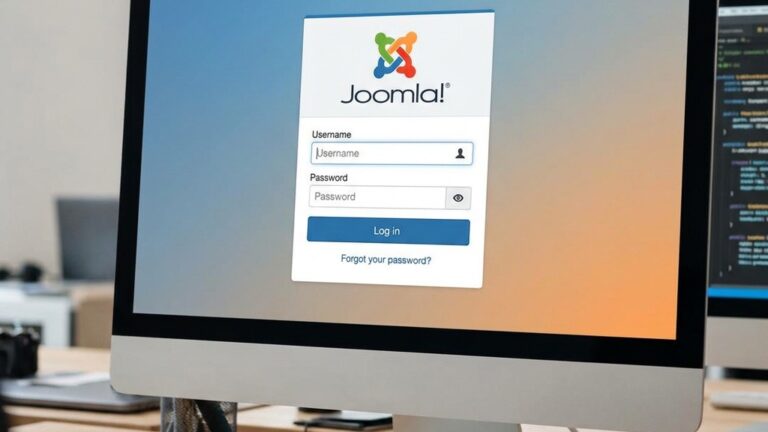
Immediately after logging into the administrator backend, we should set up the global configuration. This includes enabling two‑factor authentication for the super user, configuring the mail settings, and setting the SEO options for SEF URLs.
We then install a template—Cassiopeia is a good starting point—and begin creating the main menu structure. Adding a few categories and articles will give us a sense of how the content hierarchy works.
Finally, we should install a few essential extensions, such as a security plugin, a backup component, and a SEO tool. Regularly updating the core and extensions will keep the site stable and protected.
We can take advantage of the guided tours that appear in Joomla 5 after the first login. These tours walk us through the main sections of the administrator panel, highlight where to configure global settings, and demonstrate how to create a basic article and menu item. The tours can be re‑activated from the Help menu if we need a refresher later on.
Joomla is released under the GNU/GPL license, which means it is free to download, use, and modify. While the core software costs nothing, we may choose to purchase premium extensions, templates, or professional support services.
“Better” depends on the project’s needs. Joomla offers more granular user permissions and built‑in multilingual support, which can be advantageous for complex sites. WordPress excels in simplicity and a larger plugin library for blogging. Both are viable choices; the decision should be based on required features and developer familiarity.
Joomla is primarily written in PHP. It uses MySQL or MariaDB for data storage and follows the MVC design pattern. The platform’s front‑end uses HTML, CSS, and JavaScript, while the back‑end relies on PHP to generate dynamic pages.
Yes, Joomla remains a popular choice for many organizations. It powers millions of live sites, including corporate portals, government agencies, educational institutions, and community forums. The active community continues to release updates and new extensions.
Joomla can be extended with e‑commerce components (see our Joomla e‑commerce guide) such as HikaShop, VirtueMart, and J2Store. These extensions provide product catalogs, shopping carts, payment gateway integration, and tax calculations, allowing us to build full‑featured online stores.
Joomla includes several SEO‑friendly features out of the box, such as SEF URLs, meta data fields, and an XML sitemap generator. With proper configuration and the use of additional SEO extensions, Joomla sites can rank competitively in search engine results.