Physical Address
304 North Cardinal St.
Dorchester Center, MA 02124
Physical Address
304 North Cardinal St.
Dorchester Center, MA 02124



joomla xml sitemap is a cornerstone of our SEO strategy, acting like a compass that points search engines toward every valuable page on our site. We will walk through every step needed to build, fine‑tune, and hand over this map to the crawlers that keep our content visible.
Key Takeaways
– A well‑crafted XML sitemap improves crawl efficiency and indexing speed.
– OSMap and JSitemap Pro are the two most popular extensions for Joomla.
– Proper configuration of priority and change frequency can guide search engines to fresh content.
– Multilingual sites benefit from hreflang tags embedded in the sitemap.
– Submitting the sitemap to Google Search Console gives us real‑time feedback on indexing health.
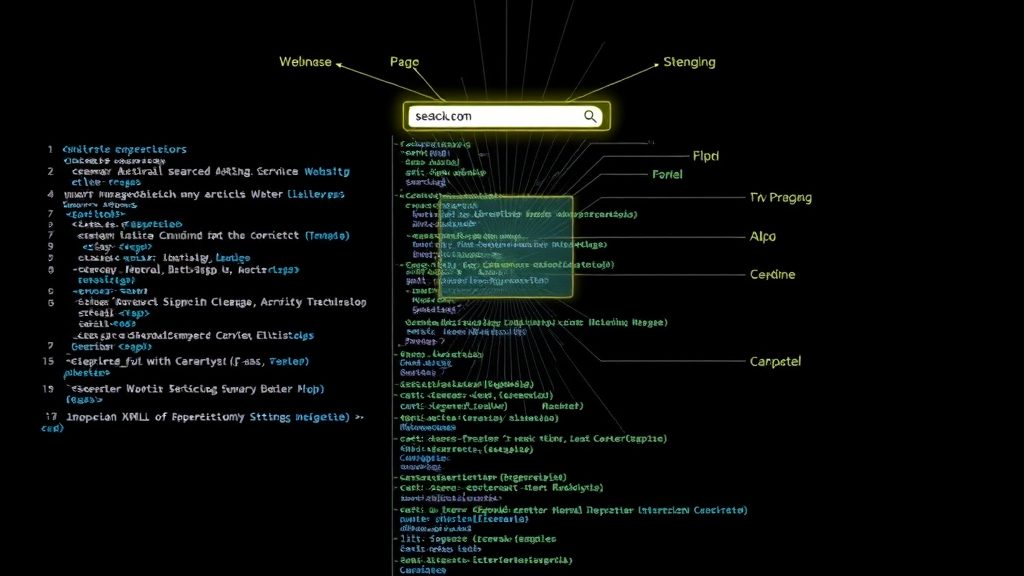
Image: How XML sitemaps help search engines find your pages
We treat an XML sitemap as a road atlas for bots, listing every road they may travel on our domain. Each entry contains metadata that tells the crawler how important the page is and how often it changes. By providing this roadmap, we reduce the chance that a page stays hidden in a dark corner of the site. The result is a faster discovery process that mirrors a well‑planned delivery route.
An XML sitemap speaks the language of machines, while an HTML sitemap is designed for human visitors. XML files are compact, structured, and easy for crawlers to parse, whereas HTML pages are visual menus that help users navigate. Both serve a purpose, but the XML version is the one that directly influences search engine rankings. Think of XML as the backstage crew and HTML as the front‑stage performers.
We find that any Joomla site with more than a handful of articles, categories, or custom components benefits from an XML sitemap. Large e‑commerce stores, multilingual blogs, and sites that frequently add new content should prioritize generating one. Even a modest site can gain a boost if it has deep navigation layers that bots might miss. In short, the sitemap acts like a lighthouse that shines a beam on every corner of our digital harbor.
We begin by downloading the OSMap extension from the official Joomla marketplace. After uploading the package through the Extension Manager, we enable the plugin and verify that the component appears in the administrator menu. The initial configuration screen asks us to select the default language and the base URL for the sitemap. Once saved, OSMap is ready to start mapping our site’s structure.
We decide which menu items should appear in the sitemap by toggling the inclusion options in the OSMap settings. Articles, categories, and custom component links can be turned on or off depending on their SEO value. We also set filters to exclude unpublished or restricted items, ensuring the file only contains live content. This selective approach mirrors a gardener pruning a tree to let sunlight reach the healthiest branches.
After configuration, we click the “Generate Sitemap†button and let OSMap compile the XML document. The file is stored in the root folder, typically named sitemap.xml. We verify the output by opening the file in a browser and checking that each URL entry follows the proper schema. The final step is to test the file with the online validator provided by the Sitemaps.org protocol documentation., and can be accessed via https://yourdomain.com/sitemap.xml
We install JSitemap Pro when we need finer control over the sitemap’s content and appearance. The extension offers a visual editor that lets us drag and drop items to set priority levels. It also supports custom tags for video, news, and image content, expanding the reach of our media assets. The interface is intuitive, allowing us to adjust settings without diving into code.
We enable the image sitemap feature to inform Google about every picture that appears on our pages, which can boost traffic from image search. For news sites, we activate the Google News sitemap module, which requires us to specify publication dates and article genres. These specialized sitemaps act like signposts that point directly to the most valuable visual and timely content. By doing so, we give search engines a clearer picture of what we offer.
We assign priority values ranging from 0.0 to 1.0 to indicate the relative importance of each page. Homepages and category over usually receive a higher priority, while older blog posts get a lower score. The change frequency tag tells crawlers how often we expect a page to be updated, such as daily, weekly, or monthly. Adjusting these signals helps search engines allocate their crawl budget more efficiently.
We start by verifying our site in Google Search Console, which requires us to add a meta tag or upload an HTML file to the Joomla root. Once verification is complete, we gain access to the dashboard where we can manage sitemaps and monitor performance. The connection acts like a bridge that lets us send signals from our site to Google’s indexing engine. This step is essential for receiving feedback on how our sitemap is being processed.
We navigate to the “Sitemaps†section of Google Search Console and paste the full URL of our sitemap, such as https://yourdomain.com/sitemap.xml. After clicking “Submit,†Google begins to crawl the file and queue the listed URLs for indexing. We can watch the status change from “Pending†to “Successful†in a few minutes. This simple action is comparable to handing a sealed envelope to a courier who promises prompt delivery.
We regularly check the “Coverage†report in Search Console to see which URLs were indexed and which encountered problems. Errors such as “Submitted URL not found†or “Redirect error†are highlighted, allowing us to fix issues quickly. We also review the “Sitemap†tab for any warnings about malformed tags or exceeding size limits. Continuous monitoring keeps our SEO health in shape, much like a doctor’s routine check‑up.
We follow the standard set of tags defined by the Sitemaps protocol, including , , , , and . Each tag must be correctly nested and closed to avoid parsing errors. The tag holds the fully qualified URL, while
We keep the sitemap file under 50 MB uncompressed and limit each file to 50,000 URLs, as stipulated by the protocol. When our site grows beyond these thresholds, we split the content into multiple sitemap files and reference them from a master index file. This approach prevents the file from becoming a heavyweight that slows down crawling. Staying within the limits is akin to keeping a suitcase within airline weight restrictions.
We generate a sitemap index file that lists each individual sitemap using the tag and its child. The index file itself is lightweight and points to all the segmented files, allowing crawlers to fetch them in parallel. We store the index at the root as sitemap_index.xml
We embed hreflang attributes within each URL entry to tell search engines which language version of a page should be shown to a particular audience. The tag follows the format hreflang="en-us" for French. By pairing hreflang with the sitemap, we provide a clear map of language alternatives. This practice helps avoid duplicate content penalties and improves user experience across regions. for American English or hreflang="fr-fr"
We create separate sitemap files for each language by using OSMap’s language filter or JSitemap Pro’s multilingual module. Each file contains only URLs that belong to a single language, making the hreflang mapping simple. We then list all language sitemaps in the index file, ensuring Google can discover each version. This segregation is like arranging books on separate shelves according to their language.
We watch out for mismatched hreflang codes, such as using en for a page that is actually in British English. We also avoid linking to language versions that are not publicly accessible, which can cause crawl errors. Another pitfall is forgetting to update the sitemap after adding new translations, leaving the map outdated. By steering clear of these errors, we keep our multilingual site running smoothly.
We audit our site for pages that offer little value or duplicate information, such as printer‑friendly versions or tag archives. These pages are either set to “noindex†in the meta robots tag or excluded directly in the sitemap settings. Removing them reduces noise and focuses crawl budget on high‑quality content. Think of it as trimming dead leaves from a tree to let sunlight reach the healthy leaves.
We add directives to our robots.txt tag in conjunction with sitemap exclusion. This dual approach gives us precise control over what gets indexed and what stays hidden. It works like a gatekeeper that checks both the invitation list and the guest badge. file to block crawlers from accessing certain directories, while still allowing the sitemap to list them if needed. For pages we want to keep out of search results, we use the
We rely on auto‑generation for most of our content because it keeps the sitemap up‑to‑date without manual effort. However, for critical pages such as landing pages or high‑value product pages, we sometimes edit the sitemap manually to set custom priority and change frequency. This hybrid method balances convenience with strategic fine‑tuning. It is similar to using a GPS for everyday routes while consulting a paper map for a special expedition.
We begin by exploring the core features that JSitemap Pro adds to our Joomla installation. The extension offers a clean dashboard where we can toggle inclusion of menus, articles, and custom components with a few clicks. Each toggle feels like a switch in a control room, instantly reshaping the map of our site.
The configuration panel also lets us assign custom change frequency and priority values on a per‑item basis. By adjusting these numbers we whisper to search engines which pages deserve a quicker revisit. The interface presents sliders and dropdowns that behave like a well‑tuned orchestra, each instrument playing its part in harmony.
Beyond the basics, JSitemap Pro supports automatic regeneration whenever we publish or delete content. This live‑update mechanism reduces the chance of stale URLs lingering in the sitemap. We appreciate the visual cue that appears when the system finishes a rebuild, a small celebration of order restored.
When we enable image sitemaps, JSitemap Pro extracts every image URL from our articles and embeds them in a dedicated section. This extra layer helps image‑centric search engines discover our visual assets more efficiently. The resulting XML resembles a gallery catalogue, each entry a brushstroke on the canvas of the web.
For news‑focused sites, the extension can generate a Google News sitemap that respects the publication date and genre tags we assign. By feeding timely articles into this feed, we give news bots a clear path to our freshest stories. The XML structure mirrors a newsroom bulletin, crisp and ready for rapid distribution.
We also have the option to limit the number of images per article, preventing bloated files that could slow down crawlers. This pruning process feels like a gardener trimming excess branches, leaving only the most active blossoms. The final output stays lightweight while still showcasing the visual richness of our content.
Assigning priority values allows us to signal the relative importance of each page to search engines. We typically grant higher priority to our homepage, product landing pages, and cornerstone articles. These numbers act like a compass, guiding crawlers toward the most valuable destinations.
Change frequency settings inform bots how often they should revisit a given URL. For static pages we choose “monthly,†whereas for blogs we opt for “daily†to reflect the rapid turnover of content. This rhythm resembles a heartbeat, pulsing in sync with the cadence of our updates.
We can override default settings on a per‑item basis, giving us granular control over the sitemap’s behavior. By fine‑tuning these parameters we ensure that high‑traffic pages receive the attention they deserve, while low‑impact pages stay in the background. The result is a balanced ecosystem where every URL knows its role.
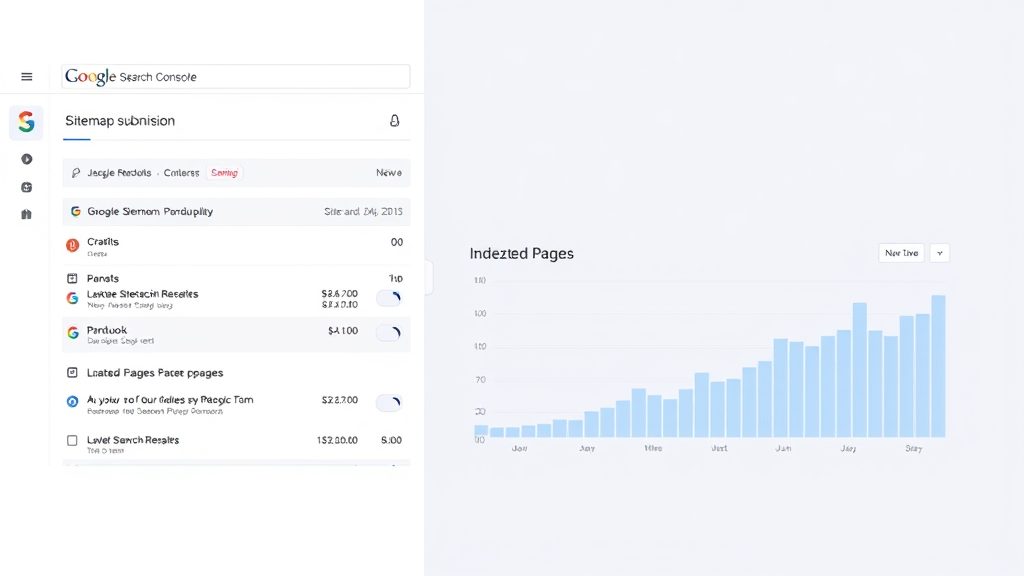
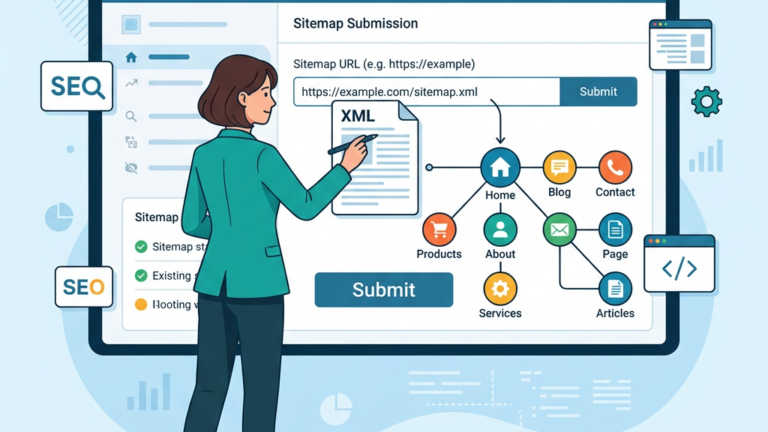
Image: Submitting your sitemap through Google Search Console
For more on this topic, check out our Joomla SEO guide.
To bridge our Joomla site with Google Search Console, we first verify ownership using the recommended HTML tag or DNS record. Once verified, the console becomes a window into how Google perceives our pages. We treat this connection like a handshake between two partners, each acknowledging the other’s presence.
Within the console we navigate to the “Sitemaps†section, where we can add the URL of the XML file generated by JSitemap Pro. The interface prompts us to confirm the URL, after which Google begins to fetch and parse the file. This step feels like sending a messenger into the digital wilderness, carrying a map of our domain.
We also enable the “Crawl stats†view to monitor how often Googlebot visits our site and which resources it retrieves. By watching these metrics, we gain insight into the health of our crawl budget. The data paints a picture of activity, much like a weather map forecasting the next storm.
Our sitemap URL typically follows the pattern https://www.example.com/sitemap.xml. We paste this address into the submission field and click “Submit.†Google then queues the file for processing, and a status indicator appears next to the entry. This visual cue reassures us that the submission is underway.
If the console reports a successful fetch, we can click on the sitemap to view a summary of indexed URLs. The summary includes counts of discovered, submitted, and indexed pages, offering a quick health check. We treat this snapshot as a report card, reflecting the performance of our SEO efforts.
Should any errors appear—such as unreachable URLs or malformed XML—we receive detailed messages that point us to the offending lines. We promptly correct the issues in JSitemap Pro’s settings and resubmit the sitemap. This iterative loop mirrors a sculptor refining a masterpiece, chip by careful chip.
After submission, we regularly review the “Coverage†report to see which pages are indexed, excluded, or flagged with errors. The report categorizes issues like “soft 404†or “duplicate content,†allowing us to prioritize fixes. We approach these findings as clues in a mystery, each one guiding us toward a clearer picture.
When we encounter “Submitted URL not found (404)†errors, we verify that the corresponding content still exists in Joomla. If the page was intentionally removed, we update the sitemap to exclude it, preventing future confusion. This housekeeping ensures that our sitemap remains a reliable guide for crawlers.
We also keep an eye on “Crawl anomalies†that may indicate server timeouts or permission problems. By addressing these anomalies promptly, we maintain a smooth flow of information between our site and Google. The ongoing monitoring feels like tending a garden, pruning weeds before they overrun the beds.
For more on this topic, check out our Joomla SEO extensions.
The XML sitemap relies on a handful of tags: , , , , , and . Each entry encapsulates a single page, with
We ensure that the XML declaration at the top of the file specifies the correct version and encoding, typically . This header signals to parsers that the document follows standard conventions. Ignoring this step can lead to parsing failures, much like a missing key in a lock.
All URLs must be fully qualified, including the protocol (https://). Relative paths are not accepted and will cause Google to discard the entry. By adhering to this rule we keep the sitemap tidy and unambiguous, a lighthouse guiding ships safely to shore.
The Sitemaps.org protocol specifies a maximum file size of 50 MB (uncompressed) and a hard limit of 50,000 URLs per sitemap. Exceeding these thresholds can cause Google to truncate the file, leaving some pages unindexed. We monitor the size of our generated sitemap to stay within these bounds.
When our site grows beyond the limit, we split the content into multiple sitemap files, each respecting the size and URL constraints. This division is akin to dividing a long novel into chapters, each manageable on its own. The resulting collection offers easier for crawlers to digest.
We also consider compressing the sitemap using gzip, which reduces bandwidth consumption without altering the XML structure. Google accepts .xml.gz files, making the compressed version a lightweight messenger. This practice mirrors folding a large map into a pocket‑sized brochure.
A sitemap index file (sitemap_index.xml tags. By pointing Google to the index, we hand over a directory of maps rather than a single, unwieldy file. ) lists the individual sitemap files we have created. The index itself follows a simple XML schema, containing entries with and
We generate the index automatically using JSitemap Pro, which updates the list whenever a new sitemap is added or an old one is removed. This automation ensures that the index always reflects the current state of our site. It feels like a librarian constantly updating the catalogue as new books arrive.
When we submit the index URL to Google Search Console, the engine crawls each referenced sitemap in turn. This hierarchical approach improves crawl efficiency and reduces the risk of missing URLs. The process resembles a train system, where the main station directs passengers to the appropriate branch lines.
For more on this topic, check out our Joomla multilingual.
Hreflang tags inform search engines about language and regional variants of a page, preventing duplicate‑content penalties. In a sitemap, we can embed
We ensure that each language version references all other alternatives, creating a fully connected network of translations. This reciprocal linking helps Google understand the relationship between pages, much like a multilingual conversation where each participant acknowledges the others.
When a page lacks a proper hreflang tag, Google may serve the wrong language to users, diminishing the user experience. By maintaining accurate tags in our sitemap, we guide the engine to the right destination. The result is a smoother journey for international visitors.
JSitemap Pro allows us to generate separate sitemap files for each language we support in Joomla. We select the desired language in the extension’s settings, and the tool compiles a list of URLs belonging to that language group. This segregation mirrors a bookshelf organized by language, making it easy to locate the right volume.
We then create a master index that references each language‑specific sitemap, using the
During testing, we verify that the language sitemaps contain only URLs with the correct language code in their path or query string. Any stray URLs are removed to avoid confusion. This meticulous curation ensures that each language version receives the attention it deserves.
One frequent error is mixing URLs from different languages into a single sitemap, which can dilute the relevance signals for each language. We avoid this by carefully filtering content based on Joomla’s language tags before generating the sitemap. The result is a cleaner, more focused map for each audience.
Another pitfall is neglecting to update hreflang entries when a page is moved or renamed. Outdated links can lead to “orphaned†language references, confusing both users and search engines. We set up a routine check after major site restructures to keep the tags in sync.
Finally, some sites forget to submit each language sitemap to Google Search Console, assuming the index will cover everything. While the index does point to the files, submitting them individually provides clearer reporting on indexing status per language. This practice gives us a granular view of how each locale performs in search results.
We start by identifying pages that offer little unique value, such as tag clouds or autogenerated archives. These thin pages can waste crawl budget and may be flagged as low‑quality. By excluding them from the sitemap, we keep the focus on high‑impact content.
Duplicate content often arises from parameters that create multiple URLs for the same article. We use Joomla’s URL routing options to canonicalize these links, then tell JSitemap Pro to ignore the non‑canonical versions. This approach reduces redundancy, much like pruning duplicate branches from a tree.
We also audit third‑party extensions that may generate auxiliary pages we do not wish to index. In the extension’s settings we can uncheck the “Include in sitemap†option for those components. The resulting sitemap becomes a leaner, more purposeful document.
The robots.txt meta tags where appropriate. This dual strategy ensures that unwanted pages stay out of search results. file can disallow crawling of specific directories while still allowing their URLs to appear in the sitemap. However, we prefer to keep the sitemap clean, so we combine noindexrobots.txt directives with
When we add a noindex tag to a page, we also remove its entry from the sitemap to avoid sending mixed signals to crawlers. This coordination mirrors a conductor signaling a pause in a musical piece, ensuring all instruments are in sync.
We regularly test our robots.txt file using Google’s testing tool to confirm that the directives behave as expected. Any misconfiguration can unintentionally block important pages, so we treat the file as a delicate instrument that requires careful tuning.
Automatic generation offers speed and convenience, especially for large sites that change frequently. JSitemap Pro monitors content changes and rebuilds the sitemap in the background, keeping it up‑to‑date without manual intervention. This process feels like a river that constantly refreshes its course.
Manual control, on the other hand, gives us the ability to fine‑tune every entry, adding custom last‑mod dates or priority values that the auto‑generator might overlook. We sometimes export the XML, edit it in a text editor, and re‑import it to the extension. This hands‑on approach resembles a craftsman polishing a piece of furniture to perfection.
We often adopt a hybrid strategy: let the auto‑generator handle the bulk of the site while we manually adjust high‑value pages such as product landing pages or seasonal promotions. This balance lets us enjoy the efficiency of automation without sacrificing precision where it matters most.
How do we create an XML sitemap in Joomla?
We install a sitemap extension such as JSitemap Pro, configure the content types we want to include, and let the extension generate the sitemap.xml. file automatically. The file can then be accessed via a simple URL like https://www.example.com/sitemap.xml
What is the best Joomla sitemap extension?
JSitemap Pro stands out for its flexibility, multilingual support, and easy integration with Google Search Console. It offers both automatic and manual controls, allowing us to tailor the sitemap to our exact needs.
How do we submit a Joomla sitemap to Google?
After verifying site ownership in Google Search Console, we navigate to the “Sitemaps†section, paste the sitemap URL, and click “Submit.†Google will then fetch and process the file, providing status updates in the console.
Can Joomla generate a sitemap automatically?
Yes, extensions like JSitemap Pro monitor content changes and regenerate the XML file without manual intervention, ensuring the sitemap stays current as we add or remove pages.
How many URLs can an XML sitemap contain?
A single sitemap may hold up to 50,000 URLs or 50 MB uncompressed. For larger sites we create multiple sitemaps and reference them with a sitemap index file.