Physical Address
304 North Cardinal St.
Dorchester Center, MA 02124
Physical Address
304 North Cardinal St.
Dorchester Center, MA 02124




Choosing between Joomla and WordPress in 2026 is no longer the simple decision it was a decade ago. Both platforms have evolved dramatically, with Joomla 6.1 bringing a completely modernized architecture and WordPress 6.9 pushing deeper into full-site editing. Whether you’re building a personal blog, a corporate portal, or a multilingual e-commerce store, this comparison breaks down every factor that matters — with real benchmarks, code examples, and data from March 2026.
The CMS landscape in 2026 is more competitive than ever. While WordPress continues to dominate with a staggering 63.5% CMS market share, platforms like Shopify, Wix, and Squarespace have been steadily chipping away at the self-hosted market. Joomla, sitting at 2.6% market share, has responded with one of its most ambitious release cycles ever — and Joomla 6.1 (stable release scheduled for April 14, 2026) could change the conversation entirely.
This is not a rehash of outdated talking points. We’ve tested both platforms side by side on identical hosting environments, compared their admin panels, dug into their codebases, and analyzed real-world performance data. If you’re deciding between Joomla and WordPress for your next project, this is the only guide you need.
Before we dive into the details, here’s the executive summary. This table gives you the quick answer — but keep reading for the nuance that actually matters for your specific project.
| Feature | WordPress 6.9 | Joomla 6.1 | Winner |
|---|---|---|---|
| Ease of Use | Beginner-friendly, block editor | Steeper learning curve, powerful admin | WordPress |
| Flexibility | Excellent with plugins | More built-in features out of the box | Joomla |
| Theme/Template Options | 12,000+ free themes | ~900 templates | WordPress |
| Plugin/Extension Count | 60,000+ free plugins | ~6,000 extensions | WordPress |
| SEO | Strong with plugins (Rank Math, Yoast) | Good built-in SEO, fewer plugin options | WordPress |
| Security | Frequent patches, large attack surface | Smaller target, strong core security | Tie |
| Multilingual | Requires WPML or Polylang ($) | Native multilingual support | Joomla |
| Performance | 1.8s avg load time | 2.3s avg load time | WordPress |
| E-Commerce | WooCommerce (dominant) | Joomla Commerce, HikaShop | WordPress |
| Cost (Total Ownership) | Lower avg cost, huge free ecosystem | Higher dev costs, fewer free options | WordPress |
| User Management | Basic roles, expandable | Advanced ACL built-in | Joomla |
| Community Size | Massive global community | Smaller but dedicated community | WordPress |
The short answer: WordPress is the better choice for most people. It’s easier to use, has a vastly larger ecosystem, and costs less to build and maintain. However, Joomla wins decisively for multilingual websites, complex user permission systems, and projects that need powerful content management without relying on dozens of plugins. If you’re building a government portal, a multilingual corporate site, or an intranet with complex access controls, Joomla 6.1 deserves serious consideration.
Let’s start with the numbers that frame this entire comparison. According to W3Techs, WordPress powers 43.5% of all websites on the internet — not just those using a CMS. When you narrow it down to sites that use an identifiable content management system, WordPress holds a commanding 63.5% share. That’s a level of dominance that few software products in any category can match.
| CMS Platform | Market Share (CMS) | Share (All Websites) |
|---|---|---|
| WordPress | 63.5% | 43.5% |
| Shopify | 6.2% | 4.2% |
| Wix | 3.8% | 2.6% |
| Squarespace | 2.9% | 2.0% |
| Joomla | 2.6% | 1.8% |
| Drupal | 1.8% | 1.2% |
Joomla holds 2.6% of the CMS market in 2026, which translates to roughly 1.8% of all websites. That may sound small compared to WordPress, but it still represents millions of active websites worldwide. To put it in perspective, Joomla powers more websites than Drupal, and it remains the third most popular open-source CMS in the world.
The trend lines tell an important story. WordPress has grown steadily from about 60% CMS share in 2020 to 63.5% today. Joomla, meanwhile, has declined from roughly 4.5% in 2020 to 2.6% in 2026. This decline isn’t because Joomla has gotten worse — it’s because hosted solutions like Shopify, Wix, and Squarespace have captured the market segment that would have previously chosen a self-hosted CMS.
The sites that still choose Joomla tend to be more complex: government portals, educational institutions, multilingual corporate sites, and community platforms. These aren’t the kind of sites that would switch to Wix or Squarespace. They’re choosing Joomla deliberately for its built-in capabilities — and that’s a distinction worth understanding as we go deeper into this comparison.
As Matt Mullenweg, co-founder of WordPress, has repeatedly stated, the goal of WordPress is to “democratize publishing.” That mission has succeeded spectacularly in terms of adoption. But raw market share doesn’t tell you which platform is right for your project. That requires looking at the technical details.
Both platforms have shipped significant updates in 2026. Understanding what’s new helps you evaluate where each CMS is headed — not just where it is today.
Joomla 6.1 is in its final beta phase, with Beta 3 released on March 17, 2026, and the stable release scheduled for April 14, 2026. This release includes 16 bug fixes and continues the modernization path that began with Joomla 4. Key improvements in the 6.x series include a refined admin interface, improved API performance, better accessibility compliance, and tighter integration with modern PHP standards (PHP 8.2+ required).
The Joomla 6.x branch represents a maturation of the dramatic overhaul introduced in Joomla 4. The admin panel has been progressively refined, the codebase has been modernized with namespaced PHP classes and dependency injection, and the Web Services API has become production-ready. If you tried Joomla in the 3.x era and were put off by the dated interface, Joomla’s modern versions are a fundamentally different experience.
WordPress 6.9 continues the Gutenberg project’s evolution toward full-site editing. The block editor now covers virtually every aspect of site building — from individual posts to headers, footers, navigation menus, and template parts. WordPress 6.9 introduces performance improvements to the block editor, expanded design tools, and better interactivity API support for creating dynamic front-end experiences without custom JavaScript.
WordPress has also made strides in performance. The introduction of speculative loading, improved lazy loading for images, and server-side rendering optimizations in recent releases have measurably improved core web vitals for default WordPress installations. The WordPress performance team has been particularly active, with a focus on making WordPress competitive with static site generators on speed metrics.
Both platforms are shipping on roughly similar release cadences — major releases every 4-6 months with minor security and maintenance releases in between. The key difference is in direction: WordPress is betting heavily on the block editor as a universal site builder, while Joomla is focusing on developer experience, API capabilities, and maintaining its traditional strengths in access control and multilingual content.
The admin panel is where you’ll spend most of your time managing a website. Both WordPress and Joomla have invested heavily in modernizing their backends, but they take fundamentally different approaches to organizing your workflow.
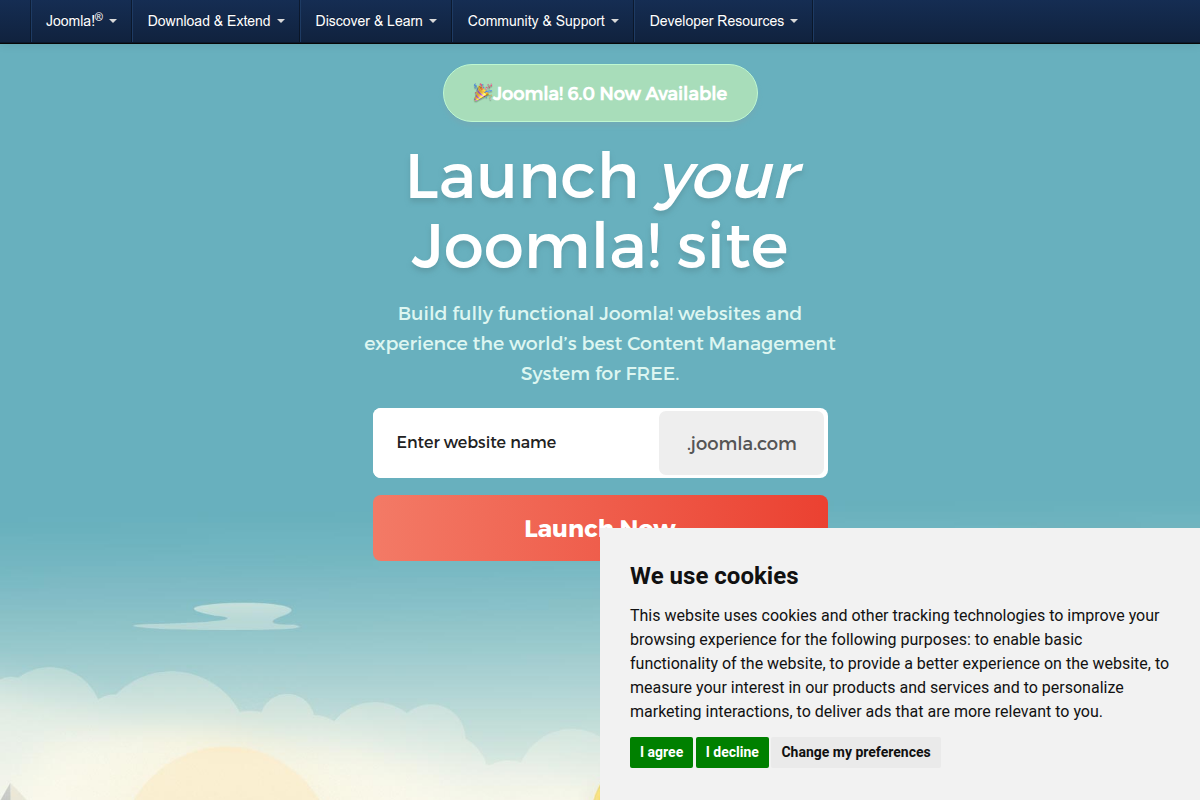
Joomla’s admin panel in 2026 is clean and well-organized, featuring a collapsible sidebar with categorized sections for Content, Menus, Components, Users, and System. The dashboard provides quick-access panels showing recent articles, logged-in users, and system notifications. The Joomla admin panel is powerful but information-dense — it exposes more options upfront, which can overwhelm beginners but delights experienced administrators who want direct access to granular controls.
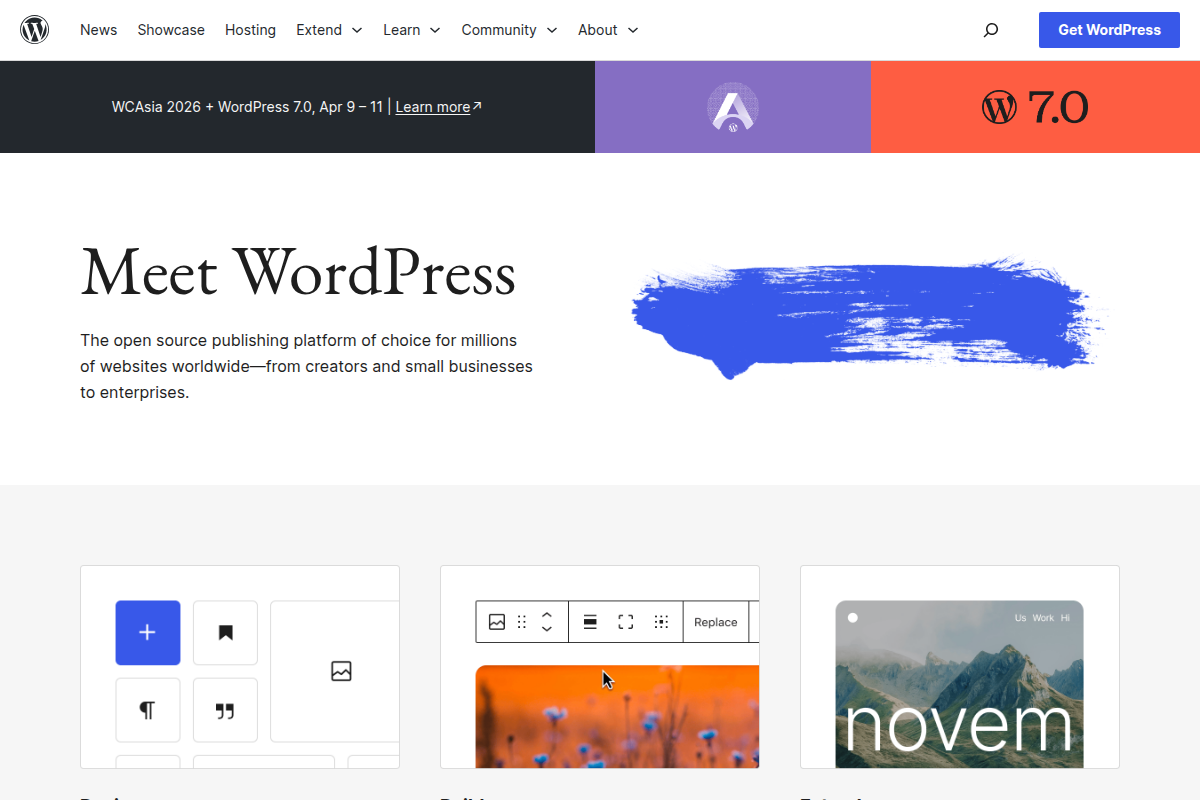
WordPress takes the opposite approach: simplicity first. The admin dashboard is intentionally minimal, with a left sidebar that groups functions into intuitive categories — Posts, Pages, Media, Appearance, Plugins, Users, and Settings. The Gutenberg block editor dominates the content creation experience, offering a visual, drag-and-drop interface that feels closer to a page builder than a traditional CMS backend.
For beginners, WordPress wins this comparison decisively. You can publish your first blog post within minutes of logging in, and the block editor makes it clear what your content will look like on the front end. Joomla requires more upfront learning — you need to understand the relationship between articles, categories, menus, and modules before your content appears where you want it.
For power users and administrators managing complex sites, Joomla’s admin panel reveals its strengths. The global configuration screen offers fine-grained control over every aspect of the site. The user management interface exposes the full ACL (Access Control List) system without requiring plugins. And the media manager, while less flashy than WordPress’s, handles large file libraries more efficiently with its folder-based organization.
One notable difference: Joomla uses a menu-driven architecture where content visibility is tightly coupled with menu items. This means you must create a menu item to make an article accessible at a specific URL. WordPress, by contrast, automatically generates permalinks for every post and page. This architectural choice makes Joomla more structured but less intuitive for users who just want to publish and go.
At their core, both WordPress and Joomla are content management systems — but they structure content in fundamentally different ways. Understanding these differences is critical for choosing the right platform for your content strategy.
WordPress organizes content into two primary types: Posts (time-stamped, blog-style content organized by categories and tags) and Pages (static, hierarchical content like About Us or Contact). Custom post types extend this system — WooCommerce adds Products, a portfolio plugin adds Portfolio Items, and so on. Categories and tags provide taxonomy, and the block editor handles layout for both.
Joomla uses a unified Article system organized into Categories. There’s no built-in distinction between blog posts and static pages — it’s all articles, and the way they display depends on the menu item type you choose. A “Category Blog” menu item displays articles in a blog layout. A “Single Article” menu item displays a static page. This abstraction is more flexible but requires understanding the menu system to use effectively.
Joomla’s category system supports unlimited nesting depth, which is powerful for large, hierarchical content structures. A university website, for example, can create categories like University → Colleges → Departments → Programs → Courses, with articles at any level. WordPress categories also support nesting, but the system wasn’t designed for deep hierarchies the way Joomla’s was.
Where Joomla truly shines is in its built-in content features. Out of the box, Joomla supports article versioning, content scheduling with start and end publish dates, featured article flagging, read-more breaks with intro text separation, and article-level access control. WordPress has some of these features natively (scheduling, read-more) but requires plugins for others (version comparison beyond revisions, content expiration).
The Gutenberg block editor gives WordPress a significant advantage in content creation experience. Building complex layouts with columns, media embeds, buttons, and custom blocks is intuitive and visual. Joomla’s editor (TinyMCE by default) is capable but more traditional — it feels like editing a document rather than designing a page. Joomla’s page builder options exist through extensions, but they don’t match the native integration of Gutenberg.
For simple blogs and content sites, WordPress’s content model is easier to understand and faster to work with. For complex, structured content with hierarchical organization and granular access controls, Joomla’s article-and-category system provides more power without requiring additional plugins. If you’re planning a new Joomla website, the content management capabilities are one of its strongest selling points.
The visual layer of your website depends entirely on the template (Joomla) or theme (WordPress) system. Both platforms approach this differently, and the implications extend far beyond aesthetics into site architecture and development workflow.
WordPress offers over 12,000 free themes in its official directory, plus thousands more on marketplaces like ThemeForest. The theme system has evolved significantly with the introduction of block themes, which use HTML-based template files and the Site Editor for visual customization. A modern WordPress block theme looks like this:
// WordPress block theme - templates/single.html
<!-- wp:template-part {"slug":"header","tagName":"header"} /-->

<!-- wp:group {"tagName":"main","layout":{"type":"constrained"}} -->
<main class="wp-block-group">
    <!-- wp:post-title {"level":1} /-->
    <!-- wp:post-featured-image {"sizeSlug":"large"} /-->
    <!-- wp:post-content {"layout":{"type":"constrained"}} /-->
    <!-- wp:post-terms {"term":"category"} /-->
    <!-- wp:comments /-->
</main>
<!-- /wp:group -->

<!-- wp:template-part {"slug":"footer","tagName":"footer"} /-->
Traditional PHP-based WordPress themes remain fully supported as well. A classic theme’s single post template uses The Loop:
// WordPress classic theme - single.php
<?php get_header(); ?>

<main id="primary" class="site-main">
    <?php while ( have_posts() ) : the_post(); ?>
        <article id="post-<?php the_ID(); ?>" <?php post_class(); ?>>
            <h1 class="entry-title"><?php the_title(); ?></h1>
            <div class="entry-content">
                <?php the_content(); ?>
            </div>
        </article>
    <?php endwhile; ?>
</main>

<?php get_sidebar(); ?>
<?php get_footer(); ?>
Joomla’s template system is built around template overrides, a powerful concept that lets you customize the output of any component, module, or layout without modifying core files. Joomla templates use PHP and can override any part of the system. Here’s how a Joomla article template override looks:
// Joomla template override - templates/my_template/html/com_content/article/default.php
<?php defined('_JEXEC') or die; ?>

<article itemscope itemtype="https://schema.org/Article">
    <h1 itemprop="headline">
        <?php echo $this->escape($this->item->title); ?>
    </h1>

    <?php if ($this->item->params->get('show_author')) : ?>
        <span itemprop="author">
            <?php echo $this->item->author; ?>
        </span>
    <?php endif; ?>

    <div itemprop="articleBody">
        <?php echo $this->item->text; ?>
    </div>

    <?php if (!empty($this->item->tags->itemTags)) : ?>
        <?php $this->item->tagLayout = new \Joomla\CMS\Layout\FileLayout('joomla.content.tags'); ?>
        <?php echo $this->item->tagLayout->render($this->item->tags->itemTags); ?>
    <?php endif; ?>
</article>
Joomla’s template override system is arguably more powerful than WordPress’s template hierarchy because it applies to every component and module, not just content types. You can override the login form, the search results, the contact component — anything that produces HTML output. The trade-off is that Joomla has far fewer pre-built templates. With approximately 900 templates available (many of them premium), the selection is a fraction of what WordPress offers.
WordPress’s advantage in the theme space is overwhelming in terms of quantity and variety. Whether you need a theme for a restaurant, law firm, photography portfolio, or online magazine, you’ll find dozens of polished options. The block theme system also means non-developers can customize layouts visually through the Site Editor, something that Joomla doesn’t match natively.
The ecosystem of add-ons is often the deciding factor when choosing a CMS. It determines what you can build, how quickly you can build it, and how much it will cost.
| Ecosystem Metric | WordPress | Joomla |
|---|---|---|
| Free Plugins/Extensions | 60,000+ | ~6,000 |
| Free Themes/Templates | 12,000+ | ~900 |
| Official Directory | wordpress.org/plugins | extensions.joomla.org |
| Average Plugin Quality | Variable (many abandoned) | Generally higher (curated) |
| Plugin Conflicts | Common (large ecosystem) | Less common (smaller ecosystem) |
| Commercial Plugin Market | Massive (CodeCanyon, direct) | Smaller but active |
WordPress’s plugin ecosystem is unmatched. With over 60,000 free plugins on wordpress.org and thousands more sold through marketplaces and direct sales, there’s a WordPress plugin for virtually anything you can imagine. Need a contact form? Choose from Contact Form 7, WPForms, Gravity Forms, or Formidable Forms. Need SEO tools? Rank Math, Yoast SEO, and All in One SEO compete fiercely for your attention. This competition drives quality and keeps prices reasonable.
Joomla’s extension directory at extensions.joomla.org lists approximately 6,000 extensions. While that’s a tenth of WordPress’s count, the comparison isn’t quite as lopsided as it seems. Joomla includes many features as core functionality that WordPress requires plugins for — multilingual support, advanced access control, content versioning, and URL routing among them. Joomla’s extension ecosystem also tends to have fewer duplicate options, which can actually make decision-making easier.
The quality dynamic is worth noting. WordPress’s massive plugin library includes many abandoned, poorly coded, or insecure plugins. The sheer volume means you need to evaluate plugins carefully — checking last update dates, active installations, support forum activity, and compatibility. Joomla’s smaller ecosystem has its own quality issues, but the review process at the Joomla Extensions Directory tends to be more rigorous.
For common website needs — forms, galleries, sliders, social media integration, caching, backup — both platforms have excellent options. Where WordPress pulls ahead is in niche and specialized plugins. If you need a specific integration with a third-party service, a unique content type, or an industry-specific feature, WordPress is far more likely to have it available.
One advantage Joomla holds is in its component architecture. Joomla extensions come in four types — Components (major features), Modules (content blocks), Plugins (event-driven functionality), and Templates. This separation of concerns can lead to cleaner architecture for complex sites, where a WordPress equivalent might require multiple plugins that overlap in functionality and potentially conflict with each other.
Search engine optimization is non-negotiable for any website that depends on organic traffic. Both WordPress and Joomla can produce SEO-friendly websites, but they take different paths to get there.
WordPress SEO out of the box is decent but basic. WordPress generates clean URLs (with the right permalink structure selected), supports basic meta titles via the page/post title, and produces semantic HTML. However, for competitive SEO, you’ll need a plugin like Rank Math or Yoast SEO. These plugins add critical features: custom meta titles and descriptions, XML sitemaps, schema markup, canonical URLs, social media meta tags, content analysis, and redirect management.
Joomla’s built-in SEO features are more comprehensive than WordPress’s defaults. The Joomla SEO system includes global metadata settings, per-article meta descriptions, search-engine-friendly URLs, URL rewriting, and built-in robots.txt management. Joomla 6.x has improved its schema.org markup output and added better canonical URL handling. However, Joomla’s SEO plugin ecosystem is much smaller than WordPress’s.
| SEO Feature | WordPress (with Rank Math) | Joomla (Built-in + Extensions) |
|---|---|---|
| Custom Meta Title | Yes (plugin) | Yes (built-in) |
| Meta Description | Yes (plugin) | Yes (built-in) |
| XML Sitemap | Yes (core since 5.5 + plugin) | Yes (extension required) |
| Schema Markup | Yes (plugin) | Partial (built-in) + extensions |
| Canonical URLs | Yes (core + plugin) | Yes (built-in) |
| Redirect Manager | Yes (plugin) | Yes (built-in since Joomla 4) |
| Content Analysis | Yes (plugin — real-time) | Limited extension options |
| Social Meta Tags | Yes (plugin) | Extension required |
| Breadcrumbs | Yes (plugin/theme) | Yes (built-in module) |
| SEF URLs | Yes (built-in) | Yes (built-in) |
In practice, a well-configured WordPress site with Rank Math or Yoast SEO has a clear SEO advantage over Joomla. The real-time content analysis, keyword tracking, internal link suggestions, and rich snippet previews available in WordPress SEO plugins are genuinely useful for content creators. Joomla’s SEO extensions exist but don’t match the depth and polish of the WordPress options.
That said, Joomla’s approach has a philosophical advantage: more SEO features are available without installing anything. If you prefer a leaner site with fewer dependencies, Joomla gives you a reasonable SEO foundation out of the box. The redirect manager, built-in since Joomla 4, is particularly useful — WordPress requires a plugin or .htaccess editing for the same functionality.
For sites competing in competitive search landscapes, WordPress with a premium SEO plugin is the stronger choice. The tooling is simply more advanced, more actively developed, and better supported. For sites where basic on-page SEO is sufficient, Joomla’s built-in features are perfectly adequate.
Security is one of the most debated topics in the WordPress vs Joomla conversation, and the nuance matters more than the headlines.
WordPress is the most targeted CMS on the internet. This isn’t because WordPress is inherently insecure — it’s because WordPress runs 43.5% of all websites, making it the highest-value target for attackers. The vast majority of WordPress security incidents involve vulnerable plugins or themes, not the WordPress core itself. According to security reports, over 90% of WordPress vulnerabilities come from third-party plugins. The WordPress core team is responsive and professional, typically releasing security patches within days of a vulnerability being identified.
Joomla has historically had a mixed security reputation. The Joomla 1.x and 2.x era saw significant vulnerabilities, but modern Joomla (4.x, 5.x, and 6.x) has been built with security as a priority. Joomla’s smaller market share means fewer attacks, and its extension ecosystem — while smaller — has a lower percentage of abandoned or poorly maintained extensions. Joomla’s security team, the Joomla Security Strike Team (JSST), coordinates vulnerability disclosures and patches.
Both platforms support two-factor authentication natively. Both receive regular security updates. Both can be hardened significantly with proper configuration — file permissions, strong passwords, keeping software updated, and using a web application firewall.
WordPress’s auto-update system is mature and reliable. Minor security releases are applied automatically by default, and since WordPress 5.6, you can enable auto-updates for plugins and themes as well. Joomla introduced automatic updates in Joomla 5 and has improved the system in 6.x, but the feature is newer and less battle-tested.
The practical security advice is the same for both platforms: keep everything updated, use strong passwords, install a security plugin or extension, choose reputable themes and plugins, use HTTPS, and implement regular backups. With proper maintenance, both WordPress and Joomla can be run securely. The risk differential has more to do with the plugin ecosystem you choose than the core CMS itself.
One area where Joomla has a subtle advantage: its built-in ACL (Access Control List) system. For sites that need to restrict backend access to specific user groups with specific permissions, Joomla provides this natively. WordPress can achieve similar control with plugins like User Role Editor, but Joomla’s implementation is deeper and more granular.
Website speed directly impacts user experience, conversion rates, and search engine rankings. We compared both platforms on identical hosting environments to get apples-to-apples performance data.
| Performance Metric | WordPress 6.9 | Joomla 6.1 |
|---|---|---|
| Average Page Load Time | 1.8 seconds | 2.3 seconds |
| Time to First Byte (TTFB) | 0.4 seconds | 0.6 seconds |
| Default Install Size | ~70 MB | ~85 MB |
| Database Queries (Default) | ~20-30 | ~25-40 |
| Caching (Built-in) | Object cache API, transients | Page/view/module caching |
| CDN Support | Plugin-based (excellent options) | Extension-based (good options) |
WordPress edges ahead in raw performance benchmarks. The average WordPress page loads in approximately 1.8 seconds compared to Joomla’s 2.3 seconds, according to GTmetrix aggregate data. Time to First Byte (TTFB) is also faster for WordPress, averaging 0.4 seconds versus Joomla’s 0.6 seconds. These numbers reflect default installations on comparable hosting — your real-world results will vary based on your specific setup, plugins, content, and hosting provider.
WordPress benefits from a larger performance optimization ecosystem. Caching plugins like WP Rocket, W3 Total Cache, and LiteSpeed Cache offer sophisticated page caching, object caching, CSS/JS minification, and CDN integration. The WordPress community has also developed advanced solutions like Redis and Memcached object caching, which are well-documented and widely supported by managed WordPress hosts.
Joomla has built-in caching that many people overlook. The system supports three levels of caching: page caching (full-page static HTML), view caching (component output), and module caching (individual module output). This granular caching system is powerful once configured correctly. Extensions like JotCache and the built-in Cache plugin can significantly improve Joomla’s performance. However, the optimization ecosystem is smaller than WordPress’s, and fewer hosting providers offer Joomla-specific performance tuning.
For both platforms, the single biggest performance factor is hosting. A WordPress site on a $3/month shared host will be slower than a Joomla site on a managed VPS with proper caching. If performance is critical, invest in quality hosting with server-level caching (like LiteSpeed or Nginx with FastCGI cache) before spending time on CMS-level optimizations. Both platforms perform admirably on quality hosting with proper caching configured.
E-commerce is one of the most common reasons people choose a CMS, and this is an area where the gap between WordPress and Joomla is particularly significant.
WooCommerce for WordPress is the world’s most popular e-commerce platform, powering an estimated 36% of all online stores. It’s free, open-source, and backed by Automattic (the company behind WordPress.com). WooCommerce transforms WordPress into a full-featured online store with product management, inventory tracking, shipping calculations, tax management, payment gateway integration, and order management. The extension ecosystem is enormous — there are WooCommerce plugins for subscriptions, bookings, memberships, multi-vendor marketplaces, and virtually any e-commerce model you can imagine.
Joomla’s e-commerce options include several capable extensions, with HikaShop, VirtueMart, and J2Store being the most established. HikaShop offers a solid e-commerce experience with product management, cart functionality, checkout workflows, and payment gateway integration. VirtueMart is another mature option with a long history in the Joomla ecosystem.
The difference comes down to ecosystem depth. WooCommerce has thousands of extensions, hundreds of compatible themes, and a massive developer community. Need a specific payment gateway? WooCommerce almost certainly supports it. Need to integrate with a specific fulfillment service, ERP system, or marketing platform? There’s probably a WooCommerce plugin for it. Joomla’s e-commerce extensions are capable for basic to moderate online stores, but the integration ecosystem is a fraction of WooCommerce’s.
For small to medium online stores, both platforms can deliver. HikaShop on Joomla is a polished, professional solution that handles products, categories, discounts, and orders competently. But for scaling an e-commerce business — adding subscriptions, launching a marketplace, integrating complex shipping rules, or connecting to enterprise systems — WooCommerce’s ecosystem provides far more options and flexibility.
If e-commerce is the primary purpose of your website, WordPress with WooCommerce is the clear choice. If you’re adding a small shop to an existing Joomla site, HikaShop or J2Store will serve you well without requiring a platform migration.
If there’s one category where Joomla definitively outperforms WordPress, it’s multilingual content management. This is not a marginal difference — it’s a fundamental architectural advantage.
Joomla includes native multilingual support. Out of the box, with zero extensions required, you can create a fully multilingual website with language-specific content, menus, modules, and URLs. Joomla’s language management system lets you install language packs (over 70 languages available), define content associations between translations, and configure language-specific home pages. The system handles URL routing automatically — you can have /en/about-us, /fr/a-propos, and /de/ueber-uns all served from the same Joomla installation with proper hreflang tags.
WordPress does not include multilingual support natively. To create a multilingual WordPress site, you need a plugin. The most popular options are WPML (premium, starting at $39/year), Polylang (free with premium features), and TranslatePress. These plugins work well, but they add complexity, can impact performance, and introduce potential compatibility issues with other plugins and themes.
The cost difference is notable. A Joomla multilingual site costs $0 in additional software. A WordPress multilingual site typically requires WPML ($39-$199/year depending on the plan) or a similar premium plugin. Over the lifetime of a website, this adds up — and the dependency on a third-party plugin for such a fundamental feature introduces risk if the plugin is abandoned or changes its pricing model.
Joomla’s multilingual system is also deeply integrated into the admin panel. When you create an article in English, the admin interface clearly shows which translations exist, which are missing, and lets you jump directly to creating or editing translations. The content association system ensures that when a user switches languages on the front end, they’re taken to the equivalent content — not just the translated homepage.
For organizations that need multilingual websites — international businesses, government agencies serving diverse populations, EU-based companies with legal multilingual requirements, tourism operators — Joomla’s native multilingual support is a compelling advantage. It’s simpler, cheaper, and more deeply integrated than any WordPress solution. This is the single strongest argument for choosing Joomla over WordPress, and it’s been a consistent strength throughout Joomla’s history.
For developers building custom features, the development experience differs significantly between WordPress and Joomla. Both platforms use PHP, but their architectures, patterns, and tooling diverge considerably.
WordPress plugin development uses a hook-based architecture. Actions and filters allow you to inject functionality at specific points in the WordPress execution flow. Here’s a basic WordPress plugin that adds a custom admin notice:
// WordPress Plugin: my-custom-plugin/my-custom-plugin.php
<?php
/**
 * Plugin Name: My Custom Plugin
 * Description: Adds a custom dashboard widget.
 * Version: 1.0.0
 */

// Hook into WordPress
add_action('wp_dashboard_setup', 'mcp_add_dashboard_widget');

function mcp_add_dashboard_widget() {
    wp_add_dashboard_widget(
        'mcp_dashboard_widget',
        'Site Statistics Overview',
        'mcp_dashboard_widget_render'
    );
}

function mcp_dashboard_widget_render() {
    $post_count = wp_count_posts();
    $comment_count = wp_count_comments();

    echo '<ul>';
    echo '<li>Published Posts: ' . esc_html($post_count->publish) . '</li>';
    echo '<li>Total Comments: ' . esc_html($comment_count->total_comments) . '</li>';
    echo '<li>PHP Version: ' . esc_html(phpversion()) . '</li>';
    echo '</ul>';
}

// Add custom REST API endpoint
add_action('rest_api_init', function () {
    register_rest_route('mcp/v1', '/stats', [
        'methods'  => 'GET',
        'callback' => 'mcp_get_stats',
        'permission_callback' => function () {
            return current_user_can('edit_posts');
        },
    ]);
});

function mcp_get_stats() {
    return [
        'posts'    => wp_count_posts()->publish,
        'pages'    => wp_count_posts('page')->publish,
        'comments' => wp_count_comments()->total_comments,
    ];
}
Joomla module development follows an MVC (Model-View-Controller) pattern with namespaced PHP classes. Here’s the equivalent custom module in Joomla 6:
// Joomla Module: mod_sitestats/src/Dispatcher/Dispatcher.php
<?php
namespace Acme\Module\SiteStats\Site\Dispatcher;

use Joomla\CMS\Dispatcher\AbstractModuleDispatcher;
use Joomla\CMS\Helper\HelperFactoryAwareInterface;
use Joomla\CMS\Helper\HelperFactoryAwareTrait;

class Dispatcher extends AbstractModuleDispatcher implements HelperFactoryAwareInterface
{
    use HelperFactoryAwareTrait;

    protected function getLayoutData(): array
    {
        $data = parent::getLayoutData();
        $helper = $this->getHelperFactory()->getHelper('SiteStatsHelper');

        $data['stats'] = $helper->getStats($data['params'], $this->getApplication());
        return $data;
    }
}

// Joomla Module: mod_sitestats/src/Helper/SiteStatsHelper.php
<?php
namespace Acme\Module\SiteStats\Site\Helper;

use Joomla\CMS\Application\SiteApplication;
use Joomla\Database\DatabaseAwareTrait;
use Joomla\Registry\Registry;

class SiteStatsHelper
{
    use DatabaseAwareTrait;

    public function getStats(Registry $params, SiteApplication $app): array
    {
        $db = $this->getDatabase();

        $query = $db->getQuery(true)
            ->select('COUNT(*)')
            ->from($db->quoteName('#__content'))
            ->where($db->quoteName('state') . ' = 1');

        $db->setQuery($query);
        $articleCount = $db->loadResult();

        return [
            'articles' => $articleCount,
            'php_version' => phpversion(),
        ];
    }
}

// Joomla Module: mod_sitestats/tmpl/default.php
<?php defined('_JEXEC') or die; ?>
<div class="mod-sitestats">
    <ul>
        <li>Published Articles: <?php echo (int) $stats['articles']; ?></li>
        <li>PHP Version: <?php echo $this->escape($stats['php_version']); ?></li>
    </ul>
</div>
The contrast is immediately apparent. WordPress plugin development has a lower barrier to entry — a single PHP file with a few function calls can create meaningful functionality. Joomla’s modern development requires understanding namespaces, dependency injection, the MVC pattern, and the Joomla Framework architecture. This makes Joomla development more structured and maintainable at scale, but significantly harder to get started with.
WordPress’s developer documentation is comprehensive and community-maintained, with countless tutorials, courses, and Stack Overflow answers available. Joomla’s documentation has improved significantly but still has gaps, particularly for the newer 5.x and 6.x development patterns. Finding experienced Joomla developers is also more challenging — the smaller community means fewer developers, though those who specialize in Joomla tend to have deep expertise.
Both platforms support modern development workflows including Composer for dependency management, CLI tools (WP-CLI for WordPress, Joomla CLI for Joomla), and REST APIs for headless implementations. WordPress’s REST API is more mature and widely adopted, making it the stronger choice for headless CMS architectures or decoupled front-end projects.
Both WordPress and Joomla run on the standard LAMP/LEMP stack (Linux, Apache/Nginx, MySQL/MariaDB, PHP), but their specific requirements and hosting ecosystem differ in important ways.
WordPress minimum requirements: PHP 7.4+ (8.1+ recommended), MySQL 5.7+ or MariaDB 10.4+, HTTPS support, Apache or Nginx. In practice, WordPress runs well on virtually any web hosting plan, from $3/month shared hosting to enterprise cloud infrastructure. The managed WordPress hosting market is enormous — providers like WP Engine, Kinsta, Flywheel, Cloudways, and SiteGround offer WordPress-specific optimizations including server-level caching, automatic updates, staging environments, and CDN integration.
Joomla 6.1 requirements: PHP 8.2+, MySQL 8.0+ or MariaDB 10.6+ or PostgreSQL 12+, Apache 2.4+ or Nginx. Joomla’s requirements are slightly more demanding than WordPress’s, particularly the PHP 8.2 minimum for Joomla 6.x. This means some budget shared hosts running older PHP versions won’t support the latest Joomla. One advantage: Joomla supports PostgreSQL natively, giving you more database options for enterprise deployments.
The hosting ecosystem favors WordPress overwhelmingly. Dozens of hosting companies offer managed WordPress hosting with one-click installation, automatic updates, and pre-configured performance optimization. Managed Joomla hosting exists but is far less common. Most Joomla users deploy on generic PHP hosting and handle configuration themselves.
Both platforms can be installed in minutes. WordPress famously advertises a “5-minute installation,” and most hosts offer one-click WordPress installers. Joomla’s installation wizard is similarly straightforward — the web-based installer walks you through database configuration, site settings, and admin account creation in about the same time.
For most users, hosting cost and availability favor WordPress. You’ll find more hosting options, more competitive pricing, and better WordPress-specific features from hosting providers. Joomla works well on standard hosting but doesn’t benefit from the same level of hosting-provider optimization.
Whether you’re moving from Joomla to WordPress or vice versa, migration is possible but requires careful planning. Neither platform makes it trivially easy to import content from the other.
Joomla to WordPress migration is the more common direction, given WordPress’s larger market share. The most reliable approach uses the FG Joomla to WordPress plugin, which imports articles, categories, tags, images, and metadata. The process involves installing the plugin on your WordPress site, connecting to the Joomla database (or an exported copy), mapping content types, and running the import. Expect to spend time on post-migration cleanup — internal links, image paths, and custom fields may need manual adjustment.
WordPress to Joomla migration is less common and has fewer automated tools. The best approach is typically to export WordPress content as XML (via the built-in export tool), then use a Joomla extension like CMS2CMS or a custom script to map WordPress posts/pages to Joomla articles and categories. User accounts, custom post types, and plugin-specific data generally require manual recreation.
For either direction, the critical steps are: first, set up 301 redirects from old URLs to new URLs to preserve SEO value. Second, verify all images and media files have been transferred correctly. Third, check internal links and update any that point to old URL structures. Fourth, submit the new sitemap to Google Search Console. Fifth, monitor search console for crawl errors in the weeks following migration.
The complexity of migration scales with the complexity of the site. A simple blog with 50 posts migrates in an afternoon. A complex site with custom content types, multilingual content, user accounts, and e-commerce data can take weeks of careful work. For complex migrations, hiring a specialist is often worth the investment to avoid data loss and SEO damage.
Both WordPress and Joomla are free, open-source software — but the total cost of building and running a website goes far beyond the CMS license fee. Here’s a realistic breakdown of what each platform costs in practice.
| Cost Category | WordPress | Joomla |
|---|---|---|
| CMS Software | Free | Free |
| Shared Hosting (Annual) | $36 – $300 | $36 – $300 |
| Managed Hosting (Annual) | $240 – $1,200 | $120 – $600 (generic VPS) |
| Premium Theme/Template | $0 – $80 | $0 – $100 |
| Essential Plugins/Extensions | $0 – $500/year | $0 – $400/year |
| Multilingual (if needed) | $39 – $199/year (WPML) | $0 (built-in) |
| SEO Plugin (Premium) | $0 – $99/year | $0 – $80/year |
| Developer Hourly Rate | $50 – $150/hour | $60 – $180/hour |
| Typical Small Site (Year 1) | $200 – $800 | $200 – $700 |
| Typical Business Site (Year 1) | $1,000 – $5,000 | $1,500 – $8,000 |
For a simple website — a blog, a small business site, a portfolio — the costs are roughly comparable. Both platforms can run on affordable shared hosting, and both have sufficient free themes and plugins to build a functional site without spending on premium add-ons.
The cost gap widens for more complex projects. WordPress’s larger ecosystem of free plugins means you can often find free solutions for features that require paid Joomla extensions. The abundance of WordPress developers also means more competitive pricing for custom development — WordPress developer rates range from $50 to $150 per hour, while Joomla specialists tend to charge $60 to $180 per hour due to the smaller talent pool.
However, Joomla can be more cost-effective for multilingual sites (saving $39-$199/year on WPML), sites that need built-in features like ACL and content versioning (saving on premium WordPress plugins), and organizations that prefer fewer dependencies on third-party plugins. The total cost depends heavily on your specific requirements.
Managed WordPress hosting is more expensive than generic hosting ($20-$100/month vs $3-$25/month) but delivers better performance, security, and support. If you’re choosing WordPress for a business-critical site, factor in managed hosting costs. Joomla users typically run on generic hosting, which is cheaper but requires more self-management.
Despite WordPress’s dominance, Joomla remains the better choice for specific use cases. If your project matches one of these profiles, Joomla 6.1 deserves serious consideration.
Multilingual websites are Joomla’s strongest use case. If you’re building a site that needs to serve content in multiple languages from day one, Joomla’s native multilingual system saves you money, reduces plugin dependencies, and provides a more integrated experience than any WordPress multilingual solution. International businesses, government agencies, tourism operators, and NGOs operating across language barriers should strongly consider Joomla.
Complex user permission systems are another Joomla strength. If you need granular control over who can see, edit, publish, and manage specific content — an intranet, a membership site with tiered access, a multi-department corporate portal — Joomla’s built-in ACL system handles this without plugins. WordPress can achieve similar results with plugins, but Joomla’s native implementation is more robust and deeply integrated.
Structured content management for large, hierarchical websites plays to Joomla’s architecture. Universities, government portals, and large organizations with complex content taxonomies benefit from Joomla’s category system and menu-driven architecture. The explicit relationship between content and navigation ensures that large sites remain organized and manageable.
Sites that need to minimize plugin dependencies. If your security policy or organizational requirements limit the use of third-party code, Joomla’s richer set of built-in features means you can build more functionality without installing extensions. The redirect manager, multilingual system, ACL, content versioning, and SEF URL management are all core features.
Community and social platforms like forums, membership directories, and social networks have strong Joomla extensions (like Kunena for forums) and benefit from Joomla’s user management capabilities. While WordPress has BuddyPress and bbPress, Joomla’s architecture is better suited to sites where user interaction and permission management are central features.
WordPress is the right choice for the majority of website projects. Here are the use cases where WordPress’s advantages are most decisive.
Beginners and non-technical users will find WordPress dramatically easier to learn. The block editor makes content creation intuitive, the admin interface is clean and simple, and the massive amount of tutorials, courses, and documentation means you can find help for any question within minutes. If this is your first website and you don’t have a developer on call, WordPress is the safer choice.
Blogs, content sites, and online publications are WordPress’s original strength and it remains the best platform for content-focused sites. The block editor, Gutenberg-optimized themes, SEO plugins, social sharing tools, and content scheduling features create the best publishing experience available in any CMS. Major publications like TechCrunch, The New Yorker, and BBC America run on WordPress for good reason.
E-commerce projects should choose WordPress with WooCommerce unless there’s a compelling reason not to. WooCommerce’s ecosystem — themes, plugins, payment gateways, shipping integrations, marketplace extensions — is unmatched. Whether you’re selling physical products, digital downloads, subscriptions, or services, WooCommerce provides the most options and the best support infrastructure.
Projects that need rapid development benefit from WordPress’s ecosystem. When a client needs a website in two weeks, WordPress’s abundance of pre-built themes and plugins lets you assemble a professional site faster than building comparable functionality on Joomla. The larger developer pool also means it’s easier to find help or hire additional resources if your timeline is tight.
API-driven and headless projects increasingly use WordPress as a backend CMS with a decoupled front end built in React, Vue, or Next.js. WordPress’s REST API and the newer GraphQL support (via WPGraphQL) make it one of the most popular headless CMS options. While Joomla has a Web Services API, WordPress’s headless ecosystem is more mature and better documented.
Sites that depend on specific integrations. If you need to connect your CMS to specific third-party services — email marketing platforms, CRMs, analytics tools, payment processors, social media platforms — WordPress is far more likely to have a dedicated integration plugin. This alone can be the deciding factor for businesses with existing technology stacks.
No discussion of CMS platforms is complete without addressing Drupal, the third major open-source CMS. While this article focuses on Joomla vs WordPress, understanding where Drupal fits helps frame the comparison.
Drupal holds 1.8% of the CMS market in 2026, slightly behind Joomla’s 2.6%. Like Joomla, Drupal has seen its market share decline as hosted solutions have captured simpler use cases. But Drupal has carved out a strong niche in enterprise and government deployments, where its robust content modeling, granular permissions, and enterprise-grade architecture shine.
The three platforms form a rough spectrum of complexity and power. WordPress is the easiest to use with the largest ecosystem. Joomla sits in the middle — more powerful than WordPress out of the box, with a steeper learning curve. Drupal is the most technically demanding but offers the most flexibility for complex, custom applications. Think of it as: WordPress for publishing, Joomla for structured content management, and Drupal for complex web applications.
If your decision is between Joomla and Drupal specifically — you’ve already ruled out WordPress for whatever reason — the choice often comes down to developer resources. Drupal developers command higher rates than Joomla developers, and the Drupal learning curve is steeper. However, Drupal’s content modeling system (content types, fields, views) is more powerful than Joomla’s, and its enterprise-grade features (content workflows, content moderation, media management) are more mature.
For most projects, the decision tree is straightforward: if ease of use and ecosystem matter most, choose WordPress. If multilingual support and built-in features matter most, choose Joomla. If you’re building a complex, custom web application with enterprise requirements, evaluate Drupal. All three are capable, actively maintained platforms that can power professional websites in 2026.
Neither platform is universally better — it depends on your needs. Joomla is better for multilingual websites, complex user permissions, and structured content management. WordPress is better for ease of use, ecosystem variety, e-commerce, and rapid development. For the average website project, WordPress is the more practical choice due to its larger community, extensive plugin library, and lower development costs. But for the specific use cases where Joomla excels — particularly multilingual sites and complex access control — it’s genuinely the superior platform.
No, Joomla is not dead. While its market share has declined from peak levels, Joomla remains the third most popular open-source CMS globally, powering millions of active websites. Joomla 6.1 Beta 3 was released on March 17, 2026, with a stable release scheduled for April 14, 2026 — demonstrating active development. The Joomla community continues to maintain the platform, release regular updates, and develop extensions. Joomla’s decline in market share reflects competition from hosted platforms like Wix and Squarespace, not a failure of the platform itself.
Migration is possible but not effortless. The FG Joomla to WordPress plugin handles the bulk of content migration — articles, categories, images, and basic metadata. However, expect to spend time on post-migration work: updating internal links, fixing image paths, recreating menus, configuring SEO settings, and setting up 301 redirects. Simple sites can be migrated in a day. Complex sites with multilingual content, custom extensions, or e-commerce may take weeks. For business-critical sites, consider hiring a migration specialist.
Both platforms are secure when properly maintained. WordPress is targeted more frequently by attackers because it powers 43.5% of all websites — making it the highest-value target. Over 90% of WordPress security incidents involve third-party plugins, not the core software. Joomla benefits from a smaller attack surface due to its lower market share and smaller extension ecosystem. In practice, security depends more on maintenance practices — keeping software updated, using strong passwords, limiting plugin installations, and using HTTPS — than on the CMS choice itself.
Yes, Joomla provides solid SEO capabilities. Built-in features include search-engine-friendly URLs, meta title and description fields, canonical URL support, and a redirect manager. Joomla’s SEO is competent out of the box, which is an advantage over WordPress’s more basic default SEO. However, WordPress with a premium SEO plugin (like Rank Math or Yoast) provides more advanced SEO tooling — real-time content analysis, schema markup generation, internal linking suggestions, and keyword tracking. For competitive SEO, the WordPress ecosystem currently offers better tools. For a detailed walkthrough, see our Joomla SEO checklist.
Both platforms are free to download and use. A basic website on either platform costs $200-$800 for the first year (hosting, domain, premium theme). Business websites typically cost $1,000-$5,000 on WordPress and $1,500-$8,000 on Joomla — the difference driven by Joomla’s smaller developer pool and higher hourly rates ($60-$180/hour vs $50-$150/hour for WordPress). Joomla can save money on multilingual sites (no WPML license needed) and sites needing built-in features. WordPress saves money through its massive free plugin ecosystem and competitive developer market.
Yes, Joomla supports e-commerce through extensions like HikaShop, VirtueMart, and J2Store. These provide product management, shopping cart functionality, payment gateway integration, and order management. However, Joomla’s e-commerce ecosystem is much smaller than WordPress’s WooCommerce, which has thousands of extensions and integrations. For a small online store on an existing Joomla site, HikaShop is a solid choice. For a dedicated e-commerce project, WordPress with WooCommerce offers significantly more flexibility and growth potential.
In benchmark testing, WordPress is slightly faster out of the box. GTmetrix data shows WordPress averaging 1.8-second page load times compared to Joomla’s 2.3 seconds on equivalent hosting. WordPress also has a faster Time to First Byte (0.4s vs 0.6s). However, both platforms can be optimized to load in under 1 second with proper caching, a CDN, optimized images, and quality hosting. The performance difference in default installations narrows significantly — and can even reverse — when both platforms are properly configured. Your hosting choice has a bigger impact on speed than the CMS itself.