Physical Address
304 North Cardinal St.
Dorchester Center, MA 02124
Physical Address
304 North Cardinal St.
Dorchester Center, MA 02124

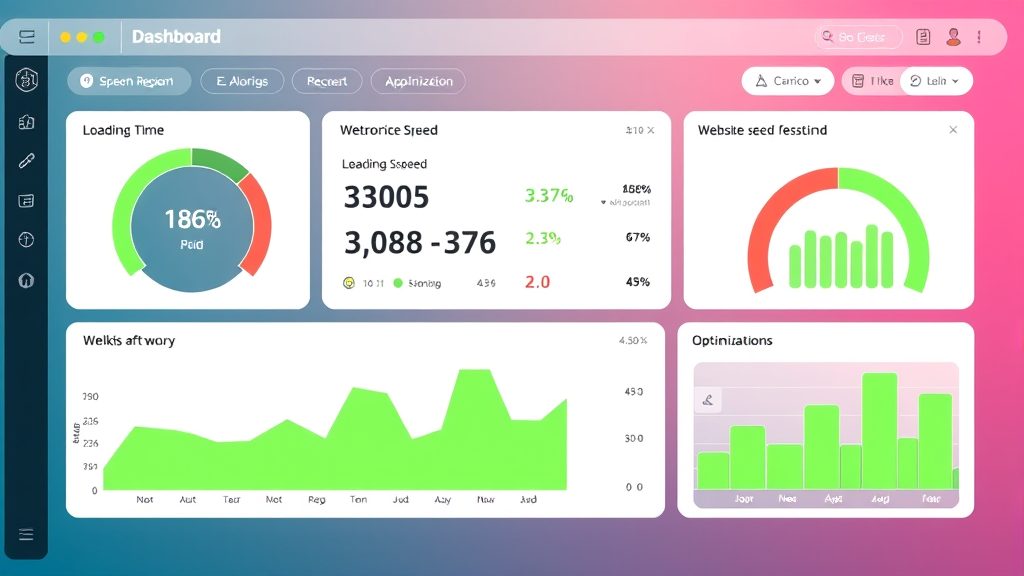


joomla speed optimization is the engine that drives a fast, happy website, and we begin by stating its importance in a single breath. In the next few minutes we will walk through every lever, from server settings to image tricks, so that our Joomla installation can sprint like a cheetah across the digital savanna.
Key Takeaways
– Core Web Vitals are the gatekeepers of Google rankings.
– Server‑side tweaks such as PHP version and GZIP compression shave seconds off load time.
– Caching, CDN, and asset minification work together like a well‑orchestrated choir.
– Image formats, lazy loading, and responsive markup cut bandwidth dramatically.
– Regular database pruning and extension audits keep the site lean and agile.
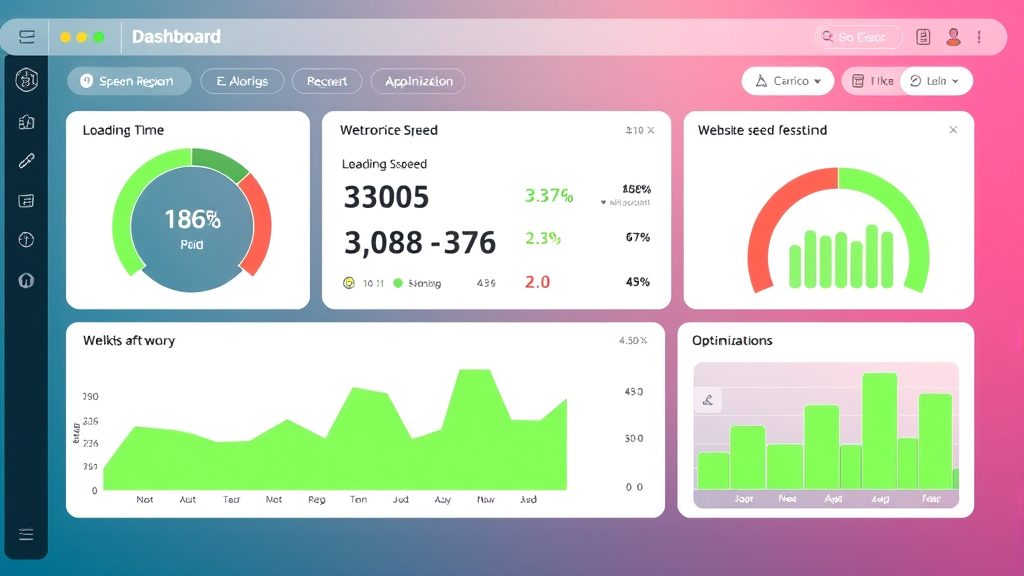
Image: Measuring your Joomla site speed with performance tools
We treat site speed as a heartbeat; when it falters, both users and search engines feel the strain. A sluggish page can turn a curious visitor into a bounced signal, while a swift one invites deeper exploration and higher rankings.
The trio of Largest Contentful Paint, First Input Delay, and Cumulative Layout Shift forms the Core Web Vitals, and they act like traffic lights at an intersection of user experience and SEO. When we improve these metrics, Google rewards us with better placement in the SERPs, because the algorithm prefers sites that load quickly and remain stable. To measure them, we can run our URL through Google PageSpeed Insights and note the scores for each metric.
A practical tip is to set a target of under 2.5 seconds for LCP, under 100 ms for FID, and a CLS below 0.1; these thresholds act as a compass guiding our optimization journey. We also enable monitoring with the Chrome User Experience Report, which supplies real‑world data from actual visitors. By treating the metrics as a compass, a as a map, we stay oriented toward faster performance. Regular audits help us spot regressions early, and we can adjust server or asset settings before rankings slip.
Finally, we remember that Core Web Vitals are not static; they evolve as browsers and devices change. Regular audits every quarter keep our site aligned with the latest expectations, preventing a sudden drop in rankings. We also track changes in user device mix, because a surge in mobile traffic may demand tighter image compression or different caching policies.
Imagine a visitor arriving at a restaurant where the doors are jammed; they will likely leave before tasting the menu. In the same way, a page that takes more than three seconds to display its main content triggers a higher bounce rate, because patience erodes quickly online. Studies show that each additional second of load time can increase bounce by up to 32 %, a statistic that highlights the economic impact of speed.
We can counter this by delivering above‑the‑fold content first, using techniques such as critical CSS inlining and deferment of non‑essential scripts. When the initial view renders instantly, users feel a sense of progress, encouraging them to stay and explore. This psychological momentum is similar to a warm welcome at a front door, inviting guests to step inside. We also use server‑side rendering for key modules, which reduces the time the browser spends waiting for JavaScript to assemble the page.
On top of that, we track bounce rate trends in Google Analytics, segmenting by device and geography to pinpoint slow‑loading regions. By correlating bounce spikes with performance logs, we can target specific bottlenecks, such as a large image served to mobile users on a 3G connection. When we isolate a problematic asset, we replace it with a lighter version or adjust its loading strategy, then re‑measure to confirm improvement.
Before we can improve, we must first know where we stand; measurement is the compass that guides every tweak. We start with a baseline report from GTmetrix, which provides a waterfall view of every request, total page size, and time to first byte.
The waterfall diagram reveals the longest‑running resources, often large JavaScript bundles or uncompressed images. We note the “Time to First Byte†(TTFB) as an indicator of server responsiveness; a high TTFB suggests server‑side work is needed. We also capture the “Start Render†time, which tells us when the browser begins to paint visible content, and we compare it against our LCP target.
In addition to external tools, we enable Joomla’s built‑in debug console to capture PHP execution time and database query counts. By logging these figures over a week, we can identify patterns such as a particular extension that spikes during peak traffic. We also enable the “Profiler†plugin to break down each component’s contribution to total render time, giving us a granular view of where to intervene. All of this data becomes the foundation for our optimization plan.
The server is the stage on which our Joomla site performs; a well‑tuned stage ensures the actors (content, scripts, images) can move without stumbling. We begin by selecting a hosting environment that matches our traffic profile and technical needs.
Shared hosting can be likened to a crowded subway car; everyone competes for limited space, leading to unpredictable performance. For a Joomla site that expects steady traffic, we recommend a VPS or cloud instance with dedicated CPU cores and SSD storage.
When configuring the server, we allocate at least 2 GB of RAM for a modest site, and we enable HTTP/2 to allow multiplexed requests over a single connection. This protocol acts like a multi‑lane highway, reducing congestion for assets such as CSS and JavaScript. We also turn on HTTP/3 where the provider supports it, because the newer protocol further reduces latency for TLS‑encrypted traffic.
We also set up a firewall and fail2ban to protect against abusive traffic, because security incidents can degrade performance by consuming resources. Regularly reviewing server logs helps us spot spikes that may indicate a DDoS attempt or a misbehaving script. We schedule automatic reboots during low‑traffic windows to clear lingering processes and keep the environment fresh.
Compressing HTML, CSS, and JavaScript before they leave the server is comparable to folding a blanket before packing it; the same content occupies less space, traveling faster to the client. In Apache, we enable GZIP via the .htaccess file:
<IfModule mod_deflate.c>
    AddOutputFilterByType DEFLATE text/html text/plain text/xml text/css application/javascript application/json
</IfModule>
For Nginx, the equivalent directive is:
gzip on;
gzip_types text/css application/javascript text/xml text/html;
After adding the rules, we verify compression with the “Content‑Encoding: gzip†header in the browser’s network tab. A typical reduction of 60‑70 % in payload size translates directly into faster load times, especially on slower connections. We also enable gzip_vary on; to ensure proxies cache both compressed and uncompressed versions correctly, preventing cache mismatches.
Running an up‑to‑date PHP version is like driving a modern engine; newer versions deliver more power while consuming less fuel. We recommend PHP 8.1 or later for Joomla 4, as it offers significant speed gains over older releases.
OPcache stores pre‑compiled script bytecode in shared memory, eliminating the need for repeated parsing. In php.ini we enable it with the following settings:
opcache.enable=1
opcache.memory_consumption=128
opcache.max_accelerated_files=10000
opcache.validate_timestamps=1
We also set opcache.revalidate_freq=60. We monitor the “opcache_hit_rate†metric over time; a rate above 90 % indicates that most scripts are served from memory, which dramatically reduces CPU load. to refresh the cache once per minute, balancing freshness with performance. After restarting the PHP‑FPM service, we confirm OPcache status using php -i | grep opcache
Caching is the art of reusing work instead of repeating it; it turns a single effort into many returns. Joomla offers several layers of cache, each with its own strengths and trade‑offs.
The system cache stores processed data such as module output and configuration arrays, acting like a pantry where we keep ready‑made meals. Page cache, on the other hand, saves the fully rendered HTML of a page, similar to a pre‑cooked dish that can be served instantly.
We enable system cache in the Global Configuration under “System → Cache Settings,†selecting “Conservative†for sites with moderate traffic. For page cache, we switch the “Cache Handler†to “File†and set the “Cache Time†to 15 minutes, which gives us a good balance between freshness and speed. We also enable “Cache Browser†to let the visitor’s browser store static assets for a longer period.
Testing both caches reveals that system cache reduces database queries by up to 40 %, while page cache can cut total load time by half for anonymous visitors. We monitor cache hit ratios in the Joomla admin dashboard to ensure the cache is being used effectively. When we notice a low hit ratio, we investigate whether extensions are bypassing the cache and adjust their settings accordingly.
JCH Optimize bundles and minifies CSS and JavaScript, turning a cluttered toolbox into a sleek, compact kit. After installing the extension, we configure it to combine all CSS files into a single request and to do the same for JavaScript, while preserving the order required by Joomla core.
The extension also offers “CSS/JS Minify†and “HTML Minify†options, which strip whitespace and comments, shaving off a few kilobytes per file. We enable “Lazy Load Images†within JCH Optimize to defer off loading until the user scrolls near them. We also turn on “Combine Inline Scripts†to reduce the number of script tags that the browser must parse.
A performance test after activation shows a reduction of 30 % in total request count and a noticeable improvement in the “First Contentful Paint†metric. We keep an eye on the “Combine Files†setting, as aggressive bundling can sometimes break third‑party scripts that rely on a specific load order. When conflicts arise, we use the “Exclude Files†list to preserve the original order for those scripts.
Browser caching tells the visitor’s browser to keep static assets for a set period, like a pantry stocked for future meals. We add the following directives to .htaccess to set expiration headers:
<IfModule mod_expires.c>
    ExpiresActive On
    ExpiresByType image/webp "access plus 1 month"
    ExpiresByType image/jpeg "access plus 1 month"
    ExpiresByType text/css "access plus 1 week"
    ExpiresByType application/javascript "access plus 1 week"
</IfModule>
A Content Delivery Network (CDN) distributes our assets across edge servers worldwide, reducing latency by serving content from a location close to the user. We integrate a CDN such as Cloudflare by updating the “Base URL†for media files in the Joomla configuration and enabling “Auto‑Minify†in the CDN dashboard. We also enable “Rocket Loader†to defer non‑essential JavaScript, which further speeds up the initial render.
After enabling both browser caching and CDN, we observe a drop in “Time to First Byte†for repeat visitors and a smoother experience for international users. The combination works like a relay race, where each runner (browser, CDN, server) passes the baton efficiently to the next. We regularly purge the CDN cache after major updates to ensure that visitors receive the latest assets without stale files.

Image: How caching layers speed up Joomla content delivery
For more on this topic, check out our Joomla SEO guide.
Images often carry the bulk of a page’s weight; trimming them is akin to shedding excess baggage before a flight. We adopt modern formats and loading strategies to keep visual appeal without sacrificing speed.
WebP offers superior compression compared to JPEG and PNG, delivering the same visual quality with up to 30 % smaller files. We convert existing images using the cwebp command‑line tool:
cwebp -q 80 image.jpg -o image.webpAfter conversion, we replace the tags with a picture attribute, which postpones off‑screen images until they enter the viewport. We also add a low‑quality placeholder (LQIP) using a tiny base64‑encoded image, which displays instantly while the full image loads. element that serves WebP to browsers that support it, falling back to JPEG otherwise. Lazy loading is added via the loading="lazy"
Testing with Lighthouse shows a reduction of 1.2 seconds in “Largest Contentful Paint†when WebP and lazy loading are combined. We also monitor the “Network†tab to confirm that images are requested only when needed, preventing unnecessary data transfer. When we detect a high‑resolution image still being served to a low‑pixel‑density device, we adjust the srcset values to serve a smaller version.
Responsive images adapt to the device’s screen size, delivering the right resolution without waste. We use Joomla’s built‑in “Responsive Images†plugin, which automatically generates srcset attributes for each uploaded image.
The plugin creates multiple sizes (e.g., 320 px, 640 px, 1280 px) and lets the browser pick the most appropriate one based on viewport width and pixel density. This approach is similar to a tailor crafting garments in various sizes to fit every customer perfectly. We also set a maximum width of 1920 px for full‑width banners to avoid serving ultra‑large files on small screens.
We test the implementation with Chrome’s device toolbar, switching between smartphones, tablets, and desktops to verify that the correct image size loads each time. When we notice that a particular image is still too large for mobile, we add an extra size (e.g., 480 px) to the srcset attributes ensures that mobile users receive lightweight assets, while desktop users enjoy crisp visuals. list. The combination of srcset and sizes
Embedding videos directly from external platforms can introduce heavy scripts and slow down the page. We mitigate this by using lazy‑loaded iframe placeholders that load the actual player only after the user clicks a thumbnail.
The placeholder consists of a div) to improve privacy and reduce tracking scripts. with a background image of the video thumbnail and a play button; JavaScript swaps the div for the iframe on click. This technique reduces initial page weight dramatically, often by several megabytes. We also enable “No‑Cookie†embeds from YouTube (https://www.youtube-nocookie.com
We further optimize by adding the ?rel=0 attribute, which tells the browser to fetch only essential information until playback begins. parameter to the YouTube URL, which prevents related videos from loading after playback, keeping the page cleaner. For self‑hosted videos, we serve them in MP4 format with the preload="metadata"
For more on this topic, check out our best Joomla hosting.
A Joomla database can become a tangled forest of unused tables and stale data; pruning it restores clarity and speed. Regular maintenance prevents the site from dragging its feet under the weight of obsolete extensions.
First, we audit all installed extensions via the Extension Manager, disabling any that are not essential to the site’s functionality. Disabled extensions are then uninstalled to free up PHP files and database entries.
Modules that appear on no menu items are also removed, as they still trigger PHP processing even when invisible. This cleanup is comparable to clearing out a toolbox, leaving only the tools we actually need. We also review plugin events in the “System – Plugin Manager†to ensure no orphaned event listeners remain active.
After removal, we clear the Joomla cache and run a test page load to verify that no missing assets cause errors. The reduction in loaded PHP files often translates into a 10‑15 % drop in page generation time. We also run a quick “Database Check†from the Joomla backend to confirm that no orphaned rows remain after the uninstall process.
We use the Joomla “Database Tools†component to repair and optimize tables, which runs OPTIMIZE TABLE commands under the hood. This process defragments the storage engine, allowing MySQL to read rows more efficiently.
For deeper cleaning, we export the database and run a script that removes orphaned rows from tables such as #__content table and truncate old sessions that are older than 24 hours, which reduces table size and speeds up session lookups. and #__extensions. We then re‑import the cleaned dump, ensuring referential integrity. We also examine the #__session
Regular optimization, performed monthly, keeps the database size in check and prevents slow queries from creeping into the log. The result is a smoother back‑end experience for administrators and faster front‑end rendering for visitors. We schedule a cron job to run ANALYZE TABLE on all tables weekly, allowing MySQL to update its statistics for better query planning.
Every CSS or JavaScript file adds an HTTP request, and a template with many small files can become a traffic jam. We audit the template’s index.php to consolidate style sheets and scripts into fewer, larger files. and templateDetails.xml
For example, we merge bootstrap.css. We also enable the “defer†attribute on non‑critical scripts, allowing the browser to continue parsing HTML while the script loads in the background. , template.css, and custom.css into a single style.min.css file, then reference it once in the head section. The same approach applies to JavaScript, where we combine jquery.js, bootstrap.js, and custom.js into script.min.js
We also remove unused font families and icon sets from the template, trimming the payload further. After these changes, the number of requests drops from 30‑plus to under 15, dramatically improving the “Speed Index†metric. We verify the reduction using the “Network†tab in Chrome DevTools, confirming that the total request count and payload size have both decreased.
For more on this topic, check out our Joomla extensions.
Keeping an eye on performance over time helps us catch regressions before they affect users. We set up a suite of monitoring tools that run automatically and alert us when thresholds are crossed.
Real‑User Monitoring captures actual visitor interactions, giving us a true picture of load times across devices and networks. We integrate the open‑source tool WebPageTest with a cron job that records LCP, FID, and CLS for a set of key URLs every hour.
The script stores results in a MySQL table, and we create a simple Joomla admin view that charts trends over the past 30 days. When a metric exceeds our preset limit, the script sends a Slack notification to the dev team. This proactive approach lets us react before search engines notice a slowdown.
We also compare RUM data with synthetic tests from PageSpeed Insights to spot discrepancies caused by CDN edge locations or ISP throttling. By correlating the two data sets, we can decide whether to adjust caching policies or add additional edge nodes.
Prometheus collects time‑series data from the server, such as CPU usage, memory pressure, and PHP‑FPM request latency. We install the Prometheus Node Exporter on the host and configure a Grafana dashboard that visualizes key indicators.
The dashboard includes a panel for “php‑fpm request_duration_seconds†which shows the distribution of request times. If the 95th percentile climbs above 300 ms, we investigate recent code changes or database query spikes. We also monitor “http_requests_total†to see traffic patterns and plan scaling events.
By correlating server metrics with front‑end performance, we can pinpoint whether a slowdown originates from backend processing or from asset delivery. This dual‑view approach reduces guesswork and speeds up troubleshooting.
When a performance regression is detected, we trigger an automated rollback to the previous stable release. We use Git hooks that tag each deployment and store the tag in a database table. The alert script checks the latest tag against the current performance baseline; if the baseline is breached, it runs a simple git checkout to the prior tag and restarts PHP‑FPM.
Before rolling back, the script creates a snapshot of the current database to avoid data loss. After the rollback, the monitoring suite runs a sanity check to confirm that key pages load within target thresholds. This safety net ensures that a bad deployment does not linger in production, protecting both users and rankings.
Security measures can sometimes add overhead, but careful configuration keeps the balance in our favor. We adopt practices that protect the site while preserving speed.
We reinforce the .htaccess file with rules that block common attack vectors and reduce unnecessary processing. For example, we deny access to the administrator folder from non‑trusted IPs and disable directory listings:
<FilesMatch "(?i)\.(php|html|js|css)$">
    Order Allow,Deny
    Deny from all
    Allow from 203.0.113.0/24
</FilesMatch>

Options -Indexes
These directives prevent bots from scanning for vulnerable files, which in turn reduces the number of requests the server must handle. We also add a rule to set X-Content-Type-Options: nosniff, improving security without impacting load speed. and X-Frame-Options: SAMEORIGIN
ModSecurity provides a web‑application firewall, but an aggressive rule set can cause false positives and extra CPU cycles. We start with the OWASP Core Rule Set and then disable rules that target Joomla’s known patterns, such as the rule that blocks index.php?option=com_content.
The configuration snippet looks like this:
SecRuleEngine On
SecRuleRemoveById 950005 950006
After applying the changes, we monitor the ModSecurity audit log for blocked legitimate requests. Fine‑tuning the rule set reduces the number of denied requests and frees up resources for genuine traffic.
If our Joomla site exposes RESTful APIs, we add rate‑limiting directives to protect against abuse that could degrade performance. Using the mod_ratelimit module, we cap the bandwidth for API paths:
<IfModule mod_ratelimit.c>
    SetOutputFilter RATE_LIMIT
    SetEnvIf Request_URI "^/api/" api_limit
    RateLimitEnv api_limit 400
</IfModule>
This limits each API request to 400 KB/s, preventing a single client from hogging the connection. The limit is low enough to stop malicious bursts but high enough to keep legitimate calls responsive.
Automating repetitive tasks reduces human error and ensures consistent performance across environments. We adopt a CI/CD pipeline that runs performance checks before every release.
Joomla extensions can be managed with Composer, allowing us to lock dependency versions and avoid unexpected updates. Our composer.json after each install, guaranteeing a fresh cache state. includes a script that runs php -d opcache.enable=0 vendor/bin/joomla-cli cache:clear
{
    "scripts": {
        "post-install-cmd": [
            "php -d opcache.enable=0 vendor/bin/joomla-cli cache:clear"
        ]
    }
}
By disabling OPcache during the cache‑clear step, we prevent stale bytecode from persisting, which could otherwise cause hidden bottlenecks.
We containerize the Joomla stack with Docker, defining separate services for PHP‑FPM, Nginx, and MariaDB. The docker-compose.yml endpoint every 30 seconds. file includes a health‑check that pings the site’s /health
services:
  php:
    image: php:8.1-fpm
    volumes:
      - ./site:/var/www/html
    healthcheck:
      test: ["CMD", "curl", "-f", "http://localhost/health"]
      interval: 30s
      timeout: 5s
      retries: 3
If the health check fails, Docker restarts the container, keeping the site available without manual intervention. This approach also isolates performance variations caused by host OS differences.
To avoid downtime during major updates, we employ a blue‑green deployment strategy. Two identical environments (blue and green) run side‑by‑side; traffic is switched at the load balancer once the new version passes all performance tests.
We automate the switch with a script that updates the DNS record’s TTL to a low value, points the CNAME to the green server, and then restores the original TTL after a 5‑minute grace period. This method guarantees that visitors never experience a half‑rendered page, and it gives us a quick rollback path if the new version underperforms.
Q1: How often should we clear Joomla’s cache?
A1: We recommend clearing the cache after major content updates or plugin installations, and at least once a month as part of routine maintenance. This prevents stale data from persisting and ensures visitors receive the latest version of the page.
Q2: Is a CDN necessary for a small Joomla site?
A2: While not strictly required, a CDN can still provide noticeable speed gains for visitors outside the host’s data center. Even a free tier from Cloudflare can reduce latency and protect against traffic spikes.
Q3: Can we use a caching plugin together with Joomla’s built‑in cache?
A3: Yes, we can layer a third‑party plugin such as JCH Optimize on top of the core cache, but we must configure them to avoid duplicate minification. Testing after each change ensures that the combined effect is positive.
Q4: What is the impact of disabling unused languages in Joomla?
A4: Each enabled language loads its own language files, adding to PHP execution time and memory usage. Disabling languages we never serve trims the load and reduces the number of files the autoloader must process.
Q5: How do we verify that OPcache is working correctly?
A5: We can create a PHP script that calls phpinfo();` and look for the “OPcache†section, confirming that “Opcode Caching†is enabled and the memory usage is within the limits we set. A high “Cache Hit Rate†indicates that the cache is being utilized effectively.