Physical Address
304 North Cardinal St.
Dorchester Center, MA 02124
Physical Address
304 North Cardinal St.
Dorchester Center, MA 02124

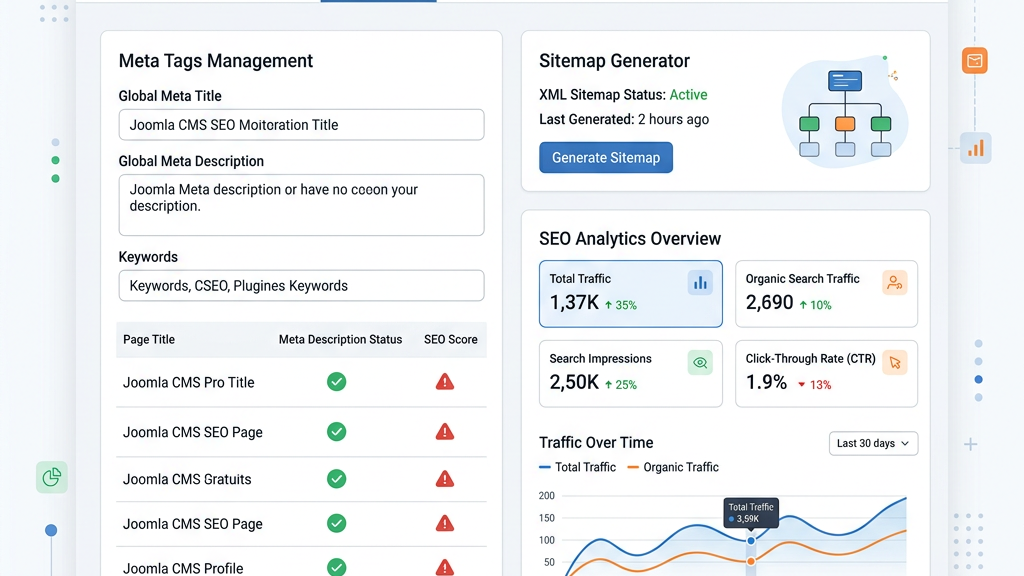


Joomla SEO plugin is the compass that steers a Joomla site toward the top of search results. In a sea of extensions, choosing the right tool can feel like finding a lighthouse in a foggy harbor.
What you will learn from this guide:

Joomla’s core offers basic meta tags and a simple URL router, but it stops short of delivering the full suite of tools that modern search engines expect. Think of the core as a bicycle—efficient for short rides but lacking the gears needed for a mountain climb. When a site grows, the need for structured data, XML sitemaps, and automated redirects becomes as clear as a sunrise after a long night.
The core also lacks a built‑in system for Open Graph or Twitter Cards, which means social sharing often looks like a blank canvas. Without these signals, a page may appear as a plain stone in a gallery of vibrant artworks. Adding a plugin supplies the missing pigments, turning each page into a vivid showcase for both users and crawlers.
Finally, core‑level SEO does not monitor Core Web Vitals, a metric set that now influences rankings as heavily as content relevance. Ignoring these performance signals can be compared to sailing a ship with a cracked hull—speed may be achieved, but the risk of sinking rises with every wave.
Joomla’s built‑in SEO settings let you set a site name, enable URL rewriting, and add a basic meta description for each article. These features are useful for a quick polish, much like a fresh coat of paint on a newly built house. However, the core does not generate schema markup automatically, nor does it provide a visual interface for bulk editing of meta tags.
The core also lacks a dynamic sitemap generator that updates when new content is added. As a result, search engines may wander through outdated paths, similar to a tourist using an old map in a constantly expanding city. On top of that, there is no native support for 301 redirects, leaving site owners to manually edit the .htaccess file—a task that can feel like solving a maze without a thread.
In short, Joomla core gives you a foundation, but the skyscraper of search‑engine visibility requires additional floors built by dedicated extensions.
If your site attracts more than a handful of visitors, or if you sell products, run a multilingual blog, you should consider a dedicated SEO plugin. The moment you notice a drop in organic traffic, the need for structured data, or a flood of 404 errors, the core’s limitations become evident.
A plugin can automate the creation of canonical tags, preventing duplicate content issues that would otherwise spread like weeds in a garden. It also offers a dashboard for keyword tracking, allowing you to watch rankings rise or fall as if you were watching a tide.
Choosing the right plugin early saves time and money, because retrofitting SEO after a site has grown can be as painful as trying to stitch a torn sail while the ship is already at sea.
Explore our Joomla SEO guide for a deeper look at the fundamentals.
Check out the Best SEO Extensions list for a quick overview of top tools.
Learn how to master Meta Keywords and boost relevance.
Read about crafting SEO‑Friendly URLs that please both users and bots.
Integrate with Google Search Console to monitor performance.

4SEO bundles meta tag management, XML sitemap generation, structured data, and redirect handling into a single package. Its interface resembles a control tower, giving you a panoramic view of every SEO element on the site. The extension also supports Open Graph and Twitter Cards, turning social shares into eye‑catching postcards.
Pricing for 4SEO starts at $95 per year for a single site and climbs to $249 for unlimited installations, a tiered model that mirrors a library’s membership plan. The plugin is fully compatible with Joomla 3‑6 and offers a beta version for Joomla 5, showing a commitment to future‑proofing.
Pros include a unified dashboard, automatic broken‑link detection, and built‑in analytics integration. Cons are a steeper learning curve for newcomers and a higher price point compared with single‑purpose tools.
We appreciate that 4SEO can push URLs to IndexNow with a single click, keeping search engines aware of fresh content without waiting for a crawl. The plugin also scans for broken links, flagging them in the dashboard so we can replace or remove them before they hurt crawl equity. In parallel, it records Core Web Vitals, presenting the metrics in an easy‑to‑read chart that helps us spot performance gaps early.
Beyond technical checks, 4SEO lets us apply regex patterns to replace text across the site, which is handy for bulk updates such as brand name changes. Its analytics hub pulls data from Google Search Console, Cloudflare, Matomo, and Microsoft Clarity, giving us a single view of traffic, clicks, and user behavior. For a deeper look, visit the 4SEO official page.
sh404SEF has been a staple in the Joomla community for over a decade, earning a reputation for reliability. It focuses on URL rewriting, canonical tags, and a powerful redirect manager that works like a traffic officer at a busy intersection. The extension also supplies a simple XML sitemap generator and basic meta tag fields.
The licensing model is a one‑time fee of $149 for a single site, with optional annual support extensions. While the core is compatible with Joomla 4, the Joomla 5 version is still in development, meaning early adopters may need to wait for the final release.
Key strengths are its stability, extensive documentation, and a large user community that shares tips on forums. Weaknesses include limited schema markup options and a UI that feels dated compared with newer competitors.
We rely on sh404SEF’s built‑in anti‑spam filters that block suspicious comment submissions before they reach the database. Geographic blocking lets us restrict access from regions that generate unwanted traffic, reducing server load and protecting content. When duplicate pages appear, the extension automatically inserts canonical tags, pointing search engines to the preferred version and preserving link equity.
Its analytics dashboard aggregates click‑through rates, keyword rankings, and crawl errors, allowing us to monitor performance without leaving the Joomla back‑end. The plugin also integrates with the Joomla Extensions Directory, where we can explore related tools and community reviews.
Route 66 takes a minimalist approach, delivering SEO‑friendly URLs, basic meta tags, and a fast XML sitemap generator. Its name evokes a road trip across the United States, suggesting a straightforward path to better rankings without unnecessary detours. The extension’s footprint is small, making it ideal for low‑traffic blogs or sites that prioritize speed.
Pricing is a flat $49 per year, with a lifetime license available for $149. It works smoothly with Joomla 5, as the developer released a version that aligns with the latest core changes.
Pros include a clean interface, rapid installation, and low server load. Cons are fewer advanced features such as schema markup, social sharing optimization, and built‑in analytics.
Route 66 focuses on on‑page signals by letting us edit title tags, meta descriptions, and heading structures directly from the article editor, which keeps the workflow fast and intuitive. The extension also offers a simple interface for assigning alt attributes to images, making sure that every visual element carries descriptive text for both accessibility and search relevance.
Unlike 4SEO, Route 66 builds sitemaps on the fly each time a page is saved, producing a lean file that reflects only the most recent changes. This method reduces the size of the sitemap and speeds up the submission process to search engines, especially for sites with frequent updates.

EFSEO brings the power of meta tag editing directly to the front‑end editor, letting authors tweak titles, descriptions, and keywords while they write. This on‑the‑fly capability feels like having a personal editor perched on your shoulder, whispering suggestions in real time.
The extension supports Open Graph, Twitter Cards, and basic schema markup, allowing each article to present a rich preview on social platforms. Pricing is a modest $79 per year, with a lifetime option for $199. It is fully compatible with Joomla 5, thanks to an active development team.
Advantages include a user‑friendly UI, immediate feedback, and no need to switch to the back‑end for SEO tweaks. Drawbacks are the lack of bulk editing tools and limited redirect management.
EFSEO automates metadata creation by pulling information from the article’s first paragraph, category, and tags, then populating Open Graph and Twitter Card fields without manual effort. We can also set robots directives such as noindex or nofollow on a per‑page basis, giving us granular control over what search engines index.
The plugin scores each piece of content against a checklist that includes keyword density, internal linking, and readability, presenting the result as a color‑coded badge. This quick visual cue helps us prioritize optimization tasks and track improvements over time.
Both JoomSEF and MijoSEF concentrate on turning Joomla’s default URLs into clean, keyword‑rich slugs that read like natural language. They act as translators, converting technical IDs into human‑readable phrases that search engines love.
JoomSEF offers a visual mapping editor, while MijoSEF provides a rule‑based system that can be scripted for complex scenarios. Pricing for JoomSEF starts at $59 per year; MijoSEF is $69 per year, each with a one‑time lifetime option. Both extensions have released Joomla 5‑compatible versions, ensuring they stay relevant as the platform evolves.
Pros are precise control over URL structures, automatic 301 redirect creation when URLs change, and support for multilingual slugs. Cons include a narrower focus—no built‑in sitemap or schema features—and a reliance on the user to manage other SEO aspects.
JSitemap is a dedicated XML sitemap generator that updates automatically whenever new content is added or removed. It works like a diligent librarian, cataloguing every page so that search bots can find them quickly.
Tag Meta, on the other hand, specializes in bulk meta tag editing, allowing administrators to apply title and description templates across thousands of articles. This bulk approach is comparable to a paint sprayer that coats an entire wall in seconds.
JSitemap is priced at $39 per year, while Tag Meta costs $45 per year; both offer lifetime licenses for $119 and $135 respectively. They are fully functional with Joomla 5, having received updates that address the new routing system.
Pros of these tools are their laser‑focused functionality and low resource consumption. Cons are the need to combine them with other extensions to achieve a complete SEO suite.
| Feature | 4SEO | sh404SEF | Route 66 | EFSEO | JoomSEF | MijoSEF | JSitemap | Tag Meta |
|—|—|—|—|—|—|—|—|—|
| Meta tag management | ✅ | ✅ | ✅ | ✅ | ❌ | ❌ | ❌ | ✅ |
| Structured data / Schema | ✅ | ❌ | ❌ | ✅ | ❌ | ❌ | ❌ | ❌ |
| XML sitemap | ✅ | ✅ | ✅ | ✅ | ❌ | ❌ | ✅ | ❌ |
| SEO‑friendly URLs | ✅ | ✅ | ✅ | ✅ | ✅ | ✅ | ❌ | ❌ |
| Open Graph & Twitter Cards | ✅ | ✅ | ❌ | ✅ | ❌ | ❌ | ❌ | ❌ |
| Redirect management (301/302) | ✅ | ✅ | ❌ | ❌ | ✅ | ✅ | ❌ | ❌ |
| Canonical tags | ✅ | ✅ | ✅ | ✅ | ✅ | ✅ | ❌ | ❌ |
| Robots.txt editor | ✅ | ✅ | ❌ | ❌ | ❌ | ❌ | ❌ | ❌ |
| Keyword tracking | ✅ | ❌ | ❌ | ✅ | ❌ | ❌ | ❌ | ❌ |
| Broken link detection | ✅ | ✅ | ❌ | ❌ | ❌ | ❌ | ❌ | ❌ |
| Core Web Vitals integration | ✅ | ❌ | ❌ | ❌ | ❌ | ❌ | ❌ | ❌ |
| Social sharing optimization | ✅ | ✅ | ❌ | ✅ | ❌ | ❌ | ❌ | ❌ |
| Analytics integration | ✅ | ✅ | ❌ | ✅ | ❌ | ❌ | ❌ | ❌ |
| Joomla 5 compatibility | ✅ (beta) | ❌ (in dev) | ✅ | ✅ | ✅ | ✅ | ✅ | ✅ |
| GPL license | ✅ | ✅ | ✅ | ✅ | ✅ | ✅ | ✅ | ✅ |
| Pricing (annual) | $95‑$249 | $149 (one‑time) | $49 | $79 | $59 | $69 | $39 | $45 |
All extensions listed have released a Joomla 5‑compatible version, except sh404SEF, which is still in a beta stage. Joomla 6 support is not yet official for any of the plugins, but developers have indicated that updates will follow the core’s release schedule. When planning a migration, prioritize extensions that already offer a stable Joomla 5 build to avoid downtime.

For newcomers who want a simple setup without a steep learning curve, Route 66 shines. Its lightweight design means the dashboard loads quickly, and the essential features—SEO‑friendly URLs, basic meta tags, and an XML sitemap—are ready out of the box. The low price point also reduces the risk of overspending on tools that may never be fully used.
If you prefer front‑end editing, EFSEO provides an intuitive interface that lets authors tweak SEO elements while writing, eliminating the need to switch to a back‑end panel. This approach works well for small blogs or community sites where content creators are not technical.
Agencies handling multiple client sites benefit from the all‑in‑one nature of 4SEO. Its unified dashboard consolidates meta management, schema markup, redirect handling, and analytics, allowing a single user to oversee dozens of domains. The plugin’s ability to generate rich results and integrate with Google Search Console makes it a powerful ally for competitive markets.
For developers who enjoy granular control, sh404SEF offers a mature codebase and extensive documentation. Its URL rewriting engine is highly configurable, and the built‑in redirect manager can handle complex migration scenarios—perfect for large e‑commerce platforms with thousands of product pages.
E‑commerce stores need strong canonical tag handling, structured data for products, and multilingual URL support. 4SEO provides schema markup for product rich snippets, Open Graph tags for social sharing, and a multilingual URL manager that works with Joomla’s native language filter.
When the primary concern is clean URL structures across several languages, JoomSEF or MijoSEF excel. They allow you to define language‑specific slugs and automatically generate 301 redirects when a product URL changes, preserving link equity across markets.
Q1: Do I need an SEO plugin if I already use Joomla’s built‑in SEO settings?
A1: The core settings give you a basic foundation, but they lack advanced features such as schema markup, bulk meta tag editing, and automated redirect management. An SEO plugin fills those gaps and helps you stay ahead of search‑engine algorithm updates.
Q2: Which plugin offers the best support for Core Web Vitals?
A2: 4SEO includes a module that monitors page load metrics and suggests optimizations, making it the most suitable choice for sites focused on performance‑driven rankings.
Q3: Can I use more than one SEO plugin on the same Joomla installation?
A3: While technically possible, overlapping functionalities often cause conflicts, especially in URL rewriting and redirect handling. It is advisable to select a single primary plugin and supplement it with niche tools only when necessary.
Q4: How do these plugins integrate with Google Search Console?
A4: Most plugins—4SEO, sh404SEF, and Route 66—provide a verification helper that adds the required meta tag or HTML file automatically. They also allow you to submit sitemaps directly from the dashboard, simplifying the reporting process.
Q5: Are the plugins GPL‑licensed and safe for commercial use?
A5: Yes, all the extensions listed are released under the GPL license, which permits commercial use, modification, and redistribution while keeping the code remains open and auditable.
Q6: Are there free Joomla SEO plugins, and what limits do they have?
A6: Yes, several free extensions exist, but they often lack advanced features such as automated schema markup, bulk regex replacements, or deep analytics integrations. They may also cap the number of URLs that can be submitted to search engines each day, which can be a bottleneck for larger sites. For detailed guidance on structured data, see Google’s structured data documentation.
Q7: How can we migrate from one SEO plugin to another without losing rankings?
A7: We start by exporting the existing metadata, redirects, and canonical settings into a CSV file, then import that file into the new extension to preserve the same values. After the import, we run a crawl to verify that all URLs return the expected status codes and that canonical tags point to the correct pages. Finally, we submit an updated sitemap to the major search consoles to reassure crawlers of the transition.
Q8: Do SEO plugins affect site speed or PageSpeed scores?
A8: Most modern plugins are built to load only when needed, but adding heavy analytics scripts or large sitemap files can increase page weight. To keep performance high, we disable any non-essential front-end scripts and use caching for generated meta tags. Regularly testing with PageSpeed Insights helps us spot any slowdown introduced by the plugin and adjust settings accordingly.
We see the SEO ecosystem for Joomla as a toolbox, where each plugin offers a different set of instruments. 4SEO delivers a full suite for technical and analytical tasks, sh404SEF brings seasoned security and duplicate-content handling, Route 66 offers a nimble approach to on-page tweaks, and EFSEO simplifies front-end edits with smart scoring.
When we match the tool to the project’s size and goals, the overall workflow becomes smoother and the results more predictable. For most medium-to-large sites that need both depth and flexibility, we recommend starting with 4SEO and adding a lightweight companion like Route 66 for quick on-page edits. This combination gives us the power to fine-tune rankings while keeping the site responsive and easy to manage.