Physical Address
304 North Cardinal St.
Dorchester Center, MA 02124
Physical Address
304 North Cardinal St.
Dorchester Center, MA 02124



Joomla seo friendly urls play a critical role in how search engines crawl, index, and rank our Joomla‑powered sites. In this guide, we walk through every setting — from turning on SEF in Global Configuration to polishing final URLs with extensions — so our Joomla installation speaks the language of modern SEO.
Key Takeaways
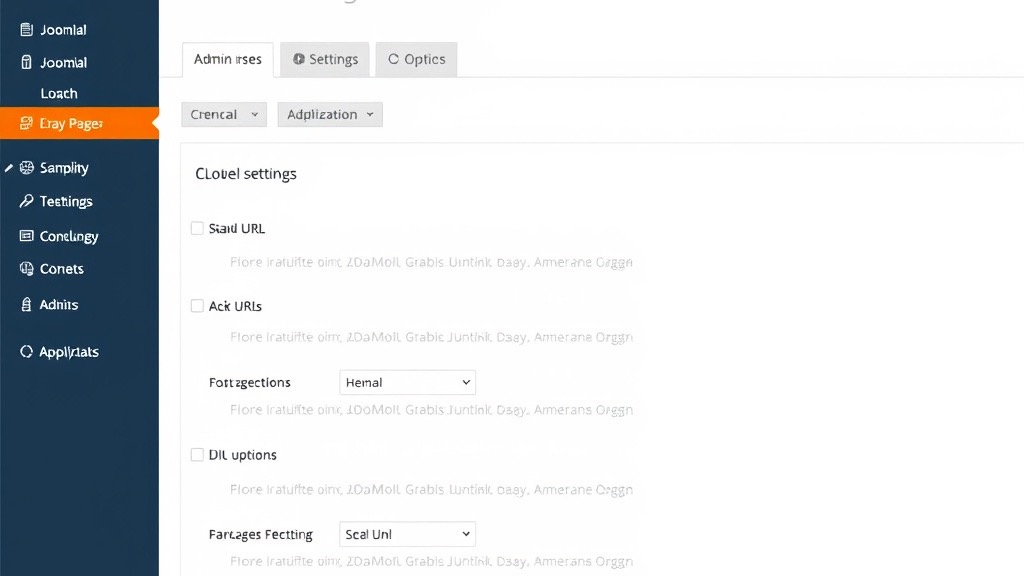
htaccess.txt to .htaccess (Apache) or configure web.config (IIS) to activate URL rewriting.We begin by logging into the Joomla administrator panel and clicking the System menu, then Global Configuration. The screen is divided into tabs; the Site tab holds the settings we need for URL handling. Here we can see options for site name, metadata, and the crucial SEO Settings section. If a template override changes the default layout, the path may look slightly different, but the core options remain in the same place.
In a multisite environment the configuration file (configuration.php) may be symlinked across sites, so a change on one site can ripple to the others. We therefore double‑check the “Site Name” field and verify our account belongs to the Super Users group before saving. Treat this process like tuning a set of instruments before a concert — each site must be in harmony with its own settings.
Within the SEO Settings block we locate the Search Engine Friendly URLs toggle and set it to Yes. This single change tells Joomla to replace the index.php?option= pattern with a cleaner path that mirrors the menu structure. We also enable Use URL Rewriting, which hands the heavy lifting to the web server. After saving, the front‑end URLs should already look shorter, though they may still contain index.php unless the server rewrite rules are active.
The Unicode Aliases checkbox lets us keep characters such as “é” or “ñ” in the URL, which improves readability for non‑English audiences. When enabled, Joomla converts article titles into slugs that preserve those characters rather than stripping them to plain ASCII. Existing indexed URLs will continue to work because Joomla creates a temporary redirect from the old slug to the new one.
If we switch the option after a site has been live for months, we should export a list of current URLs and compare it with the newly generated slugs. Any mismatches can be addressed with manual redirects in the Redirect Manager.
The final checkbox is Add Suffix to URLs, which appends a trailing slash or a file extension such as .html. We recommend keeping the suffix off for a more natural look, but some hosting environments prefer a trailing slash for directory‑style URLs. Once the options are saved, Joomla writes a default .htaccess file (or web.config on Windows) that contains the necessary rewrite directives. If we ever need to revert, simply set the toggles back to No and clear the cache.
When a CDN sits in front of the site, the suffix can interfere with cache keys because the CDN may treat “.html” and “/” as distinct resources. We can fix this by adding a Vary header or configuring the CDN’s “ignore query string” option. In practice, the suffix behaves like a decorative border on a picture — it looks nice, but it should not obscure the underlying image.
The Joomla package ships with a file named htaccess.txt. We rename it to .htaccess in the root folder of the site, which makes Apache read it automatically. This file lives alongside index.php and configuration.php. If we use a version‑control system, remember to commit the renamed file so that deployment scripts keep it in place.
On shared hosts the file may be hidden because the name starts with a dot, so we need to enable “show hidden files” in the file manager or use an FTP client that displays dotfiles. The file should have permissions set to 644 (readable by the server but not writable by the public). If the permissions are too lax, the server may refuse to process the directives, resulting in a 500 error. A common mistake is editing a copy that lives in a sub‑directory — Apache only reads the file in the directory that matches the request URL.
Apache’s mod_rewrite module must be active for Joomla’s SEF URLs to work. We can verify this by running apachectl -M | grep rewrite over SSH. On servers without SSH access, control panels like cPanel or Plesk provide a “Select Apache Modules” page where we tick the box for mod_rewrite. After enabling, restart Apache for the change to take effect.
If the module is missing, the server returns a “500 Internal Server Error” when it encounters a rewrite directive. Once active, the rewrite engine translates the human‑readable URL into the internal index.php call that Joomla expects. For a deeper dive, see the Apache mod_rewrite reference.
We can also verify using a simple phpinfo.php file — create it in the site root, load it in the browser, search for “mod_rewrite”, then delete it immediately for security reasons.
The default .htaccess already contains a block that redirects requests to index.php. We often add custom rules to improve performance or to force HTTPS. Below is a table of useful directives:
| Rule | Purpose | Example |
|——|———|———|
| RewriteCond %{HTTPS} off | Force HTTPS | RewriteRule ^ https://%{HTTP_HOST}%{REQUEST_URI} [L,R=301] |
| RewriteCond %{HTTP_HOST} !^www\. | Force www prefix | RewriteRule ^ https://www.%{HTTP_HOST}%{REQUEST_URI} [L,R=301] |
| RewriteCond %{REQUEST_FILENAME} !-f | Skip existing files | RewriteRule . index.php [L] |
| RewriteCond %{HTTP_REFERER} !^$ | Block hotlinking | RewriteRule \.(jpg|png|gif)$ - [F] |
When we combine hostname enforcement with the Joomla SEF rules, the order of directives matters. The hostname rule must appear before the Joomla rewrite block, otherwise the request may be intercepted first and the redirect never fires. Testing the chain with curl -I helps us see the exact sequence of redirects. Our Joomla SEO guide covers additional technical SEO practices, including server‑level tuning, that pair well with this article.
When the site runs on Microsoft IIS, the equivalent of .htaccess is web.config. Joomla provides a sample file named web.config.txt that we rename to web.config. This XML file tells IIS how to rewrite incoming URLs before they reach PHP and should sit in the same directory as index.php.
We should edit the file using a plain‑text editor that saves in UTF‑8 without a BOM (byte order mark), because a stray BOM can cause IIS to reject the configuration. Before editing, copy the existing file to web.config.bak so we can roll back instantly. After saving, restart the application pool from IIS Manager to force a reload.
The URL Rewrite Module is a separate component that must be installed before we can add rewrite rules. We obtain it through the Web Platform Installer, which registers the module with IIS automatically. The module exposes a UI inside IIS Manager where we can import rules or write them manually in XML syntax. Each rule tells IIS to hand over non‑file, non‑directory requests to index.php, which then resolves the SEF URL.
To confirm the rewrite engine works, request a known article using its SEF alias, such as https://example.com/about. If the page loads without a 404 and the address bar shows the clean path, the configuration is successful. For troubleshooting, IIS Manager provides Failed Request Tracing that logs rewrite failures.
PowerShell offers a quick alternative: run Invoke-WebRequest -Uri http://yourdomain.com/sample-article -UseBasicParsing to inspect response headers. If the status code is 404, check the Event Viewer under “Microsoft‑IIS‑URLRewrite” for detailed error messages.
sh404SEF offers a full suite of tools: custom 301 redirects, error page handling, and analytics. It shines on large sites where manual Redirect Manager entries become unwieldy. The extension also generates a canonical URL tag automatically, helping to squash duplicate content caused by multiple alias variations. For sites with hundreds of articles and complex category trees, sh404SEF acts like a traffic controller, directing every request to the right destination.
The extension integrates with analytics platforms, giving us a dashboard where we can track 404 errors, redirect hits, and URL performance in real time. Pairing sh404SEF with our broader SEO strategy becomes simpler when we also look at Joomla Meta Keywords management and how meta tags interact with the URL layer.
If we prefer a leaner solution, MijoSEF provides essential SEF features without heavy overhead. It adds a simple UI for managing URL aliases and supports unicode aliases, allowing non‑Latin characters in URLs. This can be useful for multilingual sites that need to preserve native scripts in the address bar. MijoSEF also handles basic redirect management, though it lacks the analytics layer of sh404SEF.
The installation process is straightforward: install the component through the Joomla Extension Manager, activate the plugin, and configure the alias generation rules. MijoSEF layers additional rules on top of the core router, much like adding a second coat of paint for extra durability. For a full breakdown of which extensions pair well with the core Joomla SEF system, our Best Joomla SEO Extensions article provides a curated comparison.
| Feature | sh404SEF | MijoSEF | Joomla Core |
|———|———-|———|————-|
| Bulk 301 redirect manager | Yes | No | No |
| Automatic canonical tags | Yes | Yes | No |
| Unicode alias support | Yes | Yes | Yes (with settings) |
| Built‑in analytics | Yes | No | No |
| Performance impact | Moderate | Low | Minimal |
| Price | Paid | Paid (lite free) | Free |
When deciding, weigh the need for advanced redirects against server resources. For most small‑to‑medium sites, the core SEF URLs feature plus careful alias planning suffices; larger enterprises often justify the extra cost of sh404SEF. A helpful sanity check is to count the number of redirects we manage: if the list exceeds 50, an extension with bulk tools will save significant time.
Joomla 5 introduces a revamped routing system that decouples menu items from the URL generation process. The new engine builds URLs from a tree of router nodes, allowing deeper nesting without sacrificing performance. It also supports multilingual slugs out of the box, which means we no longer need separate extensions for language prefixes. The Joomla URL routing documentation explains the architecture in detail.
The router node approach lets component developers register custom route patterns without editing core files, so URLs generated by gallery or e‑commerce components now follow the same conventions as core content URLs. For sites that rely on an XML sitemap to feed URLs to search engines, the new router produces cleaner, more predictable output with fewer stale links.
When upgrading from Joomla 4, existing SEF URLs may break if the router changes the slug format. We can mitigate this by enabling the Legacy Router Compatibility option, which automatically maps old patterns to the new format. For a smoother transition, we export a CSV of current aliases and import them into the new router using the built‑in migration tool.
After the migration, run a site‑wide crawl with Screaming Frog to spot lingering 404 errors. Each broken link should be captured and redirected through the Redirect Manager. We recommend testing the migration on a staging server first — once the staging environment shows zero broken links, proceed with the production upgrade.
The Joomla 5 router automatically inserts a element for each page, pointing to the primary URL. This reduces the need for manual tag management and eliminates a common source of duplicate content issues. We still have the ability to override the default in the article’s metadata if a special case arises.
By keeping canonical tags accurate, we help search engines consolidate ranking signals and avoid treating similar pages as competitors. The new system also respects the language prefix, generating separate canonical URLs for each translation — a French and English version of the same article will each point to their respective URLs.
For sites that also focus on speed optimization, the new router’s reduced database queries during URL resolution contribute to faster page loads and better Core Web Vitals scores.
We open Joomla’s Redirect Manager from the administrator menu and click “New”. In the “Expired URL” field we paste the old address, in the “New URL” field we enter the updated SEF path, and we select “301 – Moved Permanently” from the status dropdown. Joomla stores the mapping in the database and serves the redirect automatically.
For bulk migrations, the manager accepts a CSV file where each row contains the source and destination URLs. Once the bulk upload finishes, scan the list for duplicates so that each old URL points to a single, correct destination. A well‑maintained redirect map keeps link equity flowing like a river that never dries up.
After publishing new redirects, run a crawl with Screaming Frog or Xenu to locate any 404 responses that slipped through. The crawl report highlights pages that still reference old URLs, giving us a clear to‑do list for additional redirects. We can schedule the crawler weekly, feeding results into a shared spreadsheet.
If a broken link originates from an external site, we can reach out to the webmaster and provide the new URL, or add a redirect to a relevant alternative page. Think of this process as pruning a garden — we remove the wilted stems while nurturing the healthy growth. We can also monitor broken links passively by enabling the Redirect Manager’s “Collect URLs” option, which captures every 404 hit and stores it for review.
We recommend a quarterly audit of the entire URL structure, checking for duplicate slugs, overly long paths, and lingering suffixes. The results can be compiled into a table like this:
| Issue | Example URL | Suggested Action |
|——-|————-|——————|
| Duplicate slug | /blog/launch (two articles) | Rename one slug or add a distinguishing keyword |
| Legacy suffix | /about-us.html | Remove suffix via SEO configuration |
| Orphaned redirect | /old-product → /new-product (product discontinued) | Delete redirect or point to category page |
| Excessively long alias | /services/digital-marketing-consulting-and-seo-services-for-small-business | Shorten to /services/digital-marketing-seo |
After the audit, we purge unused redirects from the Redirect Manager to keep the database lean and reduce the chance of accidental redirect loops. By treating URL maintenance as a regular habit, we keep the site’s navigation as smooth as a freshly paved road.
SEF (Search Engine Friendly) URLs are Joomla’s built‑in method for removing query strings, while “SEO‑friendly URLs” is a broader term that includes clean structure, proper hierarchy, and the use of canonical tags. Both aim to make URLs easier for users and search engines to understand. In practice, enabling SEF in Joomla is the first step toward fully SEO‑friendly URLs.
Rename htaccess.txt to .htaccess and confirm the host has mod_rewrite enabled. If we lack SSH access, use the file manager in cPanel or Plesk to change the name and then test a few pages. Most modern shared hosting plans come with mod_rewrite pre‑enabled.
No. Apache reads .htaccess while IIS reads web.config. We choose the file that matches our server software; mixing them has no effect. On rare setups running both servers behind a reverse proxy, the proxy handles URL rewriting instead.
A .html suffix can help with legacy compatibility, but modern search engines do not require it. For most new sites, we recommend leaving the suffix disabled to keep URLs clean and short.
A 301 redirect signals a permanent move, transferring link equity to the new URL. A 302 indicates a temporary change and does not pass the same ranking signals. Joomla’s Redirect Manager defaults to 301, which is the recommended choice when URLs change permanently.
Changing an alias breaks inbound links unless we set up a 301 redirect from the old address to the new one. The Redirect Manager or sh404SEF can handle this automatically. Monitor traffic for two to four weeks after the change.
The sitemap should list the final, SEO‑friendly URLs, not raw query strings. Extensions like OSMap generate a sitemap that respects the current routing configuration. Submit it to Google Search Console and Bing Webmaster Tools.
Clear the Joomla cache and browser cache first. If the problem persists, check .htaccess or web.config for syntax errors introduced during the update. Re‑enable the SEF router in Global Configuration and verify server modules are still active.