Physical Address
304 North Cardinal St.
Dorchester Center, MA 02124
Physical Address
304 North Cardinal St.
Dorchester Center, MA 02124

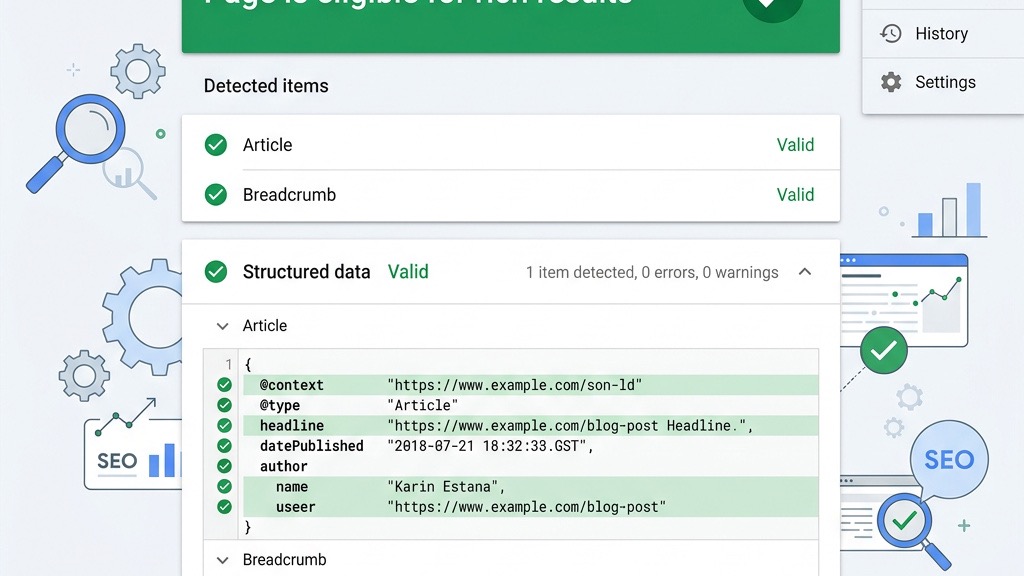


joomla schema markup is the secret sauce that turns ordinary pages into searchable gold. We’ll walk you through every step, from built‑in features to hand‑crafted JSON‑LD, so your site can sparkle in the SERPs.

Search engines treat structured data like a well‑organized library, where each book (page) carries a detailed catalog card. Google and Bing read the catalog cards to place the right books on the right shelves, which is why they rely on the schema.org vocabulary. The preferred delivery method is JSON‑LD, a lightweight script that lives in the page head without disturbing the visible content. When the crawler sees a JSON‑LD block, it adds the information to its Knowledge Graph, turning raw text into rich snippets that users can see before they click.
The Knowledge Graph acts as a digital brain, connecting entities across the web. By feeding it accurate schema, we help the brain recognize our brand, products, and events, which in turn fuels rich results like star ratings and FAQ dropdowns. Structured data also powers breadcrumbs, allowing search engines to display a clear path from the homepage to the specific article. In short, schema is the bridge that carries our intent from the page to the search results.
Because search engines parse structured data with natural‑language processing, they can extract meaning faster than they can read plain HTML. This speed translates into higher relevance scores, which often lead to a better click‑through rate (CTR). The more precise our schema, the more likely the algorithm will showcase our content as a featured snippet or a product carousel.
Rich results are the visual fireworks that catch a user’s eye in a sea of blue links. A star‑filled rating, a collapsible FAQ, or a breadcrumb trail can turn a modest listing into a magnetic attraction. When we attach the right schema type, Google can paint these enhancements directly into the SERP, giving us a higher chance of being clicked.
Below is a quick reference table that matches common schema types with the rich result they unlock:
| Schema Type | Rich Result Type |
|———————-|——————|
| Article / BlogPosting| Top‑story carousel|
| FAQPage | FAQ dropdown |
| Product | Product carousel|
| Event | Event listing |
| LocalBusiness | Knowledge Panel |
| BreadcrumbList | Breadcrumb trail |

Studies show that pages with rich results enjoy a CTR boost of 10‑30 % compared with plain listings. The visual cue acts like a lighthouse, guiding users toward our content amid the fog of competition. By deploying schema thoughtfully, we can turn a modest click into a steady stream of traffic.
Joomla powers a vibrant community of sites, yet many of them miss out on the benefits of structured data. While WordPress users often rely on plugins like Yoast or RankMath, Joomla owners can achieve the same—or better—visibility with the right tools and a bit of code. The gap isn’t a matter of capability; it’s a matter of awareness and execution.
Competition for the same keywords is fierce, and search engines reward sites that speak their language clearly. When a Joomla article lacks schema, the engine must guess its purpose, which can result in a generic snippet that blends into the background. By adding schema, we give the engine a clear signpost, helping it place our content in the most advantageous slot.
On top of that, schema can enhance local search, e‑commerce listings, and even video previews, all of which are crucial for modern businesses. Joomla’s flexibility means we can tailor schema to any niche, from a boutique bakery to a multinational software firm. The payoff is a richer presence in search results and a measurable lift in organic traffic.
Joomla 5 brings a fresh batch of native schema features that simplify the first steps of implementation. You can explore our Joomla SEO guide for a broader strategy, or dive straight into the SEO Component to fine‑tune settings. For ongoing monitoring, the Google Search Console integration offers real‑time feedback on how Google sees your markup. If you’re hunting for extra power, the Best SEO Extensions page lists tools that complement the core functionality. And when you need quick tweaks, the SEO Plugins section showcases lightweight add‑ons that can inject code without a full‑blown extension.
Joomla 5 automatically adds a WebSite schema to the homepage, declaring the site’s name, URL, and primary language. Every article created with com_content receives an Article schema, which includes the headline, author, publish date, and image. The platform also generates a BreadcrumbList schema for navigation menus, allowing search engines to display a clean breadcrumb trail.
These automatic schemas are like a starter kit, giving us a solid foundation without any extra effort. They cover the most common use cases, meaning that even a fresh installation can appear in rich results. However, the built‑in set stops short of advanced types such as FAQPage, HowTo, or Product, which often drive the highest CTR gains.
To tailor the default schema, we head to Global Configuration → Schema.org. Here we choose between “Organization” or “Person” as the primary entity, then fill in the site name, logo URL, and social profile links. The steps are simple:
1. Log in to the Joomla administrator panel.
2. Go to System → Global Configuration.
3. Click the Schema.org tab.
4. Select Organization (or Person) and enter the required fields.
5. Save the changes and clear the cache.
These settings propagate to every page that uses the core schema, giving us a consistent identity across the web. By setting the logo and social profiles once, we avoid repetitive code and reduce the chance of errors.
While the native support is a great start, it doesn’t cover many high‑impact schema types. There is no built‑in FAQPage, HowTo, Product, Event, or LocalBusiness schema, which means we must turn to extensions or manual code for those. On top of that, the default Article schema cannot be customized per article, limiting our ability to add unique identifiers or extra properties.
Because of these gaps, we often pair Joomla’s core with a dedicated schema extension or embed JSON‑LD directly into the template. This hybrid approach gives us the best of both worlds: the stability of core features and the flexibility of custom markup.
JSON‑LD reads like a miniature encyclopedia entry: @context tells the reader which universe we’re speaking in, while @type declares the specific creature we’re describing. The rest of the object holds properties such as name, url, and image, each of which can be a string, number, or another nested object. Google prefers JSON‑LD over microdata or RDFa because it lives in a single script tag, keeping the HTML clean and the parsing fast.
A basic Organization schema looks like this:
{
  "@context": "https://schema.org",
  "@type": "Organization",
  "name": "Your Company Name",
  "url": "https://www.yourcompany.com",
  "logo": "https://www.yourcompany.com/images/logo.png",
  "sameAs": [
    "https://www.facebook.com/yourcompany",
    "https://twitter.com/yourcompany"
  ]
}
Notice how each property is clearly labeled, making it easy for both humans and machines to understand. By keeping the JSON tidy, we reduce the risk of validation errors and make future updates a breeze.
There are three common ways to embed JSON‑LD in a Joomla site. First, we can edit the index.php file of our active template and place a
Each technique offers a different balance of control and convenience, so we choose the one that matches our workflow.

Below are ready‑to‑copy JSON‑LD blocks for three frequently used schema types. Replace the placeholder values with your own data.
Article schema
{
  "@context": "https://schema.org",
  "@type": "Article",
  "headline": "How to Add Schema Markup to Your Joomla Site",
  "author": {
    "@type": "Person",
    "name": "Your Name"
  },
  "datePublished": "2026-03-01",
  "image": "https://www.yourdomain.com/images/article-header.jpg",
  "publisher": {
    "@type": "Organization",
    "name": "Your Company",
    "logo": {
      "@type": "ImageObject",
      "url": "https://www.yourdomain.com/logo.png"
    }
  },
  "mainEntityOfPage": {
    "@type": "WebPage",
    "@id": "https://www.yourdomain.com/joomla-schema-markup"
  }
}
FAQPage schema
{
  "@context": "https://schema.org",
  "@type": "FAQPage",
  "mainEntity": [
    {
      "@type": "Question",
      "name": "Is schema markup a direct Google ranking factor?",
      "acceptedAnswer": {
        "@type": "Answer",
        "text": "Schema itself does not boost rankings, but it can increase visibility through rich results, which often leads to higher CTR."
      }
    },
    {
      "@type": "Question",
      "name": "Can I add multiple schema types to one Joomla page?",
      "acceptedAnswer": {
        "@type": "Answer",
        "text": "Yes, you can stack several JSON‑LD blocks, each describing a different entity, as long as they don’t conflict."
      }
    }
  ]
}
LocalBusiness schema
{
  "@context": "https://schema.org",
  "@type": "LocalBusiness",
  "name": "Your Store",
  "image": "https://www.yourdomain.com/store.jpg",
  "address": {
    "@type": "PostalAddress",
    "streetAddress": "123 Main St",
    "addressLocality": "Anytown",
    "postalCode": "12345",
    "addressCountry": "US"
  },
  "telephone": "+1-555-123-4567",
  "geo": {
    "@type": "GeoCoordinates",
    "latitude": "40.7128",
    "longitude": "-74.0060"
  },
  "openingHoursSpecification": {
    "@type": "OpeningHoursSpecification",
    "dayOfWeek": [
      "Monday",
      "Tuesday",
      "Wednesday",
      "Thursday",
      "Friday"
    ],
    "opens": "09:00",
    "closes": "18:00"
  }
}
Each block follows the same clean pattern, making it easy to copy, paste, and customize for any page.
Google Structured Data by Tassos is a polished extension that handles more than 20 schema types without a single line of code. With over 528 K downloads, it has proven its reliability across small blogs and large e‑commerce sites. The extension automatically injects JSON‑LD into the head, and it offers a visual editor for fine‑tuning each schema element. A free tier covers basic needs, while the premium version unlocks advanced features such as FAQPage and Product schema. Learn more at Google Structured Data by Tassos.
JL’s Schema.org Markup Extension brings auto‑generation to Joomla 5, mapping article fields directly to schema properties. It supports Article, BlogPosting, Event, and LocalBusiness out of the box, and it lets us add custom JSON‑LD snippets via a simple textarea. Compatibility with the latest Joomla releases means we won’t be left behind when the core evolves. Check out the details at JL Schema Markup extension.
Below is a side‑by‑side comparison that highlights the main differences between the two extensions and a manual JSON‑LD approach.
| Feature | Tassos GSD | JL Schema | Manual JSON‑LD |
|-----------------------------|---------------------------|--------------------------|----------------|
| Ease of use | Drag‑and‑drop UI | Simple field mapping | Requires code edit |
| Schema types supported | 20+ (including FAQPage) | 15+ (Article, Event) | Unlimited (as you code) |
| Auto‑generation | Yes (global & per‑article) | Yes (global) | No |
| Price (annual) | Free tier; $49 Pro | Free; $39 Pro | $0 |
| Joomla 5 compatibility | ✅ | ✅ | ✅ |
| Custom schema injection | ✅ (custom JSON) | ✅ (textarea) | ✅ (full control) |
The table shows that extensions save time, but a manual approach offers the ultimate flexibility for niche requirements.
When we publish a news story, the Article schema tells search engines that the content is a stand‑alone piece of journalism. For blog posts, the BlogPosting schema adds extra signals such as blogPost and author that help Google display a “Top story” carousel. Required properties include headline, datePublished, and image; recommended ones are author, publisher, and description. Properly marked articles often appear with a thumbnail and a short excerpt, making them more enticing to click.
Both schemas share many fields, but BlogPosting adds blogPost as a subtype, which can improve visibility in blog‑specific sections of Google. By aligning our Joomla article metadata with these schemas, we give the engine a clear map of the content’s purpose. The result is a cleaner SERP appearance and a higher likelihood of being featured.
Every business should start with an Organization schema that declares the company name, logo, and official website. This schema fuels the Knowledge Panel, the box that appears on the right side of search results for branded queries. For brick‑and‑mortar locations, the LocalBusiness schema adds address, phone, opening hours, and geo‑coordinates, allowing Google to show a map and contact details directly in the SERP.
Including both schemas creates a layered identity: the Organization schema paints the corporate picture, while LocalBusiness grounds the brand in a physical space. When users search for “your company near me,” the LocalBusiness data helps Google surface the correct location, boosting foot traffic and phone calls. The synergy between the two schemas is like a two‑tone choir, each voice reinforcing the other.
FAQ schema transforms a list of questions into a collapsible block that appears right under the search result, giving users immediate answers. HowTo schema breaks down a process into numbered steps, which Google can render as a step‑by‑step guide in the SERP. BreadcrumbList schema creates a trail of links that show the page’s hierarchy, helping users move back to higher‑level sections.
By deploying these schemas, we turn static text into interactive search features, increasing dwell time and reducing bounce rates.
The Google Rich Results Test is a quick way to see whether our JSON‑LD will produce a rich result. We can paste a URL or a code snippet, and the tool will highlight any errors or warnings. It also shows a preview of how the result might look in the SERP, giving us confidence before we push changes live. Access the tester at Google Rich Results Test.
When the test reports “No errors,” we still need to check the “Warnings” section, as some warnings can prevent a rich result from appearing. The tool also indicates which schema types are supported by Google, helping us prioritize the most impactful markup. Regular testing after each update keeps our schema healthy.

Schema.org offers a validator that checks the JSON‑LD against the full schema.org specification, not just Google’s subset. This is useful for catching issues that Google’s test might overlook, such as deprecated properties or mismatched data types. The validator returns a detailed report, pointing out the exact line numbers where problems occur.
Using both the Google test and the schema.org validator gives us a double‑layered safety net. While Google focuses on what it can display, the schema.org validator guarantees that our markup adheres to the broader standard. Together they keep our structured data both visible and valid.
Even seasoned developers stumble over a handful of recurring pitfalls. Below are the top five errors and quick fixes:
1. Missing required fields – Add the mandatory property (e.g., headline for Article).
2. Incorrect nesting – Confirm that child objects are placed inside the parent’s braces.
3. Duplicate schemas – Remove redundant JSON‑LD blocks that describe the same entity.
4. Invalid date format – Use ISO 8601 (YYYY‑MM‑DD) for all date fields.
5. Mismatched @type – Verify that the @type value matches the intended schema (e.g., FAQPage vs Question).
By addressing these issues promptly, we keep our markup clean and our SERP appearance strong.
No, schema itself does not directly affect rankings, but it can boost visibility through rich results, which often leads to higher click‑through rates.
Yes, you can stack several JSON‑LD blocks on a single page, each describing a different entity, as long as they don’t conflict.
Joomla 4 includes basic schema support, but it lacks the out‑of‑the‑box auto‑generation features introduced in Joomla 5.
Search engines may ignore the faulty markup, resulting in no rich result and potentially a lower click‑through rate. Validation tools help catch these errors before they go live.
FAQPage and Product schemas often deliver the most noticeable CTR uplift because they appear as interactive elements directly in the SERP.
Whenever you add new content, change business details, or launch a new product, you should review and update the relevant schema to keep it accurate. Regular audits every six months are a good practice.