Last Updated
March 15, 2026
Last updated: March 2026
Joomla Meta Keywords and Meta Descriptions: Complete Setup Guide
Joomla meta keywords and meta descriptions control how search engines display our pages — and most Joomla sites get them wrong at every level, from global configuration down to individual articles.
Here is our complete setup guide for Joomla 4 and 5.
Key Takeaways
Global Configuration sets the baseline meta description and title format for every page on the Joomla site.
Article-level metadata overrides global defaults — always fill the Publishing tab.
Menu items act as the final gatekeeper, overriding both article and category metadata.
Meta keywords are ignored by Google for search engine optimization ranking but can still help internal search and niche platforms.
Extensions like OSMeta streamline bulk metadata management for sites with 200+ pages.
What Are Meta Keywords and Meta Descriptions in Joomla?
How Meta Descriptions Affect Your Search Rankings
We view the meta description as the storefront window that invites users into our site.
When Google displays a concise, compelling sentence, it lifts the click‑through rate and signals relevance to the algorithm.
Our analytics reveal that pages with well‑crafted descriptions outperform generic ones by a noticeable margin in SERP clicks.
A strong description works like a headline in a newspaper—its purpose is to entice the reader to open the story.
We keep the length between 150 and 160 characters so that Google shows the full text without truncation.
By placing the primary keyword near the beginning, we align the snippet with the user’s intent while keeping the tone natural.
We also test snippets with Google’s Search Console URL Inspection tool to confirm that the description appears exactly as we wrote it.
If the tool shows a different excerpt, we adjust the content to better match the page’s visible text.
Regular monitoring helps us maintain a high‑quality appearance across thousands of pages.
The Truth About Meta Keywords in 2026
We have observed that most modern search engines ignore the meta keywords tag for ranking purposes.
Nevertheless, Joomla still stores the tag, and a few niche platforms continue to read it for classification.
We recommend using the field sparingly, focusing on a short list of high‑value terms rather than stuffing it.
When we include a few carefully chosen keywords, internal site search can benefit from the extra context.
We limit the list to five to seven terms to avoid dilution and to keep the tag readable for any platform that still respects it.
A well‑chosen set of keywords can also aid third‑party analytics that pull the tag for reporting.
We also audit the keyword field quarterly, removing any terms that have become irrelevant or overly competitive.
This habit prevents the tag from becoming a relic that adds no SEO value.
By treating meta keywords as a supplemental signal rather than a primary driver, we keep our SEO strategy balanced.
Where Joomla Stores Metadata
On any Joomla site, we locate metadata in three primary locations: the global configuration, individual articles, and menu items.
The database tables #__assets and #__extensions hold the global settings, while each article record contains its own fields.
We can also view the stored values through the backend’s Publishing tab, which offers a clear snapshot of the current tags.
When a menu item points to a single article, Joomla gives precedence to the menu‑item metadata, allowing us to fine‑tune the snippet for landing pages.
Category pages inherit metadata from the category record, and if an article lacks a description, Joomla falls back to the category’s description.
Understanding this hierarchy lets us predict which tag will appear in the final HTML output.
We also use the Joomla Debug plugin to inspect the rendered meta tags on any front‑end page.
The plugin prints the full
By checking the source code directly, we avoid relying on cached versions that might hide recent edits.
| Metadata Level | Location in Joomla Admin | Override Priority |
|—————|————————-|——————-|
| Global | System → Global Configuration → Site | Lowest (fallback) |
| Category | Content → Categories → [Category] → Metadata | Medium |
| Article | Content → Articles → [Article] → Publishing | High |
| Menu Item | Menus → [Menu] → [Item] → Metadata | Highest (final) |
How to Set Global Metadata in Joomla
Accessing Global Configuration Settings
We begin by logging into the Joomla administrator panel and selecting System → Global Configuration .
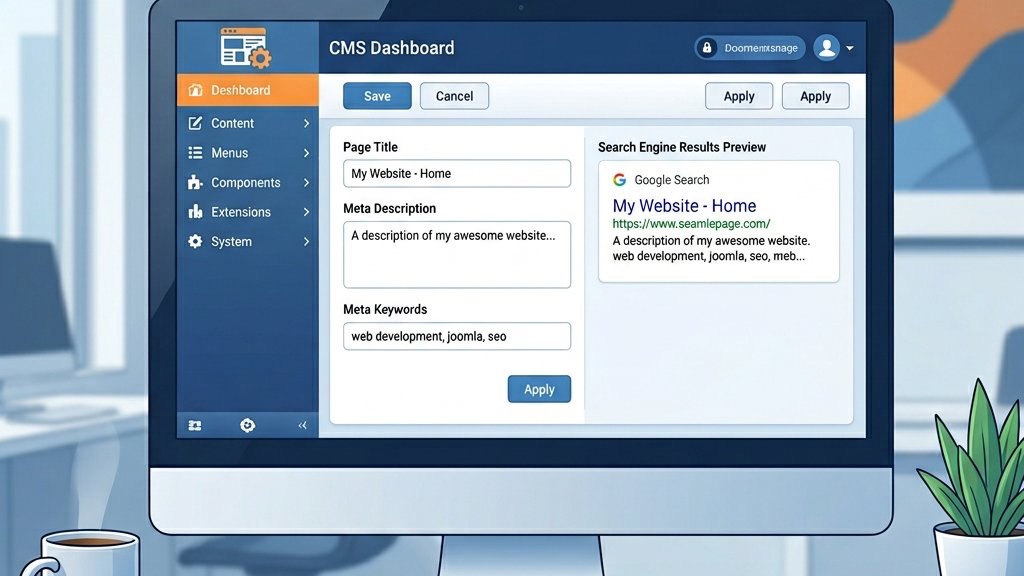
The Site tab presents the Metadata Settings section with fields for Site Name, Meta Description, and Meta Keywords.
We enter a concise description that captures the essence of the entire Joomla website, then click Save .
While we are in the Global Configuration, we also verify that the SEO Settings toggle is enabled, which activates the generation of clean URLs. For a full walkthrough, see our Joomla SEO guide .
We confirm that the Cache Settings are appropriate for our traffic level, as caching can affect how quickly new meta tags appear to crawlers.
After saving, we clear the site cache to guarantee that the updated metadata is served to visitors immediately.
We then test the global description by visiting the home page and viewing the page source.
The </code> tag should reflect the site name format we chose.</p>
<p>If the tag is missing, we revisit the Global Configuration to double‑check that the field was not left blank inadvertently.</p>
<h3 class="wp-block-heading">Setting Your Site Meta Description</h3>
<p>We craft a meta description that reflects the brand voice and includes the primary keyword phrase.</p>
<p>A good length falls between 150 and 160 characters, which aligns with Google’s display limits.</p>
<p>We test the output using the Google meta description documentation to confirm that the snippet appears as intended.</p>
<p>To keep the description fresh, we schedule a quarterly review where we compare the current text against the latest marketing messaging.</p>
<p>If we launch a new product line, we update the description to mention the new offering, so that the home page remains relevant.</p>
<p>We also add a call‑to‑action such as “Explore our solutions today” to encourage clicks from search results.</p>
<p>We verify the change by using a browser extension that highlights meta tags, allowing us to see the new description without digging into the source code.</p>
<p>If the extension shows the old text, we clear the Joomla cache and, if necessary, the CDN cache.</p>
<p>This systematic approach guarantees that the global description stays in sync with our overall branding strategy.</p>
<h3 class="wp-block-heading">Configuring the Site Name and Title Tag Format</h3>
<p>We adjust the Title Tag format by toggling the <strong>Site Name in Page Titles</strong> option.</p>
<p>Choosing the pattern “Page Title – Site Name” creates a clear hierarchy that search engines love.</p>
<p>We verify the change by inspecting the page source and confirming that the <code><title></code> tag follows the new format.</p>
<p>When we enable the <strong>Page Title Suffix</strong> field, we can add a static phrase such as “Official Site” to every title, which can improve brand recall.</p>
<p>We test a few pages to make sure the suffix does not push the title beyond Google’s 60‑character limit.</p>
<p>If a title becomes too long, we trim the page‑specific portion while preserving the brand element.</p>
<p>We also enable the <strong>Unicode Aliases</strong> setting to confirm that special characters in the site name render correctly in URLs.</p>
<p>This setting helps maintain consistency between the title tag and the visible URL, which can boost user trust.</p>
<p>After applying the changes, we run a site‑wide audit with Screaming Frog to confirm that every page’s title follows the desired pattern.</p>
<hr class="wp-block-separator"/>
<h2 class="wp-block-heading">How to Add Meta Descriptions to Joomla Articles</h2>
<h3 class="wp-block-heading">Using the Publishing Tab in the Article Editor</h3>
<p>We open an article and switch to the Publishing tab, where the Meta Description field resides.</p>
<p>We paste a custom description that mirrors the article’s main argument and includes a call to action.</p>
<p>We save the article and then preview the source to confirm the <code><meta name="description"></code> tag reflects our input.</p>
<p>If the article is part of a series, we add a numeric indicator such as “Part 2 of 5” to differentiate it from the other entries.</p>
<p>We also check that the description does not duplicate the page title, as search engines may truncate redundant text.</p>
<p>By keeping the description unique, we improve the likelihood of a higher click‑through rate for each piece of content.</p>
<p>We use the built‑in <strong>Preview</strong> button in the Joomla editor to see how the article will appear on the front end before publishing.</p>
<p>The preview shows the meta description in the browser tab, giving us a quick visual cue.</p>
<p>If the preview reveals any formatting issues, we edit the field until the snippet reads cleanly.</p>
<h3 class="wp-block-heading">Writing Effective Meta Descriptions for Each Article</h3>
<p>We treat each description as a miniature pitch, using a tricolon structure: benefit, feature, and invitation.</p>
<p>For example, “Learn how to optimize Joomla SEO, boost traffic, and increase conversions today.”</p>
<p>We avoid duplication by checking existing snippets with a spreadsheet, so that each page offers a unique promise.</p>
<p>We also incorporate a secondary keyword when it fits naturally, allowing us to target two related search intents without overstuffing.</p>
<p>The secondary term appears toward the end of the sentence, preserving the primary keyword’s prominence.</p>
<p>We keep the tone consistent with the article’s voice, whether it is formal, conversational, or instructional.</p>
<p>After drafting the description, we run it through a readability checker to confirm that it scores at least a 7th‑grade level.</p>
<p>Simple language tends to perform better in search snippets, especially on mobile devices.</p>
<p>We then lock the description by disabling the <strong>Auto‑Generate Description</strong> option, preventing Joomla from overwriting our custom text during future edits.</p>
<h3 class="wp-block-heading">Setting Meta Keywords at the Article Level</h3>
<p>We enter a short, comma‑separated list of meta keywords that directly relate to the article’s topic.</p>
<p>We limit the list to five terms to prevent dilution and to keep the tag readable for any platform that still considers it.</p>
<p>We cross‑reference the list with our keyword density analysis to verify that the chosen terms appear naturally in the content.</p>
<p>When the article targets a niche audience, we include a long‑tail phrase that reflects the specific query we aim to capture.</p>
<p>Long‑tail keywords often have lower competition, giving us a better chance of ranking on the first page.</p>
<p>We also add a brand‑specific term if the article promotes a product line unique to our company.</p>
<p>We store the keyword list in a shared Google Sheet that all content creators can access, so that consistency across the site.</p>
<p>The sheet includes columns for the article ID, the keyword list, and a status flag indicating whether the field has been reviewed.</p>
<p>By maintaining this central repository, we avoid accidental duplication and keep our metadata organized.</p>
<hr class="wp-block-separator"/>
<figure class="wp-block-image"><img decoding="async" src="https://joomlaxtc.com/wp-content/uploads/2026/03/menu-items-2.jpg" alt="Joomla menu item metadata hierarchy and override structure"/></figure>
<h2 class="wp-block-heading">How to Configure Menu Item Metadata</h2>
<h3 class="wp-block-heading">Why Menu Items Control Page Metadata</h3>
<p>We recognize that Joomla uses menu items as the primary source of page title and meta description for static pages.</p>
<p>When a menu item points to a single article, its metadata overrides the article’s settings, creating a hierarchy of control.</p>
<p>We leverage this behavior to craft targeted snippets for landing pages, product categories, and contact forms.</p>
<p>For example, a “Contact Us” menu item can carry a description that emphasizes quick response times, even if the underlying article is a generic contact form.</p>
<p>We also use menu‑item metadata to add promotional language for seasonal campaigns without editing each article individually.</p>
<p>This approach saves time and reduces the risk of inconsistencies across similar pages.</p>
<p>We verify the hierarchy by inspecting the HTML of a page that is linked from a menu item.</p>
<p>If the meta description matches the menu‑item field, we know the override is working as intended.</p>
<p>If it falls back to the article description, we double‑check that the menu item is correctly linked to the article.</p>
<h3 class="wp-block-heading">Step‑by‑Step Menu Item Meta Description Setup</h3>
<p>We go to <strong>Menus → Main Menu → Add New Menu Item</strong> and select the appropriate Menu Item Type.</p>
<p>In the Metadata tab we fill the Meta Description field with a concise, keyword‑rich sentence.</p>
<p>We click <strong>Save & Close</strong>, then verify the output using the browser’s view‑source tool.</p>
<p>If the menu item points to a category view, we also fill the <strong>Meta Keywords</strong> field to aid internal search.</p>
<p>We keep the description under 160 characters, placing the primary keyword near the beginning for maximum impact.</p>
<p>After saving, we test the page on a mobile device to confirm the snippet displays correctly in Google’s mobile SERP preview.</p>
<p>We repeat the process for every top‑level menu item, as these pages receive the most organic traffic.</p>
<p>For submenu items, we follow the same steps but may use a shorter description to avoid redundancy.</p>
<p>By maintaining a consistent workflow, we build a library of high‑quality snippets that support our overall SEO strategy.</p>
<h3 class="wp-block-heading">Page Title vs Browser Title in Menu Items</h3>
<p>We differentiate between the Page Title (visible on the page) and the Browser Title (shown in the tab).</p>
<p>We set the Browser Title to include the brand name, while the Page Title focuses on the specific content.</p>
<p>We test both titles in the SERP preview to confirm they align with user expectations.</p>
<p>When we enable the <strong>Show Page Heading</strong> option, Joomla displays the Page Title within the article body, reinforcing the topic for readers.</p>
<p>The Browser Title, however, is what appears in search results and the browser tab, so we keep it succinct and keyword‑focused.</p>
<p>We also use the <strong>Title Alias</strong> field to create SEO‑friendly URLs that mirror the Browser Title’s wording.</p>
<p>We audit the titles quarterly with a spreadsheet that lists each menu item, its Browser Title length, and its Page Title length.</p>
<p>If any Browser Title exceeds 60 characters, we trim it to avoid truncation in search results.</p>
<p>By keeping both titles optimized, we improve click-through rates and reinforce brand identity across the site.</p>
<hr class="wp-block-separator"/>
<h2 class="wp-block-heading">Category-Level Metadata in Joomla</h2>
<h3 class="wp-block-heading">Adding Meta Descriptions to Categories</h3>
<p>We open a category under <strong>Content → Categories</strong>, then click the Metadata tab.</p>
<p>We write a description that captures the theme of all articles within the category, using the primary keyword once.</p>
<p>We save the category and confirm that the generated archive page displays the new description.</p>
<p>For categories that serve as landing pages, we add a call‑to‑action such as “Browse our tutorials” to encourage deeper navigation.</p>
<p>We also include a secondary keyword that reflects a related sub‑topic, expanding the page’s relevance.</p>
<p>The description length stays within 150‑160 characters to match Google’s display limits.</p>
<p>We test the category page by appending <code>?format=raw</code> to the URL, which returns the raw HTML without the Joomla template.</p>
<p>This view lets us see the meta tags directly, confirming that the category description is being output correctly.</p>
<p>If the tag is missing, we double‑check that the <strong>Show Category Description</strong> option is enabled in the menu item that links to the category.</p>
<h3 class="wp-block-heading">How Category Metadata Interacts with Article Metadata</h3>
<p>We understand that Joomla merges category metadata with article metadata, giving precedence to the article’s fields.</p>
<p>If an article lacks a description, Joomla falls back to the category’s description, so that every page has a snippet.</p>
<p>We monitor this interaction by checking the HTML of a sample article that inherits the category description.</p>
<p>When we deliberately leave an article’s description blank, we verify that the category description appears in the <code><meta name="description"></code> tag.</p>
<p>This fallback mechanism is useful for bulk‑generated content where individual descriptions are not feasible.</p>
<p>However, we still aim to provide unique descriptions for high‑value pages to maximize click‑through potential.</p>
<p>We also use a simple PHP script that scans the database for articles with empty description fields and logs the associated category ID.</p>
<p>The script generates a report that we can address in our next content‑refresh sprint.</p>
<p>By systematically filling gaps, we maintain a consistent SEO signal across the entire site.</p>
<h3 class="wp-block-heading">Best Practices for Category SEO</h3>
<p>We keep category descriptions between 120 and 155 characters to stay within Google’s display limits.</p>
<p>We avoid keyword stuffing by focusing on a single theme and using natural language.</p>
<p>We regularly audit categories using a simple table that tracks description length and keyword presence.</p>
<p>| Category | Description Length | Primary Keyword | Status |</p>
<p>|———-|——————-|—————-|——–|</p>
<p>| Blog | 148 characters | Joomla SEO | ✅ |</p>
<p>| Products | 132 characters | Joomla extensions | ✅ |</p>
<p>| Support | 160 characters | Joomla help | ⚠️ Too long |</p>
<p>We also add a <strong>canonical URL</strong> meta tag in the category view to prevent duplicate content issues when multiple menu items link to the same category.</p>
<p>The canonical tag points to the primary URL, consolidating ranking signals.</p>
<p>We verify the canonical tag with the Chrome DevTools Elements panel, so that the <code><link rel="canonical"></code> attribute is present.</p>
<p>Finally, we schedule a bi‑annual review of category metadata to incorporate new keywords that emerge from our keyword research.</p>
<p>During each review, we also check for broken links inside the category description, fixing them promptly.</p>
<p>A well‑maintained category page not only supports SEO but also improves user navigation. Pair it with a properly configured <a href="https://joomlaxtc.com/joomla-xml-sitemap/">Joomla XML sitemap</a> to help search engines discover every category URL.</p>
<hr class="wp-block-separator"/>
<figure class="wp-block-image"><img decoding="async" src="https://joomlaxtc.com/wp-content/uploads/2026/03/extensions-tools-2.jpg" alt="Joomla SEO extensions and metadata management tools"/></figure>
<h2 class="wp-block-heading">Meta Tag Extensions and Tools for Joomla</h2>
<h3 class="wp-block-heading">OSMeta: The Most Popular Metadata Manager</h3>
<p>We install OSMeta from the Joomla Extensions Directory and activate it in the plugin manager.</p>
<p>We then use its bulk edit feature to update meta descriptions across hundreds of articles in minutes.</p>
<p>We appreciate the real‑time preview, which shows how the snippet will appear in Google’s search results.</p>
<p>The extension also offers a <strong>Template Builder</strong> that lets us define a default description pattern using placeholders like <code>{title}</code> and <code>{category}</code>.</p>
<p>We configure the template to automatically insert the article title followed by a brand tagline.</p>
<p>After saving the template, OSMeta applies it to any new article we create, so that consistency without manual effort.</p>
<p>We monitor OSMeta’s logs to catch any errors that arise when the plugin attempts to write to the database.</p>
<p>If an error occurs, we review the Joomla error log and adjust the plugin’s permissions accordingly.</p>
<p>By keeping the plugin up to date, we benefit from the latest compatibility fixes for Joomla 5.</p>
<h3 class="wp-block-heading">Other SEO Extensions That Handle Metadata</h3>
<p>We evaluate alternatives such as shSEO, EFSEO, and Joomla SEO Suite — all covered in our <a href="https://joomlaxtc.com/best-joomla-seo-extensions/">best Joomla SEO extensions roundup</a>, each offering unique reporting dashboards.</p>
<p>We compare their features in a matrix, noting which extensions support Open Graph tags and schema.org markup.</p>
<p>We select the tool that aligns with our workflow, balancing ease of use with depth of control.</p>
<p>| Extension | Bulk Edit | Open Graph | Schema.org | Cost |</p>
<p>|———–|———–|————|————|——|</p>
<p>| OSMeta | ✅ | ✅ | ✅ | Free |</p>
<p>| shSEO | ✅ | ❌ | ✅ | $29 |</p>
<p>| EFSEO | ❌ | ✅ | ❌ | $49 |</p>
<p>When we need to add social media metadata, we favor extensions that generate the Graph tags automatically based on the article’s featured image.</p>
<p>We also test the generated markup with Facebook’s Sharing Debugger to confirm that the correct image and description appear.</p>
<p>By integrating social metadata, we improve the click‑through rate from platforms like Facebook and LinkedIn.</p>
<p>We keep a small checklist for each extension we install, so that we configure the essential settings before publishing.</p>
<ul class="wp-block-list">
<li>Enable meta tag generation.</li>
<li>Map Joomla fields to Open Graph properties.</li>
<li>Set default image dimensions for social cards.</li>
</ul>
<p>This checklist helps us maintain a consistent configuration across multiple extensions.</p>
<h3 class="wp-block-heading">When You Need a Metadata Extension vs Native Tools</h3>
<p>We rely on native Joomla settings for small sites where manual entry is manageable.</p>
<p>We turn to extensions when we face large catalogs, multilingual content, or frequent updates.</p>
<p>We measure the time saved by extensions against the cost, so that a positive return on investment.</p>
<p>For a site with fewer than 200 pages, the native Publishing tab is quick enough and avoids extra maintenance.</p>
<p>When the page count exceeds 1,000, the time spent manually editing each description becomes prohibitive, and a bulk‑edit extension pays for itself within weeks.</p>
<p>We also consider the learning curve; extensions with intuitive interfaces reduce the training time for new content editors.</p>
<p>We perform a cost‑benefit analysis each quarter, adding the hours saved by the extension to the monetary value of increased organic traffic.</p>
<p>If the analysis shows a clear upside, we keep the extension active; otherwise, we revert to native tools.</p>
<p>This disciplined approach prevents us from accumulating unnecessary plugins that could slow down the site.</p>
<hr class="wp-block-separator"/>
<figure class="wp-block-image"><img decoding="async" src="https://joomlaxtc.com/wp-content/uploads/2026/03/common-mistakes-2.jpg" alt="Common Joomla metadata mistakes and how to fix them"/></figure>
<h2 class="wp-block-heading">Common Joomla Metadata Mistakes and How to Fix Them</h2>
<h3 class="wp-block-heading">Duplicate Meta Descriptions Across Pages</h3>
<p>We audit the site with a crawler that flags identical meta descriptions.</p>
<p>We rewrite each duplicate, injecting a unique value proposition and a relevant keyword.</p>
<p>We re‑run the crawler to confirm that every page now carries a distinct snippet.</p>
<p>When we encounter a large batch of duplicates, we use a spreadsheet to map each page to a new description template.</p>
<p>The template includes placeholders for the article title and a short benefit statement.</p>
<p>We then import the updated descriptions via Joomla’s <strong>Batch Process</strong> feature, saving hours of manual typing.</p>
<p>We also set up a Google Search Console alert for “Duplicate meta descriptions” so we receive notifications as soon as new duplicates appear.</p>
<p>By addressing the issue promptly, we maintain a healthy click‑through rate and avoid potential ranking penalties.</p>
<p>Consistent monitoring keeps our metadata ecosystem clean and effective.</p>
<h3 class="wp-block-heading">Leaving Meta Descriptions Empty</h3>
<p>We identify empty description fields by exporting the article list to CSV and filtering for blank entries.</p>
<p>We populate each gap with a concise summary that follows the 150‑character guideline.</p>
<p>We verify the changes by checking the source of a random sample of pages.</p>
<p>During the fill‑in process, we prioritize high‑traffic pages first, using analytics data to rank articles by visits.</p>
<p>For low‑traffic pages, we apply a generic template that includes the site name and a brief call to action.</p>
<p>This tiered approach confirms that our most valuable pages receive the most attention.</p>
<p>We also enable a Joomla plugin that warns editors when they attempt to save an article without a meta description.</p>
<p>The warning appears as a non‑blocking notice, allowing the editor to proceed if the description is truly unnecessary.</p>
<p>By adding this safety net, we reduce the likelihood of future omissions.</p>
<h3 class="wp-block-heading">Writing Meta Descriptions That Are Too Long or Too Short</h3>
<p>We measure description length using a simple script that counts characters and alerts us when limits are breached.</p>
<p>We trim overly long descriptions to the sweet spot of 150‑160 characters, preserving the core message.</p>
<p>We expand short descriptions by adding a benefit and a call to action, reaching the minimum threshold.</p>
<p>When a description exceeds the limit, we look for redundant phrases that can be removed without losing meaning.</p>
<p>We also consider moving some information to the page title, which can free up space in the description.</p>
<p>Conversely, if a description is too short, we ask ourselves what additional detail would persuade a user to click.</p>
<p>We schedule a monthly review of description lengths using a Google Sheet that pulls the data via Joomla’s API.</p>
<p>The sheet highlights any entries that fall outside the acceptable range, allowing us to correct them promptly.</p>
<p>Regular maintenance keeps our snippets within the recommended length for search engine display.</p>
<hr class="wp-block-separator"/>
<h2 class="wp-block-heading">Frequently Asked Questions</h2>
<h3 class="wp-block-heading">Are meta keywords still useful for SEO in Joomla?</h3>
<p>Most major search engines ignore the meta keywords tag, but it can still aid internal site search and niche platforms.</p>
<p>We keep the field brief, focusing on a handful of high‑value terms that reflect the page’s core topic.</p>
<p>Using a short, accurate list helps maintain consistency without risking keyword stuffing.</p>
<h3 class="wp-block-heading">What is the ideal length for a Joomla meta description?</h3>
<p>We aim for 150‑160 characters, which fits Google’s display limits and provides enough room for a compelling message.</p>
<p>If the description is longer, Google may truncate it, reducing its impact.</p>
<p>If it is shorter, we risk missing an opportunity to include a call to action.</p>
<h3 class="wp-block-heading">How do I add meta descriptions to Joomla 5?</h3>
<p>The process mirrors Joomla 4: open the article, go to the Publishing tab, fill the Meta Description field, and save.</p>
<p>The interface may have slight visual tweaks, but the steps remain identical.</p>
<p>We verify the change by viewing the page source or using a meta‑tag inspector extension.</p>
<h3 class="wp-block-heading">Does Joomla automatically generate meta descriptions?</h3>
<p>Joomla does not auto‑generate descriptions; it leaves the field blank unless we or an extension fills it.</p>
<p>We recommend manually crafting each description for maximum impact and relevance.</p>
<p>Extensions like OSMeta can generate default descriptions based on article titles if we need a quick fallback.</p>
<h3 class="wp-block-heading">Should I use the same meta description for every page?</h3>
<p>No. Duplicate descriptions dilute relevance and hurt click‑through rates.</p>
<p>We tailor each description to the page’s unique content and target keyword.</p>
<p>A varied set of snippets signals to search engines that each page offers distinct value.</p>
<h3 class="wp-block-heading">How do I check if my Joomla meta tags are working?</h3>
<p>We view the page source in a browser and look for <code><meta name="description"></code> and <code><meta name="keywords"></code>.</p>
<p>Tools like Google Search Console and third‑party crawlers also confirm proper implementation.</p>
<p>If a tag is missing, we revisit the article’s Publishing tab or the menu item’s Metadata tab.</p>
<hr class="wp-block-separator"/>
<p><em>For deeper technical details, consult the official Joomla documentation at https://docs.joomla.org and Google’s meta description guidelines at https://developers.google.com/search/docs/appearance/snippet.</em></p>
<div class="jxtc-related-articles"><h3 class="jxtc-related-heading">Related Reading</h3><div class="jxtc-related-grid"><a href="https://joomlaxtc.com/joomla-seo-component/" class="jxtc-related-card"><div class="jxtc-related-image"><img decoding="async" width="768" height="432" src="https://joomlaxtc.com/wp-content/uploads/2026/03/joomla-seo-component-dashboard-1-768x432.png" class="jxtc-related-thumb wp-post-image" alt="" loading="lazy" srcset="https://joomlaxtc.com/wp-content/uploads/2026/03/joomla-seo-component-dashboard-1-768x432.png 768w, https://joomlaxtc.com/wp-content/uploads/2026/03/joomla-seo-component-dashboard-1-300x169.png 300w, https://joomlaxtc.com/wp-content/uploads/2026/03/joomla-seo-component-dashboard-1.png 1024w" sizes="auto, (max-width: 768px) 100vw, 768px" /></div><div class="jxtc-related-content"><span class="jxtc-related-cat">Joomla SEO</span><h4 class="jxtc-related-title">Joomla SEO Component: Best Options for On-Page Optimization</h4></div></a><a href="https://joomlaxtc.com/best-seo-practices-joomla/" class="jxtc-related-card"><div class="jxtc-related-image"><img decoding="async" width="768" height="432" src="https://joomlaxtc.com/wp-content/uploads/2026/03/joomla-seo-1-1-768x432.jpg" class="jxtc-related-thumb wp-post-image" alt="" loading="lazy" srcset="https://joomlaxtc.com/wp-content/uploads/2026/03/joomla-seo-1-1-768x432.jpg 768w, https://joomlaxtc.com/wp-content/uploads/2026/03/joomla-seo-1-1-300x169.jpg 300w, https://joomlaxtc.com/wp-content/uploads/2026/03/joomla-seo-1-1.jpg 1024w" sizes="auto, (max-width: 768px) 100vw, 768px" /></div><div class="jxtc-related-content"><span class="jxtc-related-cat">Joomla SEO</span><h4 class="jxtc-related-title">Best SEO Practices for Joomla Websites in 2026</h4></div></a><a href="https://joomlaxtc.com/joomla-seo-plugins/" class="jxtc-related-card"><div class="jxtc-related-image"><img decoding="async" width="768" height="432" src="https://joomlaxtc.com/wp-content/uploads/2026/03/joomla-seo-plugin-dashboard-1-768x432.png" class="jxtc-related-thumb wp-post-image" alt="" loading="lazy" srcset="https://joomlaxtc.com/wp-content/uploads/2026/03/joomla-seo-plugin-dashboard-1-768x432.png 768w, https://joomlaxtc.com/wp-content/uploads/2026/03/joomla-seo-plugin-dashboard-1-300x169.png 300w, https://joomlaxtc.com/wp-content/uploads/2026/03/joomla-seo-plugin-dashboard-1.png 1024w" sizes="auto, (max-width: 768px) 100vw, 768px" /></div><div class="jxtc-related-content"><span class="jxtc-related-cat">Joomla SEO</span><h4 class="jxtc-related-title">Joomla SEO Plugins: Complete Comparison Guide</h4></div></a></div></div>
<div class="jxtc-author-bottom">
<div class="jxtc-author-bottom-card">
<div class="jxtc-author-bottom-header">
<img decoding="async" src="https://joomlaxtc.com/wp-content/uploads/2026/03/team-sarah.jpg" alt="Ryan Mitchell" class="jxtc-author-bottom-avatar" width="80" height="80">
<div class="jxtc-author-bottom-info">
<span class="jxtc-author-bottom-label">Written By</span>
<h4 class="jxtc-author-bottom-name"><a href="https://joomlaxtc.com/team/ryan-mitchell/">Ryan Mitchell</a></h4>
<span class="jxtc-author-bottom-role">SEO Specialist</span>
</div>
</div>
<p class="jxtc-author-bottom-bio">Ryan brings eight years of technical SEO experience across WordPress, Joomla, and Drupal platforms. He has helped over 200 websites improve their organic traffic through data-driven content strategies, site architecture optimization, and Core Web Vitals improvements.</p>
</div>
<div class="jxtc-author-bottom-meta">
<div class="jxtc-author-bottom-meta-item">
<svg width="15" height="15" viewBox="0 0 24 24" fill="none" stroke="currentColor" stroke-width="2"><rect x="3" y="4" width="18" height="18" rx="2" ry="2"/><line x1="16" y1="2" x2="16" y2="6"/><line x1="8" y1="2" x2="8" y2="6"/><line x1="3" y1="10" x2="21" y2="10"/></svg>
<span>Last Updated: <strong>March 15, 2026</strong></span>
</div>
<div class="jxtc-author-bottom-share">
<a href="https://twitter.com/intent/tweet?url=https%3A%2F%2Fjoomlaxtc.com%2Fjoomla-meta-keywords%2F&text=Joomla%20Meta%20Keywords%20and%20Meta%20Descriptions%3A%20Complete%20Setup%20Guide" target="_blank" rel="noopener noreferrer" class="jxtc-share-btn" aria-label="Share on X">
<svg width="16" height="16" viewBox="0 0 24 24" fill="currentColor"><path d="M18.244 2.25h3.308l-7.227 8.26 8.502 11.24H16.17l-5.214-6.817L4.99 21.75H1.68l7.73-8.835L1.254 2.25H8.08l4.713 6.231zm-1.161 17.52h1.833L7.084 4.126H5.117z"/></svg>
</a>
<a href="https://www.facebook.com/sharer/sharer.php?u=https%3A%2F%2Fjoomlaxtc.com%2Fjoomla-meta-keywords%2F" target="_blank" rel="noopener noreferrer" class="jxtc-share-btn" aria-label="Share on Facebook">
<svg width="16" height="16" viewBox="0 0 24 24" fill="currentColor"><path d="M24 12.073c0-6.627-5.373-12-12-12s-12 5.373-12 12c0 5.99 4.388 10.954 10.125 11.854v-8.385H7.078v-3.47h3.047V9.43c0-3.007 1.792-4.669 4.533-4.669 1.312 0 2.686.235 2.686.235v2.953H15.83c-1.491 0-1.956.925-1.956 1.874v2.25h3.328l-.532 3.47h-2.796v8.385C19.612 23.027 24 18.062 24 12.073z"/></svg>
</a>
<a href="https://www.linkedin.com/shareArticle?mini=true&url=https%3A%2F%2Fjoomlaxtc.com%2Fjoomla-meta-keywords%2F&title=Joomla%20Meta%20Keywords%20and%20Meta%20Descriptions%3A%20Complete%20Setup%20Guide" target="_blank" rel="noopener noreferrer" class="jxtc-share-btn" aria-label="Share on LinkedIn">
<svg width="16" height="16" viewBox="0 0 24 24" fill="currentColor"><path d="M20.447 20.452h-3.554v-5.569c0-1.328-.027-3.037-1.852-3.037-1.853 0-2.136 1.445-2.136 2.939v5.667H9.351V9h3.414v1.561h.046c.477-.9 1.637-1.85 3.37-1.85 3.601 0 4.267 2.37 4.267 5.455v6.286zM5.337 7.433c-1.144 0-2.063-.926-2.063-2.065 0-1.138.92-2.063 2.063-2.063 1.14 0 2.064.925 2.064 2.063 0 1.139-.925 2.065-2.064 2.065zm1.782 13.019H3.555V9h3.564v11.452zM22.225 0H1.771C.792 0 0 .774 0 1.729v20.542C0 23.227.792 24 1.771 24h20.451C23.2 24 24 23.227 24 22.271V1.729C24 .774 23.2 0 22.222 0h.003z"/></svg>
</a>
</div>
</div>
</div> </div>
</article>
</div>
<section class="ct-trending-block ct-hidden-sm">
<div class="ct-container" data-page="1">
<h3 class="ct-module-title">
Trending now<svg width="13" height="13" viewBox="0 0 13 13" fill="currentColor"><path d="M13 5.8V9c0 .4-.2.6-.5.6s-.5-.2-.5-.5V7.2l-4.3 4.2c-.2.2-.6.2-.8 0L4.6 9.1.9 12.8c-.1.1-.2.2-.4.2s-.3-.1-.4-.2c-.2-.2-.2-.6 0-.8l4.1-4.1c.2-.2.6-.2.8 0l2.3 2.3 3.8-3.8H9.2c-.3 0-.5-.2-.5-.5s.2-.5.5-.5h3.4c.2 0 .3.1.4.2v.2z"/></svg>
<span class="ct-slider-arrows">
<span class="ct-arrow-prev">
<svg width="8" height="8" fill="currentColor" viewBox="0 0 8 8">
<path d="M5.05555,8L1.05555,4,5.05555,0l.58667,1.12-2.88,2.88,2.88,2.88-.58667,1.12Z"/>
</svg>
</span>
<span class="ct-arrow-next">
<svg width="8" height="8" fill="currentColor" viewBox="0 0 8 8">
<path d="M2.35778,6.88l2.88-2.88L2.35778,1.12,2.94445,0l4,4-4,4-.58667-1.12Z"/>
</svg>
</span>
</span>
</h3>
<div class="ct-trending-block-item"><a class="ct-media-container" href="https://joomlaxtc.com/best-headless-cms-open-source/" aria-label="10 Best Open Source Headless CMS in 2026: Developer-Tested Comparison"><img width="150" height="150" src="https://joomlaxtc.com/wp-content/uploads/2026/03/strapi-150x150.png" class="attachment-thumbnail size-thumbnail" alt="" loading="lazy" decoding="async" itemprop="image" style="aspect-ratio: 1/1;" /></a><div class="ct-trending-block-item-content"><a href="https://joomlaxtc.com/best-headless-cms-open-source/" class="ct-post-title">10 Best Open Source Headless CMS in 2026: Developer-Tested Comparison</a></div></div><div class="ct-trending-block-item"><a class="ct-media-container" href="https://joomlaxtc.com/best-joomla-seo-extensions/" aria-label="Best Joomla SEO Extensions: 10 Tested Tools to Boost Your Rankings in 2026"><img width="150" height="150" src="https://joomlaxtc.com/wp-content/uploads/2026/03/joomla-ext-overview-1-150x150.jpg" class="attachment-thumbnail size-thumbnail" alt="Best Joomla SEO extensions comparison and review" loading="lazy" decoding="async" itemprop="image" style="aspect-ratio: 1/1;" /></a><div class="ct-trending-block-item-content"><a href="https://joomlaxtc.com/best-joomla-seo-extensions/" class="ct-post-title">Best Joomla SEO Extensions: 10 Tested Tools to Boost Your Rankings in 2026</a></div></div><div class="ct-trending-block-item"><a class="ct-media-container" href="https://joomlaxtc.com/joomla-tutorial-for-beginners/" aria-label="Joomla Tutorial for Beginners: Build Your First Site"><img width="150" height="150" src="https://joomlaxtc.com/wp-content/uploads/2026/03/tut-dashboard-1-150x150.jpg" class="attachment-thumbnail size-thumbnail" alt="" loading="lazy" decoding="async" itemprop="image" style="aspect-ratio: 1/1;" /></a><div class="ct-trending-block-item-content"><a href="https://joomlaxtc.com/joomla-tutorial-for-beginners/" class="ct-post-title">Joomla Tutorial for Beginners: Build Your First Site</a></div></div><div class="ct-trending-block-item"><a class="ct-media-container" href="https://joomlaxtc.com/joomla-security-tips/" aria-label="Joomla Security: 15 Proven Tips to Protect Your Site"><img width="150" height="150" src="https://joomlaxtc.com/wp-content/uploads/2026/03/sec-shield-1-150x150.jpg" class="attachment-thumbnail size-thumbnail" alt="" loading="lazy" decoding="async" itemprop="image" style="aspect-ratio: 1/1;" /></a><div class="ct-trending-block-item-content"><a href="https://joomlaxtc.com/joomla-security-tips/" class="ct-post-title">Joomla Security: 15 Proven Tips to Protect Your Site</a></div></div>
</div>
</section>
</main>
<footer id="footer" class="ct-footer" data-id="type-1" itemscope="" itemtype="https://schema.org/WPFooter"><div data-row="top"><div class="ct-container"><div data-column="socials">
<div
class="ct-footer-socials"
data-id="socials">
<div class="ct-social-box" data-color="custom" data-icon-size="custom" data-icons-type="simple" >
<a href="#" data-network="facebook" aria-label="Facebook">
<span class="ct-icon-container">
<svg
width="20px"
height="20px"
viewBox="0 0 20 20"
aria-hidden="true">
<path d="M20,10.1c0-5.5-4.5-10-10-10S0,4.5,0,10.1c0,5,3.7,9.1,8.4,9.9v-7H5.9v-2.9h2.5V7.9C8.4,5.4,9.9,4,12.2,4c1.1,0,2.2,0.2,2.2,0.2v2.5h-1.3c-1.2,0-1.6,0.8-1.6,1.6v1.9h2.8L13.9,13h-2.3v7C16.3,19.2,20,15.1,20,10.1z"/>
</svg>
</span> </a>
<a href="#" data-network="twitter" aria-label="X (Twitter)">
<span class="ct-icon-container">
<svg
width="20px"
height="20px"
viewBox="0 0 20 20"
aria-hidden="true">
<path d="M2.9 0C1.3 0 0 1.3 0 2.9v14.3C0 18.7 1.3 20 2.9 20h14.3c1.6 0 2.9-1.3 2.9-2.9V2.9C20 1.3 18.7 0 17.1 0H2.9zm13.2 3.8L11.5 9l5.5 7.2h-4.3l-3.3-4.4-3.8 4.4H3.4l5-5.7-5.3-6.7h4.4l3 4 3.5-4h2.1zM14.4 15 6.8 5H5.6l7.7 10h1.1z"/>
</svg>
</span> </a>
<a href="#" data-network="instagram" aria-label="Instagram">
<span class="ct-icon-container">
<svg
width="20"
height="20"
viewBox="0 0 20 20"
aria-hidden="true">
<circle cx="10" cy="10" r="3.3"/>
<path d="M14.2,0H5.8C2.6,0,0,2.6,0,5.8v8.3C0,17.4,2.6,20,5.8,20h8.3c3.2,0,5.8-2.6,5.8-5.8V5.8C20,2.6,17.4,0,14.2,0zM10,15c-2.8,0-5-2.2-5-5s2.2-5,5-5s5,2.2,5,5S12.8,15,10,15z M15.8,5C15.4,5,15,4.6,15,4.2s0.4-0.8,0.8-0.8s0.8,0.4,0.8,0.8S16.3,5,15.8,5z"/>
</svg>
</span> </a>
<a href="#" data-network="youtube" aria-label="YouTube">
<span class="ct-icon-container">
<svg
width="20"
height="20"
viewbox="0 0 20 20"
aria-hidden="true">
<path d="M15,0H5C2.2,0,0,2.2,0,5v10c0,2.8,2.2,5,5,5h10c2.8,0,5-2.2,5-5V5C20,2.2,17.8,0,15,0z M14.5,10.9l-6.8,3.8c-0.1,0.1-0.3,0.1-0.5,0.1c-0.5,0-1-0.4-1-1l0,0V6.2c0-0.5,0.4-1,1-1c0.2,0,0.3,0,0.5,0.1l6.8,3.8c0.5,0.3,0.7,0.8,0.4,1.3C14.8,10.6,14.6,10.8,14.5,10.9z"/>
</svg>
</span> </a>
</div>
</div>
</div><div data-column="menu">
<nav
id="footer-menu"
class="footer-menu-inline menu-container "
data-id="menu" itemscope="" itemtype="https://schema.org/SiteNavigationElement" aria-label="Secondary Menu">
<ul id="menu-secondary-menu-1" class="menu"><li class="menu-item menu-item-type-custom menu-item-object-custom menu-item-3408"><a href="https://joomlaxtc.com/about/" class="ct-menu-link">About</a></li>
<li class="menu-item menu-item-type-custom menu-item-object-custom menu-item-3409"><a href="https://joomlaxtc.com/contact/" class="ct-menu-link">Contact</a></li>
<li class="menu-item menu-item-type-post_type menu-item-object-page menu-item-3410"><a href="https://joomlaxtc.com/terms-of-service/" class="ct-menu-link">Terms of Service</a></li>
<li class="menu-item menu-item-type-post_type menu-item-object-page menu-item-3411"><a href="https://joomlaxtc.com/disclaimer/" class="ct-menu-link">Disclaimer</a></li>
</ul></nav>
</div></div></div><div data-row="middle"><div class="ct-container"><div data-column="widget-area-1"><div class="ct-widget is-layout-flow widget_block" id="block-10">
<div class="wp-block-group is-layout-constrained wp-block-group-is-layout-constrained">
<h3 class="wp-block-heading" style="font-size:clamp(14px, 0.875rem + ((1vw - 3.2px) * 0.313), 18px);">Popular Posts</h3>
<div data-id="ca932ab2" class="wp-block-blocksy-query"><div class="ct-query-template-default is-layout-flow"><article class="wp-block-post is-layout-flow post-3757 post type-post status-publish format-standard has-post-thumbnail hentry category-extensions-templates">
<div class="wp-block-columns is-layout-flex wp-container-core-columns-is-layout-133cf375 wp-block-columns-is-layout-flex">
<div class="wp-block-column is-layout-flow wp-block-column-is-layout-flow" style="flex-basis:25%"><a class="ct-dynamic-media wp-elements-9b151e15d5a77cfdbf39b630d839dfce" aria-label="Joomla Blog Extensions: Best Tools for Content Publishing" href="https://joomlaxtc.com/joomla-blog-extensions/"><img loading="lazy" decoding="async" width="150" height="150" src="https://joomlaxtc.com/wp-content/uploads/2026/03/blog-ext-featured-150x150.jpg" class="attachment-thumbnail size-thumbnail" alt="Joomla blog extensions for content publishing" style="width:100%;height:100%;object-fit: cover;aspect-ratio: 1;" /></a></div>
<div class="wp-block-column is-vertically-aligned-center is-layout-flow wp-block-column-is-layout-flow" style="flex-basis:75%"><h2 style="font-size:clamp(14px, 0.875rem + ((1vw - 3.2px) * 0.078), 15px);font-weight:500; margin-bottom:var(--wp--preset--spacing--20);" class="ct-dynamic-data wp-elements-81bc24948b6024880cb488bf2e566c10"><a href="https://joomlaxtc.com/joomla-blog-extensions/">Joomla Blog Extensions: Best Tools for Content Publishing</a></h2>
<div style="font-size:13px; margin-top:0px;margin-bottom:0px;" class="ct-dynamic-data wp-elements-d8e42f12b0ff926901f9545ff4416e07">April 8, 2026</div></div>
</div>
</article><article class="wp-block-post is-layout-flow post-3755 post type-post status-publish format-standard has-post-thumbnail hentry category-extensions-templates">
<div class="wp-block-columns is-layout-flex wp-container-core-columns-is-layout-133cf375 wp-block-columns-is-layout-flex">
<div class="wp-block-column is-layout-flow wp-block-column-is-layout-flow" style="flex-basis:25%"><a class="ct-dynamic-media wp-elements-9b151e15d5a77cfdbf39b630d839dfce" aria-label="Best Joomla Social Media Extensions" href="https://joomlaxtc.com/joomla-social-media-extensions/"><img loading="lazy" decoding="async" width="150" height="150" src="https://joomlaxtc.com/wp-content/uploads/2026/03/joomla-social-media-extensions-150x150.png" class="attachment-thumbnail size-thumbnail" alt="Best Joomla social media extensions comparison guide" style="width:100%;height:100%;object-fit: cover;aspect-ratio: 1;" /></a></div>
<div class="wp-block-column is-vertically-aligned-center is-layout-flow wp-block-column-is-layout-flow" style="flex-basis:75%"><h2 style="font-size:clamp(14px, 0.875rem + ((1vw - 3.2px) * 0.078), 15px);font-weight:500; margin-bottom:var(--wp--preset--spacing--20);" class="ct-dynamic-data wp-elements-81bc24948b6024880cb488bf2e566c10"><a href="https://joomlaxtc.com/joomla-social-media-extensions/">Best Joomla Social Media Extensions</a></h2>
<div style="font-size:13px; margin-top:0px;margin-bottom:0px;" class="ct-dynamic-data wp-elements-d8e42f12b0ff926901f9545ff4416e07">April 8, 2026</div></div>
</div>
</article><article class="wp-block-post is-layout-flow post-3753 post type-post status-publish format-standard has-post-thumbnail hentry category-38">
<div class="wp-block-columns is-layout-flex wp-container-core-columns-is-layout-133cf375 wp-block-columns-is-layout-flex">
<div class="wp-block-column is-layout-flow wp-block-column-is-layout-flow" style="flex-basis:25%"><a class="ct-dynamic-media wp-elements-9b151e15d5a77cfdbf39b630d839dfce" aria-label="Best Joomla Form Builders: Beyond the Default Contact" href="https://joomlaxtc.com/joomla-form-builder/"><img loading="lazy" decoding="async" width="150" height="150" src="https://joomlaxtc.com/wp-content/uploads/2026/03/joomla-form-builder-150x150.jpg" class="attachment-thumbnail size-thumbnail" alt="Joomla form builder drag and drop interface" style="width:100%;height:100%;object-fit: cover;aspect-ratio: 1;" /></a></div>
<div class="wp-block-column is-vertically-aligned-center is-layout-flow wp-block-column-is-layout-flow" style="flex-basis:75%"><h2 style="font-size:clamp(14px, 0.875rem + ((1vw - 3.2px) * 0.078), 15px);font-weight:500; margin-bottom:var(--wp--preset--spacing--20);" class="ct-dynamic-data wp-elements-81bc24948b6024880cb488bf2e566c10"><a href="https://joomlaxtc.com/joomla-form-builder/">Best Joomla Form Builders: Beyond the Default Contact</a></h2>
<div style="font-size:13px; margin-top:0px;margin-bottom:0px;" class="ct-dynamic-data wp-elements-d8e42f12b0ff926901f9545ff4416e07">April 7, 2026</div></div>
</div>
</article></div></div>
</div>
</div></div><div data-column="widget-area-2"><div class="ct-widget is-layout-flow widget_text" id="text-1"><h3 class="widget-title">Quick Links</h3> <div class="textwidget"><ul>
<li><a href="https://joomlaxtc.com/about/">About JoomlaXTC</a></li>
<li><a href="https://joomlaxtc.com/contact/">Contact Us</a></li>
<li><a href="https://joomlaxtc.com/category/joomla-tutorials/">Joomla Tutorials</a></li>
<li><a href="https://joomlaxtc.com/category/joomla-seo/">Joomla SEO</a></li>
</ul>
</div>
</div><div class="ct-widget is-layout-flow widget_text" id="text-2"><h3 class="widget-title">About JoomlaXTC</h3> <div class="textwidget"><p>JoomlaXTC is your trusted resource for Joomla tutorials, extension reviews, SEO guides, and development tips. We help site owners and developers get the most out of the Joomla CMS.</p>
</div>
</div></div><div data-column="widget-area-3"><div class="ct-widget is-layout-flow widget_block" id="block-11"><div class="ct-block-wrapper">
<h3 class="wp-block-heading" style="font-size:clamp(14px, 0.875rem + ((1vw - 3.2px) * 0.313), 18px);">Contact Info</h3>
<p>Get in touch with the JoomlaXTC team. We are always happy to help with your Joomla questions and projects.</p>
<div class="ct-contact-info-block " style="--theme-icon-size:20px;--items-direction:column;--background-color:rgba(218, 222, 228, 0.5);--background-hover-color:rgba(218, 222, 228, 0.7);">
<ul data-icons-type="rounded:outline">
<li class="">
<span class="ct-icon-container"><svg width="18" height="18" viewBox="0 0 20 20" aria-hidden="true"><path d="M10,0C6.1,0,3,3.1,3,7c0,4.5,6,11.8,6.2,12.1L10,20l0.8-0.9C11,18.8,17,11.5,17,7C17,3.1,13.9,0,10,0z M10,2c2.8,0,5,2.2,5,5c0,2.7-3.1,7.4-5,9.8C8.1,14.4,5,9.7,5,7C5,4.2,7.2,2,10,2zM10,4.5C8.6,4.5,7.5,5.6,7.5,7S8.6,9.5,10,9.5s2.5-1.1,2.5-2.5S11.4,4.5,10,4.5z"/></svg></span>
<div class="contact-info">
<span class="contact-title">
Address: </span>
<span class="contact-text">
142 West 57th Street, New York, NY 10019
</span>
</div>
</li>
<li class="">
<span class="ct-icon-container"><svg width="18" height="18" viewBox="0 0 20 20" aria-hidden="true"><path d="M4.4,0C4,0,3.6,0.2,3.2,0.4l0,0l0,0L0.8,2.9l0,0C0,3.6-0.2,4.7,0.1,5.6c0,0,0,0,0,0c0.7,1.9,2.3,5.5,5.6,8.7c3.3,3.3,6.9,4.9,8.7,5.6h0c0.9,0.3,1.9,0.1,2.7-0.5l2.4-2.4c0.6-0.6,0.6-1.7,0-2.4l-3.1-3.1l0,0c-0.6-0.6-1.8-0.6-2.4,0l-1.5,1.5c-0.6-0.3-1.9-1-3.1-2.2C8,9.5,7.4,8.2,7.2,7.6l1.5-1.5c0.6-0.6,0.7-1.7,0-2.4l0,0L8.6,3.6L5.6,0.5l0,0l0,0C5.2,0.2,4.8,0,4.4,0zM4.4,1.5c0.1,0,0.1,0,0.2,0.1l3.1,3.1l0.1,0.1c0,0,0,0.1,0,0.2L5.7,6.9L5.3,7.3l0.2,0.5c0,0,0.9,2.4,2.7,4.1L8.4,12c1.8,1.6,3.9,2.5,3.9,2.5l0.5,0.2l2.3-2.3c0.1-0.1,0.1-0.1,0.2,0l3.1,3.1c0.1,0.1,0.1,0.1,0,0.2l-2.4,2.4c-0.4,0.3-0.7,0.4-1.2,0.2c-1.7-0.7-5.1-2.2-8.1-5.2c-3-3-4.6-6.5-5.2-8.2c-0.1-0.3,0-0.8,0.2-1l0,0l2.3-2.4C4.2,1.6,4.3,1.5,4.4,1.5z"/></svg></span>
<div class="contact-info">
<span class="contact-title">
Phone: </span>
<span class="contact-text">
<a href="tel:+12125550147" >
(212) 555-0147
</a>
</span>
</div>
</li>
<li class="">
<span class="ct-icon-container"><svg width="18" height="18" viewBox="0 0 20 20" aria-hidden="true"><path d="M13.5,20H6.5c-1.6,0-2.9-1.3-2.9-2.9V2.9C3.5,1.3,4.8,0,6.5,0h7.1c1.6,0,2.9,1.3,2.9,2.9v14.1C16.5,18.7,15.2,20,13.5,20zM6.7,1.7C5.8,1.7,5,2.5,5,3.4v13.2c0,0.9,0.7,1.7,1.7,1.7h6.6c0.9,0,1.7-0.7,1.7-1.7V3.4c0-0.9-0.7-1.7-1.7-1.7H6.7z"/><path d="M11.2,4.4H8.8c-0.3,0-0.6-0.3-0.6-0.6s0.3-0.6,0.6-0.6h2.4c0.3,0,0.6,0.3,0.6,0.6S11.5,4.4,11.2,4.4z"/><circle cx="10" cy="15.7" r="1.2"/></svg></span>
<div class="contact-info">
<span class="contact-title">
Mobile: </span>
<span class="contact-text">
<a href="tel:+13475550193" >
(347) 555-0193
</a>
</span>
</div>
</li>
<li class="">
<span class="ct-icon-container"><svg width="18" height="18" viewBox="0 0 20 20" aria-hidden="true"><path d="M9.3,0C4.4,0,0.4,4,0.4,8.9s4,8.9,8.9,8.9c0.8,0,1.5-0.1,2.2-0.3v-3.9c-0.6,1.7-1.4,2.7-2.2,2.7c-0.9,0-2-1.5-2.5-3.7h4.8v-1.5h-5c-0.1-0.7-0.1-1.4-0.1-2.2c0-0.8,0.1-1.5,0.2-2.2h5.6c0.1,0.7,0.2,1.4,0.2,2.2c0,0.2,0,0.4,0,0.6c0.4-0.4,0.9-0.6,1.5-0.6c0-0.8,0-1.5-0.1-2.2h2.8c0.2,0.7,0.3,1.4,0.3,2.2c0,0.5-0.1,1-0.2,1.5l1.3,0.9c0.2-0.8,0.3-1.6,0.3-2.4C18.1,4,14.2,0,9.3,0zM9.3,1.5c0.9,0,2,1.5,2.5,3.7h-5C7.3,2.9,8.3,1.5,9.3,1.5zM6.3,2.1C5.9,2.9,5.5,4,5.2,5.2H2.8C3.6,3.8,4.9,2.7,6.3,2.1zM12.2,2.1c1.5,0.6,2.7,1.7,3.5,3.1h-2.3C13.1,4,12.7,2.9,12.2,2.1zM2.2,6.7h2.8C4.9,7.4,4.8,8.1,4.8,8.9c0,0.8,0.1,1.5,0.1,2.2H2.2C2,10.4,1.9,9.7,1.9,8.9C1.9,8.1,2,7.4,2.2,6.7z M13.7,10.4c-0.4,0-0.7,0.3-0.8,0.7c0,0,0,0.1,0,0.1v6.6c0,0.4,0.3,0.7,0.7,0.7c0.2,0,0.4-0.1,0.5-0.2l0,0l1.4-1.6l1.5,3c0.2,0.4,0.6,0.5,1,0.3c0.4-0.2,0.5-0.6,0.3-1l-1.5-3l2.2-0.4l0,0c0.3-0.1,0.5-0.4,0.5-0.7c0-0.3-0.1-0.5-0.3-0.6l0,0l-5.1-3.6C14.1,10.4,13.9,10.4,13.7,10.4zM2.9,12.6h2.3c0.3,1.2,0.7,2.3,1.1,3.1C4.9,15.1,3.7,14,2.9,12.6z"/></svg></span>
<div class="contact-info">
<span class="contact-title">
Website: </span>
<span class="contact-text">
<a href="https://joomlaxtc.com" >
joomlaxtc.com
</a>
</span>
</div>
</li>
</ul>
</div>
</div></div></div></div></div><div data-row="bottom"><div class="ct-container" data-columns-divider="md:sm"><div data-column="copyright">
<div
class="ct-footer-copyright"
data-id="copyright">
Copyright © 2026 JoomlaXTC. All rights reserved.</div>
</div><div data-column="widget-area-4"><div class="ct-widget is-layout-flow widget_block widget_text" id="block-12">
<p style="font-size:clamp(14px, 0.875rem + ((1vw - 3.2px) * 0.078), 15px);"><a href="https://joomlaxtc.com/terms-of-service/">Terms of Service</a> | <a href="https://joomlaxtc.com/privacy-policy/">Privacy Policy</a> | <a href="https://joomlaxtc.com/disclaimer/">Disclaimer</a></p>
</div></div></div></div></footer></div>
<script type="speculationrules">
{"prefetch":[{"source":"document","where":{"and":[{"href_matches":"/*"},{"not":{"href_matches":["/wp-*.php","/wp-admin/*","/wp-content/uploads/*","/wp-content/*","/wp-content/plugins/*","/wp-content/themes/blocksy/*","/*\\?(.+)"]}},{"not":{"selector_matches":"a[rel~=\"nofollow\"]"}},{"not":{"selector_matches":".no-prefetch, .no-prefetch a"}}]},"eagerness":"conservative"}]}
</script>
<script id="ct-scripts-js-extra">
var ct_localizations = {"ajax_url":"https://joomlaxtc.com/wp-admin/admin-ajax.php","public_url":"https://joomlaxtc.com/wp-content/themes/blocksy/static/bundle/","rest_url":"https://joomlaxtc.com/wp-json/","search_url":"https://joomlaxtc.com/search/QUERY_STRING/","show_more_text":"Show more","more_text":"More","search_live_results":"Search results","search_live_no_results":"No results","search_live_no_result":"No results","search_live_one_result":"You got %s result. Please press Tab to select it.","search_live_many_results":"You got %s results. Please press Tab to select one.","search_live_stock_status_texts":{"instock":"In stock","outofstock":"Out of stock"},"clipboard_copied":"Copied!","clipboard_failed":"Failed to Copy","expand_submenu":"Expand dropdown menu","collapse_submenu":"Collapse dropdown menu","dynamic_js_chunks":[{"id":"blocksy_ext_trending","selector":".ct-trending-block [class*=\"ct-arrow\"]","url":"https://joomlaxtc.com/wp-content/plugins/blocksy-companion/framework/extensions/trending/static/bundle/main.js?ver=2.1.34","trigger":"click","version":"2.1.35"},{"id":"blocksy_sticky_header","selector":"header [data-sticky]","url":"https://joomlaxtc.com/wp-content/plugins/blocksy-companion/static/bundle/sticky.js?ver=2.1.34","version":"2.1.35"}],"dynamic_styles":{"lazy_load":"https://joomlaxtc.com/wp-content/themes/blocksy/static/bundle/non-critical-styles.min.css?ver=2.1.34","search_lazy":"https://joomlaxtc.com/wp-content/themes/blocksy/static/bundle/non-critical-search-styles.min.css?ver=2.1.34","back_to_top":"https://joomlaxtc.com/wp-content/themes/blocksy/static/bundle/back-to-top.min.css?ver=2.1.34"},"dynamic_styles_selectors":[{"selector":".ct-header-cart, #woo-cart-panel","url":"https://joomlaxtc.com/wp-content/themes/blocksy/static/bundle/cart-header-element-lazy.min.css?ver=2.1.34"},{"selector":".flexy","url":"https://joomlaxtc.com/wp-content/themes/blocksy/static/bundle/flexy.min.css?ver=2.1.34"},{"selector":"#account-modal","url":"https://joomlaxtc.com/wp-content/plugins/blocksy-companion/static/bundle/header-account-modal-lazy.min.css?ver=2.1.35"},{"selector":".ct-header-account","url":"https://joomlaxtc.com/wp-content/plugins/blocksy-companion/static/bundle/header-account-dropdown-lazy.min.css?ver=2.1.35"}],"login_generic_error_msg":"An unexpected error occurred. Please try again later."};
//# sourceURL=ct-scripts-js-extra
</script>
<script src="https://joomlaxtc.com/wp-content/themes/blocksy/static/bundle/main.js?ver=2.1.34" id="ct-scripts-js"></script>
<style>
.jxtc-lang-bar {
background: #1B2A4A;
padding: 10px 0;
text-align: center;
font-size: 14px;
line-height: 1;
}
.jxtc-lang-bar a,
.jxtc-lang-bar span {
color: #ffffff;
text-decoration: none;
padding: 6px 14px;
display: inline-block;
border-radius: 4px;
transition: background 0.2s ease;
}
.jxtc-lang-bar a:hover {
background: rgba(255,255,255,0.15);
color: #ffffff;
}
.jxtc-lang-bar span.jxtc-lang-current {
background: rgba(255,255,255,0.1);
font-weight: 600;
}
.jxtc-lang-bar .jxtc-lang-sep {
color: rgba(255,255,255,0.3);
padding: 0 4px;
display: inline-block;
}
</style>
<div class="jxtc-lang-bar">
<span class="jxtc-lang-current" lang="en">
🇬🇧 English </span>
<span class="jxtc-lang-sep">|</span> <a href="https://joomlaxtc.com/se/" hreflang="sv" lang="sv">
🇸🇪 Svenska </a>
<span class="jxtc-lang-sep">|</span> <a href="https://joomlaxtc.com/fi/" hreflang="fi" lang="fi">
🇫🇮 Suomi </a>
<span class="jxtc-lang-sep">|</span> <a href="https://joomlaxtc.com/fr/" hreflang="fr" lang="fr">
🇫🇷 Français </a>
</div>
</body>
</html>