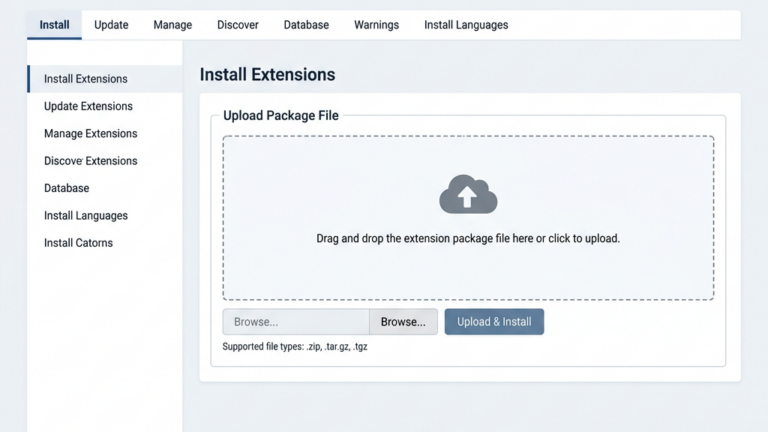
Physical Address
304 North Cardinal St.
Dorchester Center, MA 02124
Physical Address
304 North Cardinal St.
Dorchester Center, MA 02124




joomla ecommerce is a powerful way to turn a content‑rich website into a thriving online shop. In the next few pages we will walk you through every major step, from choosing the right extension to future‑proofing your store for Joomla 5.

Image: A Joomla-powered online store in action
We often compare Joomla to a Swiss‑army knife: it carries many tools in a single, compact body. Its built‑in article system lets us embed product descriptions, blog posts and tutorials in the same place, creating a seamless narrative for shoppers. Because the same engine powers both the storefront and the informational pages, we can reuse menus, modules and templates without rewriting code. This unity also helps search engines see the whole site as a single, authoritative source, which can boost rankings for product pages and blog posts alike.
We also appreciate the way Joomla handles custom fields. By adding a field set to an article, we can store extra product data such as dimensions, brand or warranty information, and then display those fields automatically on the product page. This approach removes the need for hard‑coded HTML and keeps the content editable by non‑technical staff. In practice, our editors can update a product’s specifications in the same editor they use for a blog post, which speeds up the workflow.
Another advantage lies in the menu management system. Joomla allows us to create multi‑level menus that mix static pages, category listings and individual product links, all from a single interface. We can assign different modules to each menu item, showing a promotional banner on the home page while displaying a filtered product list on a category page. This level of control helps us guide visitors through the sales funnel without needing a separate landing‑page builder.
When we line up Joomla against WooCommerce and Shopify, the picture looks like a race with three different vehicles. WooCommerce rides on WordPress, offering a massive plugin ecosystem but sometimes feels like a patchwork quilt of add‑ons. Shopify delivers a polished, hosted experience, yet it locks us into a proprietary platform and limits custom design freedom. Joomla sits in the middle, providing an open‑source foundation that is more extensible than Shopify while keeping the core leaner than a typical WordPress setup. In practice, we find that Joomla’s learning curve is modest, and its community offers solid documentation for e‑commerce tasks.
One practical difference is the way each system handles content. WooCommerce relies on WordPress posts for product descriptions, which can make it harder to separate editorial content from catalog data. Shopify, on the other hand, stores product information in its own database tables, limiting our ability to reuse the same content elsewhere. Joomla’s article system gives us a single source of truth, so we can embed the same product description in a blog post, a landing page or a newsletter without duplication.
We also consider total cost of ownership. Shopify charges a monthly fee that includes hosting, security and support, but the price rises quickly as we add apps or need higher transaction limits. WooCommerce itself is free, yet many essential extensions require separate licenses, and we still need to secure our own hosting. Joomla’s core is free, and many e‑commerce extensions offer free tiers that cover basic needs, allowing us to scale the budget as the business grows.
We always start by separating one‑time expenses from recurring ones. The core Joomla CMS is free, and many extensions such as HikaShop and J2Commerce also offer free tiers that cover basic store functionality. Paid extensions like EShop or premium templates may cost a few hundred dollars, but they are a one‑off purchase rather than a monthly subscription. Hosting costs depend on traffic; a modest shared host can handle a small catalog, while larger stores benefit from a VPS or cloud server with SSD storage. Finally, we must budget for SSL certificates, payment gateway fees and occasional developer assistance, which together form a realistic total cost of ownership.
To keep recurring costs low, we often choose a hosting provider that includes automatic backups and a built‑in CDN. This reduces the need for third‑party services and simplifies site maintenance. We also monitor extension usage; if a premium add‑on is rarely used, we can replace it with a free alternative or custom code, saving the annual renewal fee.
When planning for growth, we allocate a portion of the budget for performance improvements such as image compression tools or a lightweight caching plugin. These investments pay off by increasing conversion rates, as faster page loads keep shoppers engaged. By tracking expenses in a spreadsheet and reviewing them quarterly, we stay aware of any hidden costs before they become a problem.
We often start with HikaShop because it bundles everything we need under one roof. The free tier already supports physical products, digital downloads and even service bookings, making it a versatile choice for many merchants. On the Joomla Extensions Directory (JED) it boasts 299 reviews, many of which praise its intuitive backend and solid documentation. HikaShop works with Joomla 3 through Joomla 6, so we can upgrade the CMS without losing functionality. Its paid versions add advanced features such as multi‑currency, advanced tax rules and a built‑in affiliate system, but even the free version can launch a fully functional store.
Beyond the core features, HikaShop offers a rich set of plugins that extend its capabilities. For example, we can add a “product comparison†module that lets shoppers view side‑by‑side specs, or enable a “wish‑list†feature that stores items for later purchase. These plugins are installed the same way as the main extension, and many are available for free on JED. By mixing and matching plugins, we tailor the store to our specific niche without writing custom code.
We also appreciate HikaShop’s reporting tools. The dashboard provides sales charts, top‑selling product lists and conversion metrics that help us spot trends. Exporting data to CSV is a single click, which simplifies accounting and inventory reconciliation. Together, these tools give us a clear picture of how the store is performing and where to focus marketing efforts.
We love J2Commerce because it treats every Joomla article as a potential product, turning content creation into a sales engine. The extension is free and compatible with Joomla 4 and Joomla 5, ensuring a smooth transition as the platform evolves. By leveraging the native article editor, we can embed images, videos and custom fields directly into product pages without learning a new interface. J2Commerce also supports simple inventory tracking and integrates with major payment gateways, making it a solid option for stores that prioritize content over complex catalog structures.
A practical tip is to use Joomla’s tagging system to group related products. By assigning the same tag to a set of articles, J2Commerce can automatically generate a “related items†block at the bottom of each product page. This encourages cross‑selling and improves SEO, as search engines see the semantic connections between items.
We also find the extension’s flexibility useful for subscription models. By adding a “subscription†field to an article, we can sell recurring access to a service or membership. The payment gateway handles the renewal automatically, and we receive notifications when a subscription is about to expire. This approach lets us monetize content without building a separate membership platform.
VirtueMart has been around for years, and its longevity gives us confidence in its stability. Although it is considered a legacy solution, the community still maintains it, and many extensions on JED are built specifically for VirtueMart. It supports a wide range of product types, from simple items to configurable bundles, and offers built‑in support for multiple languages and currencies. Because VirtueMart has a large user base, finding tutorials, forum help and third‑party modules is relatively easy, which can reduce development time for custom features.
One area where VirtueMart shines is in handling complex product configurations. We can define attributes such as size, color and material, then let customers select combinations that automatically adjust the price. The extension also supports product bundles, allowing us to sell a set of items at a discounted rate. This flexibility is especially helpful for businesses that sell customizable goods.
We also benefit from VirtueMart’s extensive shipping options. The extension includes built‑in support for carrier calculations, flat‑rate shipping and free‑shipping thresholds. By configuring shipping rules based on weight, destination or order total, we can offer competitive delivery rates without manual calculations.
We often recommend EShop when a store needs a polished, out‑of‑the‑box experience with a modern UI. Developed by the Ossolution Team, EShop carries 349 reviews on JED and works across Joomla 3 to Joomla 6. Its paid license includes a catalog mode, a quote‑cart feature and a set of pre‑styled templates that speed up design work. Other extensions worth mentioning are JoomShaper’s EasyStore, which focuses on simplicity, and the RO Payments extension that adds a suite of regional payment methods. A full list of e‑commerce extensions can be explored at extensions.joomla.org/category/e-commerce.
When we need a lightweight solution, EasyStore offers a minimal set of features that still cover the essentials: product listings, a simple checkout and basic inventory tracking. Its drag‑and‑drop page builder lets us create custom landing pages without touching code, which is handy for seasonal promotions.
For businesses that operate in multiple countries, the RO Payments extension aggregates local payment providers such as iDEAL, PayU and Alipay. By installing a single extension, we can present shoppers with familiar payment options, which often improves conversion rates. The extension also includes a currency switcher that automatically updates prices based on the visitor’s location.
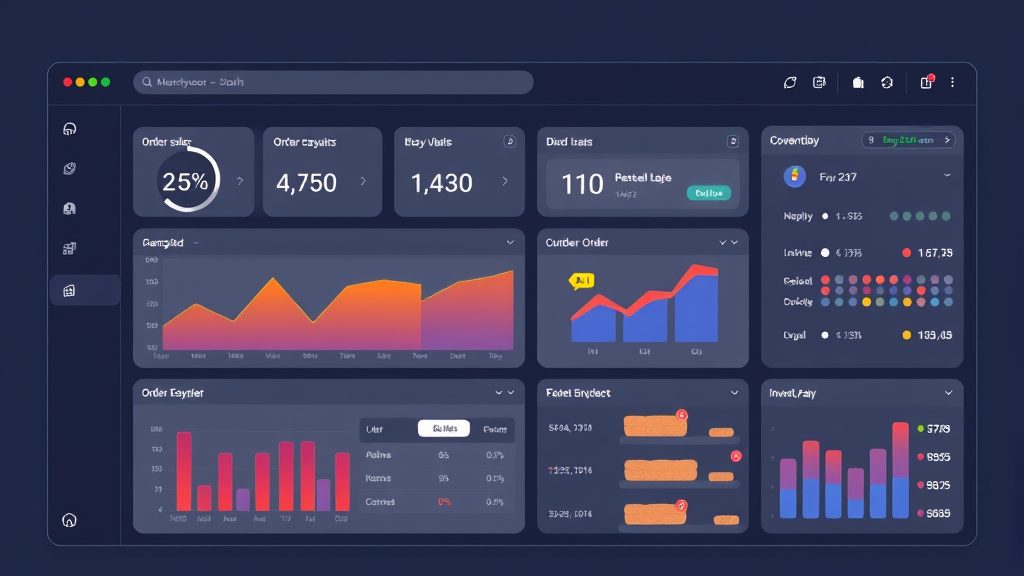
Image: Managing orders and inventory in Joomla ecommerce
For more on this topic, check out our Joomla hosting.
We usually begin with PayPal and Stripe because they cover the majority of global shoppers. Both gateways have official Joomla plugins that can be installed with a single click, and the configuration panels guide us through API key entry and webhook setup. PayPal’s sandbox mode lets us test transactions without moving real money, while Stripe’s test cards provide a similar safety net. Once the credentials are saved, the checkout page automatically displays the appropriate buttons, and the order status updates instantly after payment confirmation.
To keep the checkout experience clean, we hide payment methods that are not relevant to the shopper’s region. By using a conditional module, we can show Stripe only to customers in countries where it is supported, while displaying PayPal for the rest. This reduces confusion and speeds up the payment step.
We also set up email notifications for successful and failed payments. The plugin can send a detailed receipt to the buyer and a summary to the store manager, which helps us track cash flow and quickly address any issues that arise during the transaction process.
When we target specific markets, we add processors such as Authorize.net, Mollie or the RO Payments extension, which aggregates many local methods. These gateways often require extra fields like merchant IDs or secret keys, and they may need us to enable specific currencies in the store settings. Multi‑currency support is built into HikaShop and EShop, allowing us to display prices in the shopper’s native currency while processing the payment in the merchant’s base currency. This flexibility reduces cart abandonment caused by confusing exchange rates.
A useful tip is to enable automatic currency conversion using a reliable exchange‑rate service. By scheduling a nightly update, we ensure that displayed prices stay current without manual intervention. We also provide a “price in my currency†toggle that lets shoppers see the amount in their preferred money before checkout.
We test each regional gateway with real‑world scenarios, such as partial refunds or recurring payments, to confirm that the integration behaves as expected. Documenting the test results helps the support team resolve any future issues quickly.
We treat PCI compliance as a non‑negotiable part of any e‑commerce project. Using a payment gateway that handles the card data on its own servers means we never store sensitive information on our Joomla site, which dramatically lowers the compliance burden. Nevertheless, we always enforce HTTPS across the entire domain, keep Joomla and all extensions up to date, and employ a strong password policy for admin accounts. Regular security scans and a reputable web‑application firewall add another layer of protection against malicious traffic.
We also limit the number of users who have access to the backend. By assigning the “Store Manager†role only to trusted staff, we reduce the risk of accidental configuration changes that could expose vulnerabilities. Two‑factor authentication further hardens the login process, especially for users who access the site from public networks.
Periodic audits of our payment logs help us spot unusual patterns early. If we notice a sudden spike in failed transactions from a particular IP range, we can block that range or require additional verification, protecting both the business and the customers.
For more on this topic, check out our Joomla security.
We start by mapping out a logical category tree that mirrors the way customers think about the merchandise. In HikaShop, categories can be nested infinitely, and each level can have its own layout, which helps us showcase collections in a visually appealing way. Attributes such as size, color or material are added as custom fields, and we can assign them to specific products to generate variant combinations automatically. This structure not only improves navigation but also feeds clean data to search engines, which can boost visibility for individual product pages.
To keep the catalog tidy, we use Joomla’s “alias†feature for SEO‑friendly URLs. By setting a clear, keyword‑rich alias for each category, we help search engines understand the hierarchy and improve click‑through rates from search results.
We also add descriptive meta tags at the category level, which allows us to control the title and description that appear in search listings. This small step can make a noticeable difference in organic traffic, especially for high‑volume categories.
We keep inventory accurate by enabling stock tracking on each product, which automatically reduces the quantity after every successful purchase. HikaShop and VirtueMart both allow us to set low‑stock thresholds, triggering email alerts that prompt us to reorder before items run out. For multi‑warehouse setups, we can use extensions that sync stock across locations, ensuring that the front‑end always reflects the true availability. Proper inventory management also helps us avoid overselling, which can damage reputation and increase support tickets.
We integrate our store with a barcode scanner to speed up stock updates. When new shipments arrive, scanning the barcode updates the quantity directly in the Joomla backend, eliminating manual entry errors.
For seasonal items, we use the “publish/unpublish†dates to automatically hide products when they are out of season, then republish them later without having to recreate the entry. This keeps the catalog fresh and relevant throughout the year.
When we sell downloadable items such as e‑books, music or software, we rely on the built‑in digital product features of HikaShop or J2Commerce. After a successful payment, the system generates a unique, time‑limited download link that expires after a set number of uses or days. This approach protects the file from unauthorized sharing while giving customers a smooth, instant access experience. We also enable virus scanning on uploaded files to keep the site safe from malicious content.
To improve the customer experience, we embed a “download manager†widget on the user’s account page, where they can view all their purchased files and re‑download them if needed. This reduces support requests related to lost links.
We also offer optional “preview†files, such as a short audio clip for a music album, which can be streamed directly from the product page. Providing a preview helps shoppers make informed decisions and often leads to higher conversion rates.
For more on this topic, check out our Joomla extensions.
We define shipping zones based on continents, countries or postal codes, then assign methods such as flat rate, weight‑based or free shipping to each zone. HikaShop’s shipping plugin library includes popular carriers like UPS, FedEx and DHL, which we can configure with our account credentials for real‑time rate calculation. For local deliveries, we often create a custom method that lets customers pick a specific time window, which we then manage through a simple order note field.
We also set up “shipping rules†that combine multiple conditions, such as offering free shipping for orders over a certain amount within a specific zone. This encourages larger purchases and can be a powerful marketing tool.
To keep shipping costs transparent, we display the estimated delivery date on the product page, based on the selected carrier’s transit time. This information helps shoppers decide whether the shipping speed meets their expectations before adding items to the cart.
We configure tax rules by creating tax classes for categories like “Standard,†“Reduced†and “Zero.†Each class can have multiple rates that apply to specific zones, allowing us to comply with EU VAT, US sales tax or Canadian GST requirements. The system automatically calculates the correct tax amount during checkout, displaying it transparently on the invoice. Keeping tax tables up to date is essential, so we schedule quarterly reviews and use extensions that pull the latest rates from official sources.
For businesses that sell to both B2C and B2B customers, we enable a “tax‑exempt†option that can be toggled when a valid VAT number is entered. The checkout process then removes the tax line and records the exemption for reporting purposes.
We also test tax calculations with a variety of address combinations to ensure the correct rate is applied. By creating a spreadsheet of test cases, we can quickly verify that the system behaves as expected after each update.
We set up automated email templates for order confirmation, shipping updates and invoicing, which are triggered by status changes in the Joomla backend. By integrating a CRM extension, we can tag customers based on purchase history and send targeted promotions that encourage repeat business. Order status can be updated manually or through API calls from fulfillment services, ensuring that the shopper always knows where their package is in the journey.
We also provide a “track my order†link in the shipping email, which pulls real‑time tracking data from the carrier’s API. This reduces inbound inquiries and gives shoppers confidence that their order is on its way.
For high‑value orders, we add a manual verification step before marking the order as “shipped.†This extra check helps prevent fraud and protects both the store and the customer.
We keep a close eye on the development roadmaps of the major e‑commerce extensions. HikaShop, J2Commerce and EShop have already released Joomla 5‑compatible versions, and VirtueMart is working on a migration guide for the latest core. These updates typically include modern PHP standards, improved performance and support for the new Joomla admin UI. By choosing extensions that promise long‑term updates, we protect our investment and avoid costly rewrites later on.
We also test each extension on a staging site before upgrading the live store. This allows us to spot any compatibility issues early and address them with patches or configuration changes.
When an extension releases a minor update, we review the changelog for security fixes and performance improvements, then apply the update during a low‑traffic window to minimize disruption.
When we move a store from an older Joomla version, we first back up the database and files, then install the latest core on a staging server. After upgrading the core, we replace each e‑commerce extension with its Joomla 5 counterpart, running any migration scripts that convert old tables to the new schema. Testing is crucial: we place test orders, verify payment gateway responses and check that product images load correctly before flipping the DNS to the new site. This systematic approach minimizes downtime and ensures a smooth transition for customers.
We also take the opportunity to clean up unused extensions and obsolete content during the migration. Removing dead code reduces the attack surface and can improve site speed.
After the migration, we run a full SEO audit to ensure that URLs, meta data and redirects are intact. This helps preserve search rankings and prevents broken links that could frustrate visitors.
We treat speed as a competitive advantage; a fast storefront keeps shoppers engaged and improves conversion rates. Caching plugins such as JotCache or the built‑in Joomla cache reduce server load, while a CDN offloads static assets like images and scripts. Image optimization tools compress product photos without visible loss of quality, and we enable lazy loading for images that appear below the fold. Finally, we monitor server metrics with tools like New Relic, adjusting PHP settings and database indexes as needed to keep page‑load times under two seconds.
We also implement a “heartbeat†script that clears old session data, preventing the database from becoming bloated over time. This routine runs nightly and helps maintain consistent response times.
For high‑traffic sales events, we pre‑warm the cache by visiting key pages before the promotion launches. This ensures that the first visitors receive a fully cached version, reducing the load spike that often occurs at the start of a flash sale.
1. Can I run a multilingual store with Joomla ecommerce?
Yes, Joomla’s core multilingual framework works seamlessly with most e‑commerce extensions. We create separate language versions of each article, product, and category, then link them using the “Associations†feature. Extensions such as HikaShop and VirtueMart provide language‑specific fields for product titles and descriptions, ensuring that shoppers see the correct language based on their browser settings or manual selection.
2. How do I handle taxes for customers in different countries?
We set up tax classes that correspond to the legal requirements of each region. By assigning those classes to products and linking them to geographic zones, the system automatically calculates the appropriate tax amount during checkout. For EU VAT, we can enable a “tax‑exempt†option for B2B customers who provide a valid VAT number, and the extension will adjust the invoice accordingly.
3. Is it possible to sell subscription‑based products with Joomla ecommerce?
Absolutely. HikaShop includes a subscription add‑on that lets us define recurring billing cycles, trial periods and renewal reminders. The extension integrates with PayPal and Stripe to handle automatic payments, and we can configure email notifications to inform subscribers about upcoming renewals. This setup works well for membership sites, digital magazines or recurring service fees.
4. What are the best practices for securing my Joomla store?
We start by installing an SSL certificate and forcing HTTPS on every page. Keeping Joomla, extensions and server software up to date prevents known vulnerabilities. We also limit admin access to specific IP addresses, use two‑factor authentication for backend logins and employ a web‑application firewall that blocks common attack patterns. Regular backups stored off‑site give us a safety net in case of accidental data loss.
5. Can I integrate my Joomla store with external ERP or CRM systems?
Yes, many extensions offer API endpoints or built‑in connectors for popular ERP and CRM platforms. We can use the Joomla Web Services component to expose product, order and customer data, then sync it with external systems via scheduled scripts or middleware services like Zapier. This integration helps us keep inventory, accounting and customer relationships aligned across the business.
6. How do I handle large catalogs with thousands of products?
We organize large catalogs by using hierarchical categories and attribute filters that narrow down results quickly. Indexing the product table and enabling Joomla’s built‑in pagination keep page load times low. For search, we can install a dedicated search engine extension such as ElasticSearch or Algolia, which provides instant results and advanced faceted navigation, improving the shopper’s ability to find items in a massive inventory.
—
By following the steps and recommendations outlined above, we can harness the full power of joomla ecommerce to launch a store that is both flexible and future‑ready. Whether we choose HikaShop, J2Commerce, VirtueMart or EShop, the Joomla ecosystem offers the tools we need to create a compelling shopping experience that grows with our business.