Physical Address
304 North Cardinal St.
Dorchester Center, MA 02124
Physical Address
304 North Cardinal St.
Dorchester Center, MA 02124

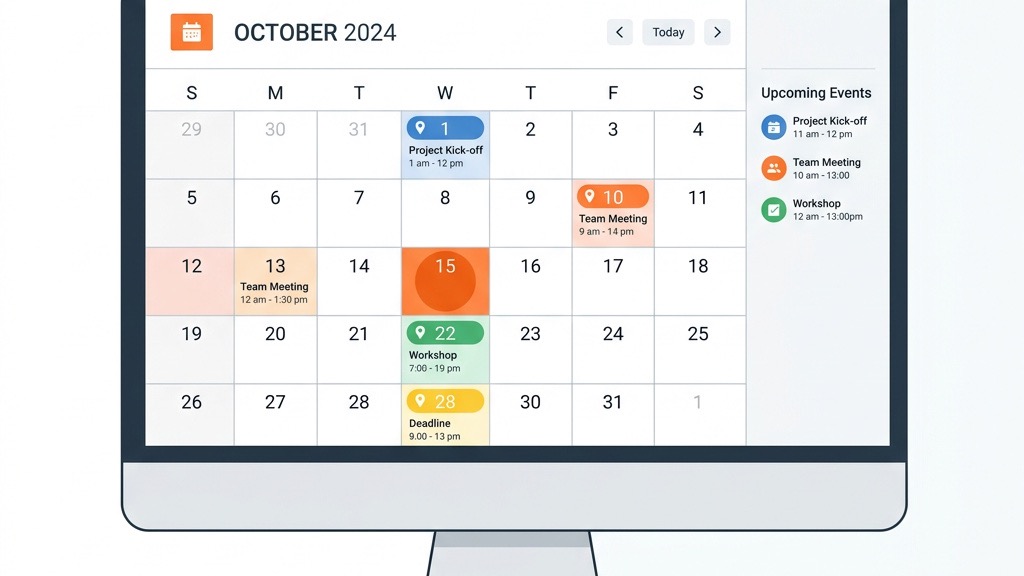


We often see Joomla sites that host conferences, workshops, community meet‑ups, and even restaurant reservations. In each of those scenarios a calendar helps visitors see upcoming dates, register for slots, and share the event with friends. A calendar module also powers internal scheduling for staff, displays class timetables for schools, and shows release dates for product launches. When the calendar integrates with payment gateways or QR‑code check‑in, it becomes a full‑featured event management system rather than a simple date list.
Beyond public listings, many Joomla sites use a calendar to coordinate resource bookings such as meeting rooms, equipment rentals, or volunteer shifts. The same component can feed data to newsletters, social media posts, or mobile push notifications, ensuring that the audience stays informed without manual copy‑pasting.
DPCalendar, developed by Digital‑Peak, packs a long list of capabilities that cover most event‑driven sites. The extension supports month, week, day, and agenda views, each powered by AJAX for fast navigation. Recurring events can be defined with complex rules (e.g., “every third Thursday”). Users can import and export iCal files, and the built‑in Google Calendar sync lets you pull events from a public calendar or push Joomla events to Google. The front‑end form includes custom fields, image upload, and map integration via Google Maps or OpenStreetMap. Payment gateways such as PayPal, Stripe, and Authorize.Net are available through the optional Event Booking add‑on, turning the calendar into a full booking system. ACL permissions let you restrict who can create, edit, or publish events, while the multilingual interface works with Joomla’s core language packs.
Version 7.0.0 introduced a drag‑and‑drop editor that lets administrators rearrange events directly on the calendar view. The same release added CalDAV support, enabling two‑way synchronization with external calendar servers. For sites that need a visual cue, DPCalendar now offers QR‑code check‑in that can be printed on tickets or displayed on a screen at the venue.
Typical use cases include multi‑track conferences where each track has its own venue, fitness studios that sell class passes, and nonprofit organizations that schedule recurring fundraising drives. The combination of front‑end submission and payment integration makes DPCalendar a solid choice for any site that wants to sell tickets without a separate e‑commerce platform.
DPCalendar follows a yearly subscription model. The basic plan starts at $49 USD per year for a single site and includes core calendar features, Google sync, and basic support. The Pro plan, priced at $99 USD per year, adds the Event Booking add‑on, QR‑code check‑in, and priority support. Both plans grant access to all future updates and are compatible with Joomla 5 as of version 7.0.0. A 30‑day money‑back guarantee lets you test the extension without risk.
For agencies that manage multiple client sites, the vendor offers a multi‑site license at a discounted rate. The license covers unlimited updates for the duration of the subscription and includes a private Slack channel for quick technical assistance.
We recommend DPCalendar for organizations that need a polished, feature‑rich calendar with payment integration. It works well for conference portals, fitness studios, and ticketed events where attendees must register and pay online. The responsive design and SEO‑friendly URLs also make it a solid choice for public event listings that aim to rank in search engines.
Small businesses that only need a simple event list can still benefit from DPCalendar’s free trial, as the core module is lightweight and does not require additional add‑ons. However, if you anticipate heavy traffic or need extensive custom fields, the Pro plan provides the necessary scalability.
JEvents has been part of the Joomla ecosystem for more than a decade. Its strength lies in a flexible event model that can be extended with plugins. The calendar offers month, week, day, and agenda views, and it supports recurring events with a simple rule engine. Front‑end submission is possible through the “JEvents Frontend” add‑on, which adds a form that respects Joomla’s ACL system. The extension also includes a built‑in iCal exporter and can pull events from external iCal URLs. While the UI is not as modern as DPCalendar, JEvents remains a solid choice for sites that value stability and a large ecosystem of third‑party add‑ons.
Recent updates (v3.9.2) added CalDAV import, allowing administrators to sync events from external calendar services without manual file uploads. The version also introduced a lightweight AJAX loader for month navigation, which reduces page refreshes on mobile devices.
Typical deployments include university department calendars, church event listings, and community bulletin boards where the primary goal is to display information rather than process payments.
The free version of JEvents covers basic calendar display, simple recurring events, and iCal export. The Pro edition, priced at $79 USD for a single site, adds advanced recurring rules, Google Calendar sync, a built‑in booking system, and priority support. Pro users also receive the “JEvents Advanced” plugin suite, which includes QR‑code check‑in, custom fields, and a drag‑and‑drop editor. Both editions are compatible with Joomla 5 starting from version 3.9.0.
For developers who need to extend the core, the Pro edition provides access to the event API, making it easier to create custom integrations with CRM tools or ticketing platforms.
We find JEvents ideal for community portals, school timetables, and nonprofit organizations that need a reliable calendar without heavy booking requirements. Its extensive plugin ecosystem lets you add features such as ticketing or map integration only when you need them, keeping the core installation lightweight.
Because JEvents stores event data in Joomla’s standard tables, it works well with backup extensions and can be migrated to other Joomla sites with minimal effort.
iCagenda focuses on a clean front‑end experience. Visitors can browse events in month, list, or calendar view, and the module provides a built‑in search filter for keywords, categories, and dates. The front‑end submission form includes a date picker, image upload, and optional map display. Because iCagenda is released under the GPL, you can modify the layout directly in the template overrides. The extension also supports AJAX pagination, which reduces page load times on large event lists.
Version 2.5.1 added support for custom fields that can be displayed as tabs on the event detail page, allowing organizers to show speaker bios, sponsor logos, or registration links. The update also introduced a lightweight iCal import wizard that can pull multiple calendars at once.
Sites that target a multilingual audience benefit from the built‑in language switcher, which automatically translates event titles and descriptions when a visitor changes the site language.
iCagenda integrates with Joomla’s native multilingual system, allowing you to create separate event entries for each language. The language files are stored in the extension’s /language folder, making it easy to add new translations. Custom fields can be added through the “Custom Fields” plugin, letting you capture additional information such as speaker bios or venue capacity. The responsive design works on all major browsers and mobile devices.
Developers who need deeper integration can use the provided API hooks to connect iCagenda with external ticketing services or email marketing platforms. The extension also offers a simple shortcode that can be placed in any article to render a calendar widget.
Event Booking is built specifically for sites that need registration forms and payment processing. The extension offers a customizable registration form with conditional fields, CAPTCHA protection, and email notifications. Payment gateways include PayPal, Stripe, and offline options such as bank transfer. When a user completes a purchase, the system sends a QR code that can be scanned at the venue for quick check‑in. The booking engine also tracks attendee limits and waitlists, automatically promoting users from the waitlist when a spot opens.
Version 1.8.3 introduced a drag‑and‑drop interface for managing event slots, making it easier for administrators to adjust capacity on the fly. The extension also supports CalDAV export, allowing external calendar apps to display booked sessions.
Event Booking works well for workshops, webinars, and ticketed concerts where each attendee must fill out a form and pay a fee before receiving a confirmation.
For workshops or tours that allow group registrations, Event Booking lets you set a “group size” field and calculate total price based on the number of participants. The capacity manager displays remaining slots in real time, preventing over‑booking. Administrators can view a dashboard with registration statistics, export attendee lists as CSV, and generate QR‑code badges for on‑site check‑in.
When a capacity limit is reached, the system automatically switches to a waitlist mode and sends an email to users on the list when a spot becomes available. This feature reduces manual follow‑up and ensures that no opportunity is missed.
RSEvents!Pro targets large organizations that need a full‑featured event platform. It includes a powerful booking engine, recurring events with exceptions, and multi‑day event handling. The extension integrates with Joomla’s ACL system, allowing granular control over who can create, edit, or approve events. It also offers built‑in Google Maps, venue management, and integration with popular CRM tools such as HubSpot and Salesforce. For SEO, each event can have a unique URL, meta tags, and schema.org markup.
Version 4.5.0 added CalDAV two‑way sync, enabling organizations to keep internal calendars aligned with external scheduling tools. The release also introduced a drag‑and‑drop calendar editor that works on both desktop and tablet devices, improving the workflow for event managers.
RSEvents!Pro is often used by trade‑show organizers, large conference venues, and municipal governments that need to publish multi‑track schedules, manage speaker bios, and provide attendees with downloadable iCal files.
RSEvents!Pro is sold as a one‑time purchase with optional yearly support. The “Standard” license costs $149 USD for a single site and includes core features and one year of updates. The “Professional” license, at $299 USD, adds the booking engine, QR‑code check‑in, and priority support. Both licenses are compatible with Joomla 5 as of version 4.5.0. Discounts are available for multi‑site purchases.
Customers who choose the Professional license also receive a set of premium templates that are optimized for mobile devices and include schema.org event markup out of the box.
Choosing a calendar extension depends on the specific needs of your project. We start by listing the essential capabilities—such as recurring events, front‑end submission, and payment integration—and then match them against the features each extension offers. It helps to think about the workflow of the people who will manage the calendar as well as the experience you want to give to visitors.
| Extension | Views | Recurring Events | iCal Import/Export | Google/CalDAV Sync | Booking & Payments | QR‑code Check‑in | Map Integration | Drag‑and‑Drop | Custom Fields | ACL Permissions | Frontend Submission | Multilingual | Joomla 5 Ready |
|---|---|---|---|---|---|---|---|---|---|---|---|---|---|
| DPCalendar | Month, Week, Day, List, Agenda | Complex rules | Full iCal import & export | Two‑way Google & CalDAV | Yes (via add‑on) | Yes | Google Maps / OpenStreetMap | Yes (AJAX editor) | Yes | Yes | Yes | Yes | Yes (v7.0) |
| JEvents | Month, Week, Day, Agenda | Simple rules | iCal export, one‑way import | One‑way Google import | Basic (Pro add‑on) | Optional (add‑on) | Google Maps (add‑on) | Yes (drag‑and‑drop add‑on) | Yes (via plugin) | Yes | Yes (frontend add‑on) | Yes | Yes (v3.9) |
| iCagenda | Month, List, Calendar | Basic | iCal import & export | No | No | No | Optional (Google Maps plugin) | No | Yes (custom fields plugin) | Yes | Yes | Yes | Yes (v2.5) |
| Event Booking | Month, List | Basic | iCal export | No | Full (PayPal, Stripe, offline) | Yes (QR‑code tickets) | No | No | Yes | Yes (frontend form) | Yes | Yes (v1.8) | |
| RSEvents!Pro | Month, Week, Day, List, Agenda | Advanced with exceptions | Full iCal import & export | Two‑way Google & CalDAV | Full (built‑in engine) | Yes | Google Maps + venue manager | Yes (AJAX editor) | Yes | Yes | Yes | Yes | Yes (v4.5) |
When you compare the rows, notice how DPCalendar and RSEvents!Pro cover the widest range of features, while iCagenda offers a lightweight core that can be extended as needed. If you only need a simple public calendar without payments, JEvents or iCagenda may be more cost‑effective.
Performance matters when you display hundreds of events. Extensions that load events via AJAX, such as DPCalendar and RSEvents!Pro, reduce initial page weight. Caching options—both Joomla core caching and extension‑specific caches—help keep load times low. If you expect heavy traffic, consider enabling server‑side pagination and limiting the number of events per page. All the extensions listed support Joomla’s built‑in caching framework, so you can fine‑tune the settings from the Global Configuration panel.
For sites that serve a global audience, enable CDN delivery for static assets like CSS and JavaScript files. This step can cut the time to first paint, especially on mobile connections.
Joomla 5 introduces a new MVC architecture and stricter type‑checking. Before installing any calendar, verify that the extension’s latest version lists “Joomla 5 compatible” in the release notes. DPCalendar (v7.0), JEvents (v3.9), iCagenda (v2.5), Event Booking (v1.8), and RSEvents!Pro (v4.5) all confirm compatibility. If you are running a custom template, test the calendar on a staging site first to ensure that overrides do not break with the new core.
Keep an eye on the developer’s changelog for future updates, as Joomla 5 may receive additional patches that improve security or add new API hooks.
We usually start by downloading the extension package from the developer’s website. In the Joomla administrator, navigate to Extensions → Manage → Install. Drag the ZIP file into the upload area or click “Browse” to select it. Joomla will verify the package and display a success message. After installation, the new component appears under Components or Modules depending on the extension type. For a step‑by‑step guide, see our article on how to install Joomla extensions.
If your site uses a version control system, commit the new files before activating the extension. This practice lets you roll back quickly if a conflict arises with existing overrides.
Once the extension is installed, open its configuration page. Set the default time zone, date format, and enable the desired views. If you plan to use Google Calendar sync, enter the API credentials in the “Integrations” tab. For multilingual sites, enable the language overrides and map each language to the appropriate event category. Finally, create a menu item of type “Calendar” so visitors can reach the calendar from the front‑end. For more ideas on linking modules and menus, check our guide on best Joomla extensions.
Don’t forget to configure ACL permissions early. Restrict the “Create” and “Edit” rights to trusted user groups, and enable “Publish” permissions only for editors who should control the public view.
iCagenda offers a solid free version with month and list views, front‑end submission, and multilingual support. It is a good starting point for small sites that do not need advanced booking or payment features. The GPL license lets you tweak the layout directly in your template, which can be handy for branding. For sites that later need extra functionality, iCagenda’s plugin ecosystem provides a clear upgrade path.
Joomla core does not include a dedicated calendar component. You need to install a third‑party extension such as DPCalendar, JEvents, or iCagenda to add calendar functionality. The core does provide a date field type that can be used in custom components, but it does not offer a full‑featured front‑end display. Therefore, most sites rely on extensions to meet their scheduling needs.
After installing the extension, go to Extensions → Modules, click “New”, and select the calendar module type. Configure the module position, visibility, and any specific settings like default view or date range. Save the module and assign it to a menu item if needed. You can also use the “Loadposition” plugin to embed the module inside an article for more flexible placement.
Yes, the major extensions listed in this article—DPCalendar, JEvents, iCagenda, Event Booking, and RSEvents!Pro—have released updates that support Joomla 5. Always check the version number and release notes before installing. If you are using a custom template, test the calendar on a staging site first to ensure that overrides do not break with the new core.
Both DPCalendar and RSEvents!Pro provide two‑way Google Calendar synchronization. JEvents supports one‑way import of iCal feeds from Google Calendar. The sync settings are found in the extension’s “Integrations” tab, where you can enter your Google API credentials and choose which calendars to sync. Using CalDAV, you can also connect to other services that support the same protocol.
For best results, enable the AJAX‑powered refresh option so that changes made in Google appear on your site without a full page reload.
For more resources on Joomla development, explore our articles on Joomla ecommerce, Joomla multilingual website, Joomla contact form, Joomla module development, and Joomla 5 features. You can also browse the Joomla Extensions Directory for additional calendar options.