Physical Address
304 North Cardinal St.
Dorchester Center, MA 02124
Physical Address
304 North Cardinal St.
Dorchester Center, MA 02124

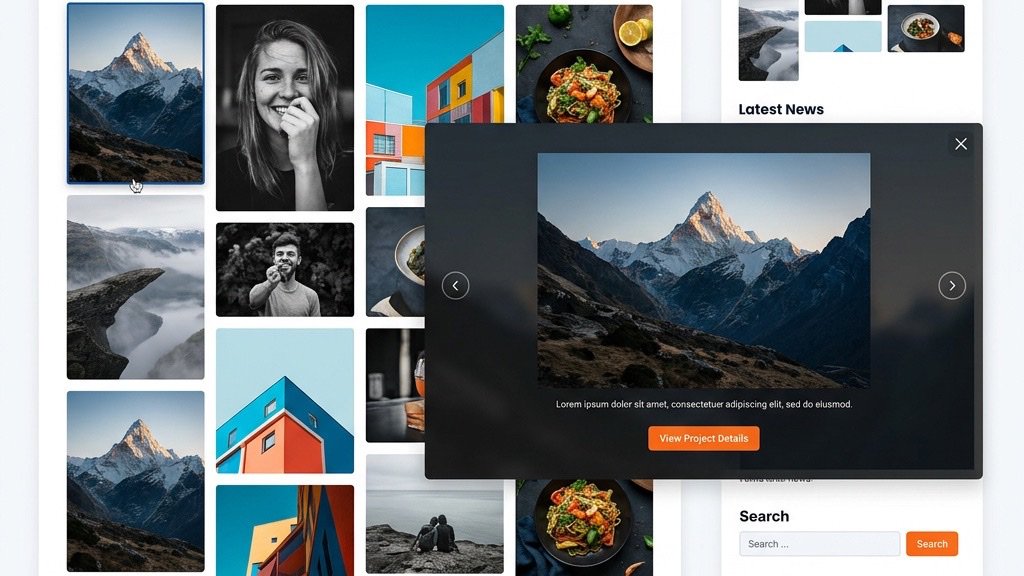


The core Media Manager in Joomla is great for uploading a handful of images, but it quickly shows its limits when you need a full‑featured portfolio. It stores files in a flat folder, offers no front‑end upload, and provides only a basic thumbnail view. There is no built‑in lightbox, no masonry grid, and no automatic image optimization. As a result, pages load slowly, mobile visitors see cramped layouts, and you lose valuable SEO signals such as alt text and clean URLs.
A dedicated gallery extension transforms the raw image files into a polished visual experience. It creates responsive layouts, adds lightbox or carousel functionality, and can generate SEO‑friendly URLs for each image. Most extensions also support lazy loading, WebP conversion, and EXIF data extraction, which together improve Core Web Vitals and help search engines understand your visual content. In short, a gallery extension gives you the control and performance you need for a professional image portfolio.
Visitors browse on phones, tablets, and desktops, so the gallery must adapt automatically. Look for extensions that offer a responsive grid, masonry layout, or justified rows that re‑flow based on screen width. Touch‑swipe navigation and pinch‑to‑zoom are also essential for a smooth mobile experience.
A lightbox opens images in an overlay, keeping users on the same page while they explore. Good extensions provide multiple lightbox styles—fade, slide, zoom, or even a Ken Burns effect for dramatic transitions. Some also support video embedding, so you can mix photos and YouTube/Vimeo clips in the same gallery.
Large image files are the biggest culprit for slow page loads. A modern gallery should lazy‑load thumbnails, serve WebP or AVIF formats when the browser supports them, and optionally apply a watermark. Image compression and on‑the‑fly resizing reduce bandwidth without sacrificing visual quality, helping you meet the Core Web Vitals thresholds for LCP and CLS.
Phoca Gallery is the most widely used free solution. It ships with over 200 configuration parameters, allowing fine‑grained control over layout, thumbnails, and permissions. The extension is fully compatible with Joomla 5 and 6, offers several display methods (grid, list, slideshow), and includes a built‑in lightbox. Its community rating on the Joomla Extensions Directory (JED) exceeds 399 reviews, and the codebase is regularly updated. For sites that need a solid foundation without a price tag, Phoca Gallery remains the go‑to choice.
Ignite Gallery is a premium offering priced at $25 per year. It distinguishes itself with metro, masonry, and justified grid layouts, plus a Ken Burns effect for hero images. The extension supports video embedding from YouTube and Vimeo, front‑end uploads, and multi‑language packs (16 languages). Lazy loading, watermarking, and WebP/SVG/GIF handling are built in, and EXIF/IPTC data can be displayed automatically. With 246 positive reviews on JED, Ignite Gallery is a strong candidate for agencies that need a polished, feature‑rich portfolio.
Balbooa Gallery, marketed as 6gallery, is a paid extension that emphasizes drag‑and‑drop administration. The UI lets you reorder images, set hover captions, and create multiple grid styles without touching code. Front‑end management lets clients upload directly from the site, while touch‑swipe navigation and social sharing buttons improve engagement. The extension is particularly well‑suited for photographers and designers who want a visual editor that mirrors the final layout.
Developed by JoomShaper, SP Easy Image Gallery is a lightweight free extension that focuses on simplicity. A single click uploads an image, generates a thumbnail, and places it into an album. The gallery is fully responsive, supports lazy loading, and integrates with the Joomla article editor. With over 310 k downloads and a solid JED rating, it is a reliable choice for blogs and small business sites that need a quick, hassle‑free image showcase.
JoomGallery is a community‑driven free extension with a long history in the Joomla ecosystem. It offers extensive category management, batch upload, and a rich set of display options, including carousel, mosaic, and lightbox. The extension supports EXIF data, watermarks, and multiple language files. Although the UI is more traditional than newer drag‑and‑drop tools, its depth of features makes it a favorite among developers who appreciate granular control.
sigplus is a minimalist plugin that lets you embed a gallery directly inside an article using a short syntax. With only a few configuration lines, you can create a responsive masonry grid, enable lazy loading, and choose a lightbox style. The plugin is free, has 312 JED reviews, and is ideal for bloggers who want to keep the editorial workflow inside the article editor without installing a full‑blown component. If you want a broader overview of add‑ons, see our guide to the best Joomla extensions.
Droppics, from JoomUnited, is a paid extension that brings drag‑and‑drop image insertion to the Joomla editor. It automatically creates responsive thumbnails, adds a lightbox, and offers bulk SEO editing for alt text and titles. Watermarking and smart image resizing are built in, and the extension supports WebP conversion. Droppics is a good fit for content teams that need fast image handling without leaving the article editor.
| Extension | Price | Joomla 5 | Layouts | Lightbox | Lazy Loading | Video Support |
|---|---|---|---|---|---|---|
| Phoca Gallery | Free | ✅ | Grid, List, Slideshow | ✅ | ✅ | ❌ |
| Ignite Gallery | $25/yr | ✅ | Metro, Masonry, Justified | ✅ | ✅ | ✅ |
| Balbooa Gallery (6gallery) | Paid | ✅ | Grid, Masonry, Hover Captions | ✅ | ✅ | ❌ |
| SP Easy Image Gallery | Free | ✅ | Grid, Album | ✅ | ✅ | ❌ |
| JoomGallery | Free | ✅ | Mosaic, Carousel, Grid | ✅ | ✅ | ❌ |
| sigplus | Free | ✅ | Masonry, Grid | ✅ | ✅ | ❌ |
| Droppics | Paid | ✅ | Grid, Lightbox | ✅ | ✅ | ❌ |
Most extensions let you group images into categories or tags. Create a hierarchical category tree (e.g., Portfolio → Weddings → 2024) to keep the file system tidy. Tags are useful for cross‑listing images across multiple galleries without duplication. When you add a new image, assign it to the appropriate category and add relevant tags; the front‑end will automatically reflect the organization.
Before uploading, compress images with tools like TinyPNG or ImageOptim. Many extensions (Ignite Gallery, Droppics) can convert JPEG/PNG to WebP on the fly, delivering smaller files to browsers that support the format. Enable the WebP option in the extension settings to serve the optimal format automatically.
A clean URL structure improves crawlability. We covered this in detail in our Joomla SEO-friendly URLs guide. Extensions such as Phoca Gallery and JoomGallery allow you to define a URL alias for each image or gallery. Always fill in the alt text field with descriptive keywords; this not only helps accessibility but also gives search engines context for the visual content. Some extensions (Droppics) provide a bulk editor to update alt attributes across many images at once.
Lazy loading postpones image download until the user scrolls near the viewport. This reduces the initial page weight, improving Largest Contentful Paint (LCP). Enable lazy loading in the gallery settings and verify the implementation with Chrome DevTools. Combined with responsive image sizes (srcset) and WebP conversion, you’ll see measurable gains in Core Web Vitals scores.
If your site is a simple blog, a small business showcase, or a community portal, a free extension like Phoca Gallery, SP Easy Image Gallery, or sigplus provides all the essential features: responsive layout, lightbox, lazy loading, and basic category management. These extensions have large user bases, regular updates, and extensive documentation, making them low‑risk choices.
Premium extensions become worthwhile when you need advanced capabilities: front‑end uploads for client self‑service, video embedding, watermarking for copyright protection, or multi‑language support for international portfolios. Ignite Gallery’s Ken Burns effect, Balbooa Gallery’s drag‑and‑drop admin, and Droppics’ bulk SEO editor are examples of features that can save time and improve the visual impact of a professional portfolio.
1. What is the best free Joomla gallery extension?
For most users, Phoca Gallery offers the richest feature set among free options, including multiple layout styles, a built‑in lightbox, and full Joomla 5 compatibility. If you prefer a lightweight solution with a minimal learning curve, SP Easy Image Gallery is also an excellent choice.
2. Are Joomla gallery extensions compatible with Joomla 5?
Yes. All extensions listed in this article—Phoca Gallery, Ignite Gallery, Balbooa Gallery, SP Easy Image Gallery, JoomGallery, sigplus, and Droppics—have been updated to work with Joomla 5 (and Joomla 6 where applicable). Always check the developer’s changelog before upgrading Joomla.
3. Can I create a photography portfolio with Joomla?
Absolutely. By combining a robust gallery extension (e.g., Ignite Gallery or Balbooa Gallery) with a portfolio‑oriented template, you can build a clean, responsive showcase that includes image details, EXIF data, and client‑side uploads.
4. How do I add a lightbox to my Joomla gallery?
Most gallery extensions include a lightbox option in their configuration panel. After enabling it, the extension automatically wraps each thumbnail with the necessary JavaScript. If you are using a generic extension, you can install a separate lightbox plugin (e.g., Simple Lightbox) and assign it to the gallery’s CSS class.
5. Do gallery extensions slow down my Joomla site?
A well‑coded gallery that uses lazy loading, responsive image sizes, and modern formats (WebP) will have negligible impact on performance. Problems arise when images are uploaded at full resolution without compression. Always enable lazy loading and image optimization features to keep page speed high.
By following the guidelines above, we can equip any Joomla site with a fast, SEO‑friendly image portfolio. Whether you choose a free solution like Phoca Gallery or invest in a premium tool such as Ignite Gallery, the right extension will give you the flexibility, performance, and visual polish that modern visitors expect. Happy building!