Physical Address
304 North Cardinal St.
Dorchester Center, MA 02124
Physical Address
304 North Cardinal St.
Dorchester Center, MA 02124

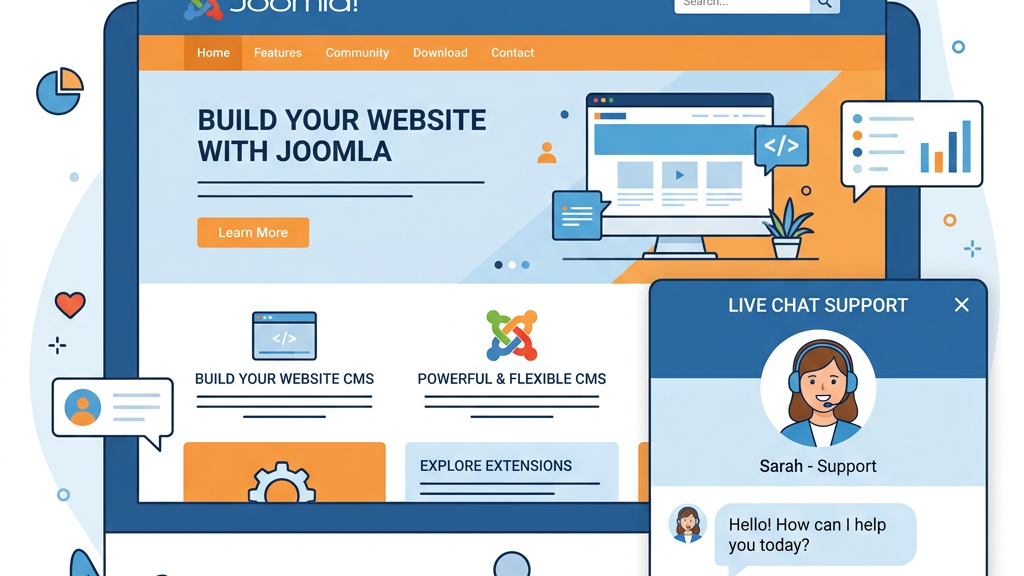


When a visitor lands on a product page and has a quick question, the ability to answer instantly can be the difference between a sale and a lost lead. A joomla live chat plugin gives us a direct line to the visitor, allowing us to guide them through the checkout funnel, suggest complementary items, or clear up any doubts. Studies show that sites with live chat see conversion rates increase by 10‑25 % compared to those that rely solely on email or phone contacts. By offering a real‑time help button, we reduce the friction that often leads to cart abandonment.
Customer satisfaction is heavily influenced by how fast we respond. Live chat typically delivers answers within seconds, which translates into higher Net Promoter Scores (NPS) and better online reviews. According to a recent survey, 73 % of shoppers say they are more likely to purchase again after a positive live‑chat experience. A joomla chat module also lets us collect post‑chat ratings, giving us immediate feedback that we can turn into actionable improvements.
Visitors who feel ignored tend to leave quickly. A proactive chat invitation—such as a small pop‑up asking if they need help after 30 seconds on a page—keeps the conversation flowing and lowers bounce rates. Analytics from live‑chat tools reveal that bounce can drop by up to 15 % when we engage users early. For Joomla sites that rely on SEO traffic, keeping visitors on the page longer also improves search‑engine signals.
onWebChat offers a free tier that already includes a modern widget, real‑time visitor monitoring, and GDPR‑ready data handling. The AI‑driven chatbot can answer common questions 24/7, freeing our support staff for more complex issues. Department‑based routing lets us send sales, technical, or billing queries to the right team automatically. Mobile apps for iOS and Android let agents respond on the go, while the analytics dashboard provides insights into chat volume, response times, and conversion impact. The Pro plan adds white‑label branding, advanced file‑sharing, and custom chat triggers, making it a solid choice for growing businesses.
Zoho SalesIQ blends live chat with a full‑featured CRM, which is handy if we already use Zoho’s ecosystem. The free tier supports unlimited chats, basic chatbot scripts, and visitor tracking that shows the pages a user has viewed before initiating a conversation. Lead generation tools such as visitor scoring and automatic follow‑up emails help us turn chats into qualified prospects. Multi‑channel support includes email and social media, so we can manage all inbound messages from a single dashboard. Integration with Joomla is straightforward through the official extension, and the paid plans unlock advanced automation and reporting.
tawk.to is a 100 % free solution that provides real‑time monitoring, unlimited agents, and a built‑in ticketing system for offline follow‑up. The widget is highly customizable, allowing us to match colors, fonts, and placement to our site’s design. Agents can share files, screenshots, and even start a video or voice call with an add‑on. The platform also offers a mobile app that pushes notifications instantly, ensuring we never miss a visitor. While the core features are free, optional add‑ons such as custom branding and advanced analytics are available for a modest fee.
ChatSupport’s free tier includes proactive engagement tools like timed pop‑ups and exit‑intent triggers. The widget can be styled with CSS, giving us full control over its appearance. Offline messages are stored and sent to the designated email address, so we never lose a potential lead. A centralized dashboard lets us monitor multiple Joomla sites from one place, which is useful for agencies handling several clients. Paid plans add chatbot capabilities, detailed visitor tracking, and integration with popular help‑desk systems.
LiveSupporti focuses on simplicity and speed of deployment. The free version lets us add a basic chat box with a few clicks, and the interface is deliberately uncluttered. It includes essential features such as visitor tracking, canned responses, and a simple analytics view that shows the number of chats per day. Because the plugin is lightweight, it has minimal impact on page load times, making it a good fit for sites that prioritize performance. Upgrading to the premium version unlocks custom branding and advanced reporting.
LiveChat is a premium option that brings a suite of professional tools to Joomla. Features include visitor behavior monitoring, which shows us the exact moment a user is about to leave, and instant communication windows that appear at the right time. The platform supports chat routing based on skill set, language, or department, ensuring visitors reach the most qualified agent. Integration with over 170 third‑party apps—such as Slack, HubSpot, and Shopify—makes it easy to embed chat data into existing workflows. The pricing starts at a modest monthly fee per agent, with a free trial available for testing.
JChatSocial stands out by offering HD video chat, screen sharing, and live streaming directly within the Joomla environment. It is designed for community‑focused sites that want more than text chat. Users can join video rooms, share their screen for product demos, and broadcast events to a wider audience. The social features include user profiles, friend lists, and private messaging, turning the chat module into a mini‑social network. While the core video functionality is free, advanced moderation tools and branding options are part of the paid plan.
| Plugin Name | Price | AI Chatbot | Mobile App | Key Strength |
|---|---|---|---|---|
| onWebChat | Free / Pro $9/mo | Yes (Pro) | iOS & Android | Department routing & white‑label |
| Zoho SalesIQ | Free / Paid $14/mo | Yes (Free) | iOS & Android | CRM integration & lead scoring |
| tawk.to | Free (add‑ons $5‑$15) | No (add‑on) | iOS & Android | Unlimited agents & ticketing |
| ChatSupport | Free / Pro $8/mo | Yes (Pro) | iOS & Android | Proactive triggers & central dashboard |
| LiveSupporti | Free / Premium $5/mo | No | None | Lightweight & fast setup |
| LiveChat | Paid $16/mo | No (integrations) | iOS & Android | Behavior monitoring & extensive integrations |
| JChatSocial | Free / Pro $12/mo | No | iOS & Android | HD video & social features |
A solid joomla live chat extension should give us a live view of visitor activity: pages visited, time on site, and referral source. These metrics help us decide when to launch a chat invitation. The analytics panel must also track key performance indicators such as average response time, chats per agent, and conversion rate. Exportable reports let us share results with stakeholders and adjust strategies quickly.
Automation reduces the workload on our support team. An integrated chatbot can answer FAQs, collect contact details, and even schedule appointments. Look for a solution that supports custom scripts, natural‑language understanding, and easy hand‑off to a human when the conversation becomes complex. Proactive chat triggers—like a pop‑up after a visitor spends 45 seconds on a pricing page—are also valuable for capturing leads.
The chat widget should blend with our site’s look and feel. Options such as widget customization, custom CSS, and the ability to change the greeting text are essential. Some plugins allow us to hide the default “Powered by” line, which is useful for maintaining a professional brand image. Multi‑language support ensures the widget displays the correct language for international visitors.
Most businesses use a mix of tools for CRM, help‑desk, and marketing. The ideal joomla chat module integrates smoothly with platforms like HubSpot, Salesforce, or Zoho CRM. Multi‑channel support—combining live chat, email, and social media—lets us keep all conversations in one place. SSL encryption and GDPR compliance are non‑negotiable for protecting visitor data and meeting legal requirements.
After installation, go to Extensions → Modules and locate the newly added chat module. Set the position (commonly “debug” or “footer”) and enable it on the desired menu items. Open the module’s options to enter your account credentials, choose the widget theme, and configure chat routing rules. If the plugin includes a separate system plugin for visitor tracking, enable it under Extensions → Plugins and adjust the settings for GDPR compliance and SSL enforcement.
Publish the module on a test page and clear the site cache. Open the front‑end in a private browser window to verify that the widget appears correctly on desktop and mobile. Send a test message to ensure the chat connects to the server and that notifications arrive on the agent app. Use Chrome’s DevTools to check that the widget does not block rendering and that page load time remains within acceptable limits.
Proactive triggers let us start a conversation before the visitor asks for help. Configure rules such as “show chat after 30 seconds on a product page” or “trigger when a user scrolls to the checkout button.” Pair these triggers with a friendly greeting that references the visitor’s current activity, which increases the likelihood of a response.
Even the best tool can’t replace skilled agents. Provide a knowledge base with common answers, and create canned responses for frequent queries like shipping times or return policies. Encourage agents to use chat routing to forward complex tickets to specialists, and set service‑level agreements for response times (e.g., under 2 minutes for the first reply).
Regularly review the analytics dashboard to spot trends. Key metrics include average handling time, satisfaction rating, and conversion rate from chat to sale. Use this data to adjust staffing levels, refine chatbot scripts, or tweak proactive triggers. A/B testing different widget placements or greeting messages can also reveal what drives the best results.
tawk.to is widely regarded as the top free option because it offers unlimited agents, real‑time monitoring, and a built‑in ticketing system without any hidden fees.
Yes. Plugins such as onWebChat (Pro plan) and Zoho SalesIQ include AI‑driven chatbot modules that can be enabled with a few clicks.
Download the ZIP file, go to Extensions → Manage → Install, upload the package, then enable the module and configure its settings under Extensions → Modules.
Most reputable plugins—onWebChat, Zoho SalesIQ, tawk.to, and others—provide GDPR‑ready features like data consent banners, visitor data deletion, and SSL‑encrypted communication.
A well‑coded plugin adds only a small JavaScript snippet, which has minimal impact on load time. Choose a lightweight solution like LiveSupporti if performance is a primary concern.
All the plugins listed offer responsive widgets and, in most cases, dedicated mobile apps for agents. This ensures visitors on smartphones or tablets receive the same real‑time support as desktop users.