Physical Address
304 North Cardinal St.
Dorchester Center, MA 02124
Physical Address
304 North Cardinal St.
Dorchester Center, MA 02124

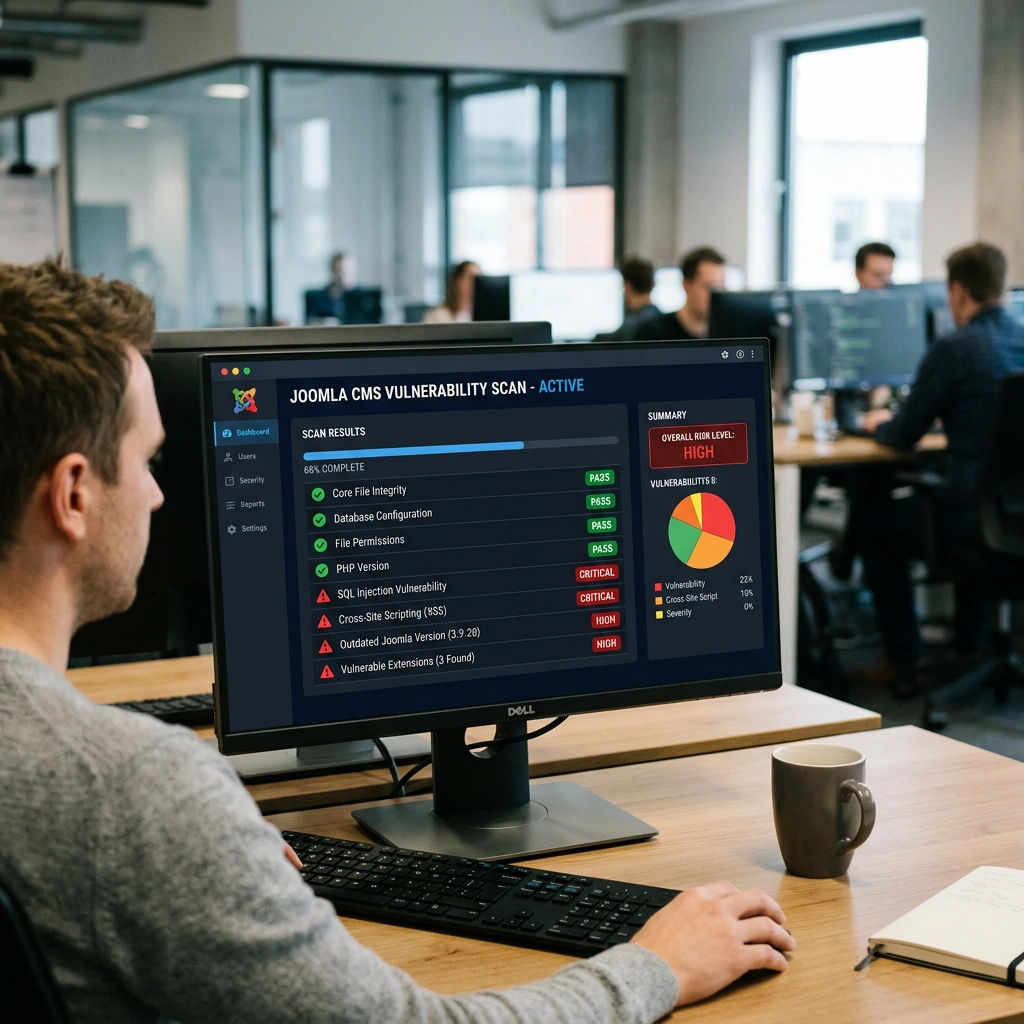


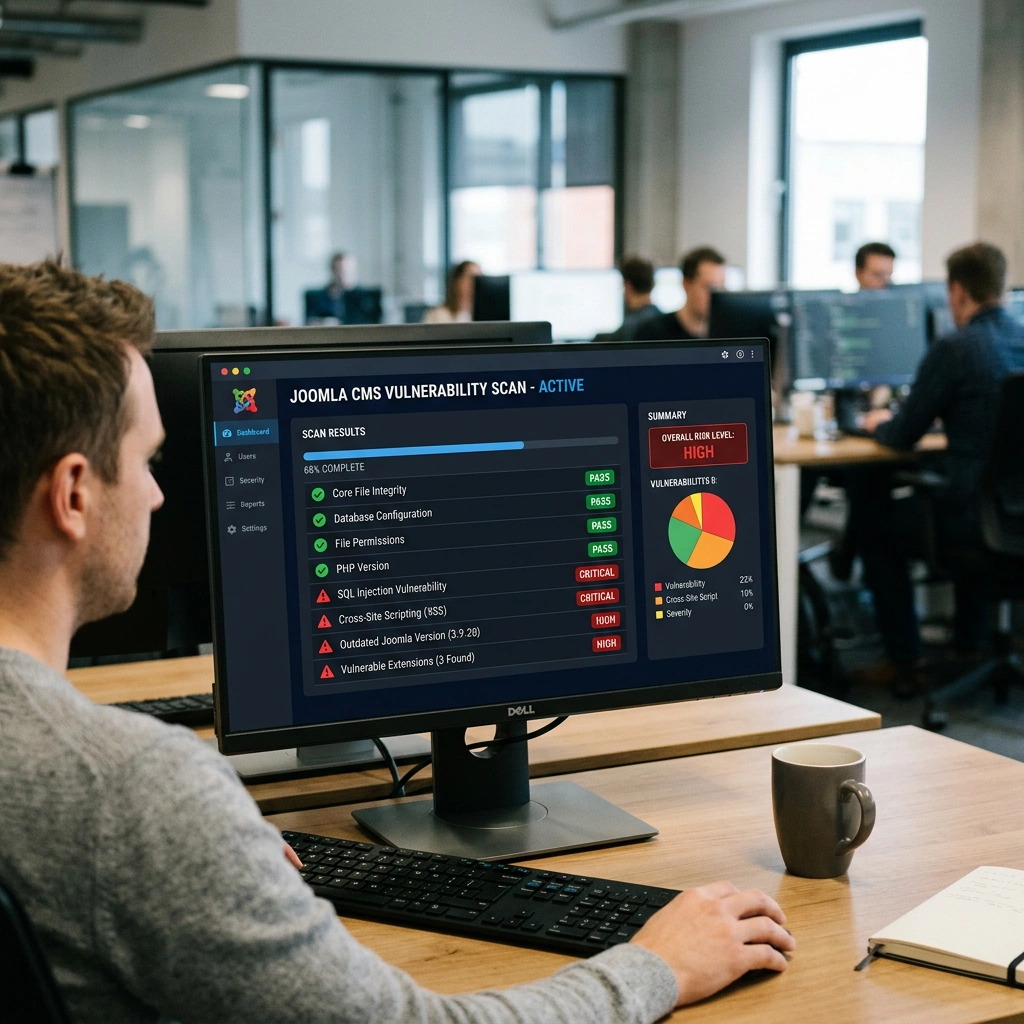
We start by explaining the basic mechanics that a joomla security scanner follows. Most scanners begin with a request to the public URL and then map the site’s structure, looking for known entry points such as index.php, administrator, and common component URLs. While crawling, the tool compares the response against a database of signatures that represent vulnerable Joomla core files, outdated extensions, or malicious code snippets.
After the initial crawl, the scanner typically performs a series of targeted tests. These may include injecting payloads into form fields, checking for SQL injection vectors, and probing for file inclusion weaknesses. The results are compiled into a report that flags each finding with a severity rating, a description of the issue, and often a suggested remediation step.
We also note that many scanners integrate with third‑party threat intelligence feeds. This allows them to flag blacklisted IP addresses, known malware hashes, and suspicious outbound connections that could indicate a compromised Joomla installation. By combining signature‑based detection with active probing, a joomla security scanner gives a fairly complete picture of the site’s exposure.
External scans are performed from outside the server, usually via a web‑based service or a remote command‑line tool. They simulate an attacker’s view, checking only the pages and resources that are publicly reachable. This type of scan is useful for identifying exposed vulnerabilities such as outdated core files, vulnerable extensions, and publicly visible malware.
Internal scans run from within the hosting environment, often as a Joomla extension or a command‑line script that has direct filesystem access. Because they can read configuration files, check file permissions, and examine database tables, internal scans can uncover deeper issues like insecure configuration.php settings, weak file permissions, and hidden backdoors that an external scanner cannot see.
We recommend a hybrid approach: start with an external joomla site scanner to get a quick health check, then follow up with an internal joomla security audit using a dedicated extension or CLI tool. This layered strategy ensures that both the public surface and the server‑side configuration are examined.
Joomla powers millions of sites, and its popularity makes it a frequent target for automated attacks. New vulnerabilities are disclosed regularly—sometimes within days of a core release—so a site that was safe last month may be exposed today. Regular scanning helps us stay ahead of attackers by catching these issues before they are exploited.
Beyond external threats, a compromised Joomla site can affect SEO rankings, damage brand reputation, and even lead to legal liability if user data is leaked. A consistent joomla security check routine reduces the likelihood of such outcomes and demonstrates due diligence to customers and regulators alike.
Finally, many hosting providers and security certifications require periodic vulnerability assessments. By maintaining a schedule of scans—monthly for high‑traffic sites, quarterly for smaller installations—we can produce audit‑ready reports that satisfy compliance requirements and give us confidence in the site’s resilience.
| Tool | Core Function | Key Features | Pros | Cons | Pricing |
|---|---|---|---|---|---|
| Sucuri SiteCheck | Malware & blacklist detection | Cloud‑based scan, blacklist lookup, outdated software detection | Fast, no installation, easy to read report | Limited depth for Joomla‑specific issues | Free |
| HackerTarget | Vulnerability enumeration | HTTP header analysis, open ports, known Joomla exploits | Simple UI, API access | No file‑system insight | Free |
| Pentest‑Tools | Pen‑test style assessment | OWASP ZAP integration, custom payloads, SSL testing | Flexible, supports advanced testing | Requires manual interpretation | Free tier limited |
| Quttera | Web‑malware scanning | Heuristic analysis, sandboxed execution, blacklist check | Detects zero‑day scripts | Requires email for full report | Free (basic) |

We begin with Sucuri SiteCheck because it is the most widely referenced free scanner for Joomla. The service queries the public URL, checks the HTML for known malicious patterns, and consults multiple blacklist databases such as Google Safe Browsing and Spamhaus. It also reports on the version of Joomla detected, flagging sites that run an outdated core.
Key features include a one‑click scan, a concise summary that highlights infected files, and a “site health” score that combines malware detection with software freshness. The report also offers a quick link to Sucuri’s paid remediation service, which can be useful for sites that need immediate cleanup.
The main drawback is that Sucuri cannot see inside the server, so it will miss insecure file permissions, hidden backdoors, or vulnerable extensions that are not publicly reachable. Nevertheless, for a quick external joomla security check, it provides valuable insight at zero cost.
HackerTarget offers a dedicated Joomla scanner that focuses on known exploits listed in public vulnerability databases. The tool sends a series of HTTP requests to typical Joomla entry points and looks for signatures of vulnerable core files or extensions. It also reports on open ports and server headers that could reveal version information.
Among its strengths are the ability to run scans via a simple web form or an API, making it possible to integrate the check into automated monitoring scripts. The output includes a list of CVE identifiers, which helps us prioritize patches.
However, the service does not perform deep file‑system analysis, and the free version caps the number of scans per day. For sites that need a quick, repeatable external scan, HackerTarget is a solid option, but it should be complemented with an internal scanner for a full audit.
Pentest‑Tools provides a more advanced, pen‑test‑oriented scanner that can be used against Joomla installations. It uses the OWASP ZAP engine to perform active probing, including SQL injection attempts, cross‑site scripting payloads, and directory traversal checks. The tool also checks for outdated components by comparing the site’s version against a curated database.
We appreciate the flexibility of the platform: users can customize the scan profile, choose specific modules, and even export the results in XML or JSON for further analysis. The free tier allows a limited number of scans per month, which is sufficient for small sites or occasional checks.
The downside is that the interface can be overwhelming for non‑technical users, and the scanner may generate false positives if the site uses custom URL routing. Despite this, Pentest‑Tools is one of the most thorough free joomla vulnerability scanner options available.
Quttera focuses on detecting malicious scripts and hidden backdoors that are often embedded in Joomla templates or extensions. It uses heuristic analysis and sandboxed execution to identify code that behaves like malware, even if the signature is unknown. The service also checks for phishing content and suspicious outbound links.
Key benefits include a detailed breakdown of each flagged file, with line‑by‑line excerpts that help us understand the nature of the threat. The free version provides a summary report, while a paid upgrade opens up full file listings and remediation advice.
One limitation is that the scan can be slower for large sites, as it needs to fetch and analyze each page in depth. Additionally, Quttera does not report on server‑side configuration issues. For a focused joomla malware scanner, it offers a unique perspective that complements other tools.
| Extension | Primary Role | Core Features | Pros | Cons | Pricing |
|---|---|---|---|---|---|
| RSFirewall | System check & real‑time protection | File integrity monitoring, firewall rules, admin activity log | Deep Joomla integration, easy UI | Requires regular updates | Free (basic) / $49 (Pro) |
| Admin Tools Professional | Hardening & scanning | .htaccess generator, anti‑SQLi, malware scanner, backup integration | Full hardening suite, supports Joomla 5 | Learning curve for advanced settings | $39 (single site) |
| SecurityCheck Pro | Vulnerability assessment | Extension version audit, file permission checker, blacklist monitoring | Automated reports, scheduled scans | Limited free tier | $69 (annual) |
RSFirewall is one of the most popular Joomla security extensions, and it includes a built‑in joomla site scanner that runs from within the CMS. If you are still setting up your Joomla site, our guide on how to install Joomla extensions walks through the process of adding any extension to your site. The extension creates a snapshot of core files, extensions, and templates, then compares the snapshot against a known‑good baseline to detect unauthorized modifications.
Key features include a firewall that blocks common web attacks, a detailed audit log of administrator actions, and an automatic notification system that alerts us when a new vulnerability is discovered in a installed component. The Pro version adds real‑time malware scanning and a hardened .htaccess generator.
The main advantage is the tight integration with Joomla’s admin interface, which means we can launch scans without leaving the backend. For a full tour of the backend interface, check our Joomla admin panel guide. However, the free version lacks some of the advanced detection capabilities, and the extension requires periodic updates to stay current with new CVEs. Overall, RSFirewall offers a solid internal joomla security audit solution for sites of any size.
Admin Tools Professional is a full-featured hardening suite that also includes a scanner for Joomla. The extension checks for insecure permissions, outdated PHP versions, and vulnerable third‑party extensions. It can automatically generate a hardened .htaccess file that blocks many common attack vectors, such as directory listing and script injection.
We like the fact that Admin Tools integrates with Akeeba Backup, allowing us to create a clean snapshot before applying any hardening changes. The scanner also provides a “quick scan” mode that runs a lightweight check of the most critical files, which is useful for routine monitoring.
A potential drawback is the amount of configuration required to tailor the rules to a specific hosting environment. Misconfiguration can lead to false positives or even lock us out of the admin area. The pricing is modest for a single site, and volume discounts are available for agencies managing multiple Joomla installations.
SecurityCheck Pro focuses on vulnerability detection and compliance reporting. The extension pulls the latest vulnerability database from the Joomla Security Center and cross‑references it with the extensions installed on the site. It also scans the file system for suspicious code patterns and checks for insecure configuration values in configuration.php.
Key benefits include scheduled scans that run automatically during low‑traffic periods, and a PDF report that can be submitted for PCI or GDPR compliance audits. The UI presents findings in a prioritized list, making it easy for us to address the most critical issues first.
The free tier is limited to a single scan per month, which may not be sufficient for high‑traffic sites that need continuous monitoring. The paid version includes unlimited scans, API access, and priority support. For organizations that need a structured joomla security testing workflow, SecurityCheck Pro is a strong candidate.

| Tool | Enterprise Focus | Main Capabilities | Strengths | Weaknesses | Pricing |
|---|---|---|---|---|---|
| Acunetix | Large‑scale web app testing | Automated crawling, SQLi/XSS detection, Joomla‑specific plugins | Fast scanning, detailed remediation guidance | Expensive for small sites | Starts at $2,995/year |
| OWASP ZAP | Open‑source pen‑test platform | Active/passive scanning, scripting, API integration | Free, extensible, community support | Requires manual tuning for best results | Free |
| Burp Suite | Professional security testing | Intruder, scanner, repeater, extensions for Joomla | Powerful, customizable, strong reporting | Steep learning curve, commercial license needed | Professional $399/year |
Acunetix is a commercial scanner that includes a dedicated Joomla profile, allowing us to target the CMS’s unique URL patterns and known component vulnerabilities. The scanner performs deep crawling, identifies hidden admin pages, and runs a suite of automated attacks such as SQL injection, cross‑site scripting, and remote file inclusion.
Key features include a “Technology Detection” engine that automatically recognizes Joomla core, extensions, and third‑party libraries, and a “Vulnerability Management” dashboard that tracks remediation progress over time. The tool also integrates with issue‑tracking systems like JIRA, making it easy to assign tasks to developers.
The primary downside is the cost; the entry‑level license is priced for enterprises, which may be prohibitive for small businesses. However, for agencies that manage multiple high‑value Joomla sites, the investment can be justified by the time saved in manual testing and the reduction in breach risk.
OWASP ZAP is a free, open‑source security testing platform that can be configured to scan Joomla installations. By loading a site’s sitemap or using the “Spider” feature, ZAP discovers all reachable URLs, then runs both passive and active scans to detect vulnerabilities. We can extend ZAP with custom scripts that target Joomla‑specific endpoints, such as index.php?option=com_content.
Advantages include the ability to run scans from a command line or via a CI/CD pipeline, which is useful for automated joomla security testing during development. The community maintains a set of add‑ons that provide additional checks for Joomla extensions.
The main limitation is that ZAP does not ship with a pre‑built Joomla vulnerability database, so we must manually keep the CVE list up to date. Additionally, the UI can be overwhelming for newcomers, and interpreting the results often requires a solid understanding of web security concepts.
Burp Suite is a professional pentesting suite that many security consultants use for Joomla assessments. Its “Scanner” module automatically probes for common web vulnerabilities, while the “Intruder” and “Repeater” tools allow us to craft custom payloads for Joomla components like com_users or com_finder.
We appreciate Burp’s extensive reporting capabilities, which include a “Joomla” tag that groups findings by component. The suite also supports extensions, such as the “Joomla Security Suite” add‑on, which adds checks for known Joomla exploits.
The cost is a consideration; the Professional edition requires a yearly subscription, and the learning curve is steep for those without prior pentesting experience. Nonetheless, for organizations that need a high‑precision, manual testing approach, Burp Suite remains a top choice.

| CLI Tool | Language | Primary Use | Highlights | Pros | Cons | Pricing |
|---|---|---|---|---|---|---|
| JoomScan | Perl | External vulnerability enumeration | CVE database, Joomla‑specific payloads | Lightweight, easy to script | Perl dependency, limited to known CVEs | Free |
| Juumla | Python | Malware and backdoor detection | Heuristic analysis, GitHub community | Modern codebase, extensible | Requires Python 3.8+, occasional false positives | Free |
| Nikto | Perl | General web server scanner | Over 6,700 checks, includes Joomla patterns | Fast, widely used | Not Joomla‑specific, may miss component bugs | Free |
JoomScan is an OWASP‑maintained script that focuses on enumerating known Joomla vulnerabilities. It sends a series of HTTP requests to typical Joomla URLs and checks the responses against a list of CVE identifiers that are stored locally. The tool can be run from any Linux server with Perl installed, making it suitable for automated cron jobs.
Key features include a “quick scan” mode that checks only the core version and a “full scan” that probes installed extensions based on the manifest.xml files. The output is a plain‑text report that highlights each finding with a severity rating and a link to the official advisory.
Because JoomScan relies on a static CVE list, it will not detect zero‑day exploits or custom backdoors. However, for a fast, lightweight joomla vulnerability scanner that can be integrated into a CI pipeline, it is a practical choice.
Juumla is a community‑driven Python project that aims to detect malicious code hidden in Joomla templates and extensions. It parses PHP files, looks for suspicious functions such as eval, base64_decode, and shell_exec, and flags any occurrences that appear in obfuscated form. The tool also checks for known malware signatures stored in a public repository.
We like the modular design: new detection rules can be added as separate Python modules, allowing us to keep the scanner up to date with emerging threats. Juumla also supports a “dry‑run” mode that prints potential matches without altering any files, which is useful for safe auditing.
The downside is that the tool can generate false positives, especially when legitimate extensions use dynamic code generation. Additionally, it requires a recent version of Python and some familiarity with virtual environments. For developers who prefer a code‑centric approach to joomla malware scanning, Juumla offers a flexible solution.
Nikto is a classic web server scanner that includes a set of checks specific to Joomla, such as default admin URLs, known vulnerable component paths, and outdated PHP versions. It works by sending HTTP requests and analyzing the responses for common misconfigurations and insecure files.
Key strengths are its speed and the breadth of checks—over 6,700 server signatures are covered, and the tool can be run with a single command line. Nikto also produces output in multiple formats (HTML, CSV, XML), which can be fed into reporting pipelines.
Because Nikto is a generic scanner, it does not have deep awareness of Joomla’s internal architecture. It may miss component‑specific vulnerabilities that are only visible when the CMS is fully loaded. Nevertheless, as a quick baseline joomla security check, Nikto is a valuable addition to any security toolbox.
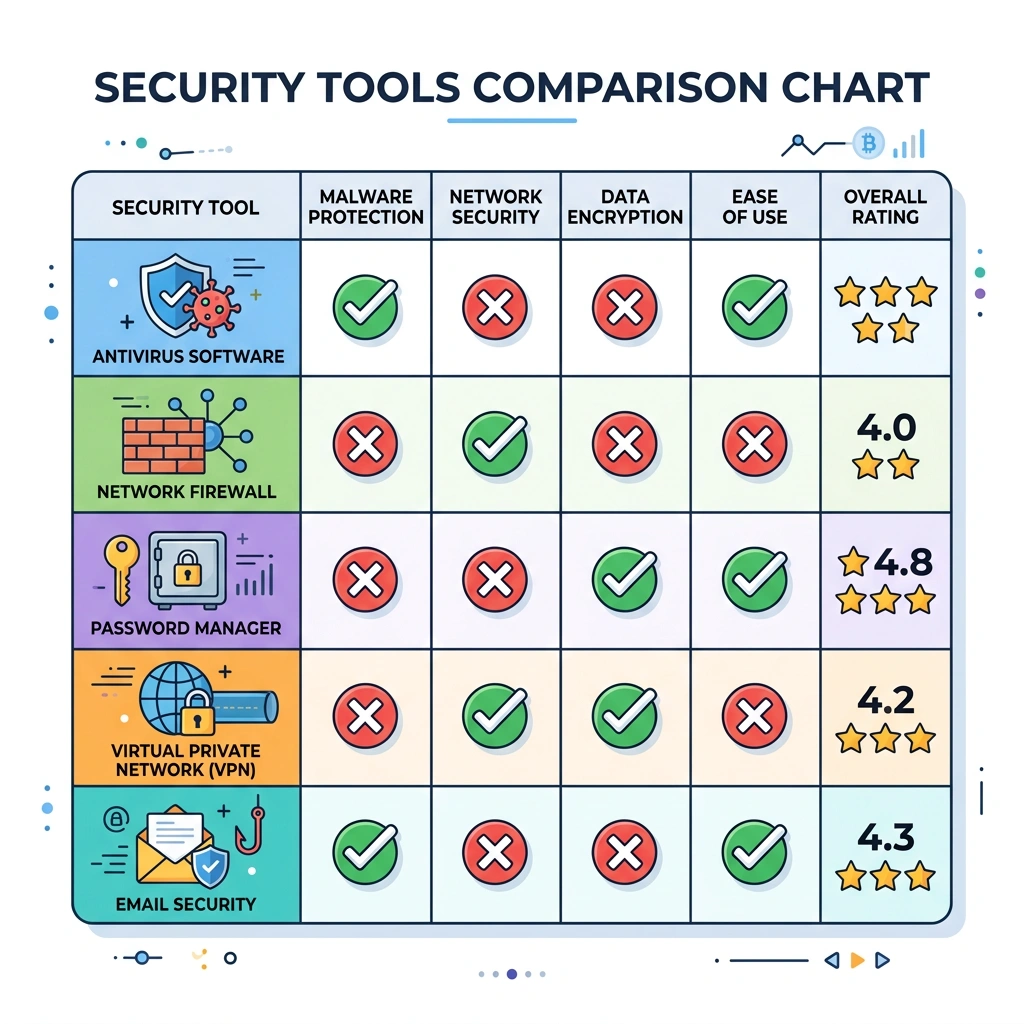
We begin every audit by launching an external joomla site scanner such as Sucuri SiteCheck or HackerTarget. This gives us a snapshot of what an attacker can see from the internet, including exposed malware, blacklisting status, and outdated core versions. The external scan should be performed before any internal changes are made, so we have a clean baseline for comparison.
After the scan finishes, we export the report and note any high‑severity findings, such as a compromised file or a known vulnerable extension. These items become immediate priorities for remediation.
Running the external scan also helps us verify that the site’s public DNS and SSL configuration are correct, which can affect the results of later internal scans.
The next step is to verify that the Joomla core, all installed extensions, and the active template are up to date. We can use the Joomla administrator interface, or a dedicated extension like SecurityCheck Pro, to generate a version matrix.
For each component, we compare the installed version against the latest release listed on the Joomla Extensions Directory or the developer’s website. If a newer version is available, we schedule an update, paying special attention to any security advisories that accompany the release.
We also audit the template files for custom code that might be outdated. If you need help with templates, see our guide on how to install a Joomla template. Some templates embed third‑party libraries (e.g., jQuery) that need separate updating. Keeping every piece of the stack current reduces the attack surface dramatically.
File permissions are a frequent cause of Joomla compromises. We inspect the filesystem using a command‑line tool or an extension like RSFirewall to ensure that directories are set to 755 and files to 644, while the configuration.php file is locked down to 600 where possible.
Next, we examine the configuration.php settings for insecure values. For example, error_reporting should be set to none in production, and display_errors must be disabled to prevent information leakage. We also verify that the $secret key is a strong, randomly generated string.
If any permissions are too permissive, we correct them immediately and re‑run the scanner to confirm that the issue is resolved. Proper configuration also helps the internal scanner differentiate between legitimate files and potential malware.
Server logs provide a wealth of information about attempted attacks. We pull the Apache/Nginx access and error logs, as well as Joomla’s own log files, and look for patterns such as repeated 404 errors on admin URLs, unusual POST requests to index.php, or login attempts from foreign IP ranges.
Using tools like grep or a log analysis platform, we filter for keywords like “SQLi”, “XSS”, or “shell”. Any IP address that shows repeated malicious behavior is added to a blocklist via the firewall extension or the server’s .htaccess.
Log analysis also helps us spot compromised credentials. If we see successful logins from locations that do not match our team’s IP range, we force a password reset for the affected accounts and enable two‑factor authentication.
Finally, we perform a manual review of user permissions. Joomla’s ACL (Access Control List) allows fine‑grained control over what each user group can do. We verify that only trusted users have the “Super Users” role, and that “Manager” or “Administrator” accounts are limited to the sections they truly need. Our article on Joomla user management covers roles, groups, and permissions in detail.
We also test password strength by attempting to log in with common weak passwords (using a controlled environment) and ensure that password policies enforce complexity and expiration. If the site uses third‑party login modules (e.g., OAuth), we confirm that the callbacks are correctly configured and not vulnerable to open redirect attacks.
After completing these steps, we generate a consolidated report that includes findings from the external scan, version audit, permission review, log analysis, and ACL testing. This report forms the basis for the remediation plan.
When a scanner flags multiple items, we first sort them by severity. Critical findings—such as a known remote code execution vulnerability in a popular extension—must be addressed immediately, often within 24 hours. Medium‑severity issues, like outdated PHP version warnings, are scheduled for the next maintenance window. Low‑risk items, such as missing HTTP security headers, can be bundled into routine updates.
We also consider the exploitability of each issue. A vulnerability that requires authentication may be lower priority than one that can be triggered anonymously. By mapping each finding to a risk matrix (likelihood × impact), we create a clear remediation roadmap that aligns with business priorities.
Documenting the prioritization process helps us communicate with stakeholders and demonstrates due diligence during security audits.
The most effective way to remediate a discovered vulnerability is to apply the official patch. For Joomla core, we download the latest package from the Joomla website, place it in a staging environment, and run the built‑in update process. For extensions, we check the developer’s site or the Joomla Extensions Directory for an updated version.
Before applying any patch, we back up the site—including the database and all files—using a tool like Akeeba Backup. This ensures we can roll back if the update introduces compatibility problems. After patching, we rerun the relevant scanner to confirm that the vulnerability is no longer reported.
If a patch is not yet available, we may need to apply a temporary mitigation, such as disabling the vulnerable component, adding a firewall rule, or restricting access to the affected URL. We document any temporary measures and monitor the vendor’s release schedule.
Some findings are beyond the scope of routine maintenance. For example, if a scanner discovers a sophisticated backdoor that has been hidden for months, we may need a forensic specialist to perform a deep code review and clean the site. Similarly, if the site is under active attack or has suffered a data breach, a professional incident response team should be engaged immediately.
We also consider external professional services when the site handles sensitive data (e.g., credit‑card information) and compliance requirements demand a formal security assessment. In such cases, a third‑party audit from a certified provider can provide the necessary assurance for regulators and customers.
Finally, if internal resources are limited, outsourcing the regular joomla security testing to a managed security provider can free up our team to focus on core business activities while still maintaining a strong security posture.
Yes, several free tools exist. Sucuri SiteCheck, HackerTarget, and the open‑source JoomScan are all available at no cost. They provide a solid baseline for detecting malware, blacklisting, and known vulnerabilities. While free scanners may lack some of the depth of paid solutions, they are valuable for routine monitoring and for small sites with limited budgets.
We recommend scanning at least once a month for production sites, and after any major change such as a core update, new extension installation, or server migration. High‑traffic or high‑value sites may benefit from weekly scans, especially if they handle sensitive user data. Automated scheduled scans using an internal extension or a CLI tool can help maintain a consistent cadence.
No single scanner can guarantee 100 % detection. Scanners rely on known signatures, heuristics, and active probing, which may miss zero‑day exploits, custom backdoors, or configuration errors that fall outside their rule set. Combining external scans, internal extensions, and manual testing provides the most thorough coverage.
The “best” extension depends on the site’s needs. RSFirewall offers deep integration and real‑time protection, Admin Tools Professional provides extensive hardening features, and SecurityCheck Pro excels at automated vulnerability reporting. For most sites, a combination of RSFirewall for continuous monitoring and SecurityCheck Pro for scheduled audits offers a balanced approach.
Joomla includes several native security mechanisms, such as two‑factor authentication, password hashing, and a built‑in ACL system. It also ships with a basic firewall that blocks common request patterns. However, these built‑in features are not sufficient on their own; augmenting Joomla with dedicated scanners and hardening extensions is essential for a strong security posture.