Physical Address
304 North Cardinal St.
Dorchester Center, MA 02124
Physical Address
304 North Cardinal St.
Dorchester Center, MA 02124

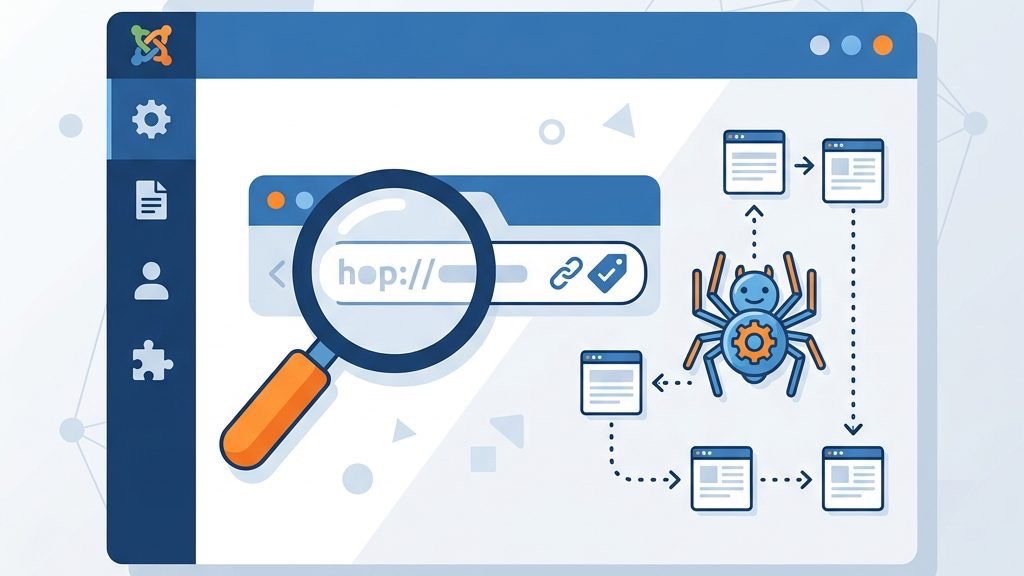


joomla canonical urls are the compass that keeps search engines from getting lost in a maze of duplicate pages. When a Joomla site sprouts multiple pathways to the same content, the search engine’s map can become tangled, leading to wasted crawl budget and diluted ranking signals. In this guide we walk through every step needed to tame those URLs, from core configuration to powerful extensions, and we sprinkle in practical code snippets so you can see the changes in action.
Duplicate content is like a chorus of identical voices singing the same song—search engines struggle to pick a lead singer. In Joomla, the same article can be reached through different menu items, category filters, or URL parameters, creating a chorus of identical URLs. This confusion can cause search engines to split the page’s authority among several copies, weakening the overall signal. We often see this issue when a site uses both index.php?option=com_content and SEF URLs, each pointing to the same article.
In WordPress, the problem often appears when the same post is accessible via both the default query string (?p=123) and a pretty permalink. Because WordPress automatically generates both URLs, we may inadvertently expose two identical pages to crawlers, especially when plugins add custom taxonomies or pagination. We mitigate this by enabling canonical redirects in the core settings and by using plugins that enforce a single URL structure.
Drupal introduces duplicate content through its path alias system, where a node can be reached by its internal ID (/node/45) and any number of human‑readable aliases (/about-us). When multilingual modules are enabled, each language version may also generate a language‑specific alias, multiplying the URL count. We typically resolve this by activating the “Redirect” module, which sends a 301 response from the raw node path to the chosen alias, keeping the link equity concentrated.
A canonical tag acts as a signpost, pointing the crawler to the “preferred” version of a page. The HTML tells search engines that, regardless of how many routes lead there, the URL in the href attribute should receive the credit. This is analogous to a librarian stamping the correct edition of a book, ensuring that all references point to the same volume. By using this tag, we keep link equity focused and avoid the dilution that duplicate pages cause.
Google treats the canonical hint as a strong suggestion, but it may still override it if it detects a more logical canonical based on content similarity or site structure. The search engine examines the href attribute, compares the linked page to the current URL, and decides whether to honor the hint or to select a different version. We observe that when the hint aligns with internal linking patterns, Google rarely disputes it, preserving the intended ranking signal.
The difference between a canonical directive and a suggestion lies in the level of authority we convey; a directive is an explicit declaration, while a suggestion is a polite request. In practice, we embed the tag in the of every page, but we also ensure that internal links point to the canonical URL to reinforce the message. When the tag is missing or contradictory, search engines may split the page, and the same we aim to prevent.
Joomla’s flexible menu system is a double‑edged sword; while it lets us craft beautiful navigation, it also creates multiple pathways to the same content. For example, an article linked from both a main menu and a secondary submenu will generate two distinct URLs. Additionally, URL parameters such as ?Itemid= or ?lang= can multiply the number of addressable pages. Think of each parameter as a branch on a tree—without pruning, the tree becomes a tangled forest that search engines cannot easily navigate.
When the same content appears under several URLs, inbound links may be split across those URLs, much like water flowing into several tiny streams instead of one strong river. This dilution reduces the page’s overall authority, making it harder to climb the SERP rankings. In Joomla, a single article might receive backlinks to both its SEF URL and its non‑SEF counterpart, scattering the ranking power. The result is a lower chance of ranking for target keywords.
Quantifying the impact often involves comparing the total backlink count of the canonical URL against the sum of its duplicates; a 30 % split can translate into a noticeable drop in keyword position. We use tools that aggregate link equity across all variants, revealing the hidden loss that would otherwise go unnoticed. By consolidating the links, we typically observe a measurable boost in both traffic and ranking within a few weeks.
Joomla’s architecture amplifies this issue because menu items can generate multiple paths to the same article, and modules may append session IDs or filter parameters. Each variation creates a separate entry in the crawl log, causing the search engine to treat them as distinct resources. We address this by configuring the router to strip unnecessary parameters and by applying canonical tags to every view, ensuring that all link juice flows to a single destination.
Search engine bots have a limited budget for crawling a site, similar to a traveler with a finite amount of fuel. If the crawler spends time indexing duplicate pages, it leaves less time for fresh, valuable content. Joomla sites with many filtered or paginated views can quickly exhaust this budget, causing important pages to be missed during indexing. By consolidating duplicates with canonical tags, we give the crawler a clear path to the most important pages.
Crawl budget is allocated based on site speed, update frequency, and the perceived importance of each URL; duplicate pages consume a portion of that allocation without adding new value. We monitor the “Crawl Stats” report in Google Search Console to see how many requests are spent on low‑value URLs and adjust the robots.txt file accordingly. When we reduce duplicate endpoints, the crawler can revisit high‑priority content more often, improving freshness signals.
In GSC, the “Coverage” tab highlights pages that are “Crawled – currently not indexed” often a sign that the budget is being spent on redundant resources. We set up filters to isolate URLs containing query strings or pagination markers, then apply redirects or canonical tags to streamline the crawl path. Regular audits of these metrics help us keep the budget focused on pages that truly drive traffic and conversions.
Real‑world case studies show that sites that implement proper canonical handling often see a measurable lift in organic traffic. One Joomla‑based e‑commerce store reduced its duplicate URLs by 70 % and observed a 15 % increase in keyword rankings within three months. The improvement stems from a cleaner index, stronger link equity, and a more efficient crawl budget. These gains illustrate why canonical management is a cornerstone of Joomla SEO strategy.
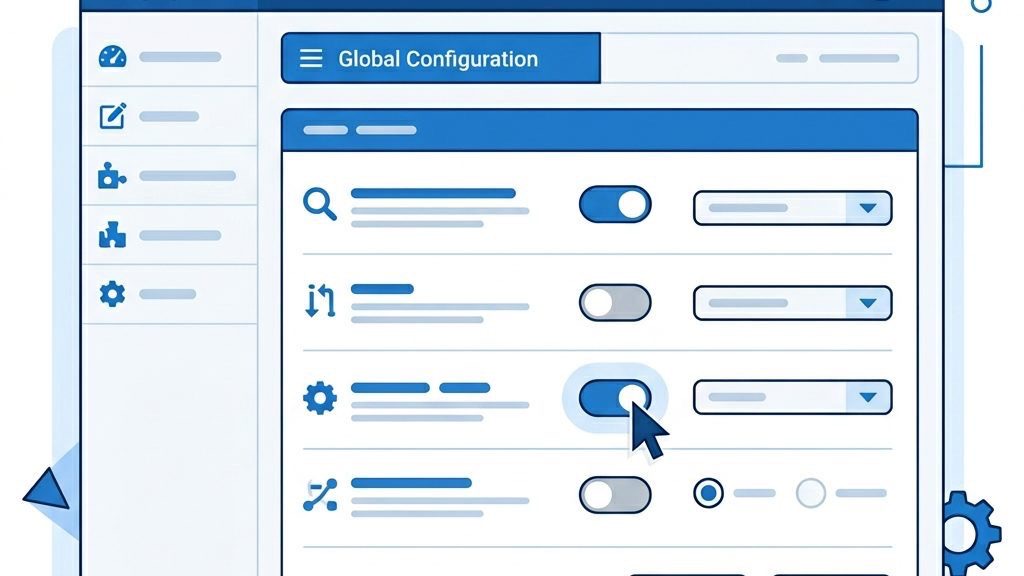
The first step is to turn on Search Engine Friendly (SEF) URLs in the Global Configuration. This setting removes the index.php? query string, producing cleaner URLs that are easier for both users and crawlers to read. We also enable the Apache mod_rewrite module (or Nginx equivalent) via the .htaccess file, which rewrites incoming requests to the SEF format. Think of this as polishing a road so that traffic can flow smoothly without unnecessary detours.
Joomla ships with a “System – Canonical” plugin that automatically adds a canonical tag to every page. After enabling the plugin, we can set the “Preferred URL” option to “SEF URL” to ensure the tag points to the clean version. The plugin also respects URL parameters, allowing us to exclude certain query strings from the canonical URL. This built‑in tool is a quick way to start consolidating duplicate content without writing code.
For fine‑grained control, we can add the canonical tag directly in a template override. Create a file named default.php inside templates/your_template/html/com_content/article/ and insert the following PHP snippet:
<?php
// Get the current URL without query strings
$uri = JUri::getInstance();
$canonical = $uri->toString(array('scheme', 'host', 'path'));
?>
<link rel="canonical" href="<?php echo htmlspecialchars($canonical, ENT_QUOTES, 'UTF-8'); ?>" />
This code builds the canonical URL from the current request, stripping out parameters that might cause duplication. By placing it in the article view override, we guarantee that every article page carries the correct tag, even if other extensions try to modify the head section.
The Crusco plugin offers a user‑friendly interface for defining canonical URLs on a per‑item basis. It supports custom fields, allowing us to set a canonical URL for each article, category, or menu item. The plugin also integrates with Joomla’s multilingual system, automatically adjusting the tag for each language version. Its lightweight design makes it a good fit for sites that want granular control without heavy code changes.
Aimy’s extension is built for the latest Joomla releases and provides batch processing for large sites. It can automatically generate canonical tags for all SEF URLs and offers an option to exclude specific URL parameters. The extension also includes a diagnostic tool that flags pages missing a canonical tag, helping us keep the site tidy. Its compatibility with Joomla 5 and 6 ensures future‑proofing as the platform evolves.
Daniel Morell’s plugin is a developer‑focused solution that lets us write custom logic for canonical generation. It hooks into the onAfterRender event, giving us the chance to modify the head section after all other extensions have run. This is useful when we need to combine canonical tags with other meta tags like og:url. The plugin is open source, so we can tweak it to match any unique workflow.
| Extension Name | Joomla Compatibility | Key Features | Price |
|---|---|---|---|
| Crusco Canonical URL | Joomla 3.10 – 4.x | Per‑item control, multilingual support, UI wizard | $29 |
| Aimy Canonical | Joomla 5 & 6 | Batch processing, parameter exclusion, diagnostics | $39 |
| Daniel Morell Custom Plugin | Joomla 3.9 – 5.x | Event‑based logic, open source, developer hooks | Free |
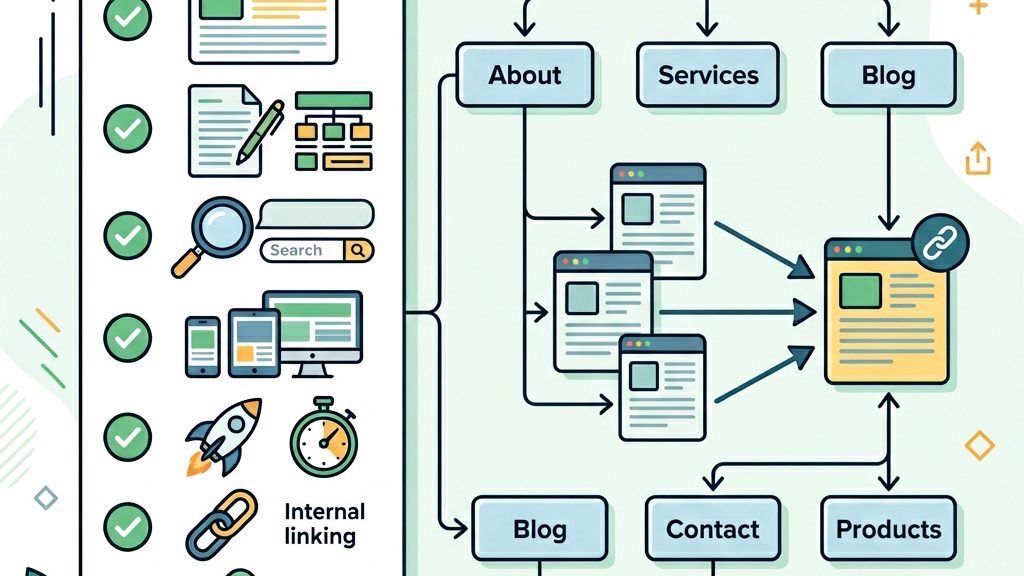
Every page should contain a self‑referencing canonical tag, even the homepage. This practice tells search engines that the page is its own preferred version, preventing accidental duplication from URL parameters or trailing slashes. Think of it as a signature at the bottom of a letter, confirming the author’s identity. Implementing this consistently across the site builds a solid foundation for indexing.
Implementation begins with a template change: we insert into the head section of the master layout, ensuring the variable resolves to the exact URL the visitor sees. We then test a handful of pages with tools that display the rendered head to confirm the tag points to the same address. Consistency across all content types—articles, categories, and custom components—avoids accidental mismatches.
Common mistakes include using relative URLs, which can confuse crawlers, or forgetting to update the tag after a site migration that changes the domain. We also watch for duplicate canonical tags on the same page, which can trigger a warning in Search Console. By establishing a checklist for new templates, we keep the process error‑free and maintain a clean signal for search engines.
When a page includes filters, sorting options, or pagination, we must decide which version should be canonical. For paginated series, the first page is usually the canonical URL, while subsequent pages can use rel="next" and rel="prev" to indicate their relationship. URL parameters that do not affect the core content, such as tracking IDs, should be stripped from the canonical URL. This approach keeps the index clean and preserves link equity for the main content.
Canonical tags work hand‑in‑hand with 301 redirects; the redirect sends users and crawlers to the correct URL, while the canonical tag reinforces the preference in the HTML. After setting up redirects, we must update the XML sitemap to list only the canonical URLs, ensuring that search engines receive a clear map of the site. This coordination is similar to a conductor guiding an orchestra—each instrument (redirect, canonical, sitemap) plays its part to produce a harmonious result.
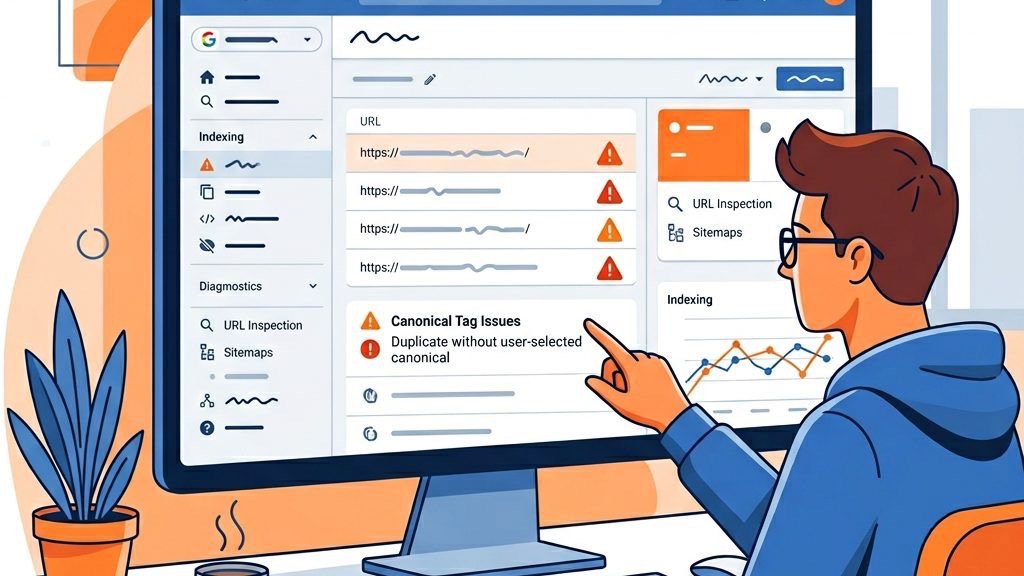
When two extensions try to insert a canonical tag, the page may end up with duplicate elements, confusing crawlers. To resolve this, we can disable the automatic tag generation in one of the extensions or edit the template override to prioritize a single source. Using the Joomla debug console, we can view the generated HTML and verify that only one canonical tag is present. This cleanup restores a clear signal for search engines.
A common mistake is pointing a canonical tag to a URL that returns a 404 error, which can erode trust with search engines. We should regularly audit our canonical URLs, using tools like Google Search Console’s “Coverage” report to spot any “Submitted URL not found (404)” warnings. When a broken canonical is discovered, we either correct the href attribute or set up a proper 301 redirect to a valid page. Keeping the canonical map accurate is essential for maintaining site health.
Google Search Console provides a “URL Inspection” tool that reveals the canonical URL Google has chosen for a page. If the reported canonical differs from our intended tag, we need to investigate possible parameter handling or conflicting tags. The “Coverage” report also highlights pages flagged for duplicate content, giving us a roadmap for remediation. By regularly checking these reports, we stay ahead of indexing problems before they affect rankings.
For sites serving multiple languages, each language version should have its own hreflang tag while pointing to a language‑specific canonical URL. This combination informs search engines about both the preferred URL and the language targeting, preventing cross‑language duplication. Imagine a library where each book has a unique barcode (canonical) and a language label (hreflang) – both are needed for proper cataloging.
In Joomla, we add the hreflang attributes in the head of each language view, using the language code and the regional identifier (e.g., en‑GB). At the same time, the canonical tag points to the same language‑specific URL, ensuring that the crawler does not treat the English and French versions as duplicates. We generate these tags dynamically through a plugin that reads the current menu item and language settings, reducing manual effort.
Typical errors involve mixing the canonical URL of one language with the hreflang of another, which sends mixed signals to the search engine. We also see cases where the hreflang list omits the x-default entry, leaving the default language without a fallback. By validating the markup with Google’s International Targeting report, we catch mismatches early and keep the multilingual architecture tidy.
Joomla’s language associations let us link articles in different languages together. When configuring canonicals, we should ensure that each language version’s canonical points to its own URL, not to the default language’s URL. This preserves the link equity for each language and avoids the “duplicate content” penalty that can arise from mixing languages. The System – Canonical plugin can be set to respect language associations automatically.
Sometimes a Joomla site operates under multiple domains for regional targeting (e.g., example.co.uk and example.com). In such cases, we can use cross‑domain canonical tags to indicate the primary version of a page. The canonical href should point to the domain we want to rank, while the other domains serve the same content with a 301 redirect to the primary URL. This strategy consolidates authority across domains, much like merging two rivers into a single, stronger stream.
1. What is the difference between a canonical tag and a 301 redirect in Joomla?
A canonical tag tells search engines which URL should be considered the authoritative version, while a 301 redirect actually sends users and crawlers to that URL. The tag works at the HTML level, whereas the redirect operates at the server level. Using both together provides a double layer of assurance that the correct URL is indexed.
2. Does Joomla automatically add canonical tags to pages?
Out of the box, Joomla does not add canonical tags unless the “System – Canonical” plugin is enabled. Without the plugin or a template override, pages will lack the element. Enabling the plugin or adding a manual tag ensures that every page has a clear preferred URL.
3. Can duplicate content from Joomla URL parameters cause a Google penalty?
Google does not penalize duplicate content per se, but it may split ranking signals and lower the visibility of the affected pages. Excessive duplication can also waste crawl budget, leading to slower indexing of fresh content. By using canonical tags and proper redirects, we mitigate these risks and keep the site’s SEO health strong.
4. How do I check if my Joomla canonical tags are working correctly?
Use the “View Source” option in a browser to locate the element, then verify that the href matches the intended URL. Additionally, Google Search Console’s URL Inspection tool shows the canonical URL Google has selected. Consistency between the tag and the URL in the address bar indicates proper implementation.
5. Should I use canonical tags or noindex for Joomla category pages?
If a category page provides unique value and should appear in search results, a canonical tag is the preferred choice. Use noindex only when the page offers little or no original content, such as thin tag or duplicate listings. This approach preserves link equity while preventing low‑value pages from appearing in SERPs.
6. How do canonical URLs work with Joomla’s multi‑language feature?
Each language version should have its own canonical URL that points to the same language’s page. The hreflang annotations complement the canonical tag by indicating the language targeting. Together they guide search engines to index the correct language version and avoid cross‑language duplication.
By following the steps outlined above, we can ensure that joomla canonical urls are consistently applied, preserving link equity, improving crawl efficiency, and boosting overall search engine performance. The combination of core configuration, template overrides, and specialized extensions gives us a flexible toolbox to keep our Joomla sites tidy, fast, and rank-ready.