Physical Address
304 North Cardinal St.
Dorchester Center, MA 02124
Physical Address
304 North Cardinal St.
Dorchester Center, MA 02124




Joomla SEO checklist is the compass that guides us through the maze of launch‑day preparations, ensuring every page shines in the eyes of search engines. In this guide we walk you through 25 concrete actions, organized into logical categories, so you can launch a site that is both user‑friendly and search‑engine‑friendly. By following each step we reduce the risk of hidden pitfalls, improve crawlability, and set the stage for sustainable traffic growth.
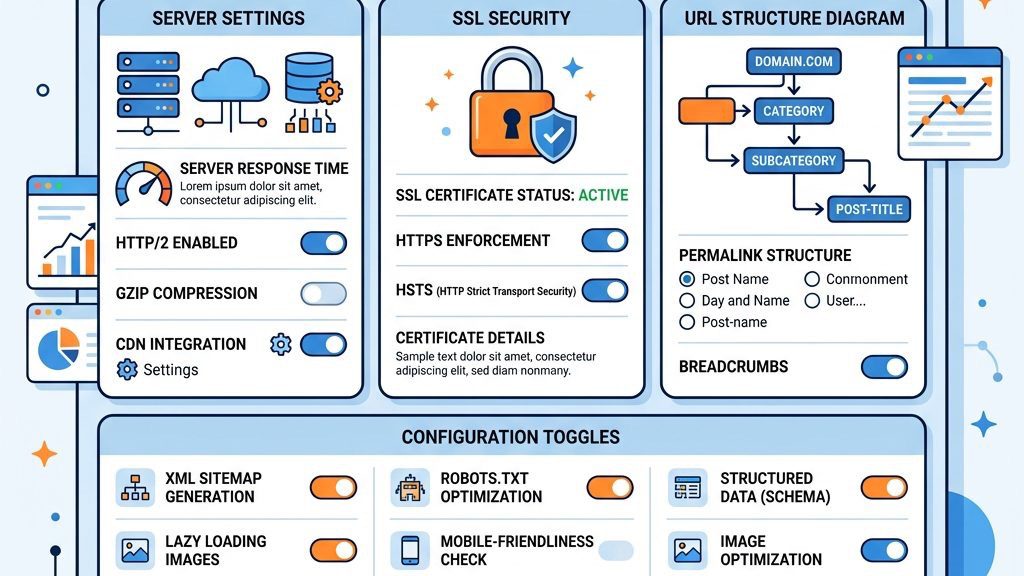
We begin by turning on Search Engine Friendly (SEF) URLs in System → Global Configuration → Site tab. This simple switch transforms cryptic links into readable strings, like turning a tangled knot into a smooth ribbon. After activating SEF, we enable URL Rewriting by setting the htaccess.txt file to .htaccess, which tells the web server to serve clean URLs without the index.php prefix.
Next, we test the new URLs by navigating a few front‑end pages and confirming they load without errors. If a page returns a 404, we double‑check the .htaccess permissions and ensure the Apache mod_rewrite module is active. Finally, we clear Joomla’s cache to let the changes propagate, guaranteeing that search engines see the correct URL structure from day one.
In the Global Configuration panel we set the SEO Settings: Search Engine Friendly URLs to Yes, Use URL rewriting to Yes, and Add suffix to URL to No for cleaner links. We also enable Unicode Aliases to support multilingual slugs, which helps the site appear in diverse regional searches. These settings act as a foundation, much like a solid bedrock beneath a towering skyscraper.
We then adjust the Metadata Settings: set a default Meta Description template, enable Robots to index, follow, and configure the Site Offline message to include a brief notice for crawlers. This ensures that even before content is published, the site sends the right signals to search engines. Lastly, we save the configuration and verify the changes in the front‑end source code, looking for the rel="canonical" tag and proper meta elements.
A secure site is no longer optional; it is a ranking factor and builds trust with visitors. We obtain an SSL certificate from a reputable hosting provider or a free service like Let’s Encrypt, then install it via the hosting control panel. After installation, we force HTTPS in Joomla by setting the Force HTTPS option to Entire Site in System → Global Configuration → Server tab.
We test the redirect by entering the HTTP version of a page and confirming it automatically switches to HTTPS, a smooth transition akin to a river flowing into a calm lake. Additionally, we update any hard‑coded URLs in modules, articles, and menu items to use https:// to avoid mixed‑content warnings. Finally, we submit the new HTTPS version of the site to Google Search Console to let Google know the secure address is the canonical one.
The hosting environment is the engine that powers the site, and a sluggish engine can stall rankings. We evaluate providers based on server speed, uptime guarantees, SSD storage, and global data‑center locations to reduce latency for international visitors. A provider with built‑in CDN and automatic backups further enhances performance and resilience.
After selecting a host, we configure PHP to the latest stable version supported by Joomla 5, enable OPcache, and set appropriate memory limits for heavy extensions. We also enable GZIP compression at the server level, which reduces file size and speeds up page delivery. Finally, we run a baseline speed test using tools like GTmetrix to capture the initial performance metrics.
A well‑crafted robots.txt file acts as a gatekeeper, directing crawlers away from duplicate or low‑value pages while inviting them to the most important content. We place the file in the site root and include directives such as Disallow: /administrator/ and Allow: /. We also reference the XML Sitemap with Sitemap: https://www.example.com/sitemap.xml to guide search engines.
We then use Google Search Console to test the robots.txt file, ensuring no accidental blocks on essential resources like CSS or JavaScript. Adjustments are made if the console reports blocked resources that affect rendering. Finally, we monitor crawl stats in the console to verify that the crawl budget is being used efficiently, focusing on high‑value pages.
Title tags are the headline of a page in search results, and they should be concise, descriptive, and keyword‑rich. In Joomla’s article editor we edit the SEO Title field, placing the primary keyword near the beginning, while keeping the total length under 60 characters. This practice mirrors a well‑crafted headline that captures attention like a bright beacon.
We also ensure the Page Title setting in Global Configuration → Site is set to Show Page Title, allowing Joomla to prepend the site name if desired. Consistency across pages helps users and crawlers recognize the brand’s voice. Finally, we preview the title in the browser tab and in search snippets using the “Inspect URL” tool in Google Search Console.
A meta description is the elevator pitch that appears beneath the title in search results, influencing click‑through rates. We craft a unique description for each article, embedding the target keyword naturally and staying within 150‑160 characters. The description should be persuasive, like a siren’s call, urging users to click.
In Joomla we add the description via the Metadata tab of each article, ensuring the Meta Description field is populated. For menu items, we also set the description in the Menu Item settings, as they can inherit metadata. After saving, we use the “URL Inspection” tool to verify that the meta description is correctly rendered in the HTML head.
Headings structure the content, guiding both readers and crawlers through the page’s narrative. We start each article with a single H1 that mirrors the title tag, then use H2 for major sections and H3 for sub‑sections, maintaining a logical flow. This hierarchy is like a tree, with branches that spread out but always connect back to the trunk.
In Joomla’s editor we apply heading styles using the dropdown menu, avoiding the temptation to skip levels or use multiple H1 tags. We also ensure that keyword‑rich headings are not overly stuffed, preserving readability. Finally, we validate the heading order with browser developer tools to confirm the correct nesting.
Duplicate content can dilute ranking signals, so we set a canonical URL for each page to tell search engines which version to index. Joomla’s SEO Settings include an option to Add canonical tag automatically; we enable this in Global Configuration → Site. For complex pages, we manually insert a tag in the article’s Custom HTML field.
We also audit the site for duplicate URLs caused by pagination, filters, or language variations, adding canonical tags where needed. This process is akin to a lighthouse directing ships safely to a single harbor. After implementation, we use the “URL Inspection” tool to confirm that the canonical link appears in the page source.
A tidy URL is both user‑friendly and search‑engine‑friendly, resembling a well‑paved road that guides visitors straight to the destination. We remove the index.php segment by ensuring URL Rewriting is active and the .htaccess file is correctly configured. Additionally, we shorten URLs by using concise menu aliases and disabling unnecessary folder names.
In Joomla we edit each menu item’s Alias to be short, descriptive, and keyword‑rich, avoiding special characters and spaces. For example, a blog post about “Joomla SEO Tips” might become /joomla-seo-tips. After updating, we test the URLs in a private browser window to verify they resolve without redirects. Finally, we submit the updated URLs to Google Search Console for faster indexing.

Keyword research is the map that points us toward the topics our audience is searching for. We use tools like Google Keyword Planner, Ahrefs, or Ubersuggest to uncover high‑volume, low‑competition phrases related to our niche. The chosen keywords are then organized into primary and secondary groups for each piece of content.
In Joomla we create a Content Plan spreadsheet that lists the target keyword, search intent, and suggested title for each article. This plan ensures we cover a breadth of topics while staying focused on user intent. Once the research is complete, we embed the primary keyword naturally in the title, headings, and body, avoiding forced repetition.
Images enhance user experience, but they also affect page speed and accessibility. We compress images using tools like TinyPNG or the built‑in Joomla Media Manager optimizer, aiming for a file size under 150 KB without sacrificing quality. Compressed images load faster, contributing to a better page speed score.
Each image receives a descriptive alt text that includes relevant keywords where appropriate, acting as a textual stand‑in for search engines and screen readers. For example, an image of a Joomla dashboard might have alt text “Joomla 5 admin dashboard screenshot”. We also set the Title attribute for additional context, though alt text remains the primary SEO signal.
Internal links are the veins that circulate link equity throughout the site, helping crawlers discover new pages. We link from high‑authority articles to newer, related content using descriptive anchor text that reflects the target page’s keyword. This practice is akin to a well‑planned road network that guides traffic efficiently.
In Joomla we use the Insert/Edit Link button in the article editor to add internal links, ensuring they open in the same tab for SEO continuity. We also create a Related Articles module that automatically pulls linked content based on tags or categories. After linking, we run a crawl with a tool like Screaming Frog to verify that there are no orphan pages.
An XML sitemap is a roadmap for search engines, listing every URL we want indexed. Joomla extensions such as OSMap or Xmap generate a dynamic sitemap that updates automatically when new content is added. We configure the extension to include only published items, exclude duplicate or low‑value pages, and set the priority and changefreq attributes appropriately.
After generating the sitemap, we upload it to the site root (e.g., sitemap.xml) and submit its location in Google Search Console under the Sitemaps section. We also add a reference to the sitemap in the robots.txt file for easy discovery. Regular checks ensure the sitemap remains current and free of errors.
Schema markup provides search engines with explicit information about the page’s content, enabling rich results like star ratings or event dates. We use the Schema.org vocabulary and embed JSON‑LD scripts in the article’s Custom HTML field, describing items such as Article, BreadcrumbList, or Product. This structured data acts like a translator, turning our content into a language that search engines understand instantly.
We validate the markup with Google’s Rich Results Test to catch any syntax errors before publishing. For recurring content types, we create a reusable module that injects the appropriate schema automatically. Once validated, we monitor the Enhancements report in Search Console for any warnings or improvements.

We start by turning on Gzip compression in the Joomla admin panel. The setting lives under System → Global Configuration → Server; locate the Gzip Page Compression toggle and set it to Yes. Enabling compression reduces the size of HTML, CSS, and JavaScript files that travel from the server to the browser, which in turn lowers page‑load time—a key signal for search‑engine rankings.
Next, we configure Joomla’s internal cache to store rendered pages and database queries. This option is found under System → Global Configuration → System; set Cache Settings to Conservative (or Progressive for larger sites) and choose a cache handler such as File or Redis. Proper caching prevents the server from rebuilding the same page on every request, saving CPU cycles and keeping response times fast for both users and crawlers.
A practical tip is to exclude the administrator area from caching; otherwise you may see stale configuration changes while working in the backend. We also recommend installing a lightweight extension like Cache Cleaner to purge old cache files with a single click, which helps avoid the “cache bloat” problem that can slow down the site over time.
We reduce the number of HTTP requests by combining and minifying CSS and JavaScript files. In Joomla 4/5 this can be done through System → Global Configuration → System where the options Compress CSS Files and Compress JavaScript Files should be set to Yes. When the browser receives fewer, smaller files, the page renders more quickly, improving both user experience and search‑engine metrics.
Beyond the built‑in compression, we often use a dedicated extension such as JCH Optimize. After installing the plugin, we navigate to Extensions → Plugins → System – JCH Optimize and enable features like Combine CSS, Combine JavaScript, and Defer JavaScript. Deferring non‑critical scripts ensures that the main content appears first, which helps the Largest Contentful Paint (LCP) score in Core Web Vitals.
A common mistake is to over‑combine files that rely on specific load order; this can break functionality on complex pages. We test each change on a staging environment and use the browser’s developer tools to verify that no JavaScript errors appear before pushing the configuration live.
We begin by selecting a template that is built with speed in mind. The template manager is accessed via Extensions → Templates → Styles, where we can preview and activate a new design. Templates that avoid heavy frameworks, use native Joomla layout overrides, and provide built‑in lazy loading for images tend to score higher in speed tests.
When evaluating a template, we check the documentation for options like Enable Gzip, Minify CSS/JS, and Responsive Grid. Many modern templates, such as T4 Framework, include a control panel under Extensions → Templates → Styles → [Template Name] that lets us toggle these performance features without editing code.
A practical tip is to keep the number of installed templates low; unused templates still load language files and can increase the server’s memory usage. We also remove any demo content that ships with the template, as it often adds unnecessary modules and scripts that slow down the front end.
We run a diagnostic with Google PageSpeed Insights or the Lighthouse panel in Chrome DevTools after each major change. These tools report metrics such as Largest Contentful Paint (LCP), First Input Delay (FID), and Cumulative Layout Shift (CLS)—all of which influence search‑engine rankings.
To interpret the results, we focus on the items marked as “Opportunities” and “Diagnostics.” For example, if LCP is high because of an oversized hero image, we replace it with a WebP version and enable lazy loading via the template’s settings. We also verify that the Speed Index improves after enabling Gzip and caching.
A frequent oversight is to ignore mobile‑only recommendations; Google now prioritizes mobile performance, so we always select the “Mobile” view when running the tests. We keep a spreadsheet of baseline scores and update it after each optimization round to track progress over time.

We add our Joomla site to Google Search Console (GSC) and confirm ownership using the HTML tag method. The verification tag is placed in the section of the site’s template file, typically templates/[template]/index.php, right after the opening tag.
After inserting the tag, we return to GSC and click Verify; once confirmed, we enable the Sitemaps feature and submit the sitemap generated by Joomla’s built‑in sitemap component or by an extension like OSMap. A correctly submitted sitemap helps Google discover new content faster and reduces the chance of orphaned pages.
A common mistake is to forget to update the sitemap after major URL changes; we schedule a cron job that runs php cli.php sitemap:generate (if using OSMap) nightly to keep the file fresh. We also double‑check that the robots.txt file does not block the sitemap URL, as that would prevent Google from reading it.
We open the Coverage report in Google Search Console to see which URLs are indexed, which are excluded, and which have errors. The report highlights issues such as Submitted URL not found (404), Redirect error, and Blocked by robots.txt.
Within Joomla, we address 404 errors by creating appropriate redirects (see Step 22) or by restoring missing content. For “Blocked by robots.txt” warnings, we edit the robots.txt file located at the root of the Joomla installation and ensure that essential directories like /templates/ and /media/ are allowed.
A practical tip is to use the SEO‑Check extension, which scans the site for meta‑tag issues, duplicate content, and broken links, then presents a report that mirrors the GSC coverage data. Running this scan after each major content update helps us catch indexing problems before they affect rankings.
We manage redirects through Joomla’s built‑in Redirects component, accessed via Components → Redirects. After enabling the component, we add a new entry with the old URL in the Expired URL field and the new URL in the Target URL field, then select 301 – Permanent as the redirect type.
If we need bulk handling, we install the ReDJ extension, which provides a spreadsheet‑style interface for importing large lists of old‑to‑new URL pairs. ReDJ also offers automatic detection of URL changes when we rename articles or categories, reducing manual effort.
A common pitfall is creating redirect chains (e.g., A → B → C) which increase load time and dilute link equity. We always aim for a direct one‑to‑one mapping and test each redirect with a tool like Redirect Checker to confirm that the final destination returns a 200 status code.
We begin by installing a core SEO suite such as sh404SEF, which provides URL rewriting, meta‑tag management, and analytics integration. The installation process is performed via Extensions → Manage → Install, where we upload the package file and click Upload & Install.
After activation, we configure sh404SEF under Components → sh404SEF → Configuration, setting the Meta Description template, enabling Open Graph tags, and turning on Canonical URL generation. These settings help search engines understand the page’s purpose and avoid duplicate‑content penalties.
A practical tip is to complement sh404SEF with a lightweight tool like EFSEO (Easy Frontend SEO) for quick on‑the‑fly edits directly from the article editor. We avoid installing too many SEO plugins simultaneously, as they can conflict over the same meta‑tag fields.
We track inbound links using external services such as Ahrefs, Moz, or SEMrush, which provide a dashboard of new and lost backlinks, anchor‑text distribution, and domain authority scores. Regular monitoring allows us to spot toxic links that could trigger a manual penalty.
Inside Joomla, we can use the Backlink Checker extension to pull a summary of referring domains directly into the admin area. The extension is installed via Extensions → Manage → Install and accessed under Components → Backlink Checker.
A common mistake is to ignore disavow requests; when we identify spammy links, we create a disavow.txt file and submit it through Google Search Console’s Disavow Links tool. Keeping a quarterly review schedule helps us maintain a healthy backlink profile and supports long‑term ranking stability.
We set up a quarterly audit calendar that includes both technical checks (e.g., broken links, duplicate meta tags) and performance measurements (e.g., Core Web Vitals, server response time). The audit checklist is stored in a shared Google Sheet, and each item is assigned to a team member with a due date.
To automate data collection, we use the Akeeba Backup extension to create a snapshot of the site before each audit, then run a command‑line script that invokes Lighthouse CI and stores the results in a Git repository. This approach gives us a historical view of performance trends.
A practical tip is to review the audit findings during a monthly team meeting, prioritizing fixes that have the greatest impact on page speed and crawlability. By treating SEO as an ongoing process rather than a one‑time setup, we keep the site competitive in search rankings.
| Step # | Task | Priority | Status |
|---|---|---|---|
| 1 | Enable SEF URLs and URL Rewriting | High | ☐ |
| 2 | Configure Joomla Global Configuration for SEO | High | ☐ |
| 3 | Set Up SSL Certificate and HTTPS | High | ☐ |
| 4 | Choose the Right Hosting Provider | High | ☐ |
| 5 | Configure Robots.txt and Crawl Settings | High | ☐ |
| 6 | Optimize Title Tags and Page Titles | High | ☐ |
| 7 | Write Compelling Meta Descriptions | High | ☐ |
| 8 | Set Up Proper Heading Hierarchy (H1‑H6) | Medium | ☐ |
| 9 | Configure Canonical URLs to Prevent Duplicate Content | High | ☐ |
| 10 | Optimize URL Structure and Remove Index.php | High | ☐ |
| 11 | Perform Keyword Research Before Writing | High | ☐ |
| 12 | Optimize Images with Alt Text and Compression | Medium | ☐ |
| 13 | Build a Strategic Internal Linking Structure | Medium | ☐ |
| 14 | Create and Submit XML Sitemap | High | ☐ |
| 15 | Implement Schema Markup and Structured Data | Medium | ☐ |
| 16 | Enable Gzip Compression and Caching | High | ☐ |
| 17 | Optimize CSS and JavaScript Loading | Medium | ☐ |
| 18 | Choose a Performance‑Optimized Template | Medium | ☐ |
| 19 | Test Core Web Vitals and Page Speed | High | ☐ |
| 20 | Verify Google Search Console Setup | High | ☐ |
| 21 | Check Indexing Status and Fix Crawl Errors | High | ☐ |
| 22 | Set Up 301 Redirects for Changed URLs | High | ☐ |
| 23 | Install SEO Extensions for Ongoing Optimization | Medium | ☐ |
| 24 | Monitor Backlinks and Off‑Page SEO | Medium | ☐ |
| 25 | Schedule Regular SEO Audits and Performance Reviews | Medium | ☐ |
1. What is a Joomla SEO checklist?
A Joomla SEO checklist is a step‑by‑step guide that covers the most important configuration settings, extensions, and best practices for making a Joomla site visible to search engines. It typically includes tasks such as enabling compression, optimizing assets, setting up sitemaps, and monitoring Core Web Vitals. Following the checklist helps us ensure that no critical element is overlooked, which can improve rankings and user experience.
2. What are the best Joomla SEO extensions?
Among the most popular choices are sh404SEF for URL rewriting and meta‑tag control, EFSEO for quick front‑end edits, and OSMap for generating XML sitemaps. For performance‑focused tasks, JCH Optimize and Cache Cleaner are widely used. Each extension addresses a specific area of SEO, and we often combine a few to cover both on‑page and technical requirements.
3. Is Joomla better than WordPress for SEO?
Both platforms can achieve strong search‑engine performance when configured correctly. Joomla offers granular control over menu structures and built‑in multilingual support, which can be advantageous for complex sites. WordPress, on the other hand, has a larger ecosystem of SEO plugins. The choice depends on the project’s architecture and the team’s familiarity with each system.
4. How long does it take for Joomla SEO to show results?
Improvements typically become visible within a few weeks after major changes such as enabling caching or fixing crawl errors, but full ranking gains may take several months. Search engines need time to recrawl the site, re‑evaluate the updated signals, and adjust the rankings accordingly. Consistent monitoring and incremental tweaks help accelerate the process.
5. Can I do SEO on Joomla without extensions?
Yes, many essential tasks—like setting meta descriptions, configuring robots.txt, and enabling Gzip—can be performed directly through the Joomla core settings. However, extensions simplify repetitive work, provide advanced features such as schema markup, and give us a centralized dashboard for monitoring. We often start with core settings and add extensions only when the site’s complexity warrants them.
6. What is the most important Joomla SEO setting?
Enabling Gzip compression and caching together has the greatest immediate impact on page‑load speed, which is a critical ranking factor. These settings are found under System → Global Configuration and can be toggled with a single click. Faster pages improve user satisfaction and reduce bounce rates, making them a top priority in any SEO strategy.