Physical Address
304 North Cardinal St.
Dorchester Center, MA 02124
Physical Address
304 North Cardinal St.
Dorchester Center, MA 02124




joomla open graph tags are the invisible threads that tie our Joomla pages to the bustling world of social media. When we sprinkle these tags across our site, each share becomes a miniature billboard that tells Facebook, Twitter, LinkedIn, and other platforms exactly what to display. In this guide we walk through the theory, the manual implementation, the handy extensions, and the testing tools that keep our social SEO humming smoothly.
Key Takeaways
We begin by picturing the Open Graph protocol as a universal translator that speaks the language of social platforms. It defines a set of meta tag properties—such as og:title, og:image, and og:description—that each network reads to build a rich preview. Like a well‑written headline in a newspaper, the og:title grabs attention, while the og:image paints a vivid picture that draws the eye. This structured data acts as a bridge, ensuring that our Joomla articles appear consistently across the digital marketplace.
The protocol itself is simple yet powerful: each property is a key‑value pair placed in the HTML section. When a crawler from Facebook or Twitter lands on a page, it extracts these values and assembles a preview card. Think of it as a chef mixing ingredients—title, description, image, URL—into a single, appetizing dish that entices diners (readers) to bite (click). By adhering to the Open Graph standards, we avoid the mishaps of broken images or missing titles that can make a post look like a wilted flower.
From an SEO perspective, Open Graph tags are a form of structured data that search engines can also parse. While they are primarily designed for social sharing, the presence of clean, descriptive tags can indirectly influence rankings by increasing user engagement signals. In short, a well‑crafted OG set is a quiet ambassador that carries our Joomla brand into the social arena, whispering the right message to each platform’s algorithm.
Social sharing is the modern word‑of‑mouth, and Joomla sites that ignore it risk fading into the background. When a visitor clicks the “Share” button, the platform pulls the OG tags to create a preview that appears in friends’ feeds. A compelling preview acts like a lighthouse, guiding users through the sea of content toward our site. The more attractive the preview, the higher the chance of a click, and the more traffic we funnel back to Joomla.
Beyond traffic, social signals contribute to brand authority. A post that consistently shows a polished image and clear description builds trust, much like a well‑dressed spokesperson at a conference. This trust can translate into higher dwell time and lower bounce rates—metrics that search engines love. Moreover, social platforms often surface popular links in their own recommendation engines, giving us a secondary avenue for discovery.
For Joomla developers, integrating social sharing is also a matter of future‑proofing. As new platforms emerge, they typically adopt the same Open Graph protocol or a close variant. By establishing a solid OG foundation today, we lay the groundwork for seamless integration tomorrow, ensuring our site stays relevant as the digital conversation evolves.
While Open Graph tags are not a direct ranking factor in Google’s algorithm, they influence the user experience that search engines measure. A post that garners many clicks from social media often sees a surge in inbound traffic, which can improve its perceived relevance. This indirect boost is akin to a ripple effect—one well‑placed tag creates waves that reach far beyond the initial share.
Search engines also appreciate structured data because it reduces ambiguity. When we provide clear og:title and og:description values, crawlers can more accurately understand a page’s purpose, similar to a librarian cataloguing a book with precise metadata. This clarity can help the page appear in rich results, especially when combined with other schema markup.
Finally, a consistent OG implementation across all Joomla content types—articles, categories, and product pages—creates a unified brand voice. This consistency is comparable to a choir singing in harmony; each voice (page) contributes to a larger, resonant message that audiences (both users and bots) can recognize and trust.
The following table summarizes the core OG properties, their requirements, and example values:
| Property | Required | Description | Example Value |
|—|—|—|—|
| og:title | Yes | The title of the page as it should appear in the social preview | How to Add Open Graph Tags to Joomla |
| og:description | Recommended | A brief summary of the page content (150–200 characters) | Learn how to configure OG tags in Joomla for better social sharing previews. |
| og:image | Yes | The URL of the image displayed in the preview card | https://example.com/images/og-banner.jpg |
| og:url | Yes | The canonical URL of the page | https://example.com/joomla-open-graph |
| og:type | Recommended | The type of content (website, article, product) | article |
| og:site_name | Optional | The name of the overall site | JoomlaXTC |
With this reference in hand, we can confidently configure each property knowing its role and importance.
Facebook was the first major platform to adopt the Open Graph protocol, making it the reference point for most social SEO strategies. When we post a Joomla article link on Facebook, its crawler looks for the og:title, og:description, og:image, and og:url tags to assemble the preview card. If any of these tags are missing, Facebook falls back to generic heuristics, which can result in a bland or broken preview—much like a stage set without proper lighting.
To ensure Facebook displays the intended image, we must respect the recommended dimensions (minimum 1200 × 630 px) and file size limits. The og:type property usually defaults to website for generic pages, but we can specify article for blog posts to unlock additional fields like article:author. By providing a clear og:site_name, we reinforce our brand identity across every share, turning each post into a mini‑advertisement for our Joomla site.
Testing our tags with the Facebook Sharing Debugger helps us see exactly how the platform interprets our markup. The debugger also clears Facebook’s cache, allowing us to preview changes instantly. This iterative process is similar to polishing a gemstone—each facet (tag) must be examined and refined until the final sparkle meets our expectations.
Twitter uses a parallel system called Twitter Cards, which can read Open Graph tags when native Twitter Card tags are absent. By supplying both sets of tags, we create a safety net that guarantees a rich preview on either platform. The og:image tag, for example, doubles as the twitter:image tag, ensuring the same visual appears on both Facebook and Twitter timelines.
Twitter offers several card types—summary, summary_large_image, player, and app. For most Joomla articles, the summary_large_image card works best, showcasing a bold image alongside a concise title and description. We can explicitly set twitter:card to summary_large_image and provide twitter:title and twitter:description for fine‑tuned control, much like a director adjusting lighting cues for different scenes.
The Twitter Card Validator functions similarly to Facebook’s debugger, revealing any missing tags or image issues before the tweet goes live. By running our URLs through both validators, we catch discrepancies early, preventing a situation where a tweet looks like a blank canvas due to a missing og:image.
LinkedIn, Pinterest, and other social networks also respect Open Graph tags, though each may have quirks. LinkedIn, for instance, prefers a high‑resolution og:image and will display a larger preview if the image meets its size recommendations. Pinterest treats the og:image as a pin source, so a compelling, vertical image can drive traffic back to our Joomla blog like a magnet pulling iron filings.
These platforms sometimes read additional OG properties such as og:locale for language targeting or og:audio for multimedia content. By including these optional tags, we broaden the reach of our content across diverse audiences. The process is analogous to a traveler packing extra gear for different climates—each extra tag prepares us for a specific platform’s environment.
In practice, we find that a single, well‑crafted set of OG tags serves most platforms adequately, reducing the need for platform‑specific markup. This unified approach simplifies maintenance, allowing us to focus on content quality rather than juggling countless tag variations.

The most direct way to embed OG tags is by editing the section of our Joomla template. We locate the index.php file inside the template folder and insert the meta tags just before the closing tag. This method ensures that every page rendered by the template inherits the same base OG data, acting like a common foundation for a building.
We can also use Joomla’s built‑in JDocument object to add tags programmatically, which gives us flexibility to insert dynamic values based on the current article. For example, we might call $doc->setMetaData('og:title', $article->title); inside the template’s onAfterRender event. This approach mirrors a playwright inserting dialogue that changes with each act, keeping the script fresh for every audience.
When editing the template, we must be cautious not to duplicate tags, as multiple og:title entries can confuse crawlers. A clean, singular set of tags per page is essential for accurate rendering. By treating the template header as a canvas, we paint the OG picture once and let Joomla’s rendering engine fill in the details.
Below are two code snippets that illustrate how to embed the core Open Graph properties directly in a Joomla template. The first example uses plain HTML, while the second leverages Joomla’s PHP API for dynamic content.
getMenu()->getActive()->getParams();
$doc->setMetaData('og:title', $article->get('page_title', 'Default Title'));
$doc->setMetaData('og:description', $article->get('meta_description', 'Default description.'));
$doc->setMetaData('og:image', JUri::base() . 'images/og-default.jpg');
$doc->setMetaData('og:url', JUri::current());
$doc->setMetaData('og:type', 'article');
$doc->setMetaData('og:site_name', 'JoomlaXTC');
?>
These snippets demonstrate the two pathways—static and dynamic—available to us. By combining them, we can create a flexible system that adapts to each article’s unique content while maintaining a consistent baseline.
Dynamic content, such as article titles or featured images, requires us to fetch values at runtime. Joomla’s API provides access to the current article object, which we can query for its title, introtext, and images fields. By mapping these fields to OG properties, we ensure that each page’s preview reflects its actual content, much like a chameleon changing colors to match its surroundings.
We also need to consider edge cases where an article lacks a featured image. In such scenarios, we can fall back to a default OG image stored in the template’s assets folder. This fallback strategy prevents broken previews, similar to a safety net catching a performer who misses a step. Additionally, we should sanitize the output to avoid HTML entities that could break the meta tags.
Finally, we can extend this logic to custom components—e‑commerce products, event listings, or user profiles—by hooking into their view classes and injecting appropriate OG tags. This modular approach keeps our code organized and reusable, allowing us to scale the social SEO effort across the entire Joomla ecosystem.
The Phoca Open Graph plugin offers a turnkey solution for adding OG tags without touching code. After installing the plugin, we configure the global settings—default image, site name, and fallback descriptions—through Joomla’s admin interface. The plugin then automatically injects the appropriate meta tags into every article, acting like a diligent assistant that never forgets a detail.
One of the plugin’s strengths is its ability to pull the first image from an article’s content as the og:image if a featured image is not set. This feature ensures that each share displays a relevant picture, much like a storyteller selecting the most vivid scene from a narrative. The plugin also supports multilingual sites, allowing us to define language‑specific OG values for each translation.
While Phoca Open Graph covers the basics, we can further customize its output by editing the plugin’s layout files. This flexibility lets us add additional properties such as article:author or og:locale, tailoring the preview to our exact needs. The plugin’s documentation provides clear examples, making the customization process as smooth as a well‑oiled machine.
Another popular choice is the Shack Open Graph extension, which focuses on granular control over each content type. After enabling the extension, we navigate to the “Open Graph” tab within each article’s edit screen, where we can manually override the default title, description, or image. This per‑article control is akin to a painter choosing a unique color palette for each canvas.
Shack’s interface also includes a preview window that renders a mock‑up of how the OG card will appear on Facebook and Twitter. This live preview helps us fine‑tune the text length and image cropping, preventing surprises after publishing. The extension supports custom OG types, allowing us to designate product for e‑commerce items or video.other for multimedia content.
Integration with Joomla’s caching system ensures that the generated OG tags are served quickly, reducing server load. By leveraging this extension, we can maintain a high level of consistency across the site while still having the freedom to make individual adjustments when needed.
Beyond Phoca and Shack, several other extensions enrich Joomla’s OG capabilities. Joomla SEO Suite includes a module that automatically adds OG tags based on article metadata, while SEOSimple offers a lightweight plugin that focuses on minimal configuration. These tools provide alternative approaches for sites that prefer a minimalist setup.
For developers who enjoy building their own solutions, the Custom Fields component can be repurposed to store OG values directly on each article. By creating fields like “OG Title” and “OG Image,” we can expose these values to the template via the JForm API, turning the content editor into a one‑stop shop for both article text and social metadata. This method mirrors a Swiss‑army knife—multiple functions packed into a single tool.
Choosing the right extension depends on our site’s complexity, the level of control we desire, and the resources we have for maintenance. Regardless of the tool, the goal remains the same: delivering accurate, compelling OG data that fuels social sharing and enhances our Joomla site’s visibility.

For standard Joomla articles, we map the article’s title to og:title and its meta description to og:description. The featured image, if present, becomes the og:image. When an article belongs to a specific category, we can also set og:site_name to reflect the category name, giving each post a contextual brand stamp. This configuration mirrors a newspaper’s masthead, where each article carries the publication’s identity.
We also set og:type to article for blog posts, unlocking additional properties like article:published_time and article:author. These extra fields provide richer context for platforms that support them, similar to a résumé that lists a person’s credentials. By including the article’s URL in og:url, we guarantee that clicks from social previews lead directly back to the correct Joomla page.
To keep the preview concise, we limit the description to 150–200 characters, ensuring that it truncates gracefully on mobile feeds. This practice is akin to writing a tweet—every word counts, and brevity enhances impact. By testing each article with the Facebook Debugger, we confirm that the preview appears as intended before the content goes live.
Category pages act as landing hubs, and they benefit from OG tags that highlight the collection’s purpose. We set og:title to the category name, og:description to the category’s meta description, and og:image to a representative banner or thumbnail. This approach gives the page a distinct visual identity, much like a storefront window displaying a featured product.
When a menu item leads to a static page, we can assign a custom OG image that reflects the page’s theme. Joomla’s menu parameters allow us to add a “Meta Image” field, which the extension or template can read and inject into the og:image tag. This flexibility ensures that even non‑article pages convey a polished preview on social platforms.
For deeper SEO integration, we may also add og:type as website for generic pages and include og:locale to indicate the language of the content. These details help platforms like LinkedIn serve the correct version to users in different regions, akin to a multilingual guidebook offering the right translation for each traveler.
Product pages demand a richer set of OG tags to showcase pricing, availability, and brand information. We use og:type set to product and add specific properties such as product:price:amount, product:price:currency, and product:availability. These tags enable Facebook’s product catalog and Instagram Shopping features, turning a simple link into a shoppable preview.
The og:image for a product should display the primary product photo at high resolution, ideally with a white background to meet platform guidelines. By including og:title with the product name and og:description with a concise feature list, we create a compelling card that encourages clicks and conversions. This setup is comparable to a retail display that highlights the most attractive aspects of a product to entice shoppers.
If we use a Joomla e‑commerce component like VirtueMart or HikaShop, we can map the component’s fields to OG tags via a plugin or custom code. This mapping ensures that price changes or stock updates automatically reflect in the social preview, keeping the information current without manual intervention. By testing these pages with the Twitter Card Validator, we verify that the preview displays the correct price and image, preventing potential customer confusion.
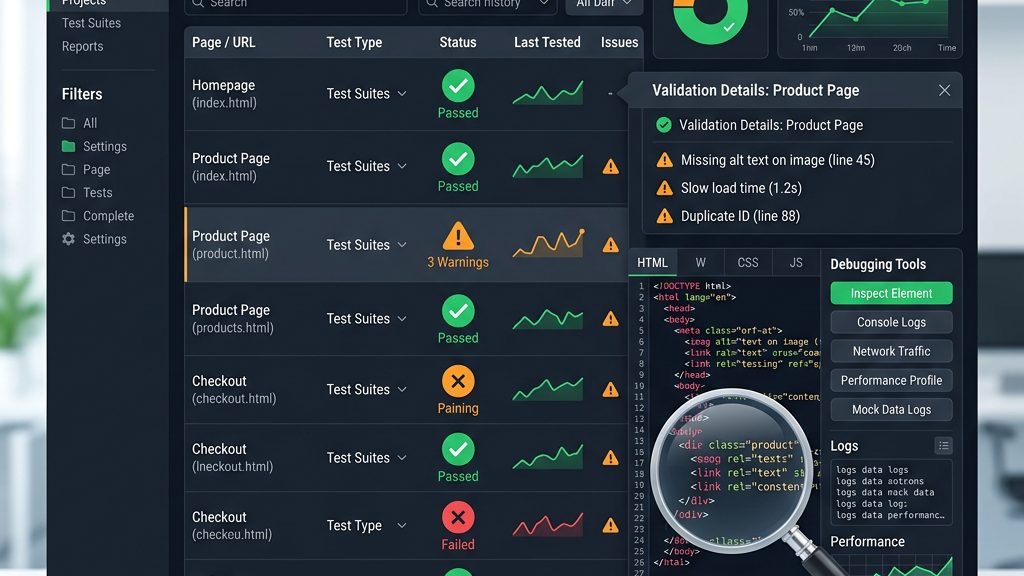
The Facebook Sharing Debugger is our first line of defense against broken OG implementations. By entering a URL, the tool fetches the page, displays the parsed OG tags, and highlights any errors such as missing og:image or invalid URL formats. This feedback loop is similar to a mechanic running diagnostics on a car—identifying issues before they cause a breakdown.
When we see a warning about an oversized image, we resize the file to meet Facebook’s recommended dimensions and re‑scrape the URL. The debugger also shows the exact HTML snippet it used, allowing us to verify that our manual or extension‑generated tags are correctly placed. By clearing Facebook’s cache through the debugger, we ensure that any recent changes appear instantly in the preview.
Regularly running the debugger on new articles and updated pages helps maintain a consistent social presence. It also uncovers hidden issues like duplicate tags or malformed URLs that could otherwise slip through unnoticed, much like a lighthouse revealing hidden reefs to passing ships.
Twitter’s Card Validator works in a similar fashion, presenting a live preview of how a tweet will render with our OG tags. We paste the article URL, and the validator returns the card type, title, description, and image that Twitter will display. If any required tag is missing, the validator highlights the problem and suggests a fix.
One useful feature is the ability to view the raw HTML response, which shows us exactly which twitter: or og: tags Twitter prioritized. This insight helps us resolve conflicts when both sets of tags are present, ensuring the final card matches our intended design. By iterating through the validator, we fine‑tune the length of titles and descriptions to avoid truncation, similar to editing a headline for optimal impact.
Testing both Facebook and Twitter ensures that our OG implementation works across the major social ecosystems. It also builds confidence that the content we publish will appear as a polished, click‑worthy preview, encouraging users to engage with our Joomla site.
Even seasoned developers encounter recurring OG issues. A frequent error is a missing og:image or an image URL that returns a 404 error, resulting in a blank preview. The fix is to verify that the image file exists on the server, that the URL is absolute, and that the file permissions allow public access. This step is akin to checking that a billboard’s lights are turned on before the launch.
Another common problem is duplicate meta tags, which can confuse crawlers and lead to unpredictable previews. To resolve this, we audit the template and any installed extensions to ensure only one set of tags is output per page. Using a tool like the Chrome DevTools “View Source” feature helps us spot redundancies quickly, much like a proofreader catching repeated words.
Finally, mismatched content types (e.g., setting og:type to website for an article) can limit the richness of the preview. Updating the og:type to article unlocks additional properties and signals to platforms that the page is a piece of content rather than a generic site. By addressing these errors systematically, we maintain a high‑quality social preview that drives traffic and engagement.

Static OG images work, but dynamic images that incorporate the article title or featured product can boost click‑through rates. We can generate these images on the fly using PHP libraries like GD or ImageMagick, overlaying text onto a background template. The result is a personalized card that feels tailor‑made for each piece of content, much like a custom‑printed invitation.
To implement this, we create a script that receives the article ID, fetches the title, and renders an image saved to a temporary folder. The script’s URL is then assigned to the og:image tag. By caching the generated image for a reasonable period, we avoid excessive server load while still delivering fresh visuals. This technique adds a layer of interactivity that can differentiate our Joomla site from competitors.
Several third-party services also offer dynamic OG image generation via API, removing the need for server-side image processing entirely. Tools like Cloudinary or imgix accept URL parameters for text overlays, resizing, and formatting, returning a finished image in milliseconds. By combining these services with our Joomla template logic, we create a fully automated pipeline where every new article receives a branded, eye-catching preview image without manual design work.
Joomla’s built‑in multilingual support allows us to serve content in multiple languages, and OG tags should reflect the language of each version. We set the og:locale property to the appropriate ISO code (e.g., en_US, fr_FR) and include og:locale:alternate tags for the other available languages. This configuration tells platforms like Facebook which language variant to display to a given user, similar to a multilingual signpost guiding travelers.
When using extensions like Phoca Open Graph, we can map language-specific fields to the OG tags automatically. If we generate tags manually, we retrieve the current language via JFactory::getLanguage()->getTag() and inject it into the og:locale meta tag. By testing each language version with the Facebook Debugger, we confirm that the correct locale appears in the preview, ensuring a seamless experience for international audiences.
We should also consider the hreflang and og:locale:alternate interplay. When Joomla serves French content at /fr/article, the OG tags must reflect fr_FR as the locale while listing en_US and other variants as alternates. This dual signaling helps both search engines and social platforms route users to the most relevant version of our content, reducing bounce rates from language mismatches.
After deploying OG tags, we should track how they affect social traffic and engagement. Google Analytics can be configured to capture referral data from Facebook, Twitter, and LinkedIn, allowing us to see which pages generate the most clicks. Additionally, social media management tools like Sprout Social or Buffer provide metrics on impressions, clicks, and shares for each URL.
By correlating these metrics with OG tag changes—such as updating an image or tweaking a description—we can measure the impact of each adjustment. This data-driven approach is akin to a scientist running experiments, observing results, and refining the hypothesis. Over time, we build a library of best-performing OG configurations that we can replicate across new content, continuously improving our Joomla site’s social SEO performance.
Setting up UTM parameters alongside our OG tags provides an additional layer of tracking granularity. When we append ?utm_source=facebook&utm_medium=social to the og:url, Google Analytics can distinguish between organic Facebook traffic and shared-link traffic. This precision allows us to attribute conversions directly to our social SEO efforts, proving the ROI of a well-implemented Open Graph strategy on our Joomla site.
Q1: Do I need to add Open Graph tags to every Joomla page?
A: While it’s not mandatory, adding OG tags to all public pages ensures consistent previews across social platforms. Even static pages like contact forms benefit from a basic og:title and og:url to avoid blank cards.
Q2: Can I use the same image for all articles?
A: Yes, a default image works as a fallback, but unique images increase engagement. If an article lacks a featured image, many extensions will automatically pick the first image in the content.
Q3: How often should I test my OG tags?
A: Test after any major content update, theme change, or extension installation. Running the Facebook Debugger and Twitter Card Validator quarterly helps catch unnoticed issues.
Q4: Are there size limits for OG images?
A: Facebook recommends at least 1200 × 630 px, while Twitter prefers 1200 × 628 px. Keeping the file size under 5 MB ensures fast loading and avoids compression artifacts.
Q5: What’s the difference between og:type and twitter:card?
A: og:type tells platforms the nature of the content (e.g., article, product), whereas twitter:card specifies the visual layout of the tweet (summary, summary_large_image). Both can coexist, providing complementary instructions to each network.
By mastering joomla open graph tags, we equip our Joomla sites with the visual and semantic cues that social platforms crave. The combination of manual coding, powerful extensions, and diligent testing creates a resilient social SEO foundation. As we continue to refine our OG strategy—through dynamic images, multilingual support, and performance monitoring—we keep our content shining brightly across every feed, inviting users to explore, share, and return.